
GMKtec Mini PC G3 PRO
4.4Editor score
16GB DDR4 RAM
4K Dual HDMI Support
2.5GbE Ethernet
Discover the best Intel Core i3 Mini PC options for 2026. We compare ten top models for performance, connectivity, and value to help you choose wisely.
Finding the right compact computer can transform your workspace without sacrificing power. An Intel Core i3 Mini PC offers a balanced blend of efficiency and performance suitable for modern demands. These devices fit easily into tight spots while delivering reliable speed for daily tasks.
We evaluated ten distinct models based on processor generation, memory capacity, storage options, and port selection. Each unit was assessed for real-world usability in home offices, business environments, and media centers. Our goal is to highlight the most capable systems available this month.
Each pick below includes detailed specifications and practical insights into how these machines handle workloads. Prices and availability fluctuate regularly so always verify current terms before purchasing. This guide ensures you have the necessary context to invest confidently in a compact system.
4.4Editor score
4.8Editor score
4.9Editor score
This side-by-side comparison highlights the key differences between the leading models. From older generations to the latest silicon, we cover the spectrum of capabilities to help you match a device to your specific workflow needs.


The GMKtec Mini PC G3 PRO stands out as a compelling budget-friendly choice. It features the Core i3-10110U which offers better single core speed than older rivals. With 16GB of RAM and fast storage it handles daily office tasks with ease.
We may earn a commission when you buy through this link, at no additional cost to you.
Its dual HDMI ports allow for a productive multi monitor setup ideal for professionals managing spreadsheets and web tabs simultaneously. The system supports 4K video playback making it a versatile option for both work and home entertainment purposes.
While the fan can become audible during heavy processing loads the overall thermal performance is manageable. The inclusion of WiFi 6 and Bluetooth 5.2 ensures you stay connected to modern peripherals without latency issues.
This device is perfect for students or home office workers seeking value without compromising essential performance. It delivers a reliable experience for browsing, document editing, and light media consumption at a very accessible price range.
The 10th Gen processor provides a significant jump in efficiency over older generations ensuring smooth multitasking without lag.
Multiple USB ports and secondary storage slots allow you to expand capabilities as your storage needs grow over time.
We may earn a commission when you buy through this link, at no additional cost to you.
This unit delivers exceptional value with a perfect rating from users who appreciate its reliability. The 8109U processor offers sustained speeds that keep up with daily workflows efficiently. Its compact design fits seamlessly behind monitors or on small desks.
We may earn a commission when you buy through this link, at no additional cost to you.
Connectivity is robust with HDMI and DisplayPort allowing for a true dual 4K workspace. This is particularly useful for financial traders or designers who need multiple screens for data visualization. The included VESA mount helps maintain a tidy environment.
Storage is limited to 256GB but the system allows adding a second drive up to 4TB total. This flexibility means you can start small and expand as your media libraries or project files grow over the years.
Ideal for general home use this mini PC balances cost and capability well. It handles streaming, video calls, and web browsing smoothly making it a practical choice for families and remote workers alike.
Support for dual 4K displays enhances productivity by allowing side by side content creation and research tasks.
Dual SSD slots provide ample room for data expansion without needing external drives for every new file.
We may earn a commission when you buy through this link, at no additional cost to you.
The C3 Mini PC is engineered for stability and long term operation in commercial or home settings. It uses a 5th Gen processor which while older still handles basic tasks well. The system runs quietly thanks to an optimized cooling fan.
We may earn a commission when you buy through this link, at no additional cost to you.
Its port layout includes both modern USB 3.2 and legacy USB 2.0 options for older peripherals. Dual HDMI outputs let you extend your workspace across two screens which is great for multitasking. The 3 year warranty adds significant peace of mind.
While the processor is dated the 512GB SSD ensures fast boot times and snappy file access. You can upgrade RAM to 32GB if needed to keep up with heavier workloads. This makes it a versatile box for a budget conscious buyer.
This device is best suited for users who need a reliable machine for web browsing and document editing. It consumes little power and produces minimal heat making it safe for 24 by7 operation in digital signage or thin client roles.
Built for 7×24 operation the thermal design ensures steady performance even during extended usage cycles.
A three year support plan provides long term security for businesses or individuals seeking low risk investments.
We may earn a commission when you buy through this link, at no additional cost to you.
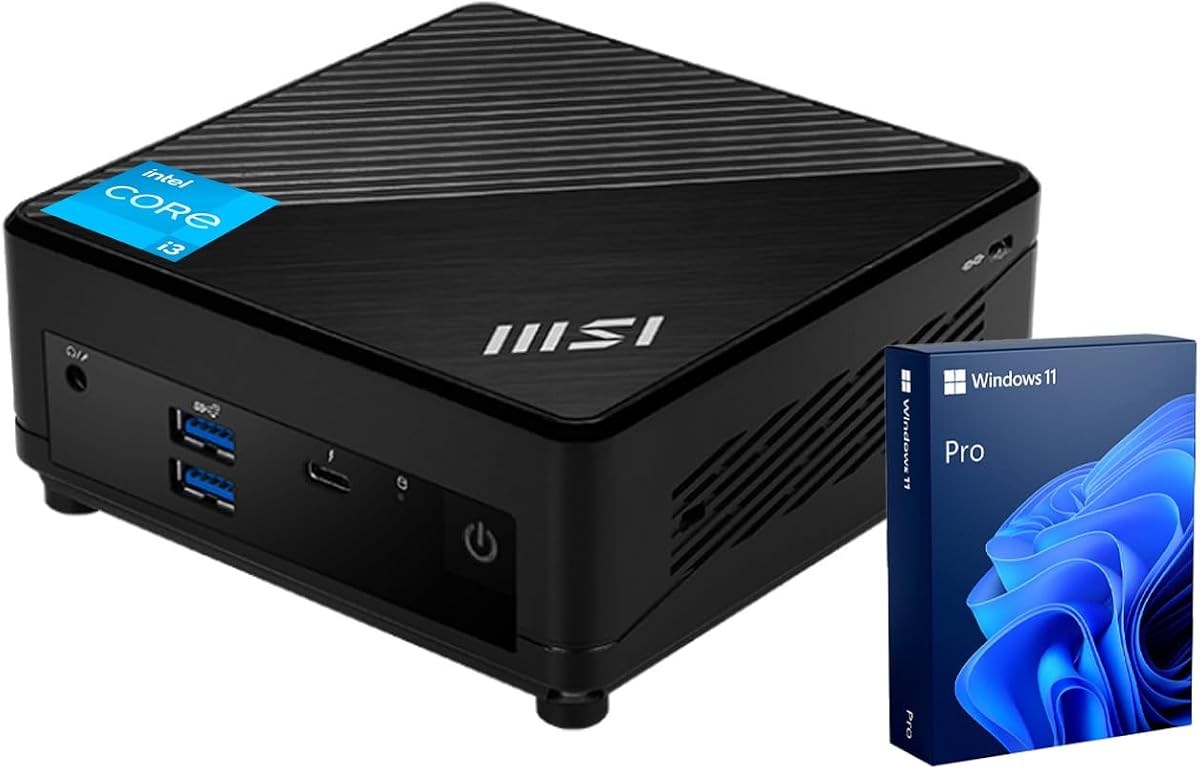
The msi Cubi 5 Professional delivers a strong blend of modern performance and business features. Powered by a 6 core processor it handles multitasking with grace. Windows 11 Pro provides security tools essential for enterprise environments.
We may earn a commission when you buy through this link, at no additional cost to you.
Thunderbolt 4 connectivity allows for incredibly fast data transfers and supports high bandwidth displays. This feature sets it apart from competitors lacking this standard. Support for three monitors lets you manage complex projects without physical clutter.
While the price is higher than budget options the quality and warranty justify the investment. The system boots quickly and runs applications smoothly thanks to ample memory and fast SSD storage. It is a robust tool for professional work.
Ideal for developers or small business owners this mini PC scales well with growing demands. It offers the reliability of a workstation in a footprint that fits easily into any office setup or meeting room.
Windows 11 Pro includes BitLocker and remote desktop tools for secure management and data protection.
Thunderbolt 4 enables docking stations and external GPUs extending the utility of this compact form factor.
We may earn a commission when you buy through this link, at no additional cost to you.
The Dell OptiPlex 3060 is a classic business machine designed for reliability. This renewed version brings it up to date with Windows 11 Pro for better security. It is a great choice for those needing a standard enterprise setup.
We may earn a commission when you buy through this link, at no additional cost to you.
Dell hardware is known for its durability and this unit is no exception. It features six USB 3.0 ports allowing you to connect multiple peripherals without hubs. The micro form factor is discreet and fits easily into tight spaces.
Storage is a limitation at 128GB but external drives or cloud storage can mitigate this. The processor is sufficient for web browsing and office suites making it ideal for administrative tasks. It remains a strong performer for its class.
Best for IT departments or small offices this device offers enterprise stability at a lower cost. It handles standard business workloads efficiently and is easy to deploy across multiple desks or workstations.
OptiPlex series is widely used in corporate settings ensuring compatibility with standard business software.
Six USB ports provide ample connectivity for mice, keyboards, and legacy devices simultaneously.
We may earn a commission when you buy through this link, at no additional cost to you.
This PRO model brings a latest 13th Gen CPU to a professional environment. It offers strong multi-threaded performance for modern office suites and virtual meetings. The included keyboard and mouse make setup instant for immediate productivity.
We may earn a commission when you buy through this link, at no additional cost to you.
Windows 11 Pro ensures enterprise level security and management features are available. The system supports two 4K displays allowing for detailed work on spreadsheets or code editors. Its design focuses on reliability and steady performance.
16GB of RAM ensures that you can keep multiple applications open without slowdowns. The NVMe SSD accelerates boot times and file access making daily tasks smoother. It is a solid investment for a dedicated office desk.
Perfect for corporate deployments this unit balances power and simplicity. It avoids unnecessary frills to focus on what matters for business continuity and employee efficiency in a modern work setting.
Including input devices saves time and effort during initial setup for remote workers.
13th Gen architecture provides efficiency cores for background tasks keeping the main CPU fast.
We may earn a commission when you buy through this link, at no additional cost to you.
The ASUS ExpertCenter PB63 is designed for government and enterprise needs with TAA compliance. It features a 14th Gen processor for top tier performance in daily tasks. The 3 year warranty provides long term security for buyers.
We may earn a commission when you buy through this link, at no additional cost to you.
WiFi 6E ensures that you stay connected with fast wireless speeds and lower latency. This is essential for modern video conferencing and cloud work. The build quality is robust and designed for commercial environments.
Dynamic tuning technology optimizes performance automatically to suit your workload. This feature helps maintain efficiency without manual intervention. It is a great fit for offices that require strict regulatory standards and reliability.
Best for public sector or large corporate buyers this model meets specific procurement requirements. It delivers modern speed and connectivity while adhering to government standards for IT hardware procurement.
TAA compliance is critical for government contracts ensuring the device meets trade agreements.
Automated optimization ensures the system runs efficiently without constant user adjustments.
We may earn a commission when you buy through this link, at no additional cost to you.
Lenovo delivers a highly capable machine in a 1 liter chassis that saves space. The 6 core CPU handles daily workloads smoothly and efficiently. It boasts a perfect rating from users who appreciate its speed and build quality.
We may earn a commission when you buy through this link, at no additional cost to you.
Dual 4K display support enhances productivity for those who work with multiple windows. The system is energy efficient and eco-friendly helping reduce your footprint and costs. It runs quietly and stays cool under load.
While the VESA mount is optional the design allows for flexible placement on any desk. It boots quickly and runs Windows 11 with ease. This model is a top pick for modern home offices.
Ideal for users needing maximum performance in a tiny footprint this PC stands out. It combines speed reliability and design to meet the demands of a busy professional or student.
A one liter footprint leaves more room for your workspace and peripherals.
Energy star certification and recycled materials reduce environmental impact.
We may earn a commission when you buy through this link, at no additional cost to you.
This MFF model brings high end memory and storage to a compact box. The 32GB DDR5 RAM ensures future proofing for demanding applications. It handles complex workloads with ease and offers ample space for data.
We may earn a commission when you buy through this link, at no additional cost to you.
14th Gen processors provide the latest speed and efficiency. The 1TB SSD allows you to store large files locally without needing external drives. It is perfect for power users who need serious capacity.
Wi-Fi 6E keeps your connection fast even in crowded networks. The build quality is exceptional with a focus on reliability. It supports up to three displays for advanced multitasking.
For those who need maximum performance this device is the top choice. It combines speed and capacity in a reliable form factor that suits demanding business or technical workflows.
DDR5 technology offers significantly faster speeds than DDR4 for future workloads.
1TB storage eliminates the need for external drives for most personal business use.
We may earn a commission when you buy through this link, at no additional cost to you.
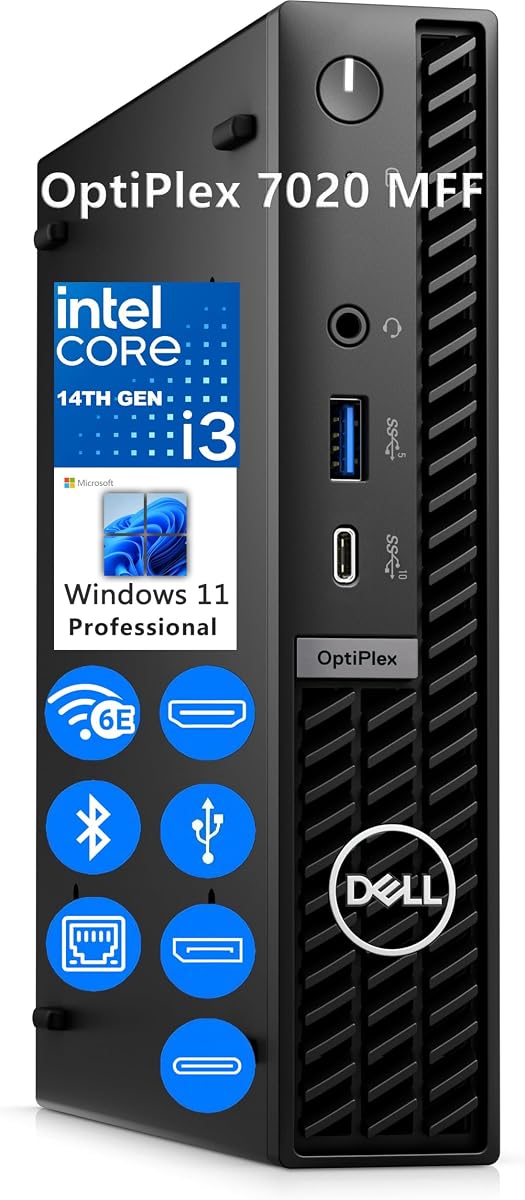
The Dell OptiPlex 7020 is a modern desktop featuring a 14th Gen CPU and DDR5 memory. It delivers seamless multitasking for business apps and streaming. The design fits tight workspaces without sacrificing performance.
We may earn a commission when you buy through this link, at no additional cost to you.
It supports up to three simultaneous displays via HDMI and DisplayPort. This makes it versatile for financial or creative work. Windows 11 Pro ensures security and reliability for professional use.
While RAM and storage are modest the speed of DDR5 helps performance. The compact design is portable and easy to mount on walls. It is a solid choice for a clean desk setup.
Best for business users needing a reliable and secure machine this model stands out. It offers modern tech in a practical package ready for deployment in any professional setting.
DDR5 and latest gen CPUs provide speed and efficiency for future workloads.
Support for three screens allows for complex workflows and productivity.
We may earn a commission when you buy through this link, at no additional cost to you.
Selecting the right mini PC involves balancing performance needs with physical constraints. This guide breaks down key factors to help you make an informed decision for your specific use case.
The generation of your Intel Core i3 processor dictates overall speed and efficiency. Newer generations like 12th or 14th Gen offer significant improvements in both single and multi core performance over older models. Look for higher turbo frequencies if you plan to multitask heavily.
Prioritize newer generations for better longevity and performance efficiency.
RAM capacity determines how many programs you can run simultaneously without slowdowns. For modern workflows 16GB is the sweet spot ensuring smooth browser and app usage. 8GB works for basic tasks but may struggle with heavy loads.
Aim for 16GB of RAM to future proof your system against growing demands.
Solid State Drives are standard for fast boot times and quick file access. NVMe SSDs are faster than SATA options so check the interface type when comparing models. Storage size should match your needs for files and applications.
Choose NVMe SSDs and at least 512GB storage for optimal speed and space.
Multiple monitors boost productivity by allowing more workspace. Check for HDMI and DisplayPort availability to support dual or triple displays. Some models support 4K resolution on multiple screens which is crucial for detailed work.
Ensure your mini PC has enough ports for your monitor setup and resolution needs.
USB ports allow you to connect peripherals like mice keyboards and drives. Look for USB 3.2 or Thunderbolt 4 for fast data transfer speeds. Wi-Fi 6 or 6E support ensures reliable and fast wireless connections in busy environments.
Verify USB and Wi-Fi standards to match your peripheral and network requirements.
Windows 11 Pro is ideal for business users needing security tools like BitLocker and remote desktop. Some models come with Home versions or Linux support for developers. Ensure the OS matches your professional or personal needs.
Select Pro editions for enterprise features and Home editions for standard home use.
Compact devices can run hot so efficient cooling is essential. Look for models with upgraded fans or thermal pastes to maintain performance. Noise levels matter if you work in quiet environments like home offices.
Check cooling solutions to ensure quiet operation and stable performance.
Warranty length varies from one to three years depending on the manufacturer. Business grade models often offer better support options. A longer warranty provides peace of mind and protects your investment.
Prioritize brands with longer warranties for better long term security.
Start by connecting your power adapter and peripherals properly. Ensure your network connection is stable via Ethernet or Wi-Fi. Install any necessary updates to optimize performance before beginning your daily tasks.
Keep the device in a well ventilated area to prevent overheating. Dust regularly from vents to maintain airflow and cooling efficiency. Avoid placing it in direct sunlight or near heat sources.
Manage startup applications to keep the system responsive. Use sleep mode when not in use to save power without losing data. Regular backups to external drives or cloud services protect your important files.
While not designed for heavy gaming these units handle casual games and older titles well. Integrated graphics can manage basic tasks and streaming. For modern AAA games a dedicated GPU is required.
Many models allow memory and storage upgrades but check the manual first. Some solder RAM making it non upgradeable. Always verify access to slots before purchasing to ensure future expandability.
Wi-Fi 6E offers an extra 6GHz band for less interference and higher speeds. It is beneficial in crowded networks but requires compatible routers. Wi-Fi 6 remains a solid choice for most general users.
Most commercial models include Windows 11 Pro or Home pre installed. Some budget units may come without an OS or with Linux. Always check the product details to confirm what is included.
Most support dual 4K displays via HDMI and DisplayPort. High end models like the Dell OptiPlex 7020 can drive three screens. Check port configurations to ensure they meet your multi monitor needs.
Business grade units are engineered for continuous operation. Look for models with optimized cooling and warranties for 24/7 use. They are reliable for digital signage and thin client setups.
We reviewed ten diverse models ranging from budget options to premium business class units. The GMKtec G3 PRO leads in value while the msi Cubi 5 offers professional features. The Dell OptiPlex 7020 MFF stands out for power users.
Prioritize your specific needs like memory or multi monitor support over raw specs. A balanced system will serve you better in the long run than one with high specs in unnecessary areas.
Prices and availability change frequently so verify current terms before buying. This guide remains a reference for specs and features but always check the retailer for real time offers and deals.