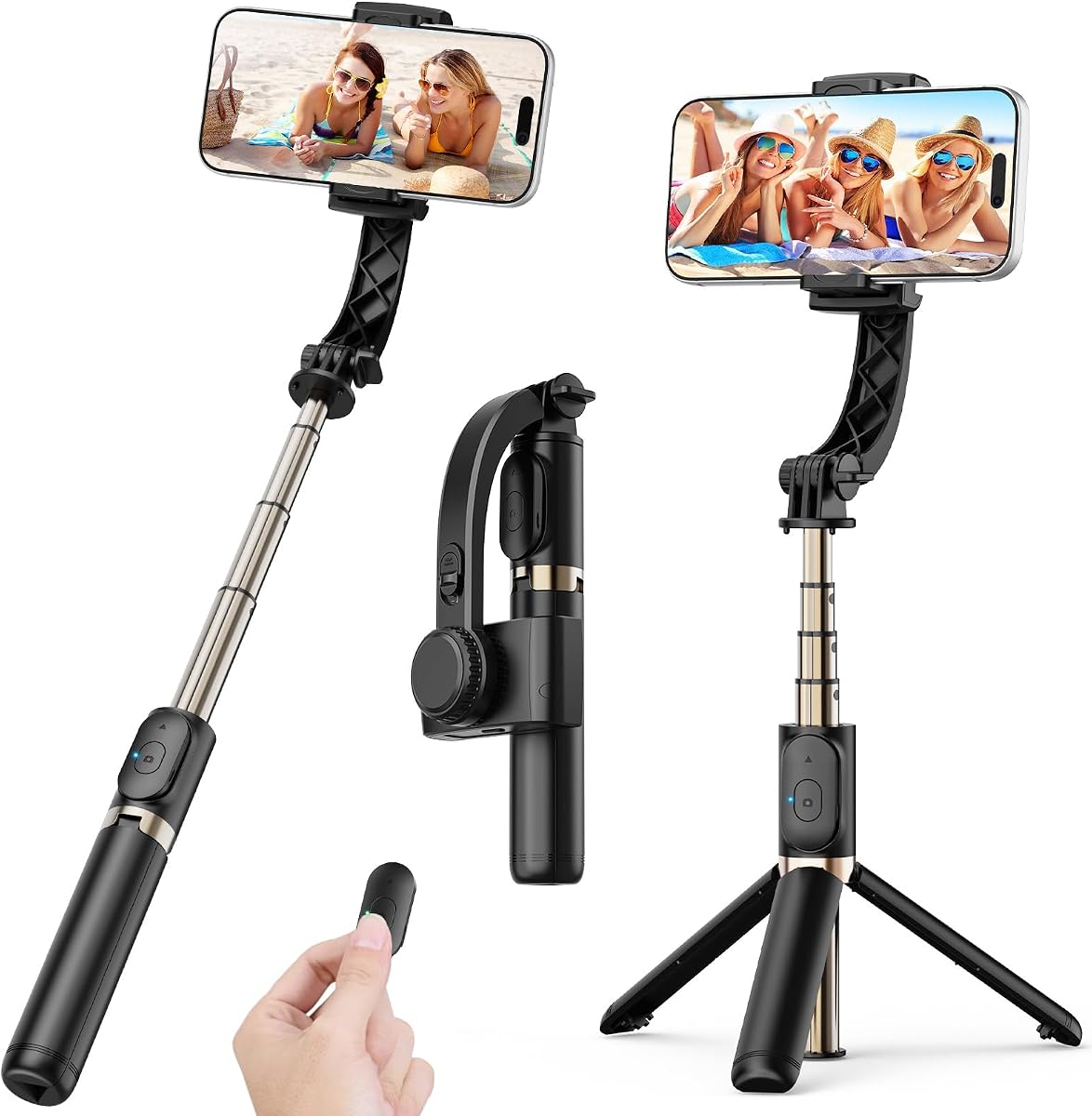
Gimbal Stabilizer Smartphone 1-Axis
4.7Editor score
Superior image stabilization technology
Easy app free operation
Lightweight portable selfie stick
This guide compares the top 10 gimbals for beginners to help you choose the right stabilizer for smooth phone or camera footage today.
Finding the right gimbal for beginners can feel overwhelming with so many options available on the market today. You need a device that stabilizes your footage without requiring complex setup or professional skills to operate effectively.
We compared ten top-rated models based on stabilization quality, ease of use, battery life, and value for money. Our analysis focuses on features that matter most to new creators starting their video journey.
Each pick highlights key strengths and potential weaknesses to help you make an informed decision. Please note that prices and availability change frequently so verify current details before purchasing online.
4.7Editor score

4.4Editor score

4.3Editor score
The following comparison table lists all ten selected models with their key specifications to help you quickly identify the best fit for your needs and budget.



The DJI Osmo Mobile 8 stands out as the top choice for beginners seeking professional-quality stabilization. With a solid rating of 4.4 stars it offers robust 3-axis stabilization that ensures smooth footage even during movement.
We may earn a commission when you buy through this link, at no additional cost to you.
Its standout features include native tracking with audio and lighting which simplifies content creation without extra gear. The seamless 360 degree pan rotation and built-in tripod add versatility for various shooting scenarios.
While the price is higher than budget options the included features justify the investment. App compatibility issues on some Android devices may require downloading from the official website instead of Play Store.
This gimbal is ideal for creators who want an all-in-one solution for vlogging and social media. It balances ease of use with advanced features to help beginners grow their skills quickly.
The integrated audio and lighting modules let you capture high-quality shots without external accessories.
The ultra-comfortable grip reduces wrist strain during extended shooting sessions.
We may earn a commission when you buy through this link, at no additional cost to you.
The hohem iSteady X3 SE offers an excellent balance of features and affordability for new creators. It includes a detachable magnetic remote which simplifies selfie and group shots without needing to hold the gimbal.
We may earn a commission when you buy through this link, at no additional cost to you.
Advanced iSteady 8.0 technology ensures ultra-smooth footage during active recording. The 11-hour battery life supports all-day shooting sessions making it reliable for events or travel.
Its foldable design makes it easy to carry in a bag. While the remote range is limited it still provides flexibility for solo content creation tasks.
This model is a strong contender for those prioritizing portability and battery life. It suits beginners who want solid stabilization without spending on premium features.
The detachable magnetic remote allows hands-free operation up to 32 feet away.
With 11 hours of continuous use you can film longer events without recharging.
We may earn a commission when you buy through this link, at no additional cost to you.
The DJI Osmo Mobile 7 focuses on portability without sacrificing stabilization performance. Weighing only 300 grams it is easy to hold for extended periods without fatigue.
We may earn a commission when you buy through this link, at no additional cost to you.
It features ActiveTrack 7.0 which tracks subjects across diverse scenarios smoothly. The foldable design with built-in tripod simplifies solo shooting and storage.
One-Tap Edit helps beginners create polished videos quickly. However the lighter build may feel less durable than heavier models and some Android users face app compatibility issues.
This gimbal suits travelers and casual creators who prioritize weight. It delivers professional results with minimal effort making it a smart pick for on-the-go filming.
Dual-lens enhanced tracking keeps subjects in focus during complex movements.
The ergonomic lightweight design ensures comfort during long handheld shoots.
We may earn a commission when you buy through this link, at no additional cost to you.
The DJI Osmo Mobile 7P enhances the standard model with a multifunctional module for advanced tracking. Its 4.5 rating reflects strong performance in tracking subjects with minimal effort from the user.
We may earn a commission when you buy through this link, at no additional cost to you.
Snap and shoot functionality lets you mount your phone and start filming instantly. The dual-lens tracking ensures subjects stay in focus even during fast close-up action.
The extension rod and tripod support wide selfies and stable vlogs. While the module adds slight bulk it provides significant value for creators who need reliable subject tracking.
This is the best choice for creators focused on dynamic content like tutorials or vlogs. It simplifies complex tracking tasks making professional results accessible to beginners.
This compact unit combines intelligent tracking mic reception and lighting into one package.
Unfold and power on to film immediately with automatic app recognition.
We may earn a commission when you buy through this link, at no additional cost to you.
This 1-axis gimbal stabilizer provides the best budget option for beginners testing the waters. With a high rating of 4.7 stars it delivers reliable stabilization for casual use at a fraction of the cost.
We may earn a commission when you buy through this link, at no additional cost to you.
The app-free operation with one-button control eliminates complex setups. Its lightweight portable design and extendable rod make it easy to use anywhere.
While it lacks multi-axis stabilization the built-in gyroscope still reduces shake significantly. The short battery life is acceptable for short shoots but limits all-day use.
Ideal for TikTok and YouTube Shorts creators on a tight budget. It proves you do not need expensive gear to start making smooth videos today.
No apps needed just use the one-button control to switch shooting modes instantly.
The sturdy tripod mode supports hands-free recording for calls or videos.
We may earn a commission when you buy through this link, at no additional cost to you.
The AOCHUAN Smart XE brings 3-axis stabilization to budget-conscious buyers. Its foldable design and AI face tracking provide capabilities usually found in more expensive models.
We may earn a commission when you buy through this link, at no additional cost to you.
The focus wheel and zoom slide allow professional-like adjustments. A 10-hour battery supports long sessions and one-click video buttons simplify content creation.
Build quality is average compared to premium brands but functional for home use. Some users find the app tutorials confusing which may slow initial learning.
This model suits beginners who want 3-axis stabilization without breaking the bank. It offers solid performance for social media content creation on a budget.
Built-in AI tracking ensures your face stays in focus during vlogging sessions.
One-click buttons instantly switch between horizontal and vertical modes for social media.
We may earn a commission when you buy through this link, at no additional cost to you.
The DJI RS 3 Mini is the top pick for beginners using mirrorless cameras instead of phones. It offers professional stabilization in a compact form factor that is easier to carry than traditional gimbals.
We may earn a commission when you buy through this link, at no additional cost to you.
Its wide compatibility supports Canon Sony Nikon and Fujifilm cameras. The Bluetooth shutter control and 1.4-inch touchscreen simplify operation and camera management.
While heavier than phone gimbals it remains portable for travel. The app requirement may be a hurdle but it enables full functionality and firmware updates.
This gimbal is perfect for filmmakers wanting to upgrade from smartphone shooting. It delivers cinematic results with intuitive controls designed for serious content creation.
Supports a wide range of cameras and lenses up to 2 kg payload capacity.
The full-color touchscreen offers quick access to settings and menus.
We may earn a commission when you buy through this link, at no additional cost to you.
The hohem iSteady Mobile Plus stands out with its ultra-wide-angle mode for broader shots. It delivers cinematic stabilization with an impressive 13-hour battery life for extended shoots.
We may earn a commission when you buy through this link, at no additional cost to you.
Creative modes like inception allow unique rotation effects. The power bank function charges your phone while recording which is vital for travel or long events.
Manual balancing is necessary which can be tricky for first-time users. Wide-angle mode depends on your phone model so check compatibility before relying on it.
This model suits creators who want unique shooting modes and long battery life. It is a reliable tool for travel vlogging and creative content.
One simple button press activates ultra-wide mode to capture broader views.
The gimbal charges your phone during use preventing power drain issues.
We may earn a commission when you buy through this link, at no additional cost to you.
The FeiyuTech SCORP Mini 2 Kit is a versatile option for mixed gear including cameras and phones. Its 1.2 kg payload supports heavier setups than typical smartphone gimbals.
We may earn a commission when you buy through this link, at no additional cost to you.
A built-in AI tracker and 1.3-inch touchscreen provide advanced controls. The included carrying case and extension rod make it a complete kit for field work.
Setup and balancing take more time than simpler models. The weight may be too much for beginners focused solely on smartphone video.
This is best for hybrid creators who use both phones and mirrorless cameras. It offers professional features in a portable design suitable for diverse shooting needs.
Includes carrying case and extension rod for ready-to-use field setup.
Handles mirrorless cameras and action cameras up to 1.2 kg.
We may earn a commission when you buy through this link, at no additional cost to you.
The Hohem iSteady M6 Kit features an integrated magnetic fill light for better lighting control. It supports native camera tracking across all mobile apps which simplifies subject tracking.
We may earn a commission when you buy through this link, at no additional cost to you.
The OLED display provides quick status updates on battery and modes. iSteady 7.0 stabilization ensures smooth footage during movement or handheld recording.
The 400g payload limits use with heavier phones or accessories. The added light module slightly increases weight but enhances low-light performance significantly.
This model suits creators who shoot in varied lighting conditions. It offers practical features like native tracking and fill light for better video quality.
Cold warm and RGB lighting modes improve footage in low-light environments.
Visualizes battery mode and status quickly without checking the app.
We may earn a commission when you buy through this link, at no additional cost to you.
Choosing the right gimbal requires understanding key features that match your filming needs. This guide explains essential factors to consider before purchasing.
Gimbals offer 1-axis or 3-axis stabilization. 3-axis models provide smoother footage by compensating for pitch roll and yaw movements which is crucial for professional-looking videos.
Look for 3-axis stabilization to ensure your video remains steady during complex moves.
Payload capacity refers to the maximum weight the gimbal can support. Ensure your phone or camera with case is within this limit to prevent motor strain.
Check the payload rating to guarantee compatibility with your current device setup.
Long battery life means longer recording sessions without interruption. Most gimbals offer between 2 to 13 hours of use which varies based on features and settings.
Prioritize models with 10+ hours for full-day shooting or travel use.
Beginners benefit from intuitive controls and app support. Features like auto-balance or one-tap editing simplify setup and post-production workflows significantly.
Choose a gimbal with clear instructions and simple controls for a smooth start.
Foldable designs and lightweight construction make gimbals easier to carry. Compact models fit in bags and reduce fatigue during extended handheld filming sessions.
Consider weight and folded size if you plan to travel frequently with your gear.
Tracking AI gesture controls and creative modes add versatility to your videos. Native tracking with audio or lighting modules can reduce the need for extra accessories.
Look for smart features that match your content style to enhance creativity without added cost.
Prices range widely from basic 1-axis units to premium 3-axis models. Balance your budget with necessary features to avoid overspending on unused capabilities.
Invest in mid-range models that offer core features without premium-only extras.
Always balance your phone or camera on the gimbal before turning it on. Proper balancing prevents motor strain and ensures smooth stabilization during filming.
Charge the gimbal fully before first use and avoid draining the battery completely. Regular charging extends battery lifespan and keeps your device ready for spontaneous shots.
Store the gimbal in a dry place inside its carrying case to prevent dust and moisture damage. Clean the motors gently with a soft cloth to maintain performance over time.
The Gimbal Stabilizer Smartphone 1-Axis is ideal for those on a tight budget. It offers reliable stabilization at an affordable price with simple one-button controls and no app setup required.
Not always. Many basic models work without apps using physical buttons instead. Advanced features like tracking or editing modes usually require companion apps for full functionality.
Most modern gimbals last between 8 to 13 hours on a single charge. Budget models may offer around 2 hours so check battery specs if you plan long recording sessions.
Yes but you need a camera-specific model with higher payload capacity. The DJI RS 3 Mini or FeiyuTech SCORP Mini 2 Kit are excellent choices for mirrorless users.
Absolutely. 3-axis stabilization provides the smoothest footage by correcting all three rotational movements. It is essential for professional-looking videos and worth the investment.
Adjust the phone or camera on each axis until it stays still without motor help. Once balanced lock the settings and power on the gimbal for stable results.
Most gimbals are not waterproof so avoid using them in rain or water. Keep your device dry to protect internal electronics and ensure long-lasting performance.
Consider a carrying case and extra batteries for longer shoots. An extension rod or tripod adds versatility but check compatibility with your specific gimbal model.
The DJI Osmo Mobile 8 leads as the best overall choice offering advanced tracking and reliability. Budget seekers should consider the 1-Axis Gimbal for affordability and simplicity.
Prioritize features that match your content type whether travel vlogging or casual social media clips. Balancing your needs with your budget will lead to the best user experience.
Prices and availability change so verify details before buying. Check current deals to get the most value for your investment in smoother video creation.