
TONGVEO 4K NDI PTZ Camera
4.6Editor score
Official NDI License included
20X Optical Zoom capabilities
Supports HDMI USB and SDI outputs
This guide compares the top ten Auto Tracking Conference Camera models for 2026 to help you find the perfect video solution for your meetings and streaming
Finding the right video setup for your meeting space is crucial for modern communication. An Auto Tracking Conference Camera ensures every speaker is captured clearly without manual adjustments. This technology enhances professionalism and keeps remote participants engaged throughout your sessions.
We have evaluated ten leading models based on video quality, tracking accuracy, and ease of use. Our analysis covers a range of options from budget-friendly all-in-one kits to professional-grade systems with advanced zoom capabilities. Each product offers unique features suited to different room sizes and applications.
Each pick below highlights key specifications and real-world performance characteristics. We focus on how well these cameras handle dynamic environments and integrate with popular software platforms. Please note that pricing and availability can change frequently, so verify details before purchasing your preferred model.
4.6Editor score

4.8Editor score

4.1Editor score
This table provides a side-by-side comparison of all ten models evaluated in this guide. It highlights core specifications like resolution, zoom type, and connectivity options to help you quickly identify the best fit for your specific meeting room requirements and budget constraints.




This all-in-one system combines a high-resolution camera with a wireless speakerphone for a complete conferencing solution. It holds a top rating due to its reliable performance and ease of use in diverse environments. The camera delivers crisp visuals while the speaker ensures clear audio for every participant.
We may earn a commission when you buy through this link, at no additional cost to you.
The standout feature is its advanced AI tracking algorithm which precisely follows speakers based on face and body recognition. It maintains a perfect view during movement without needing manual input. The 4K output via HDMI and USB3.0 ensures high-quality uncompressed video suitable for professional broadcasts.
While the video quality is superb, the speakerphone battery life is limited to about six to eight hours which may need recharging for all-day events. Additionally, the tracking works best in well-lit rooms so dim lighting could slightly reduce accuracy. These trade-offs are acceptable given the overall performance.
This system is ideal for small to medium conference rooms churches or medical offices needing professional quality without complex setup. It supports major platforms like Zoom and Teams making it versatile for hybrid work. We recommend this for users seeking a reliable plug-and-play package.
The 4K 30fps output with 3x optical zoom captures fine details ensuring remote viewers see every expression clearly.
The included Bluetooth speakerphone with four omnidirectional microphones provides hands-free audio up to 16.4 feet away.
We may earn a commission when you buy through this link, at no additional cost to you.
This webcam is designed specifically for small meeting spaces where every participant needs to be visible. It features AI Auto Framing that detects and frames all attendees automatically. The inclusion of a physical lens cover adds a layer of privacy for office environments.
We may earn a commission when you buy through this link, at no additional cost to you.
The 120-degree wide angle lens captures the entire room without needing to reposition the camera. This is particularly useful for team meetings where people sit around a table. The dual microphones reduce background noise ensuring voices are clear across the table.
The main drawback is that it relies on digital zoom rather than optical which can reduce image quality when zooming in. Additionally, its rating is slightly lower than other models indicating mixed user experiences with stability. However, for small rooms it remains a solid choice.
We recommend this model for small offices or home setups needing a certified solution for Zoom. It offers essential features without unnecessary complexity. Prioritize this if you need a simple plug-and-play device for daily team calls.
Designed to ensure every participant is visible without crowding the frame in compact meeting spaces.
Includes a physical lens cover for secure use in shared office environments when not in active use.
We may earn a commission when you buy through this link, at no additional cost to you.
This system offers a robust all-in-one solution with a focus on smooth motion and clear audio. The camera supports 1080P at 60 frames per second providing fluid video quality for dynamic presentations. It includes a Bluetooth speakerphone for comprehensive audio coverage.
We may earn a commission when you buy through this link, at no additional cost to you.
The 60fps output makes movement appear smoother compared to standard 30fps cameras. This is beneficial for training sessions or presentations with active movement. The AI tracking locks onto subjects with precision ensuring the speaker remains centered during interaction.
While it lacks 4K resolution the 60fps performance ensures a high-quality viewing experience for most web conferencing needs. The speakerphone is wireless but requires charging which may be a minor inconvenience. Overall it balances performance and affordability well.
Ideal for users who prioritize smooth video motion over maximum resolution this system works well for online courses and remote training. It supports major platforms and offers a complete setup. Consider this if you need fluid visuals for interactive meetings.
The 60fps output delivers smooth motion for presentations and interactive sessions without noticeable lag.
Combines a HD PTZ camera with a wireless Bluetooth speakerphone for a ready-to-use conferencing setup.
We may earn a commission when you buy through this link, at no additional cost to you.
This model stands out with its gesture control feature allowing hands-free operation during presentations. It combines a 4K PTZ camera with a speakerphone set for a versatile conferencing kit. The 120-degree wide angle ensures full room coverage.
We may earn a commission when you buy through this link, at no additional cost to you.
Using gestures like OK or V hand signs you can control tracking and zoom without touching the camera or remote. This adds a futuristic touch to meetings and keeps hands free for note-taking. The 4K resolution ensures sharp visuals for detailed content.
The digital zoom is useful but may lose detail compared to optical zoom at high magnification. The menu system offers deep customization but might be overwhelming for casual users. These are minor issues in an otherwise feature-rich device.
We suggest this for users who want advanced control features and high resolution. It is excellent for interactive workshops or dynamic meetings. The gesture feature is a unique differentiator that adds value to professional environments.
Control tracking and zoom using hand gestures allowing for seamless interaction during presentations.
Supports RS232 and RS485 interfaces for joystick control in complex production environments.
We may earn a commission when you buy through this link, at no additional cost to you.
This system is built for large spaces requiring powerful zoom capabilities like churches or auditoriums. It features a 20x optical zoom that captures clear details from the back of a room. The included Bluetooth speakerphone completes the audio setup.
We may earn a commission when you buy through this link, at no additional cost to you.
The 20x optical zoom allows you to frame speakers tightly without losing image quality. This is essential for worship services or large conferences where the speaker moves around the stage. The PoE support simplifies cabling by delivering power and data over one cable.
While the price is higher the investment pays off in image quality and reliability for large venues. Setting up PoE requires a compatible switch which adds complexity to the initial installation. These factors are manageable for professional installations.
We recommend this for houses of worship or large conference rooms needing long-range zoom. It handles dynamic environments well with smooth tracking. Prioritize this if your room size demands significant optical zoom reach.
The 20x optical zoom captures clear close-ups from the back of large churches or conference rooms.
Supports PoE for simple single-cable power and data transmission reducing clutter and installation complexity.
We may earn a commission when you buy through this link, at no additional cost to you.
This camera is designed for professional broadcast applications requiring multiple output options. It supports simultaneous USB HDMI and LAN outputs allowing flexibility in how you stream or record content. The 20x optical zoom ensures high detail for distant subjects.
We may earn a commission when you buy through this link, at no additional cost to you.
The support for RTMP and RTSP protocols makes it ideal for direct streaming to platforms like YouTube and Facebook. This bypasses the need for external encoding software in many cases. The 255 presets allow for quick scene switching during live events.
A notable limitation is the lack of a built-in microphone requiring external audio solutions for capturing voice. The web interface for setup is robust but can be complex for non-technical users. These trade-offs suit professional production environments better.
We suggest this for streamers and production teams needing versatile connectivity and high zoom. It is perfect for esports or large events where multiple feeds are required. Prioritize this if you need advanced streaming protocols.
Offers three simultaneous HD outputs via USB 3.0 HDMI and LAN for versatile streaming setups.
Supports RTMP RTSP and SRT for smooth performance even in low-bandwidth environments.
We may earn a commission when you buy through this link, at no additional cost to you.
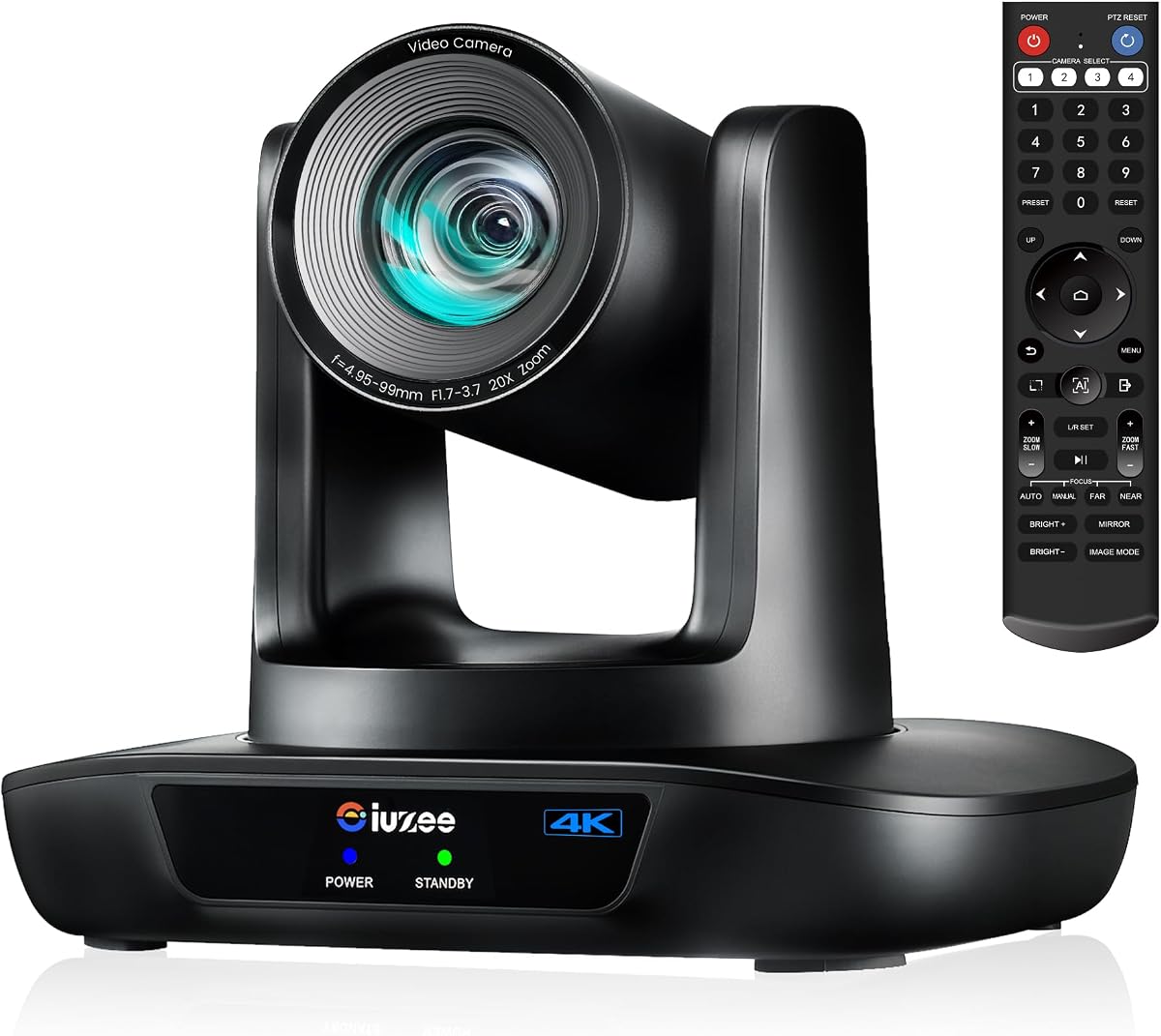
This camera is a premium option for professional studios and churches requiring NDI integration. It comes with an official NDI license which simplifies high-quality video streaming over IP networks. The SDI output supports long cable runs without extra hardware.
We may earn a commission when you buy through this link, at no additional cost to you.
The NDI integration allows seamless connection with software like OBS vMix and Streamlabs for professional live streams. This eliminates the need for complex capture cards. The advanced tracking mode resumes tracking even if the subject is temporarily obstructed.
The price point is high and requires some knowledge of NDI protocols to maximize utility. The SDI output is specialized for setups needing long cable distances. These factors are worth the cost for professional broadcast quality.
We recommend this for professional broadcast studios or high-end production environments. It delivers unparalleled clarity and flexibility. Prioritize this if you need official NDI support and SDI connectivity for professional workflows.
Officially licensed NDI support simplifies high-quality video streaming over IP networks for seamless workflows.
Offers SDI output for long cable runs and PoE support to simplify installation and reduce clutter.
We may earn a commission when you buy through this link, at no additional cost to you.
This camera is ideal for educational settings requiring long zoom and reliable performance. It offers 4K resolution and 20x optical zoom to capture details from a distance. The setup is straightforward with multiple connection options for flexibility.
We may earn a commission when you buy through this link, at no additional cost to you.
The 20x optical zoom is perfect for classrooms where the instructor moves around the room. It supports HDMI USB and LAN connections ensuring compatibility with various devices. The remote and software controls allow easy adjustment during lectures.
Users should note the default 4K output might require resolution adjustment if their monitor does not support it. It does not include a microphone so external audio is needed for sound. These are minor considerations for a robust camera.
We suggest this for schools or universities needing reliable streaming and recording. It captures every detail from up to 80 feet. Prioritize this if you need a durable camera with high zoom for teaching environments.
Connect via HDMI USB3.0 or LAN with no additional drivers needed for quick setup.
Control pan tilt and zoom via remote software or optional joystick for effortless operation.
We may earn a commission when you buy through this link, at no additional cost to you.
This system is built to cover larger meeting spaces with an all-in-one design. It combines camera microphones and speakers into one device simplifying setup and reducing cable clutter. The auto framing feature adjusts framing in real time.
We may earn a commission when you buy through this link, at no additional cost to you.
The 120-degree wide angle with 5x zoom flexibility captures the full room and then zooms in on key speakers. The 4-mic array ensures clear voice pickup across the entire room reducing background noise effectively. This makes it suitable for large conference tables.
While the digital zoom is versatile it does not match optical zoom quality at maximum magnification. It is designed for large rooms so it might be overkill for small desks. These factors ensure it excels in its intended environment.
We recommend this for medium to large conference rooms needing comprehensive coverage. It is ideal for hybrid meetings and client presentations. Prioritize this if you need an integrated system for large spaces.
Built to cover larger meeting spaces ensuring every participant is clearly seen and heard without external devices.
Built-in dual speakers and advanced microphone array eliminate the need for external audio devices.
We may earn a commission when you buy through this link, at no additional cost to you.
This webcam is a compact 3-in-1 solution featuring camera microphone and speaker in one device. It delivers 4K resolution with an 8.29 Megapixel sensor for crisper images. The built-in speaker ensures you do not need extra audio equipment.
We may earn a commission when you buy through this link, at no additional cost to you.
The adjustable Field of View allows you to switch between wide medium and narrow modes using the remote control. The AI voice tracking locates and follows the active speaker within seconds. This enhances clarity during conversations.
It does not have optical zoom which limits detail when zooming in compared to PTZ models. The rating is slightly lower indicating some users found audio quality basic. Still it is a convenient solution for home offices.
We suggest this for home office users needing a complete video solution without clutter. It works well with popular meeting software. Prioritize this if you want a small desk setup with integrated audio.
Switch between 118 100 and 88 degree FOV modes to perfect your view for group or solo calls.
Includes a privacy cover to protect the lens and ensure security when not in use.
We may earn a commission when you buy through this link, at no additional cost to you.
Selecting the right camera requires balancing features with your specific room size and usage patterns. This section breaks down the essential factors to consider before making a purchase decision.
Video resolution determines how clear your image appears on remote screens. 4K offers the highest detail but requires more bandwidth while 1080P is often sufficient for standard meetings. Zoom type matters significantly; optical zoom maintains quality when magnifying the image whereas digital zoom can reduce clarity at high settings.
Prioritize optical zoom if your room is large and speakers move frequently. Ensure your internet connection supports the chosen resolution to avoid buffering during calls.
AI tracking uses face and body recognition to follow speakers automatically. High-end models use advanced algorithms to handle temporary obstructions and smooth movements. Basic models may struggle in low light or with multiple active speakers.
Check if the system supports single-person tracking or group framing based on your meeting style. Consistent tracking prevents distracting manual camera adjustments.
Good video requires good audio to ensure effective communication. Some cameras include built-in microphones and speakers while others require external peripherals. Full-duplex audio allows simultaneous speaking and listening without cutting in.
Evaluate the pickup range and noise cancellation features if you do not plan to use an external speakerphone. Clear audio is just as important as video quality for engagement.
Modern cameras offer various connection methods including USB HDMI and LAN. USB allows plug-and-play with computers while HDMI connects directly to displays. Networked models may support PoE for simplified installation and IP streaming.
Choose a model that matches your existing infrastructure and device requirements. Ensure drivers are not needed for your operating system to save setup time.
Room size dictates the necessary field of view and zoom capability. Small rooms benefit from wide-angle lenses while large rooms need optical zoom to capture distant details. Mounting options like wall or ceiling mounts should fit your space constraints.
Measure your room dimensions to match the camera's wide-angle or zoom specs. A mismatch can leave participants out of frame or result in poor image quality.
The camera must work seamlessly with your conferencing platforms. Major systems like Zoom and Teams have specific certification requirements for optimal performance. Operating system compatibility is also key for smooth installation.
Look for Zoom Certified or similar badges if you use specific software heavily. Verify support for your version of Windows or Mac to avoid driver issues.
Plug-and-play devices reduce the need for technical IT support. Some models offer web browser controls or mobile apps for configuration. Complex setups may require additional training for staff.
Opt for models with clear instructions and minimal configuration steps if you lack technical resources. User-friendly interfaces save time during meeting starts.
Build quality affects how well the camera handles daily use. Sturdy materials protect internal components over time. Manufacturer warranties provide peace of mind against defects.
Check the warranty length and support availability before buying. Longer support periods ensure assistance when issues arise after the initial setup phase.
Begin by connecting the camera to your computer or network using the appropriate cable. Ensure the connection is secure to prevent signal loss during critical meetings. If using PoE verify your switch supports the required standard for power.
Adjust the camera angle and focus according to your room layout using the remote or software settings. Test the tracking feature by moving around the room to confirm it follows you smoothly. Calibrate any privacy settings to ensure security when not in use.
Regularly clean the lens with a soft microfiber cloth to maintain image clarity. Keep firmware updated through the manufacturer website for new features and security patches. Store the camera in a dry place if it is portable to avoid damage from moisture.
AI tracking uses facial recognition and body detection algorithms to identify subjects. The camera adjusts its pan tilt and zoom to keep the speaker centered. Advanced models can handle multiple people and switch between them automatically based on who is speaking.
Some models include integrated speakerphones while others require external audio. All-in-one kits simplify setup by combining both. Check the product details to confirm if audio peripherals are included for your needs.
Optical zoom physically moves lens elements to magnify the image without losing quality. Digital zoom crops and enlarges the image using software which can reduce resolution at high levels. Optical zoom is better for large rooms where detail is critical.
Most models listed are compatible with major platforms like Zoom and Microsoft Teams. Look for Zoom Certified badges for guaranteed performance with that specific service. Ensure your operating system meets the minimum requirements for drivers.
PoE allows power and data transmission over a single cable reducing clutter. It is essential for installations where power outlets are not nearby. Not all models support it so check connectivity options if you plan to use it.
4K streaming typically requires 10 to 20 Mbps upload speed for smooth quality. Ensure your internet plan supports this to avoid buffering during calls. Lower resolutions use less bandwidth if your connection is limited.
We explored ten top models ranging from budget-friendly all-in-one kits to professional NDI-ready systems. The TONGVEO 4K Conference Room Camera System stands out for general use with its excellent tracking and audio. Professional users might prefer the NDI model for advanced streaming capabilities.
Prioritize optical zoom and accurate tracking if you host large meetings where speakers move frequently. Ensure your internet connection supports the chosen resolution to maintain quality. Balance your budget with necessary features like PoE or NDI support.
Always verify current pricing and availability before purchasing as these change often. Reading recent user reviews can provide additional real-world insights. Investing in the right camera improves communication and professionalism for your remote meetings.