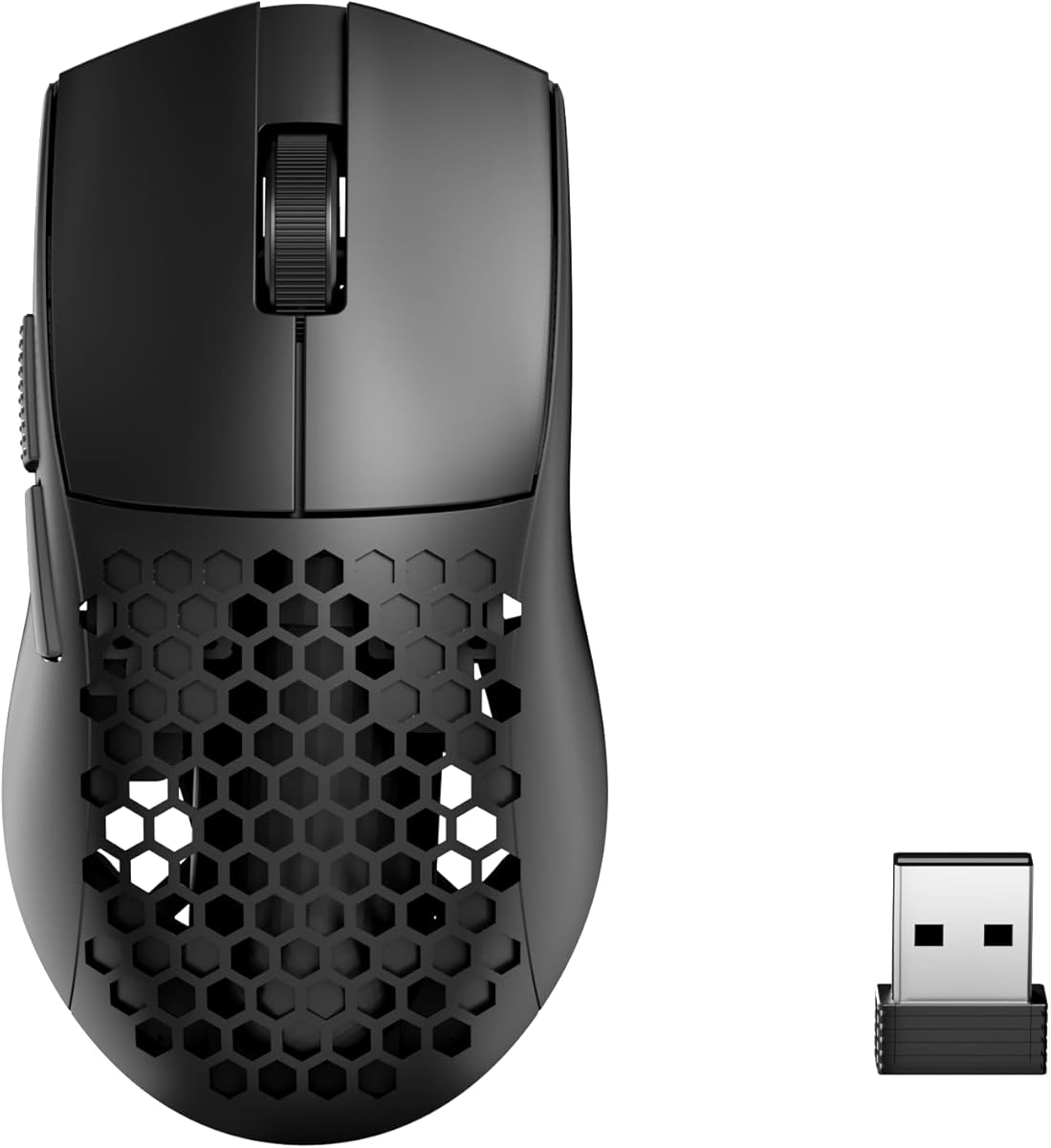
Redragon M725 Honeycomb Shell
4.4Editor score
49 gram honeycomb shell design
Tri-mode connectivity options available
8000 DPI sensor precision
Discover the lightest mice for gaming in October 2026. Our expert guide compares top wireless and wired options for speed and precision.
Finding the lightest mice for gaming can transform your gameplay by reducing fatigue and increasing speed. Players seek ultra-light designs that maintain durability while delivering precise tracking for competitive advantage.
We analyzed ten top-rated models based on weight, sensor quality, battery life, and build integrity. Each product was evaluated against professional esports standards to ensure reliable performance during intense sessions.
Each pick highlights unique strengths like wireless freedom, ergonomic shapes, or budget-friendly pricing. Prices fluctuate frequently so check current listings before purchasing to secure the best deal for your setup.
4.4Editor score

4.5Editor score

4.3Editor score
This side-by-side comparison highlights the key specifications of each top-rated lightweight gaming mouse to help you choose the perfect match for your play style.


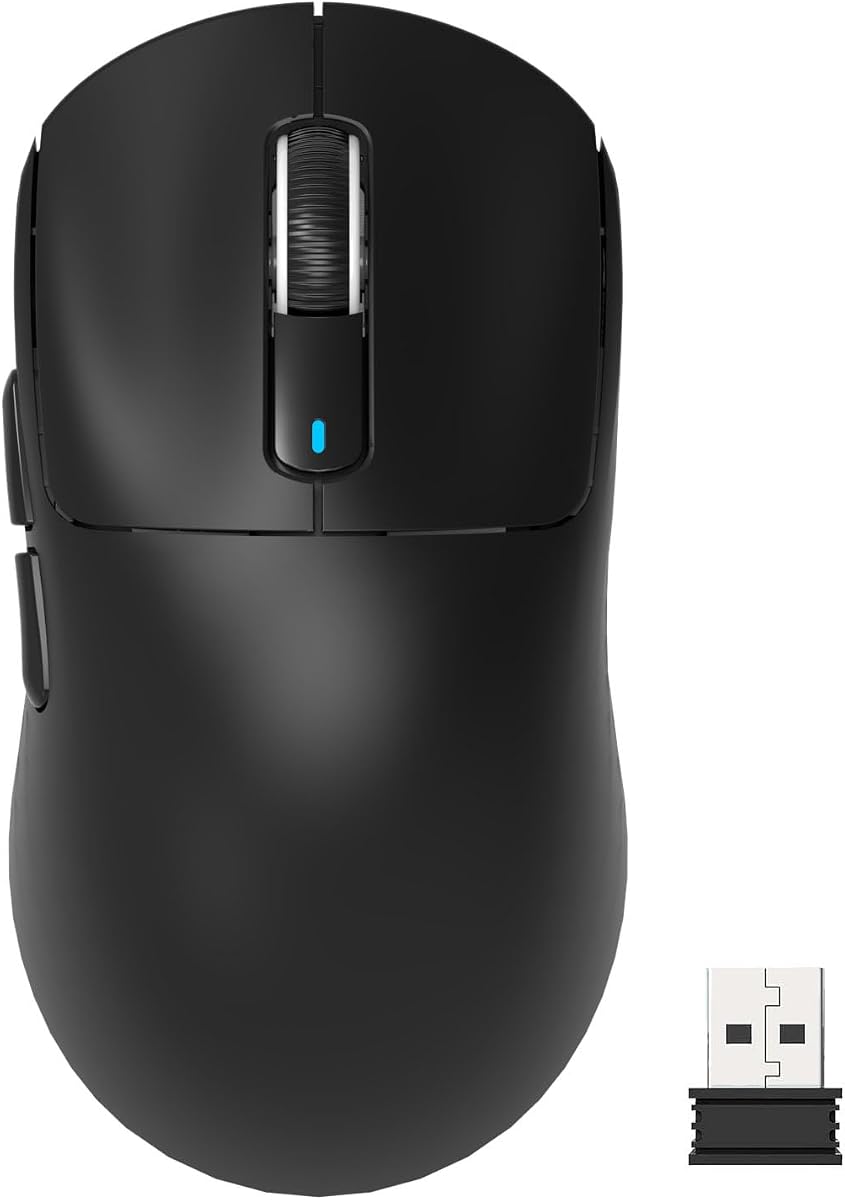


The Logitech G PRO X Superlight 2 stands out as a premier choice for esports professionals seeking minimal weight. With a weight of just 60 grams, it offers a near weightless experience that reduces wrist strain during long sessions.
We may earn a commission when you buy through this link, at no additional cost to you.
Its HERO 2 sensor provides unmatched precision with over 888+ IPS tracking and up to 44,000 DPI settings. This ensures your movements translate directly on screen without latency or smoothing interference affecting aim accuracy.
While the price is steep compared to budget options, the build quality and performance justify the investment. The LIGHTFORCE hybrid switches offer tactile feedback that feels crisp without the risk of double clicks.
Ideal for competitive FPS players who prioritize speed and accuracy over flashy features. This mouse delivers pro-level performance consistently without sacrificing battery life or connectivity stability.
The HERO 2 sensor eliminates acceleration and filtering for pure raw input that matches your physical movements exactly.
POWERPLAY compatibility and 95-hour battery life ensure you never lose connection during critical moments in play.
We may earn a commission when you buy through this link, at no additional cost to you.
Pulsar Gaming Gears X2H redefines lightweight gaming with an unreal 37g build that tips the scales less than an egg. This minimalist design ensures ultra-light handling without compromising on cutting-edge functionality for peak performance.
We may earn a commission when you buy through this link, at no additional cost to you.
The XS-1 flagship sensor delivers 32,000 DPI resolution and 750 IPS tracking speed for unparalleled precision. Paired with optical switches, it minimizes double clicks while ensuring swift pinpoint responses in high-stakes matches.
Despite its feather-light build, durability remains a priority with a dust-proof structure and high-quality materials. The included DOT skates enhance gliding smoothness on hard or glass surfaces for consistent control.
Best suited for gamers seeking the absolute lightest feel without sacrificing sensor quality. If budget allows, this mouse offers a unique premium experience tailored for elite competition.
The 37g weight allows for rapid flicks and corrections that reduce arm fatigue significantly over extended gaming marathons.
Exclusive XS-1 sensor provides top-tier resolution ensuring pixel perfect accuracy across various surface types.
We may earn a commission when you buy through this link, at no additional cost to you.
The Razer Viper V3 HyperSpeed brings flagship features to a more accessible price point. With a mass centralized design, it ensures seamless consistent swipes crucial to competitive play without unbalanced battery issues.
We may earn a commission when you buy through this link, at no additional cost to you.
Its FOCUS PRO 30K optical sensor offers forward placement for finer accuracy and flawless tracking on glass. This adaptability makes it versatile for gamers using different mousepads or environments regularly.
Battery life is exceptional with up to 280 hours on a single AA battery ensuring you power through intense scrimming. Mechanical switches rated for 60 million clicks offer durability alongside tactile execution.
A solid choice for gamers wanting wireless freedom without breaking the bank. It balances performance and value effectively making it ideal for students or budget-conscious enthusiasts.
Extended play time without frequent charging worries ensures your gaming sessions remain uninterrupted during tournaments or marathons.
Intelligent functions and glass tracking ensure accuracy regardless of surface texture or environment conditions.
We may earn a commission when you buy through this link, at no additional cost to you.
The Redragon M725 Honeycomb Shell combines ultra-lightweight design with versatile connectivity at an attractive price point. Its hollow design significantly reduces weight to 49g while enhancing palm air circulation for dry comfortable hands.
We may earn a commission when you buy through this link, at no additional cost to you.
You can switch seamlessly between Type-C wired Bluetooth and 2.4GHz wireless modes easily within 10 meters. This flexibility suits multitasking environments where you might switch between desktop and laptop setups.
Software support allows customization of buttons DPI and media keys to tailor the mouse to your workflow. The symmetrical design supports long-term use without fatigue during gaming marathons or extended work sessions.
Perfect for gamers seeking lightweight utility without overspending. It offers a robust feature set that includes macro capabilities and reliable wireless performance at a fraction of competitor costs.
Tri-mode connection ensures you can switch between devices quickly without needing multiple receivers or adapters.
Symmetrical symmetric design supports various hand sizes and reduces wrist strain during prolonged daily use.
We may earn a commission when you buy through this link, at no additional cost to you.
The Logitech G305 Lightspeed is renowned for its efficiency and portability offering incredible performance in a compact form. With a weight of only 96 grams, it provides high maneuverability while remaining sturdy enough for daily desktop use.
We may earn a commission when you buy through this link, at no additional cost to you.
Its optical HERO sensor delivers up to 12,000 DPI sensitivity and incredible power efficiency. This ensures you get competition-level performance without the bulk associated with heavier gaming peripherals.
Battery life is exceptional with up to 250 hours continuous gameplay on one AA battery. Endurance mode extends this further ensuring minimal maintenance during travel or busy schedules.
Ideal for travelers or casual gamers needing reliability without excessive features. The built-in nano receiver storage keeps everything contained making it a true portable solution for any laptop setup.
Compact dimensions and built-in storage make it easy to pack in a laptop bag for gaming on the go.
Ultra-efficient battery usage ensures you can play for months on a single cell without interruptions.
We may earn a commission when you buy through this link, at no additional cost to you.
The MCHOSE L7 Pro Wireless offers a thrilling gaming experience with a super light 39g build. Its high hump design and small waist angle conform perfectly to various hand shapes supporting diverse grip styles effectively.
We may earn a commission when you buy through this link, at no additional cost to you.
Equipped with the latest Pro Sensor it provides 8K Hz polling rates and up to 26,000 DPI sensitivity. This ensures exceptional accuracy for optimal tracking and detecting motion at the submicron scale for precision play.
Durable optical switches offer up to 150 million clicks lifespan minimizing accidental inputs. The free wireless 8K receiver enhances visuals and performance for a competitive edge in online multiplayer scenarios.
Best for gamers seeking high-end specs without the premium price tag. It balances weight and performance well making it a strong contender for competitive shooters.
High hump design balances weight distribution for precise control whether making quick maneuvers or fine adjustments.
TOPSPEED wireless technology offers ultra-low latency ensuring stable precise gaming commands in noisy environments.
We may earn a commission when you buy through this link, at no additional cost to you.
The ATTACK SHARK X3 adapts a flagship Pixart PAW3395 optical sensor for high-end tracking capabilities. With 650 IPS tracking speed and 26000 DPI resolution it commits to capturing the slightest movement for precise positioning.
We may earn a commission when you buy through this link, at no additional cost to you.
Its advanced lightweight material case brings weight to an astonishing 49g lighter than an egg. The ergonomic body design minimizes burden of hands reducing palm sweating and wrist fatigue during long sessions.
Switches by Kailh GM8.0 offer a crispy sound and fast rebound ensuring durable performance. The TTC scroll wheel encoder provides precise positioning enhancing overall control and feedback during gameplay.
Perfect for enthusiasts needing top-tier sensor specs at a budget price. It delivers excellent tactility and responsiveness essential for competitive gaming on PC or Mac setups.
The PAW3395 sensor ensures minimal latency and maximum accuracy across all gaming surfaces and environments.
Kailh GM8.0 switches offer 80 million click lifespan ensuring long-term reliability for daily intense use.
We may earn a commission when you buy through this link, at no additional cost to you.
The Pulsar Gaming Gears X2 redefines lightweight gaming with an unreal 39g build that feels nearly weightless. Its minimalist design ensures ultra-light handling while delivering cutting-edge functionality for peak performance consistently.
We may earn a commission when you buy through this link, at no additional cost to you.
Designed with a wide symmetrical shape it supports both claw and fingertip grips effectively. The claw grip ensures stability while the fingertip grip minimizes wrist movement allowing quick reactions and precise control.
The XS-1 sensor provides 32,000 DPI resolution and 750 IPS tracking speed for unparalleled precision. Speed of Light optical switches minimize unintended double clicks while paired with Blue Encoder for tactile rotation.
Best suited for medium hands preferring symmetrical designs. It offers exceptional durability and aesthetics making it a standout choice for those prioritizing form and function.
The wide symmetrical shape adapts to different grip styles allowing personalized comfort without sacrificing performance.
Included Pulsar Dot Skates ensure smooth gliding on any surface enhancing speed and precision consistently.
We may earn a commission when you buy through this link, at no additional cost to you.
The ASUS ROG Harpe Ace Mini is co-developed with professional FPS players optimizing its compact semi-symmetrical form. It supports fingertip and claw grips effectively making it ideal for competitive gaming on desktop or laptop setups.
We may earn a commission when you buy through this link, at no additional cost to you.
ROG AimPoint Pro optical sensor delivers 42,000 DPI and track-on-glass technology for pixel-perfect accuracy. This ensures responsiveness in competitive gaming without compromising on surface adaptability during sessions.
Enjoy unmatched flexibility with wired USB 2.4 GHz RF and Bluetooth pairing for up to three devices. The ROG Omni Receiver links multiple devices via a single receiver optimizing power efficiency and reliability.
Perfect for gamers with smaller hands seeking precision. It combines pro-approved shape and lightweight design to minimize fatigue while maintaining maximum control.
Co-developed with esports pros ensuring the design meets high standards for competitive play and comfort.
Omni Receiver allows linking multiple supported devices through a single receiver simplifying setup for multi-device users.
We may earn a commission when you buy through this link, at no additional cost to you.
The Redragon M808 Storm assures long-session gaming without fatigue with an 85g ultralight shell. A single click or swipe stays totally in your control offering a lightweight experience suitable for varied play.
We may earn a commission when you buy through this link, at no additional cost to you.
The cutout honeycomb shell provides essential buffs for PRO setups offering unlimited possibilities and infinite potential to maximize aim. This design reduces weight significantly while maintaining aesthetic appeal for enthusiasts.
Its No-Drag Weave Cable is made of lightest material to kill weight and friction as much as possible. This ensures that the cable does not interfere with movement during fast-paced gameplay moments.
Ideal for gamers who prefer wired reliability without bulk. RGB and DPI customization through software support lets you engineer your preferred way to win comfortably.
The super-lite cable reduces drag ensuring fluid movements without resistance during high-intensity gaming sessions.
16.8 Million colors and DPI settings allow complete personalization to match your setup style perfectly.
We may earn a commission when you buy through this link, at no additional cost to you.
Selecting the lightest mice for gaming involves balancing weight sensor performance and ergonomics to suit your specific needs.
Lightweight mice typically range from 37 grams to 90 grams. Focus on mass centralized designs that ensure balance regardless of position during rapid movements or flicks.
Choose a weight that reduces fatigue but maintains stability for accurate aiming.
A flagship optical sensor like PAW3395 or HERO ensures pixel-perfect tracking without acceleration. Check DPI settings and IPS speed to match your gaming style preferences.
Prioritize sensors with zero smoothing for direct input translation to screen movements.
Wireless models offer freedom but add slight weight from batteries. Wired mice are lighter but may introduce cable drag affecting movement flow.
Choose wireless for portability and wired for consistent power without battery concerns.
Ergonomic shapes must align with claw fingertip or palm grips. Symmetrical designs work well for claw while ergonomic shapes suit palm users better.
Ensure the mouse shape matches your natural hand posture to prevent strain over time.
Lightweight materials should not compromise durability. Look for high-quality plastics and reinforced internal structures that withstand daily use.
Check for scratch-resistant finishes and reliable switch mechanisms for long-term performance.
Wireless mice need efficient power management to maintain low weight. Opt for models with long battery life to avoid frequent charging interruptions.
Consider rechargeable options for convenience and extended usage without battery replacements.
Tri-mode connectivity allows switching between Bluetooth USB wireless or wired modes. This flexibility suits multi-device setups or varying usage scenarios.
Verify latency performance in wireless modes to ensure consistent responsiveness.
Programmable buttons RGB customization and software support enhance usability. Ensure features match your workflow without adding unnecessary bulk.
Prioritize functionality over gimmicks to maintain simplicity and focus.
Keep your lightweight gaming mouse clean by wiping the surface regularly with a dry microfiber cloth. Dust can accumulate in honeycomb holes or feet affecting smooth gliding and precision.
Store wireless mice in a safe case when not in use to prevent accidental drops that could damage delicate lightweight structures. Avoid exposing the device to extreme temperatures or moisture to ensure longevity.
Update firmware and drivers periodically to maintain sensor accuracy and connectivity stability. Regular updates often include performance enhancements that optimize tracking and battery efficiency over time.
Yes lighter weight generally improves gaming performance by reducing arm fatigue and enabling faster movement. However balance and sensor quality matter equally to ensure accuracy during fast flicks.
Modern wireless lightweight mice feature low latency technology comparable to wired models. They are excellent for competitive play offering freedom without compromising speed or responsiveness.
Clean honeycomb shells with a soft brush to remove debris from holes. Avoid wet wipes that might leave residue affecting glide performance or aesthetic appeal.
Most FPS players prefer mice between 37 grams and 70 grams. This range allows rapid flicks while maintaining enough control for precise aiming scenarios.
Many lightweight wireless models use rechargeable batteries built into the chassis. Check product details to confirm if replaceable batteries or USB charging options are available.
Ultra-lightweight mice may feel less stable for users accustomed to heavier devices. Also battery life can be shorter due to lightweight materials reducing battery size capacity.
Measure your hand length and compare with mouse dimensions listed by manufacturer. Try ergonomic models that support your natural grip style to minimize strain during use.
Yes modern lightweight mice include flagship sensors supporting high DPI settings for precise tracking. Adjust DPI via software to match your gaming needs comfortably.
Selecting the lightest mice for gaming can significantly elevate your experience by enhancing speed and reducing fatigue. Each model reviewed offers unique strengths tailored to different preferences and budgets ensuring you find the right match.
Prioritize factors like sensor accuracy weight balance and battery life to make an informed decision. Whether you choose a premium wireless option or a budget-friendly wired mouse focus on performance reliability.
Always check current prices and stock levels before purchasing as deals fluctuate frequently. With the right lightweight mouse you can enjoy uninterrupted gameplay with precise control and comfort.