
Duyasurs 3Pack Upgraded USB C to USB Adapter
4.6Editor score
High-Speed Data Transfer Up To 5Gbps
Scratch-Resistant Aluminum Housing
Compact Plug-and-Play Design
This guide compares the top ten female USB adapter options for speed, durability, and compatibility to help you choose the right connector for your devices.
Modern devices rely on versatile connectivity to stay productive on the go. A reliable female USB adapter bridges the gap between legacy peripherals and new type-c ports. Finding the right one ensures your drives, mice, and chargers work seamlessly with your laptop or phone without signal loss or physical bulk.
We evaluated leading models based on build quality, data transfer speeds, and real-world compatibility with popular laptops and smartphones. Our team analyzed customer feedback, technical specifications, and long-term durability reports to create this definitive ranking. Each pick represents a distinct use case ranging from budget-friendly travel tools to premium aluminum connectors.
Every review highlights specific strengths, potential trade-offs, and ideal user scenarios to streamline your decision-making process. We included detailed breakdowns of connector materials and supported protocols to ensure you buy with confidence. Please note that availability and pricing may fluctuate frequently so verify current stock before placing your order.
4.6Editor score

4.7Editor score

4.8Editor score
This side-by-side comparison outlines the key specifications and unique selling points of each ranked adapter to help you quickly identify the model that best fits your connectivity needs and budget constraints.




The JSAUX USB C to USB 3.0 Adapter stands out as our top choice for its balance of speed and durability. It earned a solid rating from users who appreciate its ability to handle large file transfers efficiently without overheating or disconnecting unexpectedly during use.
We may earn a commission when you buy through this link, at no additional cost to you.
This adapter supports full USB 3.0 super speed data transfer up to 5Gbps, which is ten times faster than standard USB 2.0 connections. The nylon braided cable adds significant durability and ensures it remains tangle-free even when tossed into a crowded laptop bag or backpack daily.
While the aluminum body provides excellent heat dissipation and structural integrity, it does add a small amount of weight compared to plastic alternatives. The lack of video output support is a minor trade-off given its primary focus on data transfer and peripheral connectivity for everyday tasks.
Anyone needing a reliable way to connect flash drives or keyboards to modern USB C devices should consider this model. Its 2-pack value and robust construction make it an excellent daily driver for professionals and students alike.
The 5Gbps transfer rate ensures that HD movies and large documents move quickly between devices without frustrating delays or bottlenecks during critical work sessions.
The combination of a sturdy aluminum alloy body and nylon braided cable ensures that this adapter withstands daily wear and tear better than standard plastic connectors.
We may earn a commission when you buy through this link, at no additional cost to you.
The Anker USB C Adapter earns the Best Premium badge for its exceptional build quality and thoughtful design details. With a rating of 4.8 stars it reflects high satisfaction among users who value aesthetics and long-term reliability in their tech accessories.
We may earn a commission when you buy through this link, at no additional cost to you.
Constructed from premium scratch-resistant aluminum in Space Gray this adapter blends seamlessly with devices like the MacBook Pro. Its ultra-slim form factor is a standout feature ensuring there is enough space to plug two adapters side by side into ports without blocking adjacent slots.
While it comes at a higher price point than generic alternatives the engineering behind its connectors justifies the cost. The male and female connectors are designed to withstand up to 10,000 plug and unplug cycles making it a lifetime investment for heavy users.
We recommend this adapter for professionals who want a stylish and durable solution that complements their existing hardware. It is an ideal choice for those who prioritize design cohesion and robust performance over saving a few dollars.
Engineered for enhanced durability these connectors are designed to be plugged and unplugged up to 10,000 times ensuring long-term reliability for daily users.
The ultra-slim form factor ensures there is plenty of space to plug two adapters side by side into your laptop ports without obstruction.
We may earn a commission when you buy through this link, at no additional cost to you.
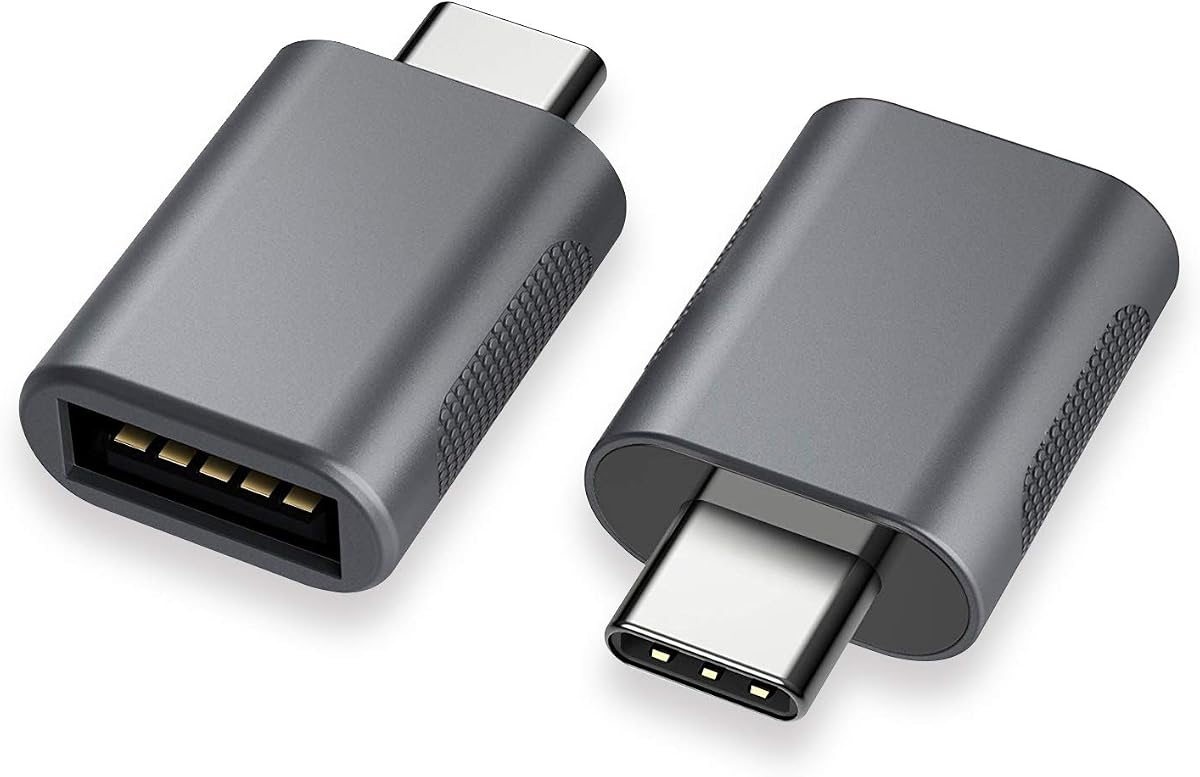
The Duyasurs 3Pack Upgraded USB C to USB Adapter offers incredible value for anyone needing multiple connectors for different locations. It secured the Best Budget title by delivering high-speed performance and durable materials at a very accessible price point.
We may earn a commission when you buy through this link, at no additional cost to you.
This adapter enables high-speed data transfer allowing you to move large files like videos in seconds. The inclusion of two mini LED indicators is a unique feature that provides visual confirmation of a successful connection so you know it is working before you start transferring.
The scratch-resistant aluminum housing complements USB C devices well and withstands daily use without looking worn quickly. While it does not support video output or in-vehicle data transfer these limitations are acceptable given the focus on reliable file and peripheral connectivity.
This option is perfect for families or students who need extra adapters at home and in the office. The low cost allows you to distribute them widely without worrying about losing them or needing to buy replacements frequently.
Two mini LED indicators show successful connections so you can be sure your adapter is active before attempting data transfers or charging.
The upgraded USB-C to USB 3.0 adapter allows for high-speed data transfer enabling you to move gigabytes of data quickly.
We may earn a commission when you buy through this link, at no additional cost to you.
The UGREEN 4 Pack is a robust choice for users who demand maximum transfer speeds and bulk quantity. With a rating of 4.7 stars it is praised for its ability to handle 10Gbps data transfer when paired with compatible USB ports on your devices.
We may earn a commission when you buy through this link, at no additional cost to you.
Constructed with an aluminum alloy housing and metal connector this adapter is extremely durable and sturdy. Its thumb-sized design makes it exceptionally portable and easy to carry in a purse or bag while the slim form factor fits snugly side by side with other ports.
It is important to note that achieving 10Gbps requires both the adapter and the connected device to support this speed. If your device is limited to 5Gbps this adapter will still work reliably but at the slower speed depending on host capabilities.
This pack is ideal for power users who frequently transfer large datasets or connect multiple external drives. The inclusion of four units ensures you always have a spare available in different rooms or locations for seamless productivity.
The 10Gbps high-speed data transfer allows you to quickly transfer files via USB female to USB C male adapter in seconds.
The thumb-sized design makes it easy to carry in your purse or bag ensuring you never get caught without a connector.
We may earn a commission when you buy through this link, at no additional cost to you.
The Pastall 4Pack offers a unique solution by providing a female to female adapter that connects legacy USB cables to USB-C devices. This flexibility allows you to use standard USB cables as extensions which is a rare feature in typical converter adapters.
We may earn a commission when you buy through this link, at no additional cost to you.
This adapter supports up to 10Gbps data transfer provided both input and output ports support this speed. It also supports audio output and video signal transmission making it a versatile tool for media connections alongside standard data transfers.
The metal alloy shell connectors ensure a hard and wearable shell surface that provides optimal signal clarity and shielding to minimize interference. Users appreciate the included two-year warranty which adds peace of mind for this affordable 4-pack bundle.
If you have older USB devices or cables you want to extend you will find this model particularly useful. It is a great choice for households with mixed hardware that need a universal connector to tie everything together without buying new cables.
This adapter supports fast charging data transmission audio output and video signal transmission for a truly versatile connectivity experience.
Easily converts a USB Type-C port into a USB port allowing you to connect standard USB cables as extensions seamlessly.
We may earn a commission when you buy through this link, at no additional cost to you.
This Thunderbolt-compatible adapter provides reliable connectivity for users with high-end laptops or tablets needing robust peripheral support. With a strong rating of 4.7 stars it is recognized for its plug-and-play simplicity and compatibility with newer MacBook and iPad models.
We may earn a commission when you buy through this link, at no additional cost to you.
It features a zinc alloy body that prevents scratches and ensures durability during regular use. The connectors pass a rigorous 10,000+ push/pull test ensuring that the physical connection points remain secure over a long period of daily plugging and unplugging.
While it does not offer unique features like LED lights or reversible connectors it performs its core function of data transfer with consistent speed. The 5Gbps super speed ensures that your legacy USB devices communicate efficiently without significant lag or bottlenecks.
This is a straightforward choice for anyone wanting a no-frills adapter that just works. The 2-pack configuration means you can keep one for work and one at home without worrying about forgetting your adapter when you need it.
Compatible with Thunderbolt 3 to USB adapters requiring no additional drivers or software for immediate use with laptops and tablets.
A zinc alloy body prevents scratches and premium connectors pass a 10,000+ push/pull test for long-lasting durability.
We may earn a commission when you buy through this link, at no additional cost to you.
The JXMOX 4-Pack serves a different purpose by allowing you to plug standard USB-A cables into a USB-C device. It is highly rated at 4.7 stars for enabling charging and data transfer for users who still rely on traditional USB-A wall chargers or power banks.
We may earn a commission when you buy through this link, at no additional cost to you.
This adapter includes a built-in double sided 56K ohm resistor which ensures that charging and data transferring remain safe for your device. It offers 3A power output for fast charging even though data transfer is limited to USB 2.0 speeds of up to 480 Mbps.
Since it is designed specifically for charging and data transfer you should not expect video signal transmission capabilities. This limitation is acceptable for users whose main goal is to power their devices using old chargers without needing a brand-new cable ecosystem.
If you have many USB-A cables and want to use them with your iPhone or Samsung device this is the ideal tool. It effectively bridges the gap between old infrastructure and new hardware so you do not need to replace every single charger you own.
A built-in double sided 56K ohm resistor ensures that charging and data transferring are safe for your connected devices.
Supports 3A power output for fast charging while offering data transfer speeds up to 480 Mbps for general file syncing.
We may earn a commission when you buy through this link, at no additional cost to you.
This 3-Pack offers a practical way to organize your accessories by color while maintaining solid performance. Rated at 4.5 stars it is a reliable option for users who want to designate specific adapters for home work and travel without losing them.
We may earn a commission when you buy through this link, at no additional cost to you.
The slim design ensures that the adapter does not block adjacent ports on your device which is crucial for laptops with tight spacing. It supports high-speed USB 3.0 transfer so you can connect flash drives and sync data quickly without unnecessary waiting.
Constructed with an anti-interference zinc alloy metallic housing this adapter ensures a stable and reliable connection every time. Each unit is made from spacecraft-grade aluminum alloy for durability though some users note the vibrant coatings may show wear over time.
This is an economical and practical choice for anyone needing multiple units on a budget. The 12-month worry-free service plan adds confidence to the purchase making it a safe option for general daily use across different devices.
Anti-interference zinc alloy metallic housing ensures a stable and reliable connection every time you plug it into your device.
The slim design won't block adjacent ports significantly enhancing usability especially on laptops with closely spaced connections.
We may earn a commission when you buy through this link, at no additional cost to you.
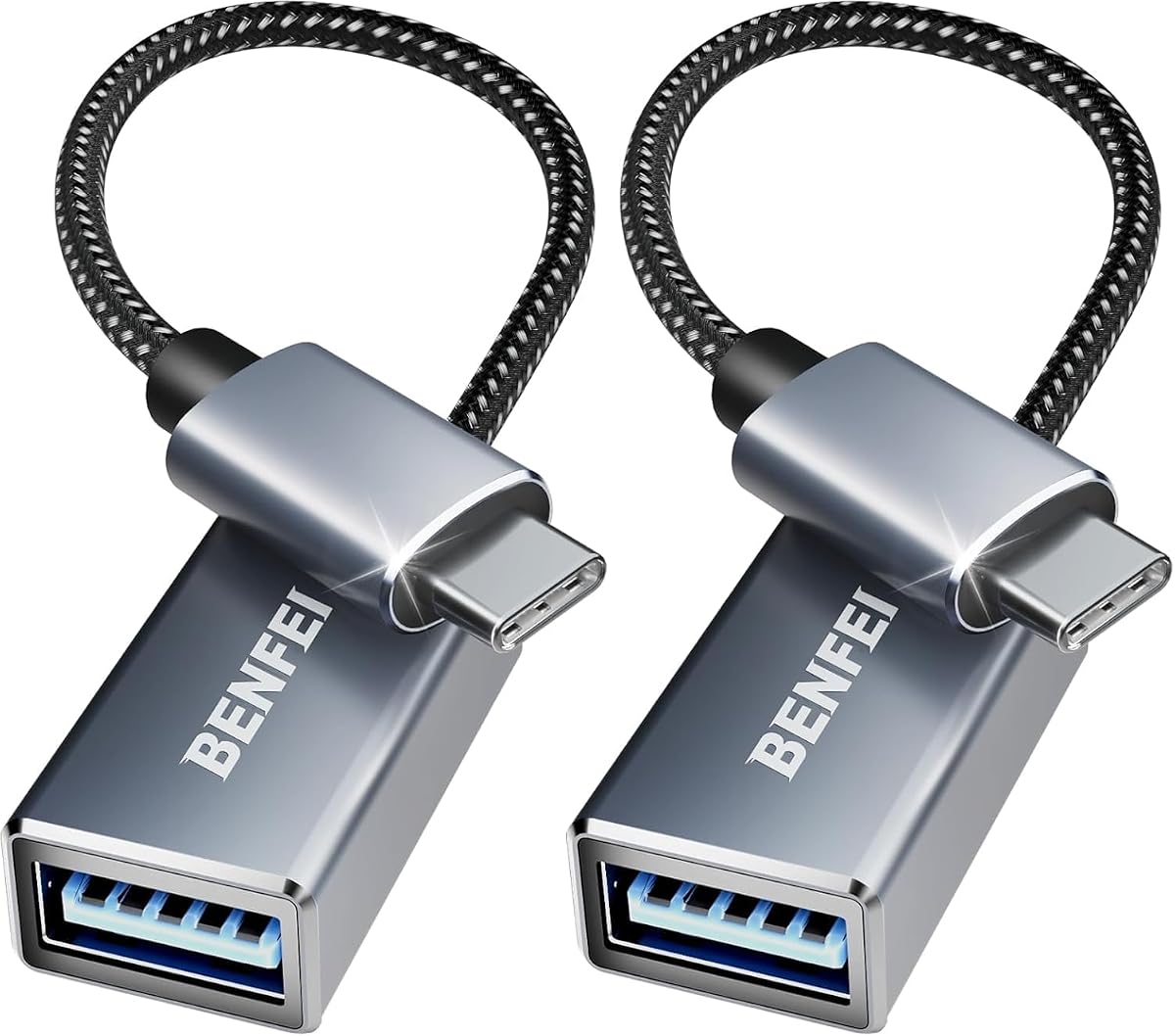
The BENFEI adapter is a solid mid-range option that balances durability with affordability. With a rating of 4.6 stars users praise its braided nylon cable design which offers extra durability and a non-slip feel that helps with easier plugging and unplugging.
We may earn a commission when you buy through this link, at no additional cost to you.
Its advanced design ensures no interference even when two USB-C slots are closed together. The compact design allows you to use two closed USB-C slots simultaneously without the adapter sticking out too much or blocking the port next to it.
The premium aluminum alloy casing provides better heat insulation during data transfers which helps prevent overheating during long file syncs. Nickel-plated connectors resist corrosion and abrasion improving signal transmission performance for reliable connections over time.
This is a great choice for students or office workers who need a reliable adapter without spending a lot. The included 18-month unconditional warranty ensures long-time satisfaction and offers friendly customer service if you encounter any issues with your purchase.
The compact-designed portable adapter ensures no interference when two USB-C slots are closed so you can use them simultaneously.
Sync movies music and more in seconds with a 5 Gbps transfer speed ensuring fast and efficient file transfers.
We may earn a commission when you buy through this link, at no additional cost to you.
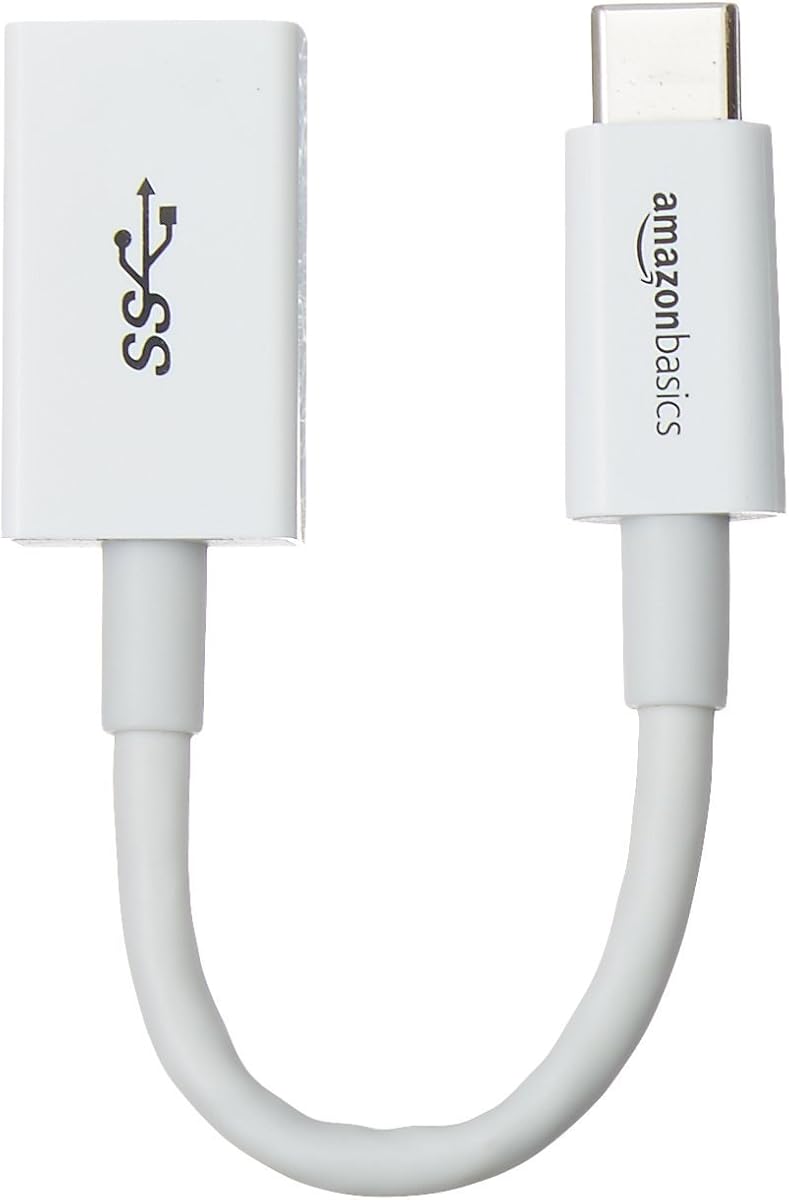
The Amazon Basics adapter brings a trustworthy certification to this category which is often lacking in generic options. Rated at 4.6 stars it is a safe bet for users who prioritize compliance with safety standards and reliability in their connectivity accessories.
We may earn a commission when you buy through this link, at no additional cost to you.
Being USB-IF Certified means it has been independently tested to ensure it meets industry standards for safety and performance. It connects any USB-C to any standard USB-A enabled device making it suitable for data transfer between smartphones tablets laptops and hard drives.
It supports fast charging up to 15W which is enough for many standard smartphones though it may be slower for high-power laptops. The compact design makes it easy to carry around and it comes with a 1-Year Limited Warranty for basic protection.
If you want a no-nonsense adapter from a recognized brand this is a strong candidate. Its certification provides peace of mind that it will not damage your devices and its performance is consistent enough for everyday use in various scenarios.
USB-IF Certified to ensure safe connections with any standard USB-A enabled devices for power transfer and data sharing.
Supports fast charging up to 15W allowing for quick power boosts for your connected phones and small devices.
We may earn a commission when you buy through this link, at no additional cost to you.
Selecting the right adapter involves considering speed compatibility and build quality to ensure your devices work together smoothly.
The speed at which your adapter transfers data is critical for efficiency especially if you work with large files. Look for USB 3.0 or USB 3.1 Gen 1 standards which offer speeds up to 5Gbps or higher to ensure that your file transfers do not become a bottleneck in your workflow.
Always check if your host device supports the same speed as the adapter because a 10Gbps adapter will still be limited by a slower port.
Materials like aluminum alloy or zinc alloy provide better durability and heat dissipation than plastic options. A sturdy body ensures the adapter can withstand accidental drops and repeated plugging without bending or breaking at the connection points.
Premium finishes and scratch-resistant coatings add to the lifespan and keep your accessories looking new for longer periods of daily use.
An ultra-slim design is essential for users who travel frequently or use laptops with closely spaced ports. A thumb-sized adapter ensures that you can plug multiple adapters side by side without blocking adjacent slots on your device.
Consider whether you need a rigid or flexible design based on how much space you have inside your bag for safe transport.
Ensure the adapter is explicitly compatible with your device model especially for newer iPhones or MacBooks. Certifications like USB-IF guarantee that the adapter meets industry standards for safety and performance reducing the risk of damaging your hardware.
Check if the adapter supports specific protocols like Thunderbolt or Power Delivery to maximize its functionality with high-end devices.
Look for products that mention specific endurance ratings such as 10,000 plug cycles to ensure long-term reliability. A good warranty offers peace of mind in case the adapter fails prematurely due to manufacturing defects.
Brands that offer responsive customer support are preferable as they can help resolve technical issues quickly if you run into connectivity problems.
Some adapters support not just data but also audio or video output which can be crucial for specific use cases. Determine if you need these extra features or if basic data transfer is sufficient for your daily workflow needs.
Adapters with LED indicators can help you confirm connections quickly saving time and reducing frustration during busy work sessions.
To ensure optimal performance insert the adapter gently into your device port aligning the orientation correctly. Avoid forcing it if it does not slide in smoothly as this could damage the internal pins of your device.
Clean the adapter and your device ports regularly with compressed air to remove dust and debris that might interfere with the connection. Keeping the metal contacts clean will help maintain a reliable signal over time.
Avoid excessive bending or twisting of the adapter especially if it has a cable portion to prevent internal wire damage. Store them in a protective case or pouch when not in use to keep them safe from scratches and impacts.
Most basic USB C to USB A adapters are designed strictly for data transfer and charging. Video output requires specific protocols like DisplayPort Alt Mode which standard USB 3.0 converters typically do not support. Always check the product specifications to confirm if video output is supported.
It depends on the power delivery capabilities of the adapter and the device. While some adapters support up to 15W or 3A for phones charging a laptop usually requires a dedicated USB-C power delivery cable with higher wattage. Check the adapter specifications for power limits.
Slow speeds often occur when the host device port is limited to USB 2.0 speeds or when the cable or adapter is not fully inserted. Ensure both your device and the adapter support USB 3.0 standards to achieve the fastest possible transfer rates.
Yes reputable adapters include safety features like resistors to prevent overcurrent damage. Look for USB-IF certification or high ratings from verified buyers to ensure the adapter has been tested for safety and reliability with your device.
USB 3.1 Gen 1 is essentially the same as USB 3.0 with similar speeds up to 5Gbps. USB 3.1 Gen 2 offers faster speeds up to 10Gbps. Always verify the generation supported by your adapter to match your device requirements.
If your device recognizes the connected drive or peripheral immediately then the adapter is functioning. Some adapters include LED indicators that light up when a connection is successful to provide visual confirmation of the status.
Most USB-C adapters work with MacBooks manufactured after 2016 which use USB-C or Thunderbolt ports. However compatibility can vary slightly based on specific models and operating systems so always verify with your specific MacBook model.
All electronics generate some heat during data transfer but metal adapters dissipate it better than plastic ones. If an adapter becomes uncomfortably hot it may indicate poor ventilation or a fault so stop using it and check the connections.
We have explored ten distinct options that cater to various needs from high-speed data transfer to budget-friendly bulk packs. The JSAUX and Anker models lead the pack for their blend of speed and build quality while the Duyasurs 3Pack offers excellent value for budget-conscious buyers.
When making your decision prioritize what matters most to your workflow. If you need to move large video files quickly choose a model with 10Gbps support but if you only need to charge devices a simpler and cheaper adapter will suffice.
Always verify the current price and availability before purchasing as these factors change regularly. Our guide provides a solid foundation for making an informed choice so you can connect your devices with confidence and efficiency.