
VAYDEER Volume Control Knob
4.5Editor score
One-click mute
Driver free setup
Metal shell build
This guide compares the top Bluetooth Volume Control Knob models for precision audio, wireless connectivity, and ergonomic design across various devices and
Modern digital workspaces demand intuitive tools that simplify daily tasks. A Bluetooth Volume Control Knob offers tactile precision for managing audio without fiddling with software sliders or keyboard shortcuts.
We evaluated ten leading models based on connectivity options, build quality, programmability, and user feedback. Each product brings unique features like RGB lighting, macro support, and cross-platform compatibility for diverse needs.
Below you will find detailed analyses of every pick, highlighting strengths and trade-offs. Note that availability and specifications may shift over time so check current listings for the latest updates.
4.5Editor score

4.7Editor score

3.8Editor score
The following table provides a side-by-side overview of every model featured in this guide. It highlights core specifications and key capabilities to help you narrow down choices quickly.


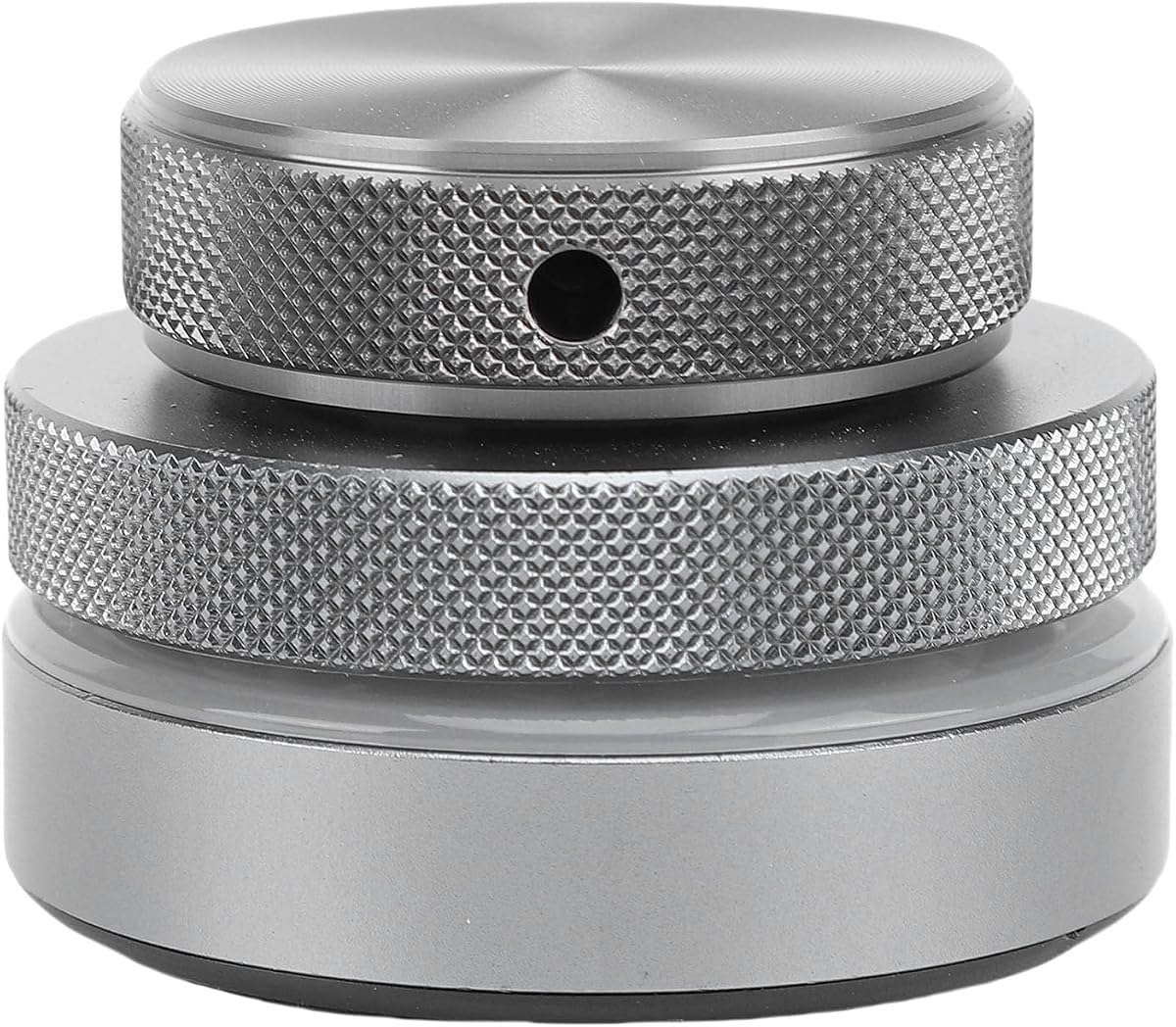
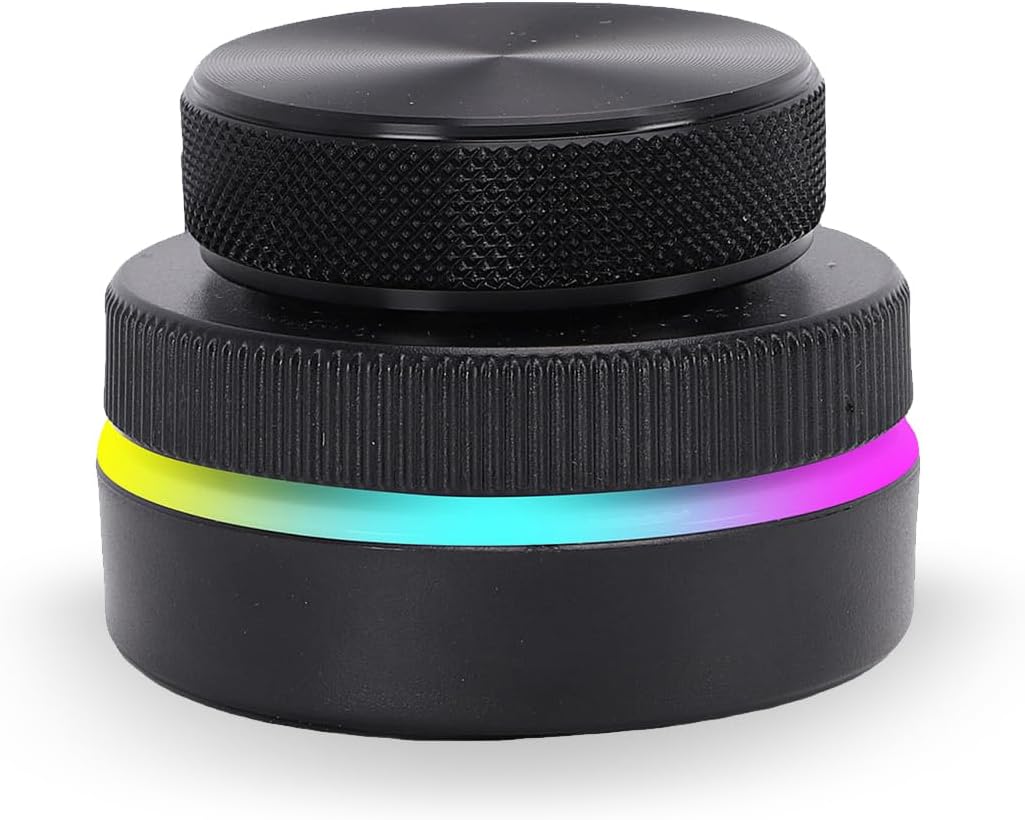
The LICAEVEY Volume Control Knob stands out as a versatile tool for managing audio and shortcuts across multiple devices. With a high rating and comprehensive feature set it delivers reliability for both casual users and power users seeking efficiency.
We may earn a commission when you buy through this link, at no additional cost to you.
Its triple mode connectivity ensures you can switch seamlessly between Bluetooth 2.4G and USB C depending on your environment. The 360 degree rotation provides infinite adjustment without reaching physical limits while built-in storage retains your custom key mappings for consistent performance.
While the RGB lighting adds ambiance some may find it distracting in professional settings. Additionally configuring complex macros requires installing software which adds a minor setup step before full functionality is realized.
This knob is ideal for creators and multitaskers who value tactile control over audio and workflow. Its compact form factor makes it easy to carry between workstations ensuring you always have precise command over your media and applications.
Choose between wireless freedom and stable wired links to suit your immediate needs without interruption.
Assign complex shortcuts to a single press to streamline repetitive tasks and boost productivity significantly.
We may earn a commission when you buy through this link, at no additional cost to you.
The Anticater VK-01 Wireless Volume Knob focuses on premium materials and customizable control through dedicated software. Its CNC aluminum construction ensures durability and a sophisticated look that complements high-end desk setups effectively.
We may earn a commission when you buy through this link, at no additional cost to you.
Users can assign specific functions via intuitive macro software allowing deep customization for professional workflows. The triple mode connectivity supports Bluetooth 2.4 GHz and USB C offering flexibility across Windows and Mac systems without compatibility issues.
Despite its quality build the rating suggests some users faced connectivity or software challenges initially. Mastering the macro features takes time and patience which might not appeal to those seeking instant plug-and-play simplicity immediately.
Choose this knob if you prioritize build quality and want to tailor controls to specific creative or office needs. It suits tech enthusiasts who appreciate hardware precision and are willing to invest time in configuration for maximum utility.
Experience smooth adjustments with a precision-engineered textured grip designed for accuracy and long-term use.
Unlock advanced control possibilities by assigning any function through the included macro software interface.
We may earn a commission when you buy through this link, at no additional cost to you.
The Jiawu USB Volume Control Knob targets tech enthusiasts looking for a modern multifunctional audio controller. Featuring Bluetooth 5.1 it promises stable connections while its aluminum alloy body delivers a sleek portable aesthetic for any desk.
We may earn a commission when you buy through this link, at no additional cost to you.
You can customize up to five functions to create a personalized experience that fits your specific workflow needs. Dual connectivity modes via Bluetooth or USB ensure you remain connected whether you are at home or in a mobile setup.
Lack of user ratings makes it harder to gauge long-term reliability compared to established models. Documentation may be limited so users should expect to experiment to fully leverage its programmable capabilities without extensive guides.
This device is suitable for early adopters who value new wireless standards and compact design. It offers a stylish addition to tech-heavy setups where quick sound adjustments and RGB effects enhance the overall user experience.
Benefit from Bluetooth 5.1 technology for improved stability and efficient power usage during daily operation.
Tailor the device to your workflow by assigning specific functions that match your most frequent tasks.
We may earn a commission when you buy through this link, at no additional cost to you.
The Razer Wireless Control Pod integrates deeply with Razer audio systems and Chroma setups for unified control. It allows remapping keys and adjusting Chroma brightness from one convenient device enhancing immersion for gamers and media consumers alike.
We may earn a commission when you buy through this link, at no additional cost to you.
Its rotary dial and source button provide tactile feedback for fine-tuning settings or switching between devices effortlessly. Built with durable aluminum alloy it withstands daily wear while maintaining a premium feel on your desktop surface.
Battery life extends up to eight months with AAA batteries reducing the need for frequent replacements. However the reliance on specific battery types might be less convenient than rechargeable alternatives for some users.
This pod is ideal for existing Razer users wanting seamless audio customization without extra apps. It suits those who prioritize ecosystem synergy and long battery life over pure universality in their multimedia control setup.
Manage audio settings and lighting effects through a single device that syncs with your existing Razer gear.
Enjoy months of reliable usage on standard batteries ensuring minimal downtime for your control setup.
We may earn a commission when you buy through this link, at no additional cost to you.
The Bluetooth Volume Control Knob in Silver emphasizes modern connectivity and visual customization through vibrant RGB lighting. Upgraded Bluetooth 5.3 ensures stable pairing across various devices while solid zinc alloy construction offers a premium tactile experience.
We may earn a commission when you buy through this link, at no additional cost to you.
It supports a wide range of media controls including volume mute play and pause as well as ebook page flipping. The built-in rechargeable battery provides long standby times ensuring you are ready for use whenever needed.
User feedback indicates some variability in satisfaction which may stem from pairing nuances or software expectations. The RGB lighting while attractive can also be seen as a distraction depending on your workspace lighting conditions.
This model appeals to users seeking the latest Bluetooth standards and a customizable visual presence. It works well for streaming and reading where quick access to playback functions enhances daily digital engagement.
Experience stable and instant pairing with devices thanks to the upgraded Bluetooth 5.3 chip inside.
Choose from millions of RGB colors to match your desk theme and enhance your workspace atmosphere.
We may earn a commission when you buy through this link, at no additional cost to you.
The VAYDEER Volume Control Knob delivers reliable performance at an accessible price point making it a top budget choice. Its one-click mute function allows instant silencing which is invaluable during calls or media breaks for efficiency.
We may earn a commission when you buy through this link, at no additional cost to you.
Made from high-quality metal with a heavy base it stays steady on your desk during rotation. The driver-free plug-and-play design ensures immediate compatibility with Windows and Mac systems without extra installations.
While it lacks wireless flexibility its simple operation ensures anyone can use it effectively. The non-slip design and sturdy build quality provide peace of mind for daily use in various environments.
This knob is perfect for users needing straightforward audio control without complex features. Its compact design and affordability make it an ideal gift or entry-level device for home and office users.
Pause audio instantly with a single press of the knob to avoid missed moments during conversations.
Begin using the device immediately after plugging it in as it requires no driver installation steps.
We may earn a commission when you buy through this link, at no additional cost to you.
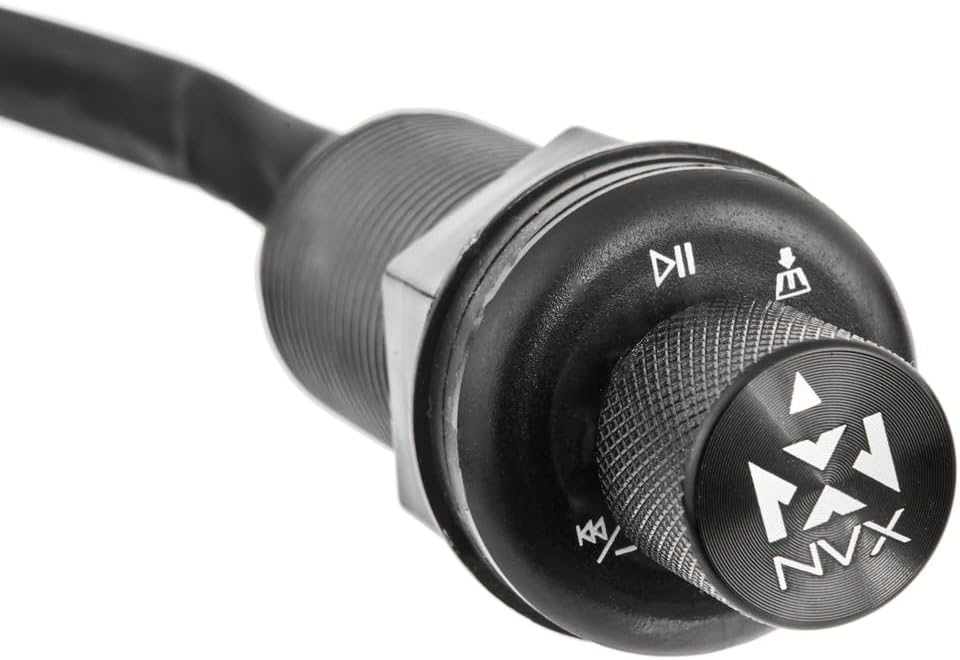
The NVX Universal Bluetooth Audio Receiver adapts volume and playback control for vehicle audio systems. It integrates with existing radios through AUX inputs allowing drivers to manage tracks and volume without reaching for phones.
We may earn a commission when you buy through this link, at no additional cost to you.
Its flush or under-dash mounting options ensure the controller sits neatly within reach while maintaining a clean interior look. Simple one-knob controls streamline interactions with track pause and volume adjustments for safety.
While ideal for car upgrades it lacks the advanced productivity features found in desktop controllers. Users expecting macro support or RGB lighting may find it basic for non-automotive environments.
This receiver suits drivers wanting hands-free audio management in older vehicles. It enhances safety and convenience by providing dedicated controls that keep focus on the road rather than screens.
Connect easily to existing radios via AUX inputs to extend control options in your car system.
Manage audio without distraction using a compact knob designed for quick access while driving.
We may earn a commission when you buy through this link, at no additional cost to you.
The Volume Control Knob with 2.4G offers a balance of wireless convenience and wired stability for varied setups. Its dual mode connection supports Bluetooth and USB-C to ensure uninterrupted control across phones tablets and desktops.
We may earn a commission when you buy through this link, at no additional cost to you.
Beyond basic volume it supports play pause and mute functions alongside RGB lighting that enhances the visual appeal of your workspace. The ergonomic design ensures comfortable all-day use without fatigue during long sessions.
Lack of user ratings makes it challenging to predict long-term performance compared to well-established brands. The RGB feature while attractive may impact battery life if left active constantly during daily use.
This controller is suitable for users seeking a versatile accessory for mixed-device environments. Its ergonomic design and connectivity options make it a practical addition for home offices and gaming stations alike.
Transition between wireless and wired modes effortlessly to match your current connectivity requirements.
Enjoy precise rotation with a smooth tactile knob designed for fatigue-free control over hours.
We may earn a commission when you buy through this link, at no additional cost to you.
The Bluetooth 5.1 USB Volume Control Knob offers app-based programming for detailed control customization beyond standard volume. Users can define rotation actions and key presses to output characters function keys or complex combinations efficiently.
We may earn a commission when you buy through this link, at no additional cost to you.
It supports dual connectivity via Bluetooth and USB cable ensuring flexibility for different computing environments. The RGB lighting is customizable through the app allowing you to set effects that match your aesthetic preferences.
Reliance on an app may pose challenges if updates are discontinued or software compatibility shifts. Without public ratings it remains a speculative choice for those who value app-driven personalization over simplicity.
This knob targets users who want to define their own workflow shortcuts through software. It is suitable for tech-savvy individuals comfortable with customization tools and looking for a portable audio adjuster.
Use dedicated software to tailor rotation and press actions to match your unique workflow needs.
Connect via Bluetooth or USB cable to ensure you stay in control across different devices.
We may earn a commission when you buy through this link, at no additional cost to you.
The VBESTLIFE USB Volume Control Knob supports three connectivity modes and memory storage for complex shortcut combinations. It is compatible with a broad range of operating systems including Windows macOS Android and iOS for universal utility.
We may earn a commission when you buy through this link, at no additional cost to you.
With a built-in 400mAh battery and Type-C charging it supports continuous work without frequent replacements. Customizable functions include media control navigation and page turning for diverse applications like reading or video editing.
The 2.4G mode requires an additional receiver which may add to setup complexity for some users. User ratings suggest potential variability in connectivity or build quality compared to higher-rated competitors in the list.
This controller is best for users needing cross-platform versatility and extended battery life. Its memory storage ensures your settings persist across sessions making it reliable for regular multimedia and presentation tasks.
Use with major operating systems to maintain consistent control across your entire device ecosystem.
Benefit from a high-capacity battery that supports long usage sessions without frequent charging.
We may earn a commission when you buy through this link, at no additional cost to you.
Selecting the right volume control knob requires balancing connectivity build quality and customization features to match your workflow needs.
Evaluate whether you need Bluetooth 2.4G wired USB-C or a combination. Wireless offers flexibility while wired ensures zero latency for critical audio tasks.
Prioritize devices that offer dual or triple modes to adapt to different environments without compromising stability.
Metal construction such as aluminum or zinc alloy ensures durability and better tactile feedback than plastic. A weighted base prevents sliding during rotation for precise control.
Look for textured grips and ergonomic shapes that reduce fatigue during prolonged use in daily workflows.
Some models allow macro customization to map specific keys or shortcuts enhancing productivity. Check if software is available and supported for your operating system before purchasing.
If customization is not a priority choose a plug-and-play model to avoid setup delays and complexity.
Consider rechargeable versus battery-operated options based on convenience. Rechargeable units reduce waste but may have shorter cycles depending on usage patterns.
Check battery capacity and charging method to ensure longevity without frequent interruptions in your work.
RGB lighting adds visual appeal but can be distracting in professional environments. Ensure brightness or effects are customizable to suit your workspace ambiance.
Decide if lighting is a feature you want or if it should be minimal to avoid unnecessary energy drain.
Confirm the device works with your operating system and apps. Some controllers are optimized for specific ecosystems while others support cross-platform utility.
Review system requirements to prevent connectivity issues that might limit functionality after purchase.
Simple interfaces with intuitive controls reduce the learning curve. A one-click mute function is particularly useful for quick silencing during calls.
Look for clear documentation to quickly set up and start using the device efficiently.
Compact sizes allow you to carry the knob between devices or locations easily. This is essential for remote workers or those with multiple setups.
Ensure the device is small enough to fit on your desk without cluttering your workspace significantly.
Connect your knob via Bluetooth or USB-C following the pairing instructions provided. Ensure drivers or software are installed if needed for full functionality.
Customize settings using the available app or default mappings to align with your specific workflow needs and preferences.
Keep the device clean and dry to maintain performance. Store it in a protective case if transporting frequently to prevent physical damage.
Most modern knobs are driver-free for basic volume control on major systems. However if you want macro customization specific software may be required to enable advanced features effectively.
Some models support switching between paired devices but rarely simultaneous active connection. Check specific product details for multi-device support if you switch between PCs and phones often.
Battery life ranges from days to months depending on usage and RGB settings. Rechargeable models often offer better long-term value compared to battery replacements.
Many controllers support macOS but verify system compatibility before buying. Some apps or macros may work only on Windows depending on the manufacturer software.
Yes if the knob supports programmable shortcuts mapped to your editing software. This allows precise timeline or playback control without constant keyboard interaction.
Many knobs connect via Bluetooth to Android and iOS devices. However software support may be limited to mobile OS constraints for advanced features.
Reset procedures vary by model often involving holding buttons or specific software actions. Refer to user documentation for precise instructions to restore factory settings.
Instability can result from interference or outdated firmware. Try re-pairing the device and updating software to resolve connectivity issues quickly.
The top picks like the LICAEVEY and VAYDEER models offer distinct advantages in versatility and value. Each brings unique connectivity and build qualities to meet different user priorities.
Focus on connectivity and build quality first as these determine daily reliability. Consider customization only if your workflow benefits from specific macros or shortcuts.
Check current listings for the latest prices and availability as these can change frequently. This ensures you secure the best model for your needs at the right time.