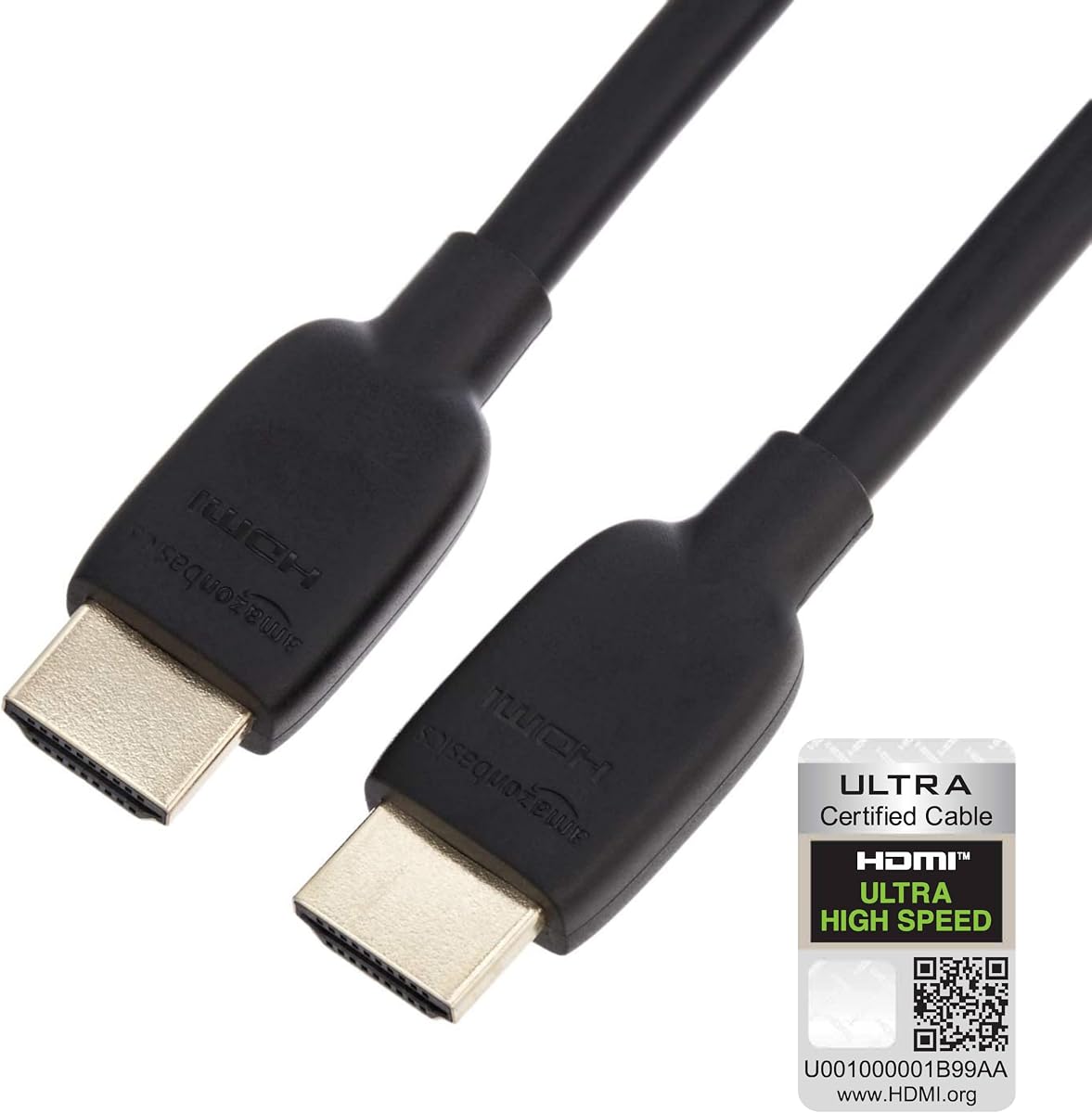
Amazon Basics HDMI 2.1 Cable
4.7Editor score
48 Gbps Ultra High Speed
8K@60Hz Video Support
Flexible PVC Design
Discover the top HDMI cables for dual monitor setups, comparing speed, durability, and compatibility to help you choose the right connection for your workspace.
Finding the right HDMI cable for dual monitors ensures your displays run smoothly without lag or signal loss. High-speed cables support modern resolutions and refresh rates essential for productivity and gaming setups.
We compared ten leading HDMI cables based on bandwidth, build quality, and compatibility with various devices. Our analysis highlights which models offer reliable performance for extending desktops across multiple screens efficiently.
Each pick shows specific strengths like certification, durability, and audio support. Prices change frequently, so check current listings before buying to ensure you get the best value for your specific dual monitor configuration.
4.7Editor score

4.8Editor score

4.6Editor score
This side-by-side comparison evaluates each cable's bandwidth, resolution support, and build materials to help you find the perfect fit for your dual monitor needs.


The UGREEN 8K HDMI 2.1 Cable stands out as a top choice for dual monitor setups due to its certified performance and robust build. It delivers uncompressed video and audio signals essential for high-resolution displays.
We may earn a commission when you buy through this link, at no additional cost to you.
This cable supports up to 48Gbps bandwidth ensuring smooth transmission for 8K at 60Hz or 4K at 240Hz. Dynamic HDR and eARC features enhance visual clarity and audio fidelity across connected devices.
While the price is higher than standard cables the durability justifies the investment. The nylon braided jacket and aluminum alloy case prevent wear and tear over time.
Ideal for users demanding high fidelity and reliability the UGREEN cable offers consistent performance. It is highly recommended for those seeking the best balance of features and longevity.
With 48Gbps bandwidth this cable supports future-proof resolutions and refresh rates for demanding workflows.
Dynamic HDR and eARC deliver richer colors and lossless audio for an immersive viewing experience.
We may earn a commission when you buy through this link, at no additional cost to you.
The Amazon Basics HDMI 2.1 Cable offers a cost-effective solution for users needing certified high-speed connectivity. It supports 48 Gbps bandwidth ensuring smooth video transmission for dual monitors.
We may earn a commission when you buy through this link, at no additional cost to you.
Despite its budget-friendly price this cable maintains reliable performance with gold-plated connectors that resist corrosion. The flexible PVC design allows for easy routing in tight spaces.
However the three-foot length may not suit all desk setups requiring longer connections. Users should verify their specific distance needs before purchasing.
Perfect for short connections and everyday tasks this cable delivers solid value. It is an excellent choice for those seeking certified performance without overspending.
Get certified Ultra High Speed performance at a fraction of the cost of premium alternatives.
The short length keeps cables organized and out of the way for clean desk setups.
We may earn a commission when you buy through this link, at no additional cost to you.
The Belkin Ultra HD HDMI 2.1 Cable represents a premium choice for users seeking top-tier reliability and performance. It is designed to handle high-resolution gaming and media consumption seamlessly.
We may earn a commission when you buy through this link, at no additional cost to you.
With support for Dolby Vision and optimized bandwidth for PS5 and Xbox this cable enhances visual experiences significantly. The two-layer shielding protects against interference and damage.
While the price is higher it reflects the quality and durability expected from a premium brand. The six-foot-six-inch length suits most standard desk setups comfortably.
Ideal for enthusiasts and professionals this cable delivers consistent high-speed performance. It is the best choice for those prioritizing quality and brand trust over cost.
Optimized for next-gen consoles to ensure smooth high frame rate gaming sessions.
Two-layer shielding minimizes signal interference for uninterrupted high-definition video.
We may earn a commission when you buy through this link, at no additional cost to you.
The Highwings 8K HDMI 2.1 Cable comes in a convenient two-pack making it practical for dual monitor setups. It offers robust construction with military-grade nylon to resist bending and wear.
We may earn a commission when you buy through this link, at no additional cost to you.
Its 48Gbps bandwidth supports high resolutions and refresh rates essential for modern displays. The upgraded aluminum alloy shell ensures durability and heat dissipation.
While it provides strong performance it is important to check the length requirements for your specific setup. The six-foot-six-inch length may not suit larger desks.
This cable is a solid option for users needing reliable and durable connections. Its two-pack design adds value for extending dual monitors or additional devices.
Buying a two-pack saves time and money when setting up multiple displays simultaneously.
Nylon braided construction withstands frequent bending and daily wear over time.
We may earn a commission when you buy through this link, at no additional cost to you.
Silkland Certified HDMI 2.1 Cable ensures verified performance with a specific QR code scan for authentication. Its E-Braid technology provides exceptional durability against daily wear and tear.
We may earn a commission when you buy through this link, at no additional cost to you.
Supporting refresh rates up to 144Hz this cable is excellent for gaming and high-performance dual monitor setups. It also supports immersive audio formats like Dolby Atmos.
The certification guarantees bandwidth performance but users should ensure their devices support these advanced features. The braided design adds strength and a premium look to your setup.
This cable is ideal for gamers and professionals needing reliable high-speed connections. It delivers smooth visuals and consistent data transfer for demanding applications.
Scan the QR code to confirm the cable meets official HDMI 2.1 standards.
High refresh rate support ensures smooth gameplay on compatible monitors and consoles.
We may earn a commission when you buy through this link, at no additional cost to you.
The Acer HDMI 2.1 Cable offers reliable high-speed connectivity for dual monitors and gaming setups. Its braided design adds durability against bending and twisting.
We may earn a commission when you buy through this link, at no additional cost to you.
With support for 48Gbps bandwidth it handles high resolutions and refresh rates effectively. eARC ensures synchronized audio for soundbars and home theater systems.
Backward compatibility makes it versatile with older devices while supporting newer standards like PS5 and Xbox. The cable is well suited for both home and office use.
This option delivers solid performance for those seeking a trusted brand with reliable connectivity. It provides a balanced mix of speed and build quality.
Compatible with a wide range of devices from laptops to gaming consoles.
eARC support enables high-quality audio return for better sound experiences.
We may earn a commission when you buy through this link, at no additional cost to you.
UGREEN HDMI 2.1 Certified Cable ensures compliance with the latest standards for high-speed data transfer. Its Ethernet capability allows multiple HDMI devices to exchange files efficiently.
We may earn a commission when you buy through this link, at no additional cost to you.
Supporting 4X vivid colors compared to 4K at 60Hz this cable enhances visual detail on dual monitors. Dynamic HDR and eARC further improve media quality.
The nylon braided jacket provides durability for long-term use and bending resistance. It is suitable for both desktop and console gaming setups.
Ideal for users needing verified performance and reliable connectivity this cable delivers consistent results. It is a solid choice for high-definition video transmission.
Built-in Ethernet allows connected devices to share network access via HDMI.
Support for 12-bit color ensures more detailed and vibrant images.
We may earn a commission when you buy through this link, at no additional cost to you.
PowerBear 4K HDMI Cable provides a ten-foot length ideal for setups requiring extra reach. Its triple tin shielding reduces interference for stable video transmission.
We may earn a commission when you buy through this link, at no additional cost to you.
CL3 fire safety rating ensures safe installation through walls or ceilings. This makes it suitable for permanent dual monitor setups in offices.
While limited to 4K at 60Hz it works well for productivity monitors. The gold plated connectors protect against corrosion and signal loss.
Best for long distance connections this cable offers reliability for static displays. It prioritizes durability and safety over ultra high-speed features.
CL3 rated for safe in-wall installation in commercial and office environments.
Ten-foot length accommodates desks where monitors are far from the source.
We may earn a commission when you buy through this link, at no additional cost to you.
AVACON 4K DisplayPort to HDMI cable allows connecting PCs with DisplayPort outputs to HDMI monitors. This is essential for dual monitor setups using mixed port types.
We may earn a commission when you buy through this link, at no additional cost to you.
It supports up to 3840×2160 resolution at 30Hz ensuring sharp visuals for productivity. The gold plated cord ensures corrosion resistance and reliable signal transmission.
Note that this converter is uni-directional and only works from DP to HDMI. Users should confirm their source device matches before purchasing.
Ideal for extending desktops to HDMI screens this cable offers practical connectivity. It is a good choice for adapting modern PCs to standard displays.
Connect DisplayPort enabled computers to standard HDMI monitors easily.
Delivers 4K resolution for clear and detailed image quality.
We may earn a commission when you buy through this link, at no additional cost to you.
This DisplayPort to HDMI cable 2-pack provides an efficient solution for dual monitor setups. Each cable supports 4K Ultra HD and 1080P for high clarity.
We may earn a commission when you buy through this link, at no additional cost to you.
The two-pack design ensures you have both cables needed for a full workstation setup without extra ordering. Braided nylon jackets offer long-lasting protection.
It works seamlessly with AMD and NVIDIA graphics cards and major laptop brands. The plug and play nature eliminates the need for additional drivers.
Perfect for setting up dual displays this cable ensures stable audio and video. It is a cost-effective choice for productivity and entertainment.
Supports mirror and extend modes for effective multitasking and presentations.
Braided jacket and aluminum housing resist wear for long-term reliability.
We may earn a commission when you buy through this link, at no additional cost to you.
Selecting the right HDMI cable requires understanding bandwidth resolution compatibility and build quality to ensure stable dual monitor performance.
Bandwidth determines how much data the cable can transmit which affects resolution and refresh rates. For dual monitors you often need 48Gbps to support 8K or 4K at high refresh rates without signal loss.
Choose a cable with sufficient bandwidth to match your graphics cards output and monitor capabilities.
Ensure the cable version matches your devices HDMI standard. HDMI 2.1 offers higher bandwidth than 2.0 and is necessary for advanced gaming and 8K video.
Verify both source and display devices support the same version to utilize full features.
Cables with braided jackets and reinforced connectors withstand bending and daily wear better than standard PVC cables. Look for aluminum shells and gold plated connectors for corrosion resistance.
Prioritize cables with durable materials to ensure long-term reliability in active workspaces.
Select a length that reaches from your computer to your monitors without excess slack. Longer cables may need extra shielding to prevent signal degradation over distance.
Measure your setup carefully to avoid ordering cables that are too short or too long.
Certified cables undergo testing to meet industry standards ensuring consistent performance and compatibility. Unverified cables may work but often lack guaranteed reliability.
Look for official HDMI certification labels when buying to reduce risk of signal issues.
Modern HDMI cables support advanced audio features like eARC and Dolby Atmos which improve sound quality on connected devices. Ensure audio support matches your sound system needs.
If using external speakers or soundbars verify the cable supports the required audio formats.
Some cables offer features like Ethernet sharing or variable refresh rate for smoother gaming. Confirm that your dual monitor setup benefits from these extra capabilities.
Check specific compatibility with your GPU or console to avoid mismatched specifications.
Consider purchasing multi-packs if you need multiple cables for dual monitors. This often offers better value than buying single cables separately.
Compare prices and packaging to get the best deal while ensuring consistent quality across cables.
Connect one end of the HDMI cable to your graphics card or computer and the other end to the monitor HDMI port. Ensure both devices are powered off before connecting to avoid electrical issues.
After connecting power on your devices and select the correct input source on each monitor. Adjust display settings in your operating system to extend or mirror the desktop as needed.
Keep cables organized with clips or ties to prevent bending or tripping. Avoid exposing the cable to sharp edges or heavy objects that could damage the internal wiring.
Most single HDMI cables connect one source to one display. For dual monitors you typically need multiple HDMI cables or a multi-output graphics card. Check your PC or laptop specifications to confirm supported outputs.
HDMI 2.0 supports 4K at 60Hz for each monitor. For higher refresh rates or dual 4K monitors consider HDMI 2.1 for better bandwidth and future-proofing. Verify GPU compatibility before upgrading.
Connect each monitor to a separate HDMI output on your computer. If your PC lacks enough ports use a docking station or graphics card adapter. Configure display settings in your operating system to extend the desktop.
Yes lower bandwidth cables may limit the maximum refresh rate supported. Always use certified cables matching your monitors refresh rate and resolution needs to avoid performance throttling.
Choose a length that comfortably reaches between your device and monitor without excess slack. Typically 6 to 10 feet works for most desks. Longer cables may need higher grade shielding.
USB-C to HDMI adapters can provide HDMI connectivity for laptops with USB-C ports. However for dual monitors check if your adapter supports multiple outputs or if additional hardware is required.
Choosing the right HDMI cable ensures reliable connectivity and optimal performance for dual monitor setups. Top picks like UGREEN Belkin and Amazon Basics offer a range of features for different needs.
Prioritize bandwidth certification and build quality to avoid signal issues and frequent replacements. Consider your specific resolution refresh rate and connection requirements when selecting.
Check current prices and availability before purchasing as offers change regularly. Ensure compatibility with your devices to get the best value for your setup.