
GIGABYTE Z390 UD
4.4Editor score
New 10+2 Phases digital PWM design
NVME PCIe Gen3 x4 M.2 Connector
Gigabyte exclusive 8118 Gaming LAN
This guide compares the top brands for Z370 motherboards including MSI, ASUS, Gigabyte, and ASRock to help you choose the right board for your Intel build.
Finding the right brand for Z370 motherboard is essential for building a stable and high-performance system with Intel eighth generation processors. The chipset supports a wide range of features from overclocking to multi GPU setups making it a versatile choice for enthusiasts and gamers alike.
We have evaluated ten leading models based on their build quality connectivity options cooling solutions and overall value. Each product brings unique strengths whether you need robust power delivery advanced RGB lighting or specific features for mining and content creation workloads.
Each pick highlights key specifications and real-world performance traits to guide your decision effectively. While the models listed remain relevant please note that availability and pricing can change frequently so always verify current stock before finalizing your purchase today.
4.4Editor score
4.6Editor score

4.4Editor score
This side by side comparison outlines the critical specifications and features across all ten selected models to help you quickly identify the best fit for your specific system requirements and budget constraints.


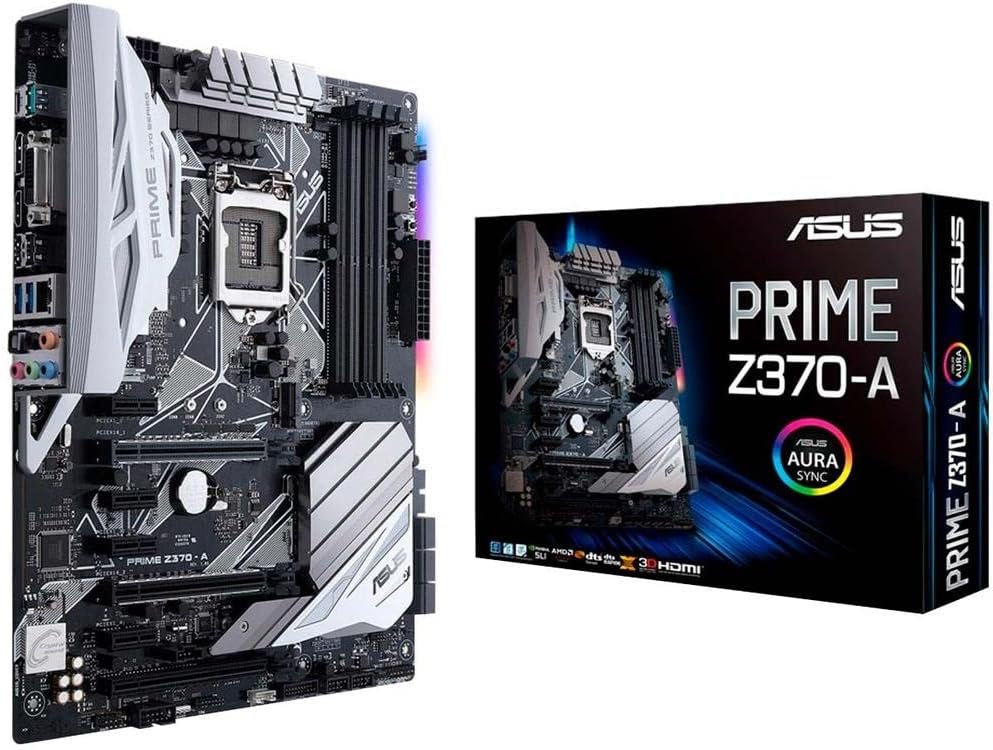
The ASUS Prime Z370-A stands out as a top choice for builders seeking a reliable platform with strong performance. It supports 8th generation Intel Core processors and offers dual M.2 slots for high speed storage. The motherboard also includes Intel Optane Memory compatibility and USB 3.1 Gen2 ports for fast data transfer.
We may earn a commission when you buy through this link, at no additional cost to you.
Its 5-Way Optimization feature automatically tailors overclocking profiles to your build which maximizes performance without manual tuning. The ASUS exclusive AURA Sync RGB lighting allows you to customize the look of your system easily. The audio subsystem uses Realtek S1220A with Japanese capacitors for warm and immersive sound quality.
While the price is higher than some competitors the feature set justifies the investment for enthusiasts. The Safe Slot Core provides extra protection for PCIe cards which is vital for heavy GPUs. There are fewer RGB headers than some premium boards but the overall build quality is exceptional.
If you need a stable foundation for gaming or content creation this board delivers reliable power and extensive connectivity. It balances performance and features well making it an ideal pick for most Z370 builds. The Intel Optane support adds future proofing for users looking to optimize storage speeds.
The 5-Way Optimization ensures your system runs at peak efficiency with minimal manual intervention required.
Realtek S1220A codec and Japanese capacitors provide a rich and detailed audio output for games and media.
We may earn a commission when you buy through this link, at no additional cost to you.
The Gigabyte Z370 AORUS Gaming 7 is designed for gamers who demand top tier features and aesthetics. It supports 8th Generation Intel Core Processors and includes USB3.1 Gen2 with a front USB Type-C header for modern connectivity. The board features RGB FUSION with a Multi-Zone LED Light Show Design that enhances the visual appeal of your rig.
We may earn a commission when you buy through this link, at no additional cost to you.
It includes three M.2 slots with Thermal Guards to maintain optimal SSD performance under load. The audio system uses the ESS Sabre DAC for high fidelity sound which is rare in standard motherboards. Killer E2500 Gaming Network ensures low latency for online gaming while Intel Gigabit LAN provides stable wired connections.
The extensive cooling and lighting features make this board stand out but they can make BIOS navigation more complex. The large heatsinks might obstruct some slots which is something to consider with smaller form factor builds. Overall the premium components deliver a powerful platform for high end gaming systems.
This motherboard is an excellent choice for users who want maximum customization and high speed storage options. The combination of triple M.2 support and superior audio makes it a top contender for gaming rigs. Ensure you have enough clearance for the large heatsinks before installing.
Three M.2 slots with thermal guards ensure your SSDs run at top speeds without thermal throttling.
The ESS Sabre DAC provides audiophile grade sound quality for immersive gaming and media experiences.
We may earn a commission when you buy through this link, at no additional cost to you.
The GIGABYTE Z390 UD offers a great balance of performance and value for builders on a budget. It supports 9th and 8th Intel Core processors with a new 10+2 Phases digital PWM design that ensures stable power delivery. The board includes an NVME PCIe Gen3 x4 22110 M.2 Connector for fast storage access.
We may earn a commission when you buy through this link, at no additional cost to you.
Its multi-way graphics support with PCIe Armor and ultra-durable design makes it suitable for rigs with multiple cards. The Gigabyte exclusive 8118 Gaming LAN includes bandwidth management to prioritize gaming traffic. It also supports RGB Light strips in full colors to match your case aesthetic without breaking the bank.
While it lacks some high end features like advanced audio the solid power delivery is excellent for its price. The limited USB ports might be a constraint for users with many peripherals but the core performance remains strong. It is a reliable choice for those prioritizing stability and efficiency.
If you need a sturdy board for gaming or mining this model provides excellent value without compromising on core specs. The digital PWM design helps with efficiency and stability which is crucial for long term use. Check your USB needs before finalizing your selection.
The 10+2 Phases digital PWM design ensures consistent voltage for your CPU under heavy loads.
The exclusive 8118 Gaming LAN helps optimize your connection for smoother online gameplay.
We may earn a commission when you buy through this link, at no additional cost to you.
The MSI Z370-A PRO is a straightforward board that supports Intel Coffee Lake processors efficiently. It features the Intel Z370 Express Chipset and has four DDR4 memory slots supporting up to 64GB capacity. The motherboard is VR Ready which makes it a good fit for virtual reality applications.
We may earn a commission when you buy through this link, at no additional cost to you.
It supports 2-Way AMD CrossFireX for users looking to add multiple graphics cards on a budget. The form factor is ATX which ensures compatibility with most standard cases. While it lacks extensive RGB lighting it focuses on core functionality and reliability for daily computing tasks.
The simplicity of this board is its main advantage as it reduces potential points of failure. However the limited M.2 options might restrict storage expansion plans. For builders who need reliable performance without extra features this is a solid option.
If you are building a system focused on performance rather than aesthetics this board meets the needs well. The support for 64GB RAM is particularly useful for workstations. Always check the specific M.2 slot count if you plan to use fast NVMe drives.
Support for up to 64GB of DDR4 memory handles demanding workloads and multitasking easily.
The VR Ready certification ensures the board is optimized for virtual reality headset performance.
We may earn a commission when you buy through this link, at no additional cost to you.
The ASUS Prime Z390-P is designed to maximize connectivity and speed with features like Above 4G Decoding. It is built for 9th and 8th Generation Intel Core processors and includes six PCIe slots for expanded GPU support. The board also supports USB 3.1 Gen2 for fast peripheral connections.
We may earn a commission when you buy through this link, at no additional cost to you.
It features 5x Protection III Hardware-level safeguards including Safe Slot Core and LANGuard to ensure component longevity. Fanxpert 4 with AIO pump header delivers advanced fan control which is critical for managing heat in mining rigs. The enhanced power solution uses premium components for better efficiency.
While this board is marketed for mining its robust power delivery and protection features are useful for standard builds too. The six PCIe slots are overkill for casual gamers but perfect for multi GPU setups. The audio is basic but sufficient for system sounds.
If you need a board that can handle multiple cards without issues this model provides the necessary slots and stability. The protection features help prevent damage from power surges or heavy GPU loads. Consider this if you plan on running multiple GPUs simultaneously.
Six PCIe slots allow for extensive expansion options ideal for specialized workloads and mining.
5x Protection III safeguards like Safe Slot Core protect your components from physical and electrical damage.
We may earn a commission when you buy through this link, at no additional cost to you.
The ASUS TUF Z370 Plus Gaming is built for durability with military-grade TUF Components like chokes and capacitors. It supports 8th generation Intel Core processors and includes Dual M.2 slots for fast storage options. The board comes with Gigabit LAN and USB 3.1 Gen 2 for broad connectivity.
We may earn a commission when you buy through this link, at no additional cost to you.
Gamer's Guardian features like safe Slot ensure your GPUs are securely anchored during transport or heavy use. The 5-year warranty provides peace of mind for long-term ownership. BIOS features include EZ Flash 3 and Qfan Control for easy system management and tuning.
While the price is higher than standard boards the durability and warranty make it a smart investment. The lack of flashy RGB might not appeal to everyone but the reliability is unmatched. It is a great choice for systems that need to run 24/7 or be moved frequently.
If you need a board that stands up to harsh conditions and offers long support this TUF model is excellent. The military-grade engineering ensures components last longer under stress. Consider this for server-like home setups or portable rigs.
Military-Grade components and a 5-year warranty ensure your system remains stable for years.
Safe Slot technology protects against damage from heavy graphics cards or accidental bumps.
We may earn a commission when you buy through this link, at no additional cost to you.
The ASUS PRIME Z370-P is designed exclusively for 8th generation Intel Core processors to maximize speed. It features Dual M.2 slots and USB 3.1 Gen2 to ensure fast data transfer for storage and peripherals. The board also supports Intel Optane Memory compatibility for boosted system performance.
We may earn a commission when you buy through this link, at no additional cost to you.
5X Protection III safeguards like Safe Slot Core protect your hardware from damage. FanXpert 4 Core with AIO Pump Header delivers advanced fan control for dynamic cooling. The audio is handled by Realtek ALC887 which provides decent sound for casual users.
While it lacks the advanced overclocking features of higher models it is perfect for standard performance needs. The protection features add value for users who prioritize system longevity. If you need a straightforward board with good storage options this is a solid pick.
This board is a great choice for users who want reliable performance without complex tuning requirements. The Optane support allows you to boost older storage drives easily. Ensure you check the exact USB port count for your peripherals.
Dual M.2 slots allow you to install multiple NVMe drives for speed and redundancy.
5X Protection III ensures safe Slot Core and LANGuard protect your system from physical and network threats.
We may earn a commission when you buy through this link, at no additional cost to you.
The Gigabyte Z370 HD3 supports 8th Generation Intel Core Processors with a focus on essential features. It includes Dual Channel DDR4 memory slots and PCIE Gen3 x4 M.2 for fast storage. The board also provides HDMI output which is useful for systems without a dedicated graphics card.
We may earn a commission when you buy through this link, at no additional cost to you.
It uses Realtek ALC892 Codec for audio and supports 2 Way Crossfire for multi GPU setups. The layout is simple and easy to navigate for new builders. While it does not have advanced features it covers the basics effectively for standard gaming needs.
This model is a good entry level option for those building their first system or budget gaming PC. The lack of advanced power delivery might limit overclocking potential but stability is good for stock speeds. Check USB port counts to ensure they meet your needs.
If you need a reliable board without extra features this HD3 model is a practical choice. The M.2 support ensures you can use fast drives without breaking the bank. It offers a clean platform for basic builds.
The board includes HDMI output so you can use integrated graphics for basic display needs.
PCIE Gen3 x4 M.2 support allows for fast NVMe SSD installation out of the box.
We may earn a commission when you buy through this link, at no additional cost to you.
The ASRock Z370 EXTREME4 supports 8th generation Intel Core processors with strong connectivity options. It includes ASRock USB 3.1 Gen2 Type-A and Type-C ports that deliver 10 GB/s speeds. The motherboard also supports HDMI for display output and has four DDR4 DIMM slots.
We may earn a commission when you buy through this link, at no additional cost to you.
Its design focuses on providing a wide range of high speed ports and a robust power system for stable performance. The layout is comprehensive though some users may find the BIOS interface slightly complex. It offers a good balance of modern features and classic build quality.
While it sits at a higher price point the inclusion of Type-C and fast USB makes it valuable for modern peripherals. The power delivery is strong enough for moderate overclocking. If you need fast external connections this board handles them well.
This model is an excellent option for users who prioritize connectivity and modern USB standards. The Type-C port ensures you are ready for future devices. Check BIOS settings carefully to unlock all potential features.
USB 3.1 Gen2 Type-C and Type-A ports ensure your peripherals run at top speeds.
Strong power delivery supports stable performance even when running high-end processors.
We may earn a commission when you buy through this link, at no additional cost to you.
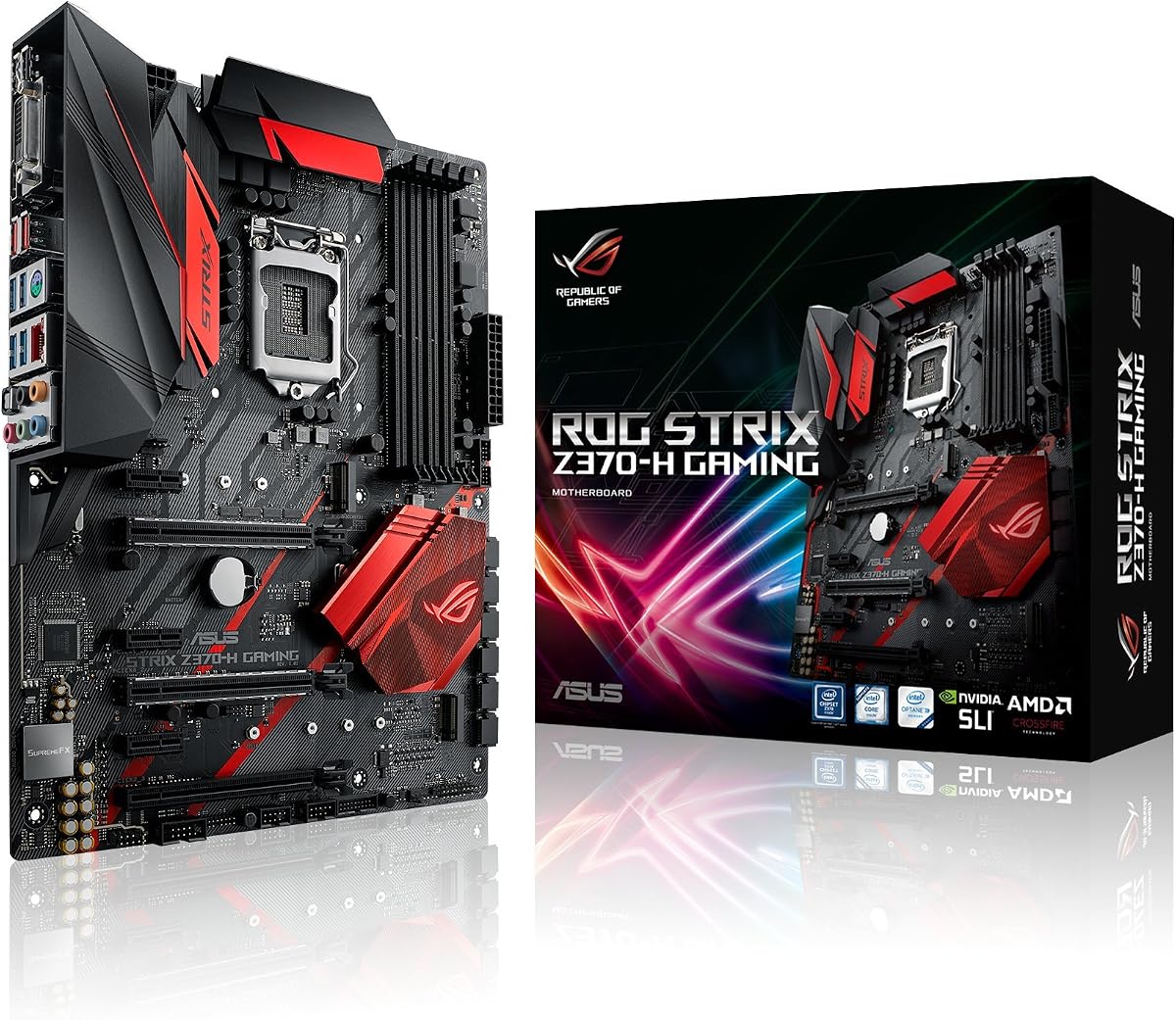
The ASUS ROG Strix Z370-H is built for gaming with an LGA1151 socket for 8th-gen Intel Core desktop processors. It offers 64GB DDR4 support which is ideal for demanding applications. The ATX form factor ensures it fits in most cases with ample room for components.
We may earn a commission when you buy through this link, at no additional cost to you.
Its port selection includes multiple USB3.1 Gen2 ports and a PS/2 keyboard port for legacy support. The board is backed by a 3 years manufacturers warranty which adds to its reliability. It supports Optane Memory for improved system response times.
This board is designed for gamers who want high speed performance and modern connectivity. The comprehensive port selection ensures you can connect multiple devices without adapters. While the price is higher the gaming focused features justify the cost for many users.
If you are building a gaming rig this board provides a strong foundation with all necessary modern features. The 64GB support ensures you have enough RAM for multitasking and creative tasks. Ensure you have adequate case clearance for the ATX board.
Multiple high speed USB ports ensure you can connect all your peripherals easily.
64GB DDR4 support allows for heavy workloads and future proofing for large games.
We may earn a commission when you buy through this link, at no additional cost to you.
Selecting the right Z370 motherboard requires evaluating factors like socket compatibility power delivery and expansion slots.
The Z370 chipset supports 8th generation Intel Core processors which use the LGA1151 socket. Always verify that the specific board you choose lists support for the generation of CPU you intend to use. Some boards may require a BIOS update to support 9th Gen Intel CPUs even if the socket is compatible.
Ensure you check manufacturer support lists for CPU compatibility before buying to avoid issues with system initialization.
Most Z370 boards support dual channel DDR4 memory with slots ranging from 2 to 4. Look for models that support the capacity you need which can be up to 64GB on higher end boards. Check the supported speeds to ensure your RAM modules are compatible with the board's profile.
Higher memory capacity is useful for multitasking and creative workloads while faster speeds benefit gaming performance.
If you plan to use multiple graphics cards check for CrossFireX or SLI support on the board. The number and spacing of PCIe slots are also critical as they determine how many add-on cards you can install. Some boards have reinforced slots to protect against heavy GPU weight.
Consider the spacing between slots to ensure proper airflow and physical clearance for large graphics cards.
Modern Z370 motherboards offer M.2 slots for fast NVMe SSDs. The number of M.2 slots and their speed ratings can vary between models so check if you need one or two slots. Some boards also offer SATA ports for additional storage drives.
Ensure you select a board that meets your storage speed and capacity requirements for your specific workload.
Power delivery quality affects stability during overclocking. Models with more VRM phases and better heatsinks can handle higher power loads. If you plan to push your CPU limits look for boards with robust power designs and cooling.
A strong power solution ensures your system remains stable under load and allows for safe performance tuning.
Check the rear panel for USB Type-C USB 3.1 Gen2 and audio ports. Some boards offer front panel USB headers for case connections which are useful for modern cases. Network options like LAN controllers also impact your internet performance.
Match the port selection to your needs especially if you use many peripherals or high speed external storage.
Audio codecs vary across boards with some offering enhanced sound chips for better quality. Gaming LAN controllers can help reduce latency and prioritize game traffic on your network. If you care about audio or online gaming check these features carefully.
High quality audio and networking components improve your overall experience especially for gaming and media.
Look for features like Safe Slot Core and protective capacitors which improve durability. Warranty periods can range from 3 to 5 years depending on the manufacturer and model. A longer warranty often indicates higher confidence in the product quality.
Choose boards with robust protection features and good warranty terms for peace of mind.
Install your motherboard in a clean static free environment and secure it properly into the case standoffs. Make sure all screws are tightened correctly to prevent movement or damage during transport.
Keep your BIOS updated using manufacturer utilities to ensure compatibility with newer CPUs and features. This helps maintain system stability and fixes any known security issues.
Maintain proper airflow in your case to prevent overheating which can affect the lifespan of the board. Clean dust from heatsinks and fans regularly to ensure optimal thermal performance.
Yes many Z370 motherboards support 9th Gen Intel Core processors but you may need to update the BIOS first. Always check the specific model support page to confirm compatibility before installing the CPU.
You can update the BIOS using the built-in EZ Flash utility in the BIOS menu if you have the update file on a USB drive. Some models also support wireless updates via the manufacturer software.
M.2 slots offer faster storage speeds and take up less space than standard PCIe cards. Most Z370 boards support NVMe over M.2 which is ideal for modern SSDs.
Overclocking generates more heat so using a high performance aftermarket cooler is recommended. Air coolers or liquid cooling solutions help maintain stable temperatures under load.
Some Z370 boards support CrossFireX or SLI for multiple GPUs. Check the board specs for the exact number of supported cards and spacing requirements.
DDR4 speeds of 2400MHz to 3000MHz are commonly supported and recommended for good performance. Higher speeds may require XMP profiles enabled in the BIOS.
We have reviewed ten top options for the Z370 chipset each offering unique features to match different needs. From the durable ASUS TUF models to the feature rich Gigabyte boards there is a choice for every user type.
When selecting your board prioritize the features that matter most for your system such as power delivery and connectivity. Ensuring compatibility with your CPU and other components is key to a successful build.
Always verify current stock and pricing before purchasing as these values can change frequently. With the right selection you can build a reliable and powerful system that meets your computing needs.