
Redragon BM4195
3.9Editor score
Voice typing translation
Multi-mode connectivity
Type-C fast charging
Compare the top 10 AI Smart Wireless Mouse models for productivity and voice control with expert insights on features and performance.
The modern workspace demands tools that enhance efficiency and reduce friction. AI Smart Wireless Mouse models combine traditional pointing with advanced voice recognition and translation capabilities.
We evaluated ten leading options based on accuracy, connectivity, battery life, and software integration. Each product brings unique strengths for professionals and students alike.
Every selection highlights key capabilities and real-world applications. Note that availability and pricing fluctuate frequently, so verify details before purchasing to ensure the best value.
3.9Editor score

4.5Editor score

5.0Editor score
This comparison table details the specifications and features of all ten selected models to help you find the right fit for your workflow.


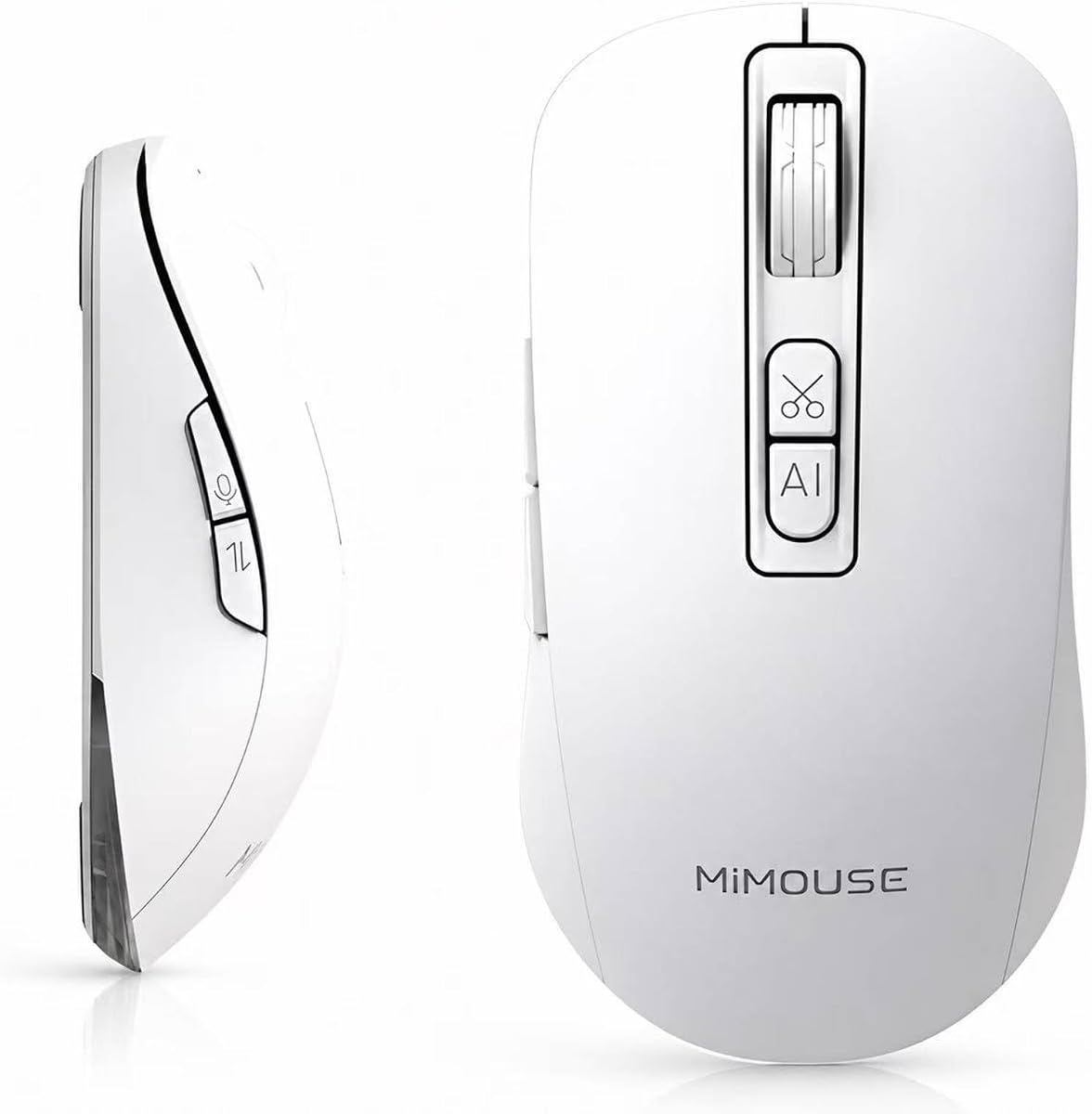


The Redragon BM4195 introduces AI functionality at an entry-level price. It offers voice typing and translation without needing a keyboard, making it accessible for users seeking productivity boosts. With a rating of 3.9, it balances performance and cost effectively.
We may earn a commission when you buy through this link, at no additional cost to you.
This model features a 500mAh battery with Type-C charging for extended use. Connectivity supports 2.4G, BT1, and BT2 for seamless switching across devices. Users appreciate the adjustable DPI levels for precision in different tasks.
The software is necessary to activate AI functions, which adds setup time. While the performance is solid, the design is standard compared to premium ergonomic options. This trade-off is acceptable for budget-conscious buyers prioritizing features.
Ideal for students and office workers on a tight budget. The combination of voice control and multi-device support delivers strong value. It is a practical choice for those new to AI-enabled peripherals.
Transcribe words instantly using the dedicated voice key after installing the companion software.
Toggle between three connected devices effortlessly for improved multitasking across platforms.
We may earn a commission when you buy through this link, at no additional cost to you.
This model stands out with a battery display screen for easy monitoring. It supports up to 98% voice recognition accuracy and handles 200+ languages for translation tasks. Its comprehensive toolset makes it ideal for multilingual professionals and students.
We may earn a commission when you buy through this link, at no additional cost to you.
Local offline processing ensures privacy by avoiding cloud storage for voice records. The ergonomic design and silent clicks provide comfort during long sessions. Users can customize commands to streamline workflows across various applications.
Hold the mouse close to the mouth for optimal audio capture in noisy environments. The initial software download is necessary for full functionality, which may deter those seeking plug-and-play simplicity. However, the features justify the setup effort.
Perfect for users who prioritize privacy and translation capabilities. The battery display is a thoughtful addition for reliability. This choice offers a robust balance of smart features and user comfort.
All voice data is processed locally on your device to ensure maximum security.
Check remaining battery instantly via the built-in LED display on the mouse.
We may earn a commission when you buy through this link, at no additional cost to you.
The 600mAh battery offers long endurance for daily tasks. It includes a suite of AI tools like Q&A, painting design, and article writing. The ergonomic shape and silent clicks make it comfortable for extended use in office environments.
We may earn a commission when you buy through this link, at no additional cost to you.
This mouse supports seamless switching between Bluetooth and 2.4G connections. The AI features help summarize text and generate ideas quickly. Users value the local processing for maintaining privacy during work sessions.
The design prioritizes comfort but may not suit those seeking minimal weight. Initial pairing requires using a dedicated app, which is straightforward but adds a step. The battery life justifies the slightly larger form factor.
Best suited for professionals who need reliable battery and comfort. The AI tools provide genuine utility for content creation. It is a well-rounded option for productivity-focused users.
The 600mAh battery ensures you work uninterrupted for days on a single charge.
Access AI writing and design helpers directly through the mouse interface.
We may earn a commission when you buy through this link, at no additional cost to you.
Designed for office environments, this mouse offers quiet clicks and an ergonomic shape. It supports BT 5.0 and 2.4G connectivity for reliable performance. The 500mAh battery ensures consistent power throughout the day.
We may earn a commission when you buy through this link, at no additional cost to you.
Users can customize keys via software for enhanced control. The voice typing feature supports up to 300 words per minute. It is a practical tool for those prioritizing comfort and quiet operation.
The functionality is solid but less advanced than models with extensive AI suites. Setup is straightforward and requires minimal configuration. It serves well for standard office tasks and light transcription.
Ideal for quiet workspaces and users needing basic AI features. The ergonomic design reduces strain during long hours. It is a dependable choice for office productivity.
Enjoy silent clicks that maintain focus in shared work environments.
Use Bluetooth 5.0 or USB 2.4G for seamless connection.
We may earn a commission when you buy through this link, at no additional cost to you.
Logitech offers reliability with a battery life up to 24 months. It supports Logi Options+ for software customization and connectivity. This model excels in build quality and seamless integration across systems.
We may earn a commission when you buy through this link, at no additional cost to you.
The Bluetooth Low Energy technology ensures efficient power usage. Users appreciate the consistent performance and ease of pairing. It is a strong contender for those prioritizing longevity over advanced AI features.
While it lacks extensive voice typing tools, it delivers stable daily performance. The price reflects the premium brand reputation and durability. This choice suits users valuing simplicity and trustworthiness.
Perfect for traditional office tasks requiring high reliability. The battery life minimizes downtime and maintenance. It is a safe investment for professional users.
Enjoy up to 24 months of use on a single set of batteries.
Use Logi Options+ to tailor button functions to your needs.
We may earn a commission when you buy through this link, at no additional cost to you.
This mouse features a detachable host that transforms into a presentation tool. It includes air mouse functionality and a laser pointer for meetings. The 20-day battery life and lightweight build make it ideal for travelers.
We may earn a commission when you buy through this link, at no additional cost to you.
Double-tap voice recording captures meetings effortlessly. The ergonomic shape ensures comfort during long presentations. Users love the versatility of one tool replacing multiple devices for meetings.
The detachable design requires some learning but offers significant flexibility. The price reflects the innovative engineering and utility. This choice is perfect for professionals who present frequently.
Best for executives and trainers needing a portable all-in-one solution. The battery life and design reduce clutter in bags. It is a premium tool for confident presentations.
Flip slides and highlight points seamlessly with built-in presentation tools.
Snap the host onto the base to switch from pointer to full mouse instantly.
We may earn a commission when you buy through this link, at no additional cost to you.
RGB lighting adds style to this productivity tool. It supports 200+ language translation and integrates ChatGPT features. The silent design makes it suitable for shared environments without distraction.
We may earn a commission when you buy through this link, at no additional cost to you.
Users can customize AI functions for various tasks like writing and code generation. The local processing ensures data remains private. It appeals to tech enthusiasts who value aesthetics and functionality.
The RGB features can reduce battery life if not managed. The setup requires app installation for full control. This choice is great for those wanting a visually distinctive AI mouse.
Ideal for users who appreciate visual flair alongside smart features. The AI tools are robust for content creation. It is a fun and functional option for modern desks.
Adjust lighting effects to match your workspace style.
Use AI ChatGPT integration for writing and analysis tasks.
We may earn a commission when you buy through this link, at no additional cost to you.
This model offers a unified M-AI platform for writing and summarization. It features a 30-day battery life and ergonomic design. The transcription features are tailored for meetings and legal documents.
We may earn a commission when you buy through this link, at no additional cost to you.
Users appreciate the seamless switching between three devices. The lightweight design makes it easy to carry. It supports local encryption to protect sensitive professional data.
The platform is powerful but requires account setup. The price reflects the robust toolset. This choice is ideal for those needing comprehensive text processing.
Perfect for lawyers and writers needing transcription. The battery life ensures reliability on the go. It is a strong contender for professional workflows.
Access writing and summarization tools through one centralized app.
Convert meeting audio to text efficiently for accurate documentation.
We may earn a commission when you buy through this link, at no additional cost to you.
Designed to work with iPad as well as PCs. It supports triple-mode connectivity for seamless transitions. The ergonomic shape and 5 DPI levels offer control for various tasks.
We may earn a commission when you buy through this link, at no additional cost to you.
Transcription and summarization features simplify note-taking. Users find the switch between devices quick and reliable. It is a versatile tool for remote workers using tablets.
The software setup depends on the device used. Battery details are standard without extra displays. This choice is great for hybrid work environments.
Ideal for users managing multiple devices including tablets. The features support dynamic workflows efficiently. It is a practical pick for modern hybrid roles.
Control iOS devices effectively with dedicated pairing options.
Switch between tablet and desktop quickly with one-button mode control.
We may earn a commission when you buy through this link, at no additional cost to you.
A straightforward option focused on voice-to-text conversion. It supports silent clicks and a rechargeable design. The language translation covers over 200 options for communication.
We may earn a commission when you buy through this link, at no additional cost to you.
The summarization tools help organize rough ideas quickly. Users appreciate the ease of use without complex setups. It is a compact tool for quick note-taking.
Few reviews suggest limited market presence. The features are basic compared to high-end models. This choice is suitable for those needing simple voice input.
Best for casual users wanting quick voice dictation. The silent design fits quiet spaces well. It is a budget-friendly entry into smart mice.
Convert speech to text efficiently without heavy software requirements.
Use silent clicks in shared spaces for uninterrupted focus.
We may earn a commission when you buy through this link, at no additional cost to you.
Selecting the right AI Smart Wireless Mouse requires evaluating specific features to ensure they match your workflow needs.
High-accuracy models offer 98% recognition rates, making them reliable for transcription tasks. Look for mice with adjustable settings to adapt to your voice patterns.
Prioritize models with proven accuracy for stress-free dictation.
Many mice support 200+ languages for real-time translation during meetings. Check if the device supports translation in your specific target languages.
Ensure the language set meets your global communication needs.
Battery capacity varies from 500mAh to 600mAh with rechargeable Type-C ports. Look for models offering multi-day use without frequent recharging.
Choose models with long endurance for uninterrupted work.
Local AI processing ensures voice data remains on your device without cloud uploads. This is crucial for handling sensitive or confidential information.
Opt for models that emphasize local data processing for security.
Some mice require companion apps for full functionality while others work out of the box. Evaluate if you are comfortable installing additional software.
Consider the complexity of setup based on your tech comfort level.
Versatile mice support Bluetooth and 2.4G to switch between multiple devices seamlessly. This feature is essential for managing desktops and tablets.
Verify the connection modes match your device setup.
Silent clicks and ergonomic shapes reduce strain during extended sessions. A lightweight design improves portability for business travelers.
Prioritize comfort features that suit your hand size.
Prices range from budget to premium with distinct feature differences. Balance the cost against the utility of AI tools provided.
Set a budget that fits your required feature set.
Install the companion app or driver immediately after purchase to unlock voice features. Ensure you have a stable internet connection during initial setup for AI updates.
Keep the microphone area clean to maintain voice recognition quality. Charge the device regularly to avoid sudden shutdowns during critical work periods.
Adjust DPI settings to match your screen resolution for smoother cursor control. Use the software to customize buttons for quick access to translation or recording tools.
Most models require internet for AI processing, but some offer local offline modes. Check the specifications for offline capabilities if you work in limited connectivity areas.
Yes, most models support macOS alongside Windows. Verify the system requirements in the product details for the specific operating version.
Top-rated models claim up to 98% accuracy. Performance can vary based on accent and background noise levels.
Many models support switching between three devices via Bluetooth or USB. This feature improves workflow across different computers.
Yes, most require a companion app to activate AI features. Ensure you have the necessary system permissions for installation.
Most models have built-in rechargeable batteries. A few use standard AA batteries for extended use without recharging.
The Redragon BM4195 offers great value for budget users while the Cheerdots2 excels in premium features. The Ai Smart Mouse with Voice Typing balances accuracy and privacy well.
Prioritize battery life and privacy features to ensure a smooth daily workflow. Choose based on whether you need basic voice dictation or advanced translation.
Prices and availability change frequently so always check current listings before buying. Select the model that aligns best with your professional needs.