
Nano V3.0 Board with USB Cable
4.5Editor score
ATmega328P CH340G Chip
USB-C Port Included
Breadboard Friendly Design
This expert guide compares the best Arduino Nano Board options for 2026, evaluating performance, connectivity, and value to help you choose the right microcontr
The Arduino Nano Board remains a cornerstone for hobbyists and engineers needing compact control. Selecting the right model involves balancing processing power, connectivity options, and budget constraints for your specific project needs.
We evaluated ten top-rated models based on user feedback, technical specifications, and community support. This list covers classic ATmega variants and newer chips with enhanced memory and wireless capabilities for modern embedded systems.
Each pick highlights key strengths and ideal use cases to simplify your decision. Prices fluctuate frequently, so verify current offers before purchasing. This guide ensures you find a reliable board for prototyping and production alike.
4.5Editor score
4.6Editor score

4.6Editor score
This side-by-side comparison outlines the key specifications of each top-rated model to help you identify the best fit for your engineering or hobbyist projects.


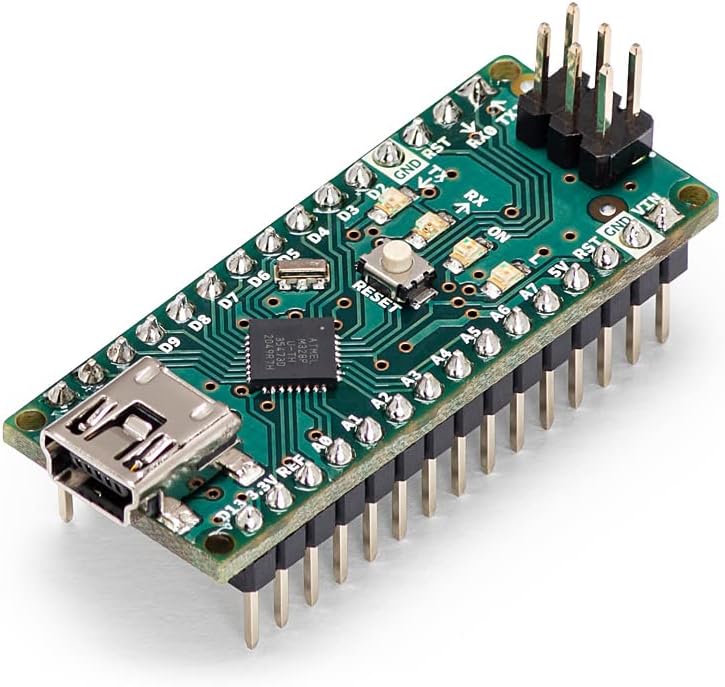
The Arduino Nano [A000005] is the definitive choice for reliability. With a 4.6 rating, it offers official quality assurance and robust community support. Its compact ATmega328P design ensures consistent performance across diverse projects.
We may earn a commission when you buy through this link, at no additional cost to you.
This board shines with 14 digital I/O pins and 8 analog inputs. You gain precise control over sensors and motors via standard Arduino IDE compatibility. The built-in mini-USB simplifies power and programming without extra hardware.
The higher price reflects premium build quality. While the mini USB port is older, it remains standard for many legacy shields. This trade-off ensures maximum compatibility with existing DIY ecosystems and industrial prototypes.
Choose this if you need guaranteed stability and documentation. It is ideal for students, engineers, and critical deployments where hardware failure is not an option. The investment pays off in long-term project success.
Official boards undergo strict quality control ensuring every unit meets rigorous standards for voltage and signal integrity.
Millions of projects exist online specifically for this official model making troubleshooting and code sharing effortless.
We may earn a commission when you buy through this link, at no additional cost to you.
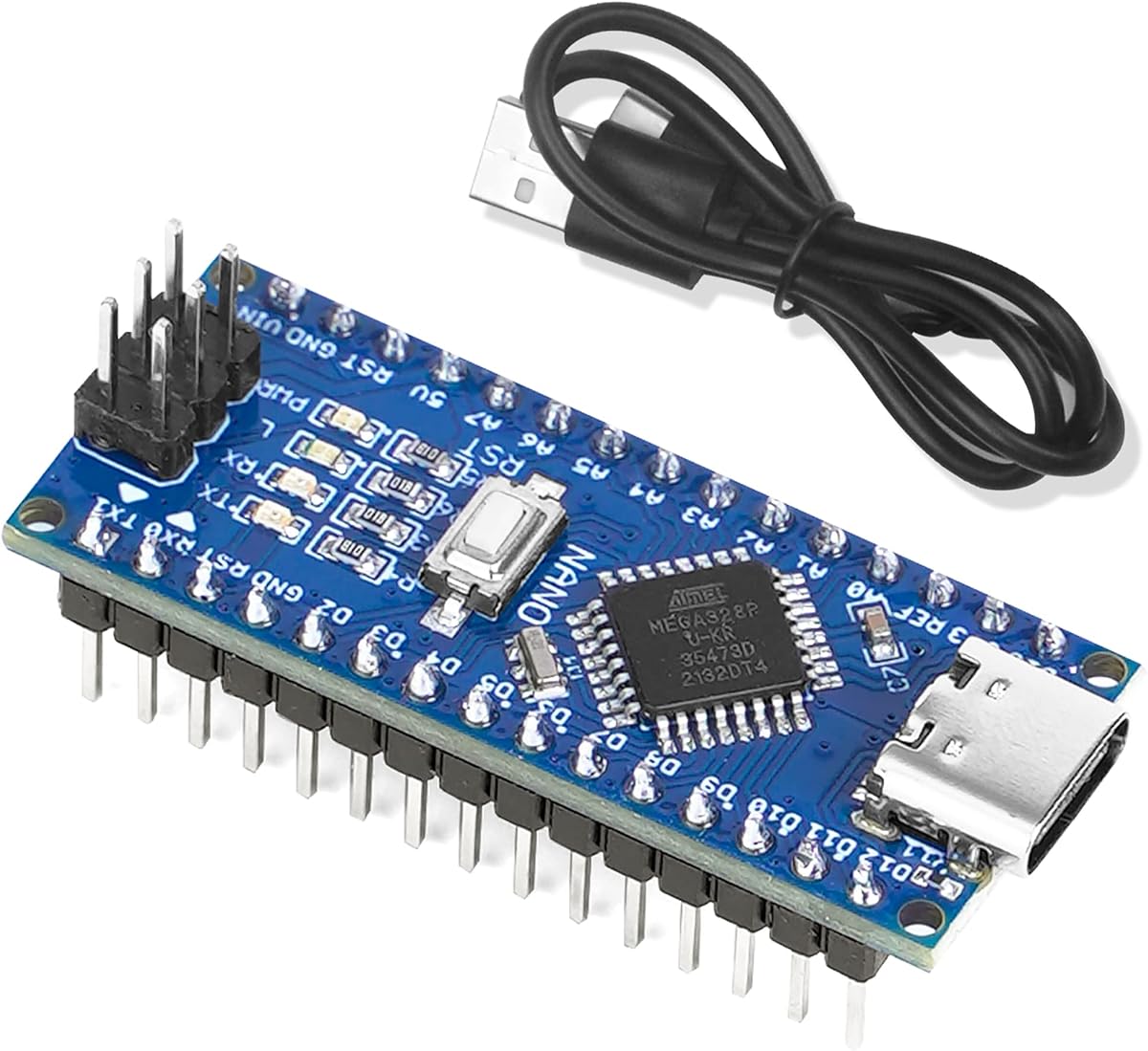
This 2-pack offers exceptional value for bulk needs. With a 4.5 rating, users appreciate the included USB-C cables and modern connectivity. The CH340G chip provides stable serial communication across systems.
We may earn a commission when you buy through this link, at no additional cost to you.
You get two fully functional boards ideal for multi-device setups. The ATmega328P ensures 16MHz performance standard for most hobbyist code. USB-C power simplifies cabling compared to older micro USB variants.
Third-party chips sometimes require manual driver installation on some OS. However the CH340G is widely supported today making this a minor hurdle. Ensure you download drivers before first use.
Perfect for classrooms or projects needing redundancy. The low cost allows experimentation without financial risk. You gain flexibility with two boards for testing and deployment simultaneously.
The USB-C port allows reversible connection and faster power delivery aligning with current device standards.
Buying two units together lowers the price per board significantly compared to single purchases.
We may earn a commission when you buy through this link, at no additional cost to you.
LAFVIN boards deliver solid performance with a 4.6 rating. They are fully compatible with Windows Mac and Linux systems ensuring broad accessibility. The CH340G chip replaced older FT232RL units for better stability.
We may earn a commission when you buy through this link, at no additional cost to you.
This package includes three boards which is ideal for teams or backup needs. The compact design fits neatly on breadboards. You gain standard ATmega328P performance without paying official premiums.
You must install the CH340 driver if the serial port is missing. This process is simple but adds a step for first-time users. Once set up the connection is stable.
Buy this for non-critical prototyping and learning. It provides the core Nano experience at a reduced cost. Use it when you need multiple units quickly.
Support for major operating systems means you can code from any workstation without extra adapters.
Pin spacing matches standard breadboard rows allowing plug-in prototyping without soldering.
We may earn a commission when you buy through this link, at no additional cost to you.
The Nano R4 Min uses the powerful Renesas RA4M1 microcontroller. With 48MHz clock speed and 256KB flash it handles complex logic easily. This is a major upgrade from older ATmega chips.
We may earn a commission when you buy through this link, at no additional cost to you.
It ships with pre-soldered headers saving assembly time. The Qwiic connector simplifies sensor integration without soldering. You get immediate connectivity for I2C devices in the box.
The newer architecture requires updated libraries. However Arduino IDE supports it seamlessly. It may cost more than basic clones but justifies the performance boost.
Ideal for advanced IoT and automation projects. If you need more memory and speed than the classic Nano offers this is the modern choice for serious developers.
The 48MHz clock speed allows faster execution of loops and multitasking routines.
The Qwiic connector lets you daisy-chain sensors without breadboard wiring complexity.
We may earn a commission when you buy through this link, at no additional cost to you.
ELEGOO delivers reliability with presoldered headers saving build time. The 4.6 rating reflects consistent quality across units. You get three boards for multiple projects or testing scenarios.
We may earn a commission when you buy through this link, at no additional cost to you.
This bundle includes a USB-C cable for modern connections. The board supports standard sketches without issues. It is perfect for those who dislike soldering header pins manually.
The CH340 driver needs installation if ports are missing. This is a standard procedure for this chip type. After setup the boards perform like original Nanos.
Buy for educational kits or prototyping batches. The ready-to-use nature speeds up the workflow. It balances cost and convenience effectively for schools and makers.
Headers come attached so you can plug directly into breadboards immediately.
Three boards allow for distribution or simultaneous testing of different code versions.
We may earn a commission when you buy through this link, at no additional cost to you.
The Nano Every upgrades memory significantly with 48KB flash and 6KB SRAM. This supports larger codebases and faster execution. It uses the ATmega4809 microcontroller for improved efficiency.
We may earn a commission when you buy through this link, at no additional cost to you.
It features 20 digital I/O pins for expanded control. The USB-C port ensures future-proof connectivity. This board bridges the gap between classic and modern needs.
Older sketches might need minor adjustments for the new chip. But the core architecture remains familiar. The size is slightly larger but manageable for most enclosures.
Perfect for complex IoT applications. If your project requires more code space this model is the best official upgrade path. It offers stability and modern specs.
The extra flash allows storing larger libraries without sacrificing performance speed.
USB-C ensures reliable power and data transfer consistent with current device trends.
We may earn a commission when you buy through this link, at no additional cost to you.
This 3-pack offers great volume for classrooms or events. With a 4.5 rating users find them reliable for basic tasks. The CH340G chip works well across Windows Mac and Linux.
We may earn a commission when you buy through this link, at no additional cost to you.
It includes three USB-C cables which is rare in kits. The auto power switch feature simplifies wiring. You do not need jumpers to select the voltage source.
Third-party components may vary slightly between batches. But consistent ratings suggest tight quality control. Ensure drivers are installed before connecting to PCs.
Ideal for workshops or group learning. The bulk discount makes it cost-effective for buying in quantity. You get flexibility and connectivity in one package.
The board detects the higher voltage source automatically simplifying external power connections.
Cables are included so you can start coding immediately without extra purchases.
We may earn a commission when you buy through this link, at no additional cost to you.
This version offers flexibility with loose headers for custom assembly. The 4.2 rating reflects the soldering requirement. It retains the powerful RA4M1 core found in the R4 Min.
We may earn a commission when you buy through this link, at no additional cost to you.
Castellated edges allow direct mounting on custom PCBs. You can skip headers entirely for embedded designs. The RGB LED helps with status feedback during debugging.
Soldering adds time but increases design freedom. Ensure you use a fine tip to avoid shorting. Beginners might prefer pre-soldered headers for ease.
Best for custom hardware engineering and production. If you plan to embed the board into custom enclosures this model saves space. It is ideal for advanced fabrication.
The castellated edges make it easy to solder directly onto a custom PCB trace.
Use the RGB LED to indicate system states like connection or error without extra components.
We may earn a commission when you buy through this link, at no additional cost to you.
The OSOYOO Nano fits well on breadboards. With a 4.6 rating users appreciate its straightforward functionality. It uses the CH340 chip for USB serial communication.
We may earn a commission when you buy through this link, at no additional cost to you.
This module includes both USB-C to USB-A and USB-C to USB-C cables. You have versatile power options immediately. The chip supports 6-12V unregulated power via VIN.
It lacks headers so you might need to buy them separately. This is a minor inconvenience but allows custom wiring setups. The core logic matches standard Nano sketches.
Great for single board needs or tight spaces. It provides the essential features without bloat. Buy this when you need reliability at a low cost.
Accepts 6-12V unregulated input allowing battery or adapter power easily.
Includes both cable types so you can connect to various PC ports.
We may earn a commission when you buy through this link, at no additional cost to you.
The Nano ESP32 brings wireless capabilities directly to the board. With a 4.6 rating it is highly recommended for smart projects. It uses the dual-core ESP32-S3 for heavy tasks.
We may earn a commission when you buy through this link, at no additional cost to you.
It supports MicroPython making it accessible for non C/C++ users. The Wi-Fi and Bluetooth 5.0 allow cloud connectivity. You can even use it as a HID keyboard or mouse.
The higher cost reflects advanced wireless features. You save on external modules that normally need wiring. Ensure your Arduino IDE is updated for the best support.
Buy for IoT and smart home projects. It simplifies adding connectivity to your device. This is the modern choice for wireless embedded development.
The ESP32-S3 chip provides native Wi-Fi and Bluetooth without extra hardware.
MicroPython compatibility allows writing scripts in Python for rapid prototyping.
We may earn a commission when you buy through this link, at no additional cost to you.
Choosing the right Nano model requires evaluating core performance needs connectivity preferences and specific project requirements to ensure compatibility with your setup.
The core processor determines speed and memory capacity. Standard boards use the ATmega328P offering 32KB flash. Newer models like the Every or R4 use ATmega4809 or Renesas chips with more flash and RAM. Consider your code complexity before choosing.
Higher memory allows larger libraries and data logging without external chips.
Legacy boards use Mini USB while newer ones use USB-C. USB-C offers reversible connection and faster data transfer. Wireless boards like the ESP32 add Wi-Fi and Bluetooth. Ensure your power supply matches the board requirements.
Check USB types to avoid adapter needs for your current setup.
Some boards ship with headers pre-soldered saving time. Others include loose pins for custom PCB mounting. Headers affect durability and ease of connection. Pre-soldered headers are better for beginners.
Loose pins allow direct PCB soldering for permanent installations.
Official Arduino boards guarantee quality but cost more. Third-party clones offer similar specs at lower prices. Clones often need CH340 drivers for Windows compatibility. Check reviews for stability.
Official boards are safer for critical projects where failure is costly.
Most boards accept 5V via USB or 7-12V via VIN. Auto-switching ensures correct power source selection. USB power is limited by current. Use external regulators for motors.
Ensure your power source matches voltage ratings to avoid damage.
Most boards support Windows Mac and Linux. Drivers for CH340 may need manual installation. Ensure your OS is updated. Check forums for specific OS driver issues.
Verify driver availability for your specific operating system.
Buying in bulk often reduces the price per unit. Bundles may include cables or breadboards. Check what is included in the package. More units allow testing or backups.
Bulk kits are ideal for classrooms or large prototypes.
Official boards have vast code support. Clones usually work with standard libraries but may have quirks. Check GitHub or forums for examples. Support impacts development speed.
Strong community support simplifies finding solutions for bugs.
Start by connecting the board to your computer via USB. Install the necessary drivers if the serial port does not appear automatically. Then open the Arduino IDE and select the correct board type.
Keep your workspace static-free and avoid exposing pins to excessive force. Always disconnect power before plugging in external components to prevent short circuits. Proper wiring extends the lifespan of the circuit.
Use voltage regulators for external devices needing more than 5V. Protect inputs with current-limiting resistors where appropriate. Regular cleaning with compressed air maintains connection reliability.
Most modern systems recognize Nano boards automatically. However third-party boards using the CH340 chip require specific drivers. Install these drivers from the official manufacturer website to ensure your computer recognizes the serial port.
Official boards meet strict quality standards but cost more. Clones offer similar functionality at lower prices. Clones may have minor variations in component quality. Always check user reviews before purchasing third-party options.
Classic Nanos run C or C++. Newer models like the ESP32 support MicroPython. This allows Python-based coding for embedded systems. Check specific board compatibility before switching languages.
Upload speed depends on baud rate settings and hardware quality. Ensure your baud rate matches the board specs. USB hub connections can also slow down transfers. Use direct ports for best performance.
You can use the VIN pin with external power between 7-12V. Ensure you connect ground properly. External regulators protect against voltage spikes. Use stable power sources for reliable operation.
The Nano ESP32 includes built-in Wi-Fi and Bluetooth. This eliminates extra modules needed for connectivity. It also supports MicroPython for cloud integration. Ideal for smart home and remote sensing tasks.
This guide highlights diverse options for every skill level. Official boards ensure quality. Clones offer budget value. Wireless boards expand connectivity. Select based on your specific project needs and budget constraints.
Prioritize memory and connectivity for long-term success. Beginners benefit from pre-soldered headers. Engineers may prefer custom PCB layouts. Ensure driver compatibility before finalizing your choice.
Always verify current pricing and stock availability. Prices fluctuate regularly on online marketplaces. Regular checks ensure you get the best deal for your project.