
ASUS RT-AX1800S
4.3Editor score
WiFi 6 support
AiMesh compatible
Built-in VPN
This guide compares ten top ASUS WiFi routers ranging from budget models to premium WiFi 7 systems with detailed specs and real-world performance insights.
Finding the right wireless router can transform your home network experience significantly. ASUS offers a wide range of options catering to different needs and budgets. Their devices balance speed coverage and advanced security features effectively.
We compared these models based on technical specifications and real-world reliability data. Our analysis looks at throughput speeds mesh capabilities and security protocols included. This helps identify the strongest performers across various categories.
Each pick highlights key strengths and ideal use cases for different households. Please note that product availability and pricing can fluctuate over time. Always check current listings before making your final purchase decision.
4.3Editor score

4.5Editor score

4.3Editor score
The following table provides a side-by-side comparison of all ten models to help you quickly identify the device that best fits your specific network requirements and budget constraints.
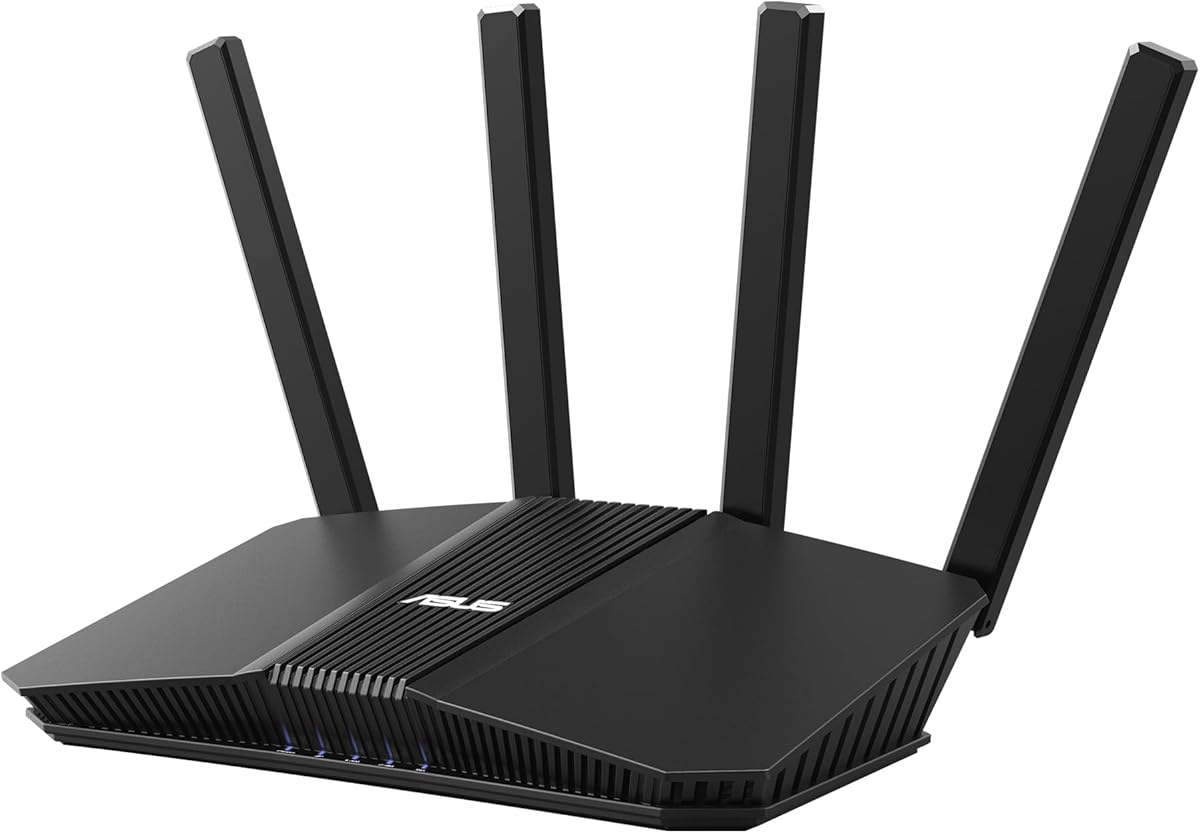




The ASUS RT-AX1800S stands out as an excellent entry point for modern WiFi standards. It brings WiFi 6 technology to budget-conscious buyers without compromising on essential features. This router ensures reliable connectivity for everyday streaming and browsing tasks.
We may earn a commission when you buy through this link, at no additional cost to you.
Its dual-core processor handles multiple devices efficiently thanks to MU-MIMO and OFDMA support. The built-in VPN and AiProtection Classic provide robust security without needing extra subscriptions. Four external antennas help maintain strong signal coverage throughout average-sized homes.
While it lacks the raw speed of higher-end models, its performance is ample for most households. The lack of a USB port limits local storage sharing options. However, the value proposition remains strong for those prioritizing cost and reliability.
This model is ideal for small families or individuals seeking future-proof technology on a budget. It balances performance and price effectively to ensure a smooth network experience. We recommend it for users upgrading from older WiFi 5 routers.
AiMesh compatibility allows you to add more units later for whole home coverage without replacing the main router.
AiProtection Classic powered by Trend Micro offers real-time threat detection and parental controls out of the box.
We may earn a commission when you buy through this link, at no additional cost to you.
The ASUS RT-BE58U pushes the boundaries of home networking with its WiFi 7 capabilities. It offers theoretical speeds up to 3.6 Gbps through advanced modulation techniques like 4096-QAM. This router is designed for users demanding the absolute fastest wireless performance available.
We may earn a commission when you buy through this link, at no additional cost to you.
Multi-link operation ensures stable connections by linking multiple bands simultaneously. This feature reduces latency and improves overall data transfer efficiency significantly. The Dual-WAN support provides redundancy for always-on internet access which is vital for remote work.
Despite its high cost the benefits are clear for tech enthusiasts and power users. Compatibility with newer WiFi 7 devices is required to fully utilize its potential. The investment is justified for those building a future-proof smart home ecosystem.
We recommend this model for households with many connected devices and high bandwidth needs. It delivers commercial-grade security and extensive management options through Smart Home Master. This is a top choice for performance-driven network setups.
Multi-link operation links to multiple bands at the same time ensuring stable internet connections during heavy usage.
Versatile WAN options including USB support for 4G and 5G mobile tethering ensure you stay connected anywhere.
We may earn a commission when you buy through this link, at no additional cost to you.
The ROG Rapture GT-BE98 Pro represents the pinnacle of wireless router engineering. Its WiFi 7 support with 320MHz channels delivers speeds up to 30Gbps. This device is built for serious gamers and professionals who cannot tolerate any network latency.
We may earn a commission when you buy through this link, at no additional cost to you.
Triple-Level Game Acceleration optimizes traffic from your PC to the game server. External dual-feeding antennas boost coverage and signal strength significantly. The mix of 10G and 2.5G wired ports ensures high-speed local connectivity for all your devices.
While the price is steep the features justify the cost for high-demand environments. It may be overkill for casual users but it offers future-proofing for emerging tech. The build quality is robust and designed for continuous heavy loads.
We recommend this router for competitive gamers and media streaming enthusiasts. It provides the best possible wireless and wired performance available today. If budget is not a concern this model is the ultimate choice.
Triple-level game acceleration boosts your PC gaming traffic every step of the way to the game server.
Maximized wired connectivity with dual 10G ports and quad 2.5G ports for maximum network flexibility.
We may earn a commission when you buy through this link, at no additional cost to you.
The ASUS RT-BE92U brings WiFi 7 performance to a more accessible price tier. With speeds up to 9.7 Gbps it handles multiple high-bandwidth tasks easily. Its tri-band design ensures that IoT devices do not interfere with main network traffic.
We may earn a commission when you buy through this link, at no additional cost to you.
Multi-link Operation links multiple bands to ensure stable connections for all users. Smart Home Master helps organize IoT devices by creating separate SSIDs easily. AiProtection Pro provides robust security against vulnerabilities and malware threats.
This router strikes a balance between cutting-edge speed and practical usability. The dual WAN options provide reliability for critical internet-dependent tasks. It is a strong choice for modern smart homes needing advanced features.
We suggest this model for families with growing device counts and high-speed internet plans. It delivers excellent performance without the extreme cost of top-tier gaming routers. It is a reliable center for a high-tech household.
Smart Home Master establishes up to three SSIDs for easy IoT device setup and management.
Versatile WAN options allow you to establish always-on internet through AI WAN detection.
We may earn a commission when you buy through this link, at no additional cost to you.
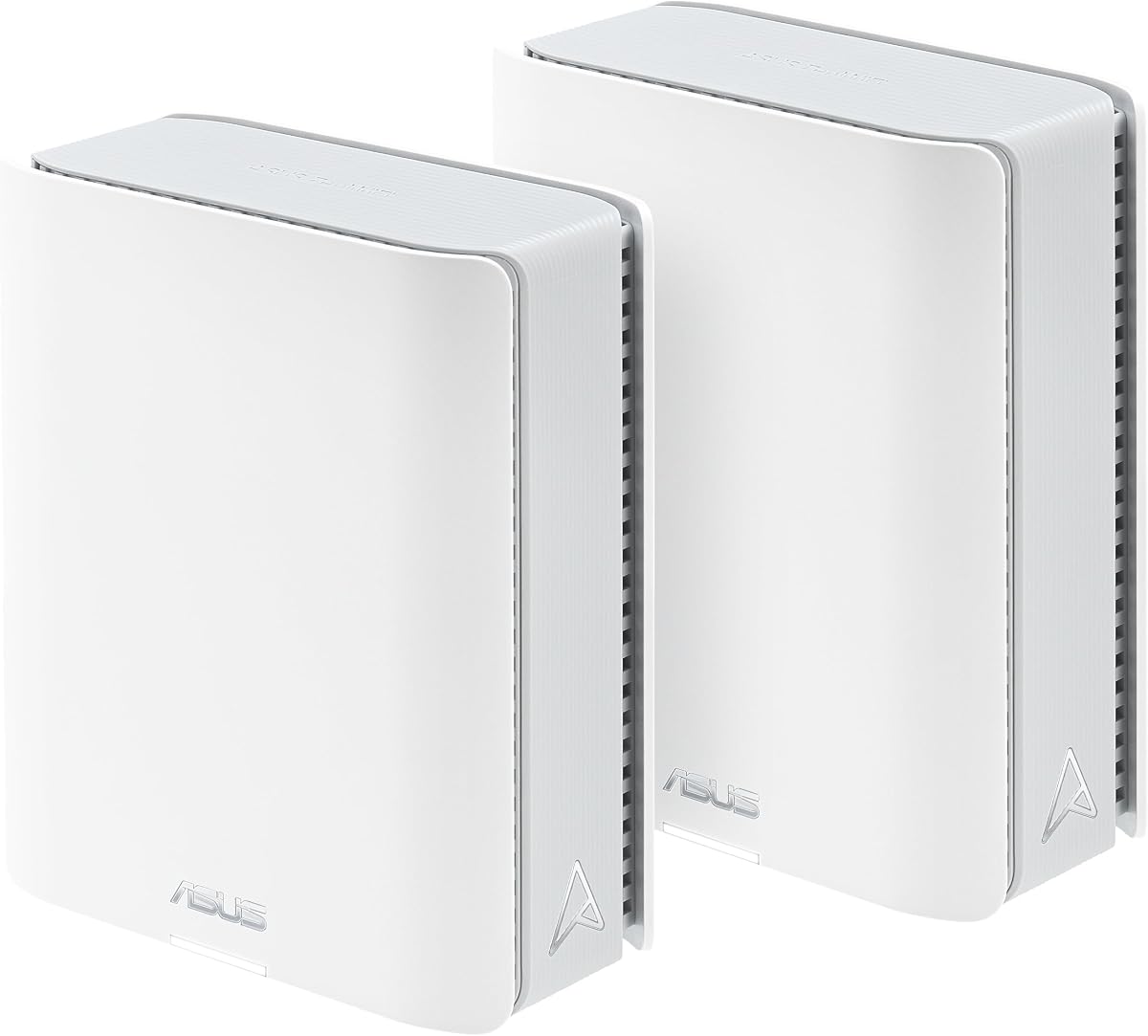
The ZenWiFi BT10 system is designed to blanket large properties in fast WiFi 7. This two-pack covers up to 6000 sq ft with tri-band connectivity. It offers robust backhaul connections that ensure seamless connectivity for all devices moving around the home.
We may earn a commission when you buy through this link, at no additional cost to you.
Eight internal antennas eliminate dead zones in all directions efficiently. The dual 10G ports allow for high-speed wired connections alongside wireless. Smart Home Master simplifies network segmentation for IoT and family devices effectively.
While the initial investment is high the coverage and performance are unmatched. Heat dissipation features enhance reliability during extended usage periods. It is ideal for large homes that struggle with signal drop-off.
We recommend this system for homeowners needing full coverage without dead spots. The AI-powered mesh delivers a consistent experience throughout the property. It is a complete solution for whole-home networking.
Powerful WiFi 7 mesh with extensive coverage of up to 6000 sq ft ensures no dead zones.
Ultimate AiMesh powered by AI delivers robust backhaul for seamless connectivity across all devices.
We may earn a commission when you buy through this link, at no additional cost to you.
The ASUS RT-AX82U combines gaming features with solid WiFi 6 performance. It supports speeds up to 5400 Mbps and 160MHz channels. The Mobile Game Mode minimizes lag for players using mobile devices on the network effectively.
We may earn a commission when you buy through this link, at no additional cost to you.
Its Aura RGB lighting effects let you customize the look of your setup easily. AiMesh support ensures you can build a flexible whole-home network over time. Commercial-grade security protects family devices from online threats consistently.
This renewed model offers significant savings while retaining core functionality. Users should check warranty terms before buying. It remains a strong choice for casual gamers and smart home enthusiasts.
We recommend it for those wanting gaming features without a high-end budget. It balances aesthetics and performance well for a modern desk setup. It is a versatile unit for various household needs.
Mobile Game Mode minimizes lag and latency for mobile gaming with just a tap on the app.
Feature ASUS Aura RGB lighting effects to choose from a variety of effects and align with modes.
We may earn a commission when you buy through this link, at no additional cost to you.
The ZenWiFi BT8 offers tri-band WiFi 7 speeds up to 14 Gbps. It covers around 3000 sq ft making it ideal for medium-sized homes. AI-powered Smart AiMesh boosts coverage and easy extendibility with other compatible routers.
We may earn a commission when you buy through this link, at no additional cost to you.
Seven internal antennas eliminate dead zones effectively across living spaces. 24/7 end-to-end protection is included with AiProtection Pro. IoT Network and parental controls setup is easy with Smart Home Master SSIDs.
This router provides high performance in a compact form factor. It is suitable for users who need future-proofing without a huge system. The price point is reasonable for the included features and speed.
We recommend it for families needing reliable coverage in standard homes. It balances advanced features with ease of use for all household members. It is a solid pick for modern WiFi needs.
AI-powered Smart AiMesh boosts coverage up to 3000 sq ft and easy extendibility with compatible routers.
24/7 end-to-end protection with commercial-grade AiProtection Pro and advanced VPNs included.
We may earn a commission when you buy through this link, at no additional cost to you.
The ASUS RT-AX3000 delivers ultra-fast speeds up to 3000 Mbps with 160MHz bandwidth. It provides up to 3000 sq ft of coverage for most homes. Adaptive QoS ensures critical traffic gets priority during busy hours.
We may earn a commission when you buy through this link, at no additional cost to you.
AiProtection Pro protects connected devices while advanced parental controls manage family usage. It supports 2.7x faster speeds than previous generations. AiMesh compatibility allows for seamless whole-home network expansion later.
This router has a high user rating which suggests reliability. It offers a USB 3.0 port for local storage sharing. The trade-off is a lack of advanced gaming features found in pricier units.
We recommend it for families seeking dependable high-speed internet. It offers an excellent balance of price and performance. This is a top choice for general home networking.
Next Gen WiFi 6 technology provides up to 2.7x faster speed than previous generations.
AiMesh technology allows you to establish a stronger mesh system with other compatible routers.
We may earn a commission when you buy through this link, at no additional cost to you.
The RT-AC68U remains a popular choice with a 1900 Mbps dual-band design. Its 1GHz dual-core CPU enables smart multitasking between Wi-Fi and USB data. The 5 Gigabit LAN ports ensure fast wired connections for all devices.
We may earn a commission when you buy through this link, at no additional cost to you.
AiProtection Pro provides multi-stage protection from vulnerability detection to data safety. The ASUSWRT web-based interface makes setup effortless for users. The mobile app lets you manage your network easily from anywhere.
While it uses older AC standard it still handles most current loads well. The build quality and software support are strong even years later. It is a reliable choice for steady internet connections.
We recommend it for users upgrading from older devices on a budget. It offers solid features without the need for the latest standards. This router is a workhorse for daily tasks.
Effortless router setup with the ASUSWRT web-based interface for easy configuration.
Monitor and manage your network with ease from your mobile device using the intuitive app.
We may earn a commission when you buy through this link, at no additional cost to you.
The ExpertWiFi EBR63 is designed specifically for small business needs and environments. It offers up to five SSIDs to separate and prioritize devices for different scenarios. The customizable guest portal lets you match your brand style.
We may earn a commission when you buy through this link, at no additional cost to you.
Business-grade security includes free AiProtection Pro and safe browsing features. The USB port serves as a backup WAN to maintain connection reliability. Remote management tools simplify setup and oversight for staff.
It is a practical solution for offices needing structured network access. The scalability with ExpertWiFi AIMesh allows for future growth. The VLAN support helps isolate traffic for security.
We recommend it for small offices or service businesses. It offers enterprise tools in an accessible package. This router ensures professional connectivity for clients and staff.
Separate and secure usage with up to five SSIDs for different business scenarios.
Backup WAN via USB port maintains a reliable internet connection during primary link failures.
We may earn a commission when you buy through this link, at no additional cost to you.
Choosing the right router involves understanding your specific home size and device requirements.
The WiFi standard determines your network's maximum speed and capacity. WiFi 6 offers efficiency for multiple devices while WiFi 7 provides extreme speeds for future proofing. Choose based on your internet plan and number of connected devices.
Select a standard that matches your current needs without overpaying for unused speeds.
Coverage area refers to the square footage the router can handle. Larger homes may need mesh systems to prevent dead zones. Check the product specs for claimed coverage to ensure it fits your floor plan.
Measure your home and pick a router that covers all living spaces effectively.
Security is vital for protecting your personal data and devices online. Look for built-in antivirus and threat detection like AiProtection Pro. Parental controls are also essential for managing family internet usage.
Prioritize routers with commercial-grade security to keep your home network safe.
Gamers need low latency and dedicated traffic management. Features like Adaptive QoS and Game Acceleration prioritize gaming packets. Ensure the router supports high-speed wired connections for consoles and PCs.
Invest in gaming specific features if online performance is a priority.
Mesh compatibility allows you to expand your network with additional units. ASUS AiMesh lets you combine different models for seamless roaming. This is crucial if you plan to expand coverage over time.
Choose a router that supports mesh expansion if your home is large.
Port options determine how many devices you can connect via cable. Look for Gigabit or 2.5G ports for wired high-speed devices. USB ports add value by allowing local storage or printer sharing.
Ensure the router has enough ports for your static devices.
A good user interface makes setup and management straightforward. Mobile apps and web dashboards should be intuitive. Clear controls for settings like parental limits and guest networks are helpful.
Pick a model with an easy to use interface for hassle free management.
Budget helps narrow down options based on what you can afford. Higher priced units offer faster speeds but may be overkill for basic needs. Balance cost with the features that matter most to your household.
Focus on value by getting the speed and features you need.
Place your router in a central location away from walls and metal objects to maximize signal range. Keep it on an elevated surface to improve airflow and reduce heat buildup effectively.
Update the firmware regularly through the admin interface to ensure you have the latest security patches. Use the mobile app to monitor connected devices and manage parental controls from anywhere.
Reboot your router occasionally to clear memory and resolve connectivity issues. If you notice slow speeds check for interference from other electronics or thick walls in your home.
WiFi 7 offers faster speeds and more efficient data handling than WiFi 6. It supports wider channels and better multi-band linking. Choose WiFi 7 if you need maximum future-proofing and have compatible devices.
Yes most ASUS routers support AiMesh allowing you to mix compatible models. This flexibility helps you expand coverage without replacing your main router entirely.
Basic AiProtection is free for ASUS router owners but advanced features may require subscription. Check the specific model details to understand the included security services.
Use the ASUS Router app or web interface to enable parental controls. You can schedule internet access and filter content for specific devices easily.
Dual-WAN allows you to connect two internet sources like a cable line and a 5G backup. This ensures your network stays online even if one connection fails temporarily.
Yes the ExpertWiFi series is designed for business needs with features like guest portals and VLAN support. It offers enhanced security and management tools for offices.
We have reviewed ten top models ranging from budget friendly options to premium WiFi 7 systems. Each offers distinct benefits depending on your specific network needs and household size.
Prioritize speed and coverage that match your home size and device count. Features like security and gaming tools add value for specific use cases.
Always check current pricing and availability before making your final purchase decision.