
Rongta Bluetooth Shipping Label Printer
4.0Editor score
Wireless Bluetooth connectivity
Compact and portable design
Automatic label identification
This guide compares the top DHL label printers for shipping efficiency, focusing on connectivity, print quality, and platform compatibility for businesses.
Choosing the right DHL label printer ensures your shipments are processed quickly and accurately. A good printer offers reliable connectivity, sharp barcode printing, and seamless integration with major shipping platforms to minimize errors.
We evaluated ten top-rated thermal label printers based on print speed, ease of setup, and compatibility with DHL and other carriers. Each model was assessed for its ability to handle high-volume shipping tasks efficiently.
Each pick highlights key features, pros, and cons to help you find the best fit for your business needs. Please note that prices and availability may change over time, so check current listings before purchasing.
4.0Editor score

4.6Editor score

4.1Editor score
The following table provides a side-by-side comparison of all ten products evaluated in this guide, highlighting their key specifications and primary use cases.






The Rollo USB Shipping Label Printer is a top-rated thermal printer designed for high-volume shipping tasks. With a 4.6 rating, it stands out for its reliability and speed in processing DHL labels.
We may earn a commission when you buy through this link, at no additional cost to you.
Its direct thermal technology delivers crisp 203 DPI prints that are easy to scan. The printer handles various label sizes from 1.57 to 4.1 inches, making it versatile for different packaging needs.
While it relies on USB connectivity which may limit wireless options, its robust build ensures consistent performance. The included Rollo Ship app adds value by offering exclusive shipping rates.
This printer is ideal for businesses needing a dependable, fast solution for DHL and other carrier labels. Its longevity and low maintenance make it a worthwhile investment for frequent shippers.
Built to handle thousands of labels without overheating, this printer ensures your workflow remains uninterrupted during peak shipping periods.
Compatible with major shipping platforms like ShipStation and Shopify, it simplifies the label creation process for online retailers.
We may earn a commission when you buy through this link, at no additional cost to you.
The Rongta Bluetooth Shipping Label Printer offers an affordable entry point for small businesses needing reliable DHL label printing. Its 4.0 rating reflects good performance for the price.
We may earn a commission when you buy through this link, at no additional cost to you.
Featuring automatic label identification, it reduces setup time by detecting label sizes quickly. The Bluetooth connection allows for convenient wireless printing from phones and tablets.
While the print resolution is standard at 203dpi, it is sufficient for most shipping needs. The compact design makes it easy to store in smaller workspaces or for mobile use.
This printer is best for startups or occasional shippers looking to minimize costs. Its ease of use and wireless options make it a practical choice for basic shipping operations.
Ideal for businesses on a budget, this printer delivers essential thermal printing features without compromising on core functionality.
Its lightweight build allows for easy transport, making it suitable for pop-up shops or remote shipping locations.
We may earn a commission when you buy through this link, at no additional cost to you.
The Rollo Wireless Shipping Label Printer is designed for users who need true wireless flexibility. With AirPrint and Wi-Fi support, it allows printing from any device on the network.
We may earn a commission when you buy through this link, at no additional cost to you.
Its 203 DPI print head ensures clear labels that are easily scannable. The high-speed printing capability supports efficient operations during busy shipping seasons.
While it requires a stable Wi-Fi network, the convenience of not needing cables is significant. The printer head life is extended to handle high volumes without frequent replacements.
This model is perfect for businesses prioritizing connectivity and ease of use. It simplifies the shipping process by allowing direct printing from mobile devices without extra apps.
Connect to your network once and print labels from any computer or mobile device without physical connections.
Apple users can print directly via AirPrint, streamlining the workflow for iOS and macOS environments.
We may earn a commission when you buy through this link, at no additional cost to you.
The JADENS Bluetooth Thermal Label Printer offers a balance of features with both Bluetooth and USB connectivity. Its 4.4 rating highlights its reliability for shipping tasks.
We may earn a commission when you buy through this link, at no additional cost to you.
Equipped with a high-tech thermal print head, it delivers crisp labels without ink or toner. The printer works with various platforms like Amazon and Shopify for seamless integration.
While it supports Bluetooth, mobile users must use a specific app for printing, which may add a slight step to the process. However, USB connectivity ensures a stable connection for desktops.
This printer is suitable for users wanting versatility in connection methods. Its ability to handle fanfold labels provides additional flexibility for different labeling scenarios.
With both USB and Bluetooth options, you can choose the most convenient method for your setup.
Drivers and instructions are provided on a U-Disk, ensuring you can start printing within minutes.
We may earn a commission when you buy through this link, at no additional cost to you.
The KNAON Bluetooth Thermal Label Printer is a portable option with a wide range of templates for various labeling needs. Its 4.4 rating indicates strong performance in shipping contexts.
We may earn a commission when you buy through this link, at no additional cost to you.
With a speed of 180 mm/s, it handles tasks efficiently. The app offers thousands of templates, making it versatile for custom labels beyond just shipping.
Its compact size is ideal for small desks or mobile use. However, Bluetooth printing requires using the specific app which may not be intuitive for all users.
This printer is recommended for users who value portability and customization. It supports major platforms, ensuring compatibility with your existing shipping workflow.
Access thousands of customizable templates to create unique labels for inventory or marketing purposes.
The fast print speed ensures you can process orders quickly, keeping your business moving.
We may earn a commission when you buy through this link, at no additional cost to you.
The MUNBYN Bluetooth Thermal Label Printer is notable for its quiet operation, making it suitable for shared spaces. Its 4.2 rating reflects solid build quality and performance.
We may earn a commission when you buy through this link, at no additional cost to you.
It features DAC Dynamic Algorithm Tech which auto-calibrates to reduce label misalignment. This ensures high-quality prints with clear text and barcodes.
The printer has a long lifespan of up to 970,000 labels, reducing long-term replacement costs. However, the higher price point may be a consideration for budget-conscious buyers.
Ideal for users prioritizing quiet operation and precision, this printer delivers consistent results. Its design focuses on reducing waste and maximizing productivity.
Operate at 60 dB which is quieter than typing, ensuring minimal distraction in office settings.
The auto-calibration feature ensures every label is aligned correctly, reducing manual adjustments.
We may earn a commission when you buy through this link, at no additional cost to you.
The Nelko Bluetooth Thermal Label Printer is designed for home offices and small businesses. Its 4.3 rating highlights its reliability for daily shipping tasks.
We may earn a commission when you buy through this link, at no additional cost to you.
It supports USB and Bluetooth connectivity, providing flexibility for different setups. The compact design saves valuable desk space in smaller environments.
While it requires saving labels as PDF for some workflows, the app makes printing straightforward. It is cost-effective with no need for ink or toner.
This printer is great for users needing a space-saving solution. Its compatibility with major platforms ensures it fits well into existing business operations.
Its small footprint allows it to fit neatly on any desk without cluttering your workspace.
Instruction videos are provided to guide you through installation, ensuring a smooth start.
We may earn a commission when you buy through this link, at no additional cost to you.
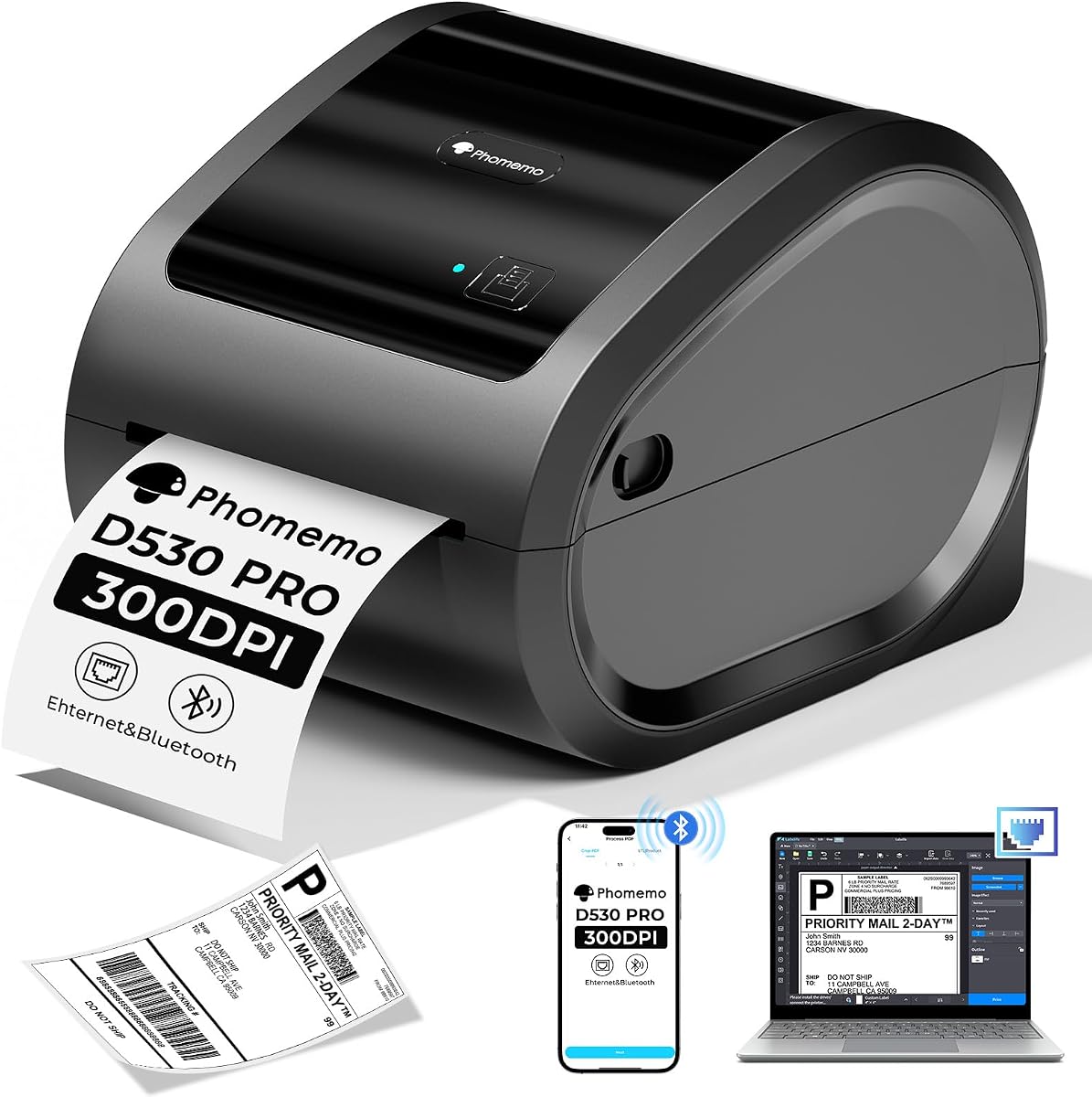
The Phomemo 300DPI Ethernet Label Printer stands out for its high-resolution printing which ensures crisp labels. Its 4.1 rating indicates good performance for detailed labels.
We may earn a commission when you buy through this link, at no additional cost to you.
The built-in paper bin holds up to 500 rolls, reducing the need for external holders. It also supports Ethernet, making it stable for office environments.
While it is limited in wireless options compared to Bluetooth models, the stability of Ethernet is beneficial for heavy usage. The return-to-paper function helps save label costs.
This printer is suitable for businesses needing high-quality labels in an office setting. Its features are designed to optimize efficiency and reduce waste.
300DPI resolution provides exceptional clarity for small text and intricate barcodes.
The built-in bin keeps your workspace tidy by storing rolls internally.
We may earn a commission when you buy through this link, at no additional cost to you.
The DYMO LabelWriter 550 Series is specialized for DYMO branded labels ensuring reliability. Its 3.6 rating suggests it works well but has limitations in label compatibility.
We may earn a commission when you buy through this link, at no additional cost to you.
It features automatic label recognition which simplifies setup. The direct thermal technology is optimized for low waste and consistent output.
While the proprietary labels may cost more, the convenience of reliable printing is a trade-off. It is best for users already invested in the DYMO ecosystem.
This printer is ideal for specific needs where DYMO labels are preferred. It offers a straightforward experience for printing various label types.
Designed specifically for DYMO labels, it ensures a smooth printing experience without calibration issues.
FSC certified materials and plastic-free packaging support environmentally conscious printing.
We may earn a commission when you buy through this link, at no additional cost to you.
This Thermal Shipping Label Printer 4×6 is an entry-level option with strong features for its price. Its 4.4 rating reflects good value for small business shipping.
We may earn a commission when you buy through this link, at no additional cost to you.
It includes 25 sheets of labels to get started immediately. The Bluetooth and USB connectivity options ensure flexibility for different devices.
While it prints in black and white, it delivers clear barcodes and text. The high speed of 150mm/s supports efficient daily operations.
Perfect for new businesses, this printer offers essential capabilities. It integrates with major platforms, making it a solid choice for shipping needs.
Included labels and easy setup make it ideal for businesses just starting their shipping process.
Fast printing ensures you spend less time waiting and more time processing orders.
We may earn a commission when you buy through this link, at no additional cost to you.
Choosing the right DHL label printer involves considering several key factors that impact your workflow and budget. This guide breaks down the most important aspects to evaluate.
Connectivity determines how you send print jobs to the printer. Bluetooth allows wireless printing from mobile devices, while USB provides a stable connection for desktops. Wi-Fi enables network-wide access without cables.
Look for a printer that supports your preferred connection methods to ensure seamless integration with your existing devices.
Print resolution is measured in DPI and affects how sharp your labels appear. A minimum of 203 DPI is standard and sufficient for barcodes and text. Higher DPI like 300 improves detail for complex labels.
Ensure the printer offers at least 203 DPI to guarantee readable labels that scanners can process efficiently.
Print speed impacts how quickly you can process shipping orders. Models range from 150mm/s to 180mm/s and higher. Faster speeds reduce wait times during peak shipping periods.
Select a speed that matches your order volume to avoid bottlenecks in your workflow.
Your printer should work with major shipping platforms like Amazon and Shopify. This ensures labels generated by these services print correctly without errors. Check the manufacturer's compatibility list.
Verify compatibility with your specific platforms to ensure smooth label generation and printing.
Most DHL labels are 4×6 inches but some may vary. Ensure the printer supports standard widths ranging from 1.57 to 4.2 inches. This flexibility is crucial for different package sizes.
Choose a printer that accommodates standard 4×6 labels to avoid formatting issues.
A durable printer lasts longer under frequent use. Look for models with high-quality printheads designed for high volumes. This reduces maintenance costs and downtime.
Prioritize models with high lifespan ratings to ensure long-term reliability.
Easy setup saves time and frustration. Drivers and instructions should be readily available. Some models include setup guides or videos to streamline the process.
Opt for a printer with simple setup to start printing immediately.
Thermal printers save money by eliminating ink and toner costs. Consider the long-term cost of labels and maintenance. Some models come with free labels to get started.
Calculate total cost of ownership to find the most economical solution.
To use your printer, connect it to your device via USB or Bluetooth. Install the required drivers and download the specific app if needed. Load the thermal label roll into the printer slot ensuring the adhesive side faces up.
Adjust the label guides to fit the width of your labels. Calibrate the printer using the feed button to ensure correct alignment. This step is critical to prevent printing issues.
Maintain your printer by keeping it clean and dust-free. Avoid exposing it to excessive heat or humidity which can damage the printhead. Store it in a dry place when not in use to extend its lifespan.
No, these printers use direct thermal technology which heats the paper to create images. This means you do not need ink or toner cartridges, reducing ongoing costs and maintenance.
Yes, most models support Bluetooth connectivity via specific apps. You can save your DHL label as a PDF and import it into the app to print wirelessly from your smartphone or tablet.
Most printers support standard 4×6 shipping labels as well as sizes from 1.57 to 4.2 inches. Always check the specific product specs to ensure it supports your required label dimensions.
Yes, most models listed are compatible with macOS including versions like 10.9 and newer. You may need to download specific drivers or use the provided app for proper functionality.
Calibration is usually done by pressing and holding the feed button until the indicator light changes. This ensures the printer detects the label size correctly to avoid misprints.
Thermal printers are faster and cheaper to run because they do not require ink. They also produce durable labels that are resistant to smudging and fading over time.
Many models support both roll and fanfold labels. Check the product description to confirm if it accommodates fanfold labels which may be more economical for high-volume use.
Most printers come with a standard warranty ranging from one year. Check the manufacturer's policy for details on repairs or replacements if issues arise.
In summary the top picks offer a range of features to suit different shipping needs. The Rollo USB model is great for desktop reliability while the Rongta provides value with wireless options.
Prioritize factors like connectivity and platform compatibility to ensure the printer fits your workflow. Investing in a reliable model saves time and reduces errors during busy shipping periods.
Remember to check current prices and availability before purchasing. Technology evolves quickly so stay informed about the latest updates to find the best deal for your business.