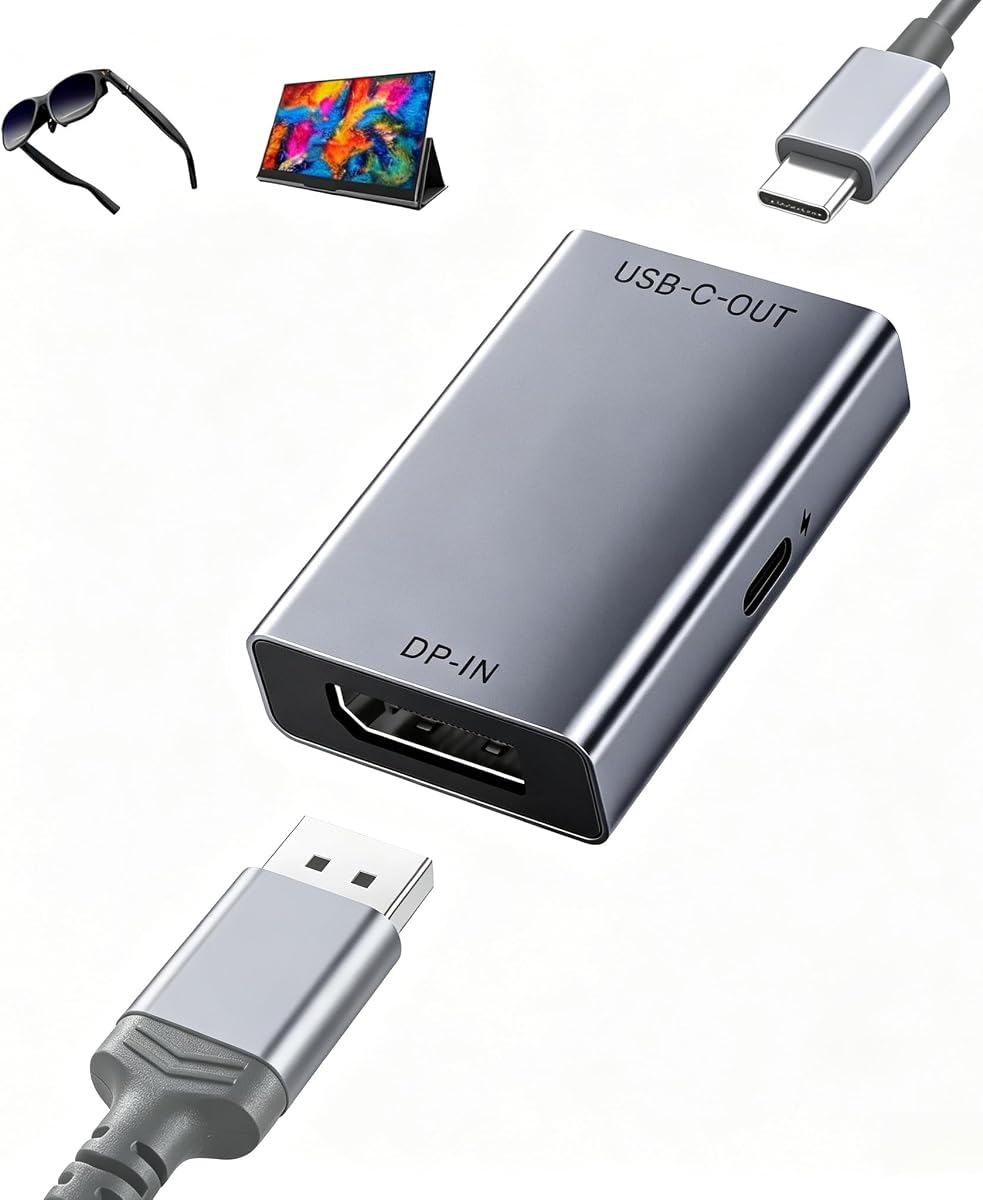
DisplayPort to USB-C Adapter with Power 4K@120Hz for PC to AR Glasses
4.5Editor score
Supports 4K@120Hz output
Plug and play functionality
Compact aluminum alloy build
This comprehensive guide compares the top Displayport Adapter for AR Glasses options for October 2026, evaluating performance, compatibility, resolution, and
Augmented reality glasses offer immersive visual experiences, but connecting them to standard computers often requires specific adapters. A reliable Displayport Adapter for AR Glasses ensures seamless signal transmission for gaming, work, and entertainment without frustrating lag or compatibility issues.
We evaluated ten leading adapters based on resolution support, power delivery capabilities, build quality, and compatibility with popular AR brands like Xreal and Viture. Each product was analyzed for signal stability, latency, and real-world usability across diverse devices and scenarios.
Our top picks highlight the best options for budget-conscious buyers, performance enthusiasts, and professionals needing high refresh rates. Prices and availability change frequently, so verify current listings before purchasing to ensure you get the right adapter for your specific AR setup.
4.5Editor score
4.7Editor score

4.2Editor score
This table compares all ten adapters side by side to help you find the perfect match for your AR glasses and computing setup.


This adapter offers the best budget-friendly entry into high refresh rate AR gaming with its 4K@120Hz support. It ranks number one for affordability while maintaining the video quality needed for immersive experiences.
We may earn a commission when you buy through this link, at no additional cost to you.
The high refresh rate capability minimizes motion blur in fast-paced games, making it ideal for FPS and racing titles. Its plug-and-play design ensures you can start using it immediately without complex software installations on your system.
However, users should note the need for a separate USB-C power cable to operate the adapter, adding a small cable to your setup. Additionally, it only supports one-way transmission, so it cannot convert USB-C signals back to DisplayPort.
If you need high refresh rates without overspending, this adapter delivers exceptional value. It is the top pick for gamers and budget-conscious users seeking fluid visuals on AR glasses and portable monitors.
The 4K@120Hz support ensures smooth motion during intense gaming sessions on AR glasses.
Aluminum alloy housing provides durability and efficient heat dissipation for extended use.
We may earn a commission when you buy through this link, at no additional cost to you.
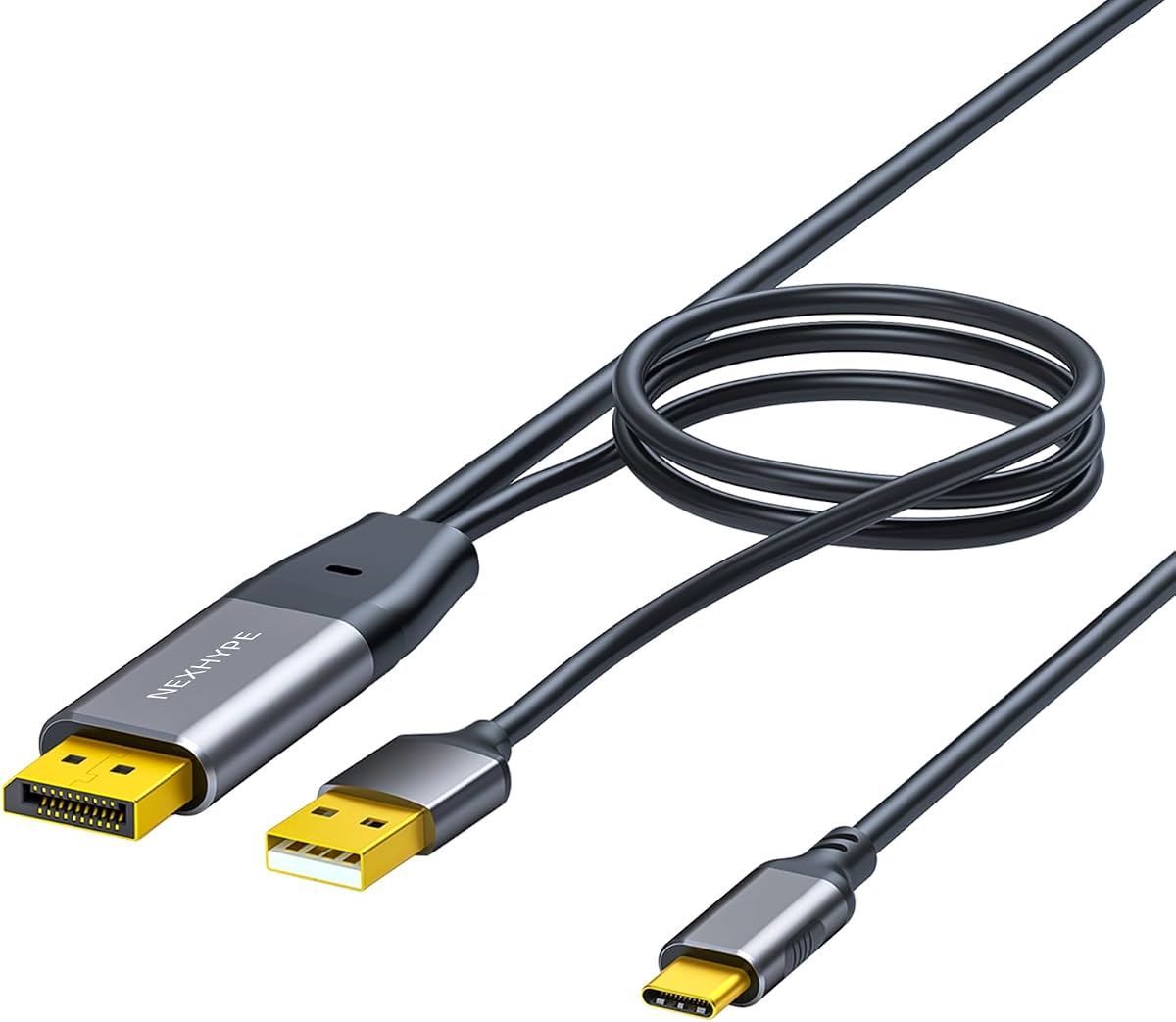
This adapter earns the Editor's Choice award for its versatile design that combines video transmission with integrated power delivery. It is highly rated for simplifying the connection process between PCs and AR glasses.
We may earn a commission when you buy through this link, at no additional cost to you.
The integrated USB power design allows it to supply power to battery-free monitors or AR glasses without extra adapters. Its 6.6ft length provides ample room for comfortable positioning during work or entertainment sessions.
While excellent for AR glasses, it may require additional power connections for larger portable monitors over 15.6 inches to maintain optimal resolution. Users should also note that it cannot convert HDMI signals to USB-C for consoles.
For most AR users, this cable offers the best balance of convenience, quality, and compatibility. It is the top recommendation for those seeking a reliable and easy-to-use solution for their setup.
The built-in USB power cable provides necessary power for AR glasses and smaller monitors.
With 6.6 feet of length, you can position your AR glasses comfortably without tight cable constraints.
We may earn a commission when you buy through this link, at no additional cost to you.
This adapter stands out for its specialized optimization for Apple Studio Display and creative professionals. It offers the highest rating of 4.8 due to its ability to handle color-critical work and touch functionality seamlessly.
We may earn a commission when you buy through this link, at no additional cost to you.
The integrated USB-A power tail stabilizes signals for smooth touch interaction on portable monitors and studio displays. Graphene shielding ensures high-quality video transmission for creative work where color accuracy and stability are paramount.
Users must ensure their GPU supports Display Stream Compression for full compatibility with Studio Display. Additionally, it does not support certain newer gaming consoles like the Nintendo Switch 2, which limits some use cases.
For creatives using Macs and Studio Display, this adapter is unmatched in performance and reliability. It is the go-to solution for professional workflows requiring high resolution and touch support.
Designed specifically for Apple Studio Display to support video, audio, and touch via a single cable.
Graphene shielding ensures minimal interference and consistent performance during intensive tasks.
We may earn a commission when you buy through this link, at no additional cost to you.
This active converter is the top choice for gamers and streamers needing the highest refresh rates on AR glasses. Its support for 4K@120Hz ensures ultra-smooth visuals essential for competitive gaming and high-speed action movies.
We may earn a commission when you buy through this link, at no additional cost to you.
The inclusion of three USB 2.0 ports allows direct connection of keyboards and mice without extra hubs. HDR and 10-bit color support deliver professional-grade color accuracy for both gaming and content creation tasks.
Note that the USB hub function requires a separate USB 3.0 data cable, as the included cable is for power only. Also, while great for AR glasses, it does not provide enough power for larger portable monitors.
Gamers and streamers will find this adapter provides the smoothest and most responsive experience available. It is the premium pick for those who prioritize frame rates and connectivity.
Supports 4K@120Hz to minimize motion blur and deliver ultra-smooth gameplay visuals.
Three USB 2.0 ports allow direct connection of input devices without additional hubs.
We may earn a commission when you buy through this link, at no additional cost to you.
This adapter is designed for high-performance setups requiring significant power and resolution. The 65W Power Delivery allows you to power many portable monitors without extra adapters, simplifying your workstation significantly.
We may earn a commission when you buy through this link, at no additional cost to you.
Support for 8K@30Hz and 4K@144Hz makes it future-proof for high-end displays. The graphene-coated cable adds flexibility and durability while the compact 0.5m length makes it perfect for travel and tight desk spaces.
Users should note that it does not support touchscreen functionality and requires USB-C displays with built-in batteries for best results. It is optimized for high-end professional use rather than casual streaming.
For power users who need maximum resolution and charging in one device, this adapter is ideal. It ensures your displays stay powered and vibrant during intensive work sessions.
The 65W USB-C Power Delivery port charges your display while transmitting video simultaneously.
Supports 8K@30Hz to ensure compatibility with the latest high-resolution displays.
We may earn a commission when you buy through this link, at no additional cost to you.
This adapter is the most compact option available, making it perfect for travel and portable setups. Its small form factor ensures you can keep it in your bag without adding bulk or weight to your carry.
We may earn a commission when you buy through this link, at no additional cost to you.
Supporting 4K/60 resolution, it delivers crisp visuals for movies and work. The included USB-A power cable ensures your AR glasses receive sufficient power for stable operation during extended use sessions.
While excellent for portability, it may require additional power sources for high-power devices. The short cable length limits positioning flexibility, so it is best suited for fixed or close-range setups.
Travelers and mobile professionals will appreciate the lightweight design and clear display quality. It is the top pick for those who prioritize portability above all else.
The compact size and light weight make it easy to carry in your daily bag.
Delivers 4K/60 resolution for sharp and vibrant image quality on AR displays.
We may earn a commission when you buy through this link, at no additional cost to you.
This cable offers the best value for most users needing reliable performance without advanced features. Its consistent 4K@60Hz output ensures smooth visuals for standard gaming and streaming applications on AR glasses.
We may earn a commission when you buy through this link, at no additional cost to you.
The standard 6ft length provides enough reach for comfortable use without being unwieldy. Gold-plated connectors ensure stable signal transmission and resistance to corrosion over time in varied environments.
It does not supply power to portable monitors, so they need their own power sources for operation. The unidirectional signal flow means it only works with DisplayPort sources, not USB-C sources.
For general home and office use, this adapter is a reliable and affordable choice. It provides stable performance without unnecessary complexity for standard AR setups.
Consistent 4K@60Hz output ensures smooth visuals for daily entertainment and work.
Gold-plated connectors protect against corrosion and ensure stable connection over time.
We may earn a commission when you buy through this link, at no additional cost to you.
This adapter is specifically optimized for Nintendo Switch 2 gaming, offering seamless casting to AR glasses. It is ideal for portable gaming who want immersive visuals on AR displays without extra hardware.
We may earn a commission when you buy through this link, at no additional cost to you.
Pass-through PD3.0 charging keeps your devices powered during extended gaming sessions. It supports multiple high refresh rates including 4K@60Hz and 1080P@144Hz for smooth and responsive gameplay.
The device may generate heat during extended use, so proper ventilation is recommended for stability. Users must provide 60W power to activate TV mode for full Switch 2 compatibility.
Gamers with Switch 2 or other handheld consoles will find this adapter the most convenient solution. It delivers smooth performance for portable gaming experiences.
This chip is optimized for Switch 2 to offer broader compatibility than standard models.
PD3.0 charging allows you to play while your device stays powered up.
We may earn a commission when you buy through this link, at no additional cost to you.
This cable supports touch functionality, making it ideal for creative work on portable monitors. It integrates well with MacBooks and iPads for color-critical tasks requiring precise interaction.
We may earn a commission when you buy through this link, at no additional cost to you.
The 6.6ft length provides flexibility for positioning screens at comfortable angles. Gold-plated connectors ensure stable transmission of high-resolution signals needed for design and editing work.
It does not power portable screens, so they require external power sources to operate fully. Touch support depends on the portable monitor's native capabilities for full functionality.
Designers and creatives using Macs will appreciate the touch and color stability. It is a practical choice for portable workflows requiring precision and clarity.
Supports touch functionality on compatible portable monitors for precise creative work.
Works seamlessly with MacBook Pro and Air for professional creative workflows.
We may earn a commission when you buy through this link, at no additional cost to you.
This adapter connects VITURE Neckbands to USB-C displays for a seamless user experience. It is designed specifically for VITURE users needing reliable connectivity between the Neckband and external monitors.
We may earn a commission when you buy through this link, at no additional cost to you.
Supporting 4K@60fps ensures high-quality video streaming for entertainment and work. The magnetic connection simplifies attachment and detachment, making it easy to use on the go.
Users should note it is limited to the VITURE ecosystem, so other AR brands may not work without adapters. Dual display usage requires pairing with the Mobile Dock for full functionality.
VITURE users will find this adapter provides the most straightforward connection for their system. It is the top choice for those invested in the VITURE ecosystem.
Magnetic port allows easy attachment to the Neckband without physical stress.
Transfers data up to 10 Gbit/s for smooth video streaming and work.
We may earn a commission when you buy through this link, at no additional cost to you.
Choosing the right Displayport Adapter for AR Glasses requires understanding your device setup and usage needs to ensure compatibility and performance.
Higher refresh rates like 120Hz or 144Hz reduce motion blur for gaming while 4K ensures crisp visuals. Check your glasses and source support before selecting a high-resolution adapter.
Choose a refresh rate that matches your primary use case for smooth gaming or high detail for work.
Many AR glasses require external power via the adapter's USB-A or USB-C port. Ensure the adapter provides sufficient wattage to avoid signal drops or black screens during use.
Look for adapters with integrated power cables for simplified setup and reliable performance.
Short cables around 0.5m are ideal for travel while longer ones like 6.6ft provide positioning flexibility. Consider your setup space and need for mobility when choosing length.
Flexible materials like PVC or graphene enhance durability and ease of use in varied environments.
Aluminum alloy housings offer better heat dissipation and protection compared to plastic. Gold-plated connectors resist corrosion and ensure stable signal transmission over time.
Invest in adapters with premium materials for long-lasting performance and reliability.
Verify the adapter supports your specific AR glasses brand like Xreal, Rokid, or Viture. Firmware updates or mode switching may be required for correct audio and video output.
Check product descriptions for specific brand compatibility to avoid connection issues.
All listed adapters are unidirectional from DisplayPort to USB-C and do not support reverse signal flow. Ensure your computer outputs via DisplayPort and your glasses accept USB-C input.
Confirm the direction matches your setup to avoid buying incompatible adapters.
Some adapters support touch input on portable monitors through integrated power tails. If you need touch, verify the adapter supports this feature and your monitor allows it.
Touch support often requires extra power connections for full functionality.
Higher-end adapters may include USB hubs or HDR support for expanded functionality. Consider if you need extra ports for peripherals or enhanced color depth for professional work.
Prioritize features that match your specific workflow requirements for best value.
Connect the DisplayPort end of the adapter to your PC's graphics card and ensure it is firmly seated for stable output. Plug the USB-C end into your AR glasses or portable monitor to begin the signal transmission.
If using an adapter with a separate USB power tail, connect it to a USB port or power bank to supply power and stabilize the signal. Check your AR glasses settings to select DP Mode if audio does not play automatically.
Store the adapter in a protective case when not in use to prevent bending or damage to connectors. Avoid using it with incompatible HDMI-only devices or docking stations as these can interfere with signal quality.
Ensure your AR glasses support DP Alt Mode video input via USB-C. Update the glasses firmware to the latest version and switch the mode to DP in the settings. Also verify that your computer outputs via DisplayPort not HDMI for correct signal.
Most adapters operate plug-and-play without driver installation. Simply connect the adapter to your PC and AR glasses to enable video transmission. Check manufacturer instructions if specific software is required for your system.
Yes, several top-rated adapters support 4K@120Hz for smooth gaming visuals. Confirm both your source device and AR glasses support this refresh rate for optimal performance. Not all adapters support 120Hz so check specifications carefully.
Some adapters require switching audio output settings to DisplayPort on your glasses. Ensure the adapter supports audio transmission and your glasses are configured correctly for DP audio. Updating firmware often resolves audio issues.
No, the adapters listed here are unidirectional from DisplayPort to USB-C only. They cannot convert USB-C signals to DisplayPort for connecting laptops to DP monitors. Always verify signal direction matches your setup needs.
Many adapters include an integrated USB power tail to supply power directly to your AR glasses. Connect the USB end to a USB port or power bank for stable signal delivery. External power sources may be needed for higher power needs.
The Guermok adapter is optimized for Nintendo Switch 2 and delivers smooth 4K@60Hz visuals. It includes PD3.0 pass-through charging for uninterrupted gameplay sessions. Check power requirements for Switch TV mode activation.
Only the VITURE Magnetic Connector is specifically designed for VITURE Neckbands. Other adapters may not be compatible without additional accessories. Verify product compatibility with your AR brand before purchasing.
Our top three picks offer the best balance of performance and value for AR enthusiasts. The DisplayPort to USB-C Adapter with Power 4K@120Hz leads for budget gaming while the NEXHYPE Cable wins for versatility and support.
Choose based on your needs for high refresh rates power delivery and brand compatibility. High refresh options suit gamers while those with Macs may prefer the Studio Display optimized adapter.
Prices and availability change frequently so verify current listings and stock before purchasing. Select the adapter that matches your AR glasses and computing setup for the best immersive experience.