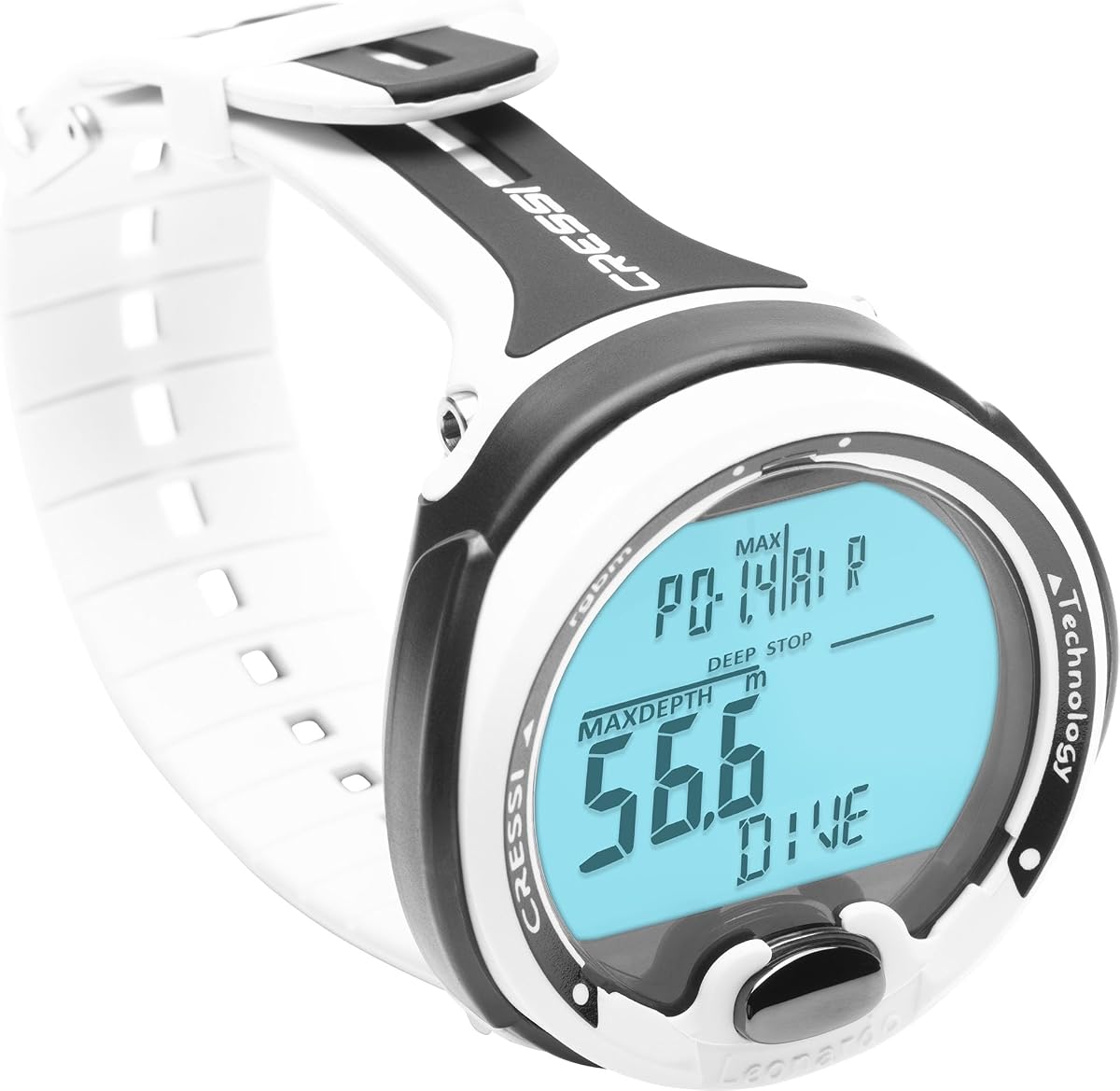
CRESSI Leonardo 2.0 G2 Dive Watch
4.2Editor score
Single button interface
Air and Nitrox modes
iOS and Android sync
This guide compares the top dive computers for beginners based on usability, safety features, battery life, and connectivity to help you choose the right model.
Finding the right dive computer as a new diver can feel overwhelming with so many options available today. You need a device that is easy to read underwater while providing critical safety data like depth and time without confusion.
We analyzed ten highly rated models focusing on interface simplicity, durability, and essential features like nitrox support and clear displays. Each product was evaluated for how well it supports learning divers who need reliable information at a glance.
Each pick highlights specific strengths such as button layout, battery longevity, or wireless connectivity to match different diving styles. Please note that pricing and availability can change frequently so verify current details before purchasing.
4.2Editor score

4.7Editor score

4.7Editor score
The following table provides a side-by-side look at the key specifications and unique attributes of each recommended dive computer to help you quickly identify which model fits your needs.

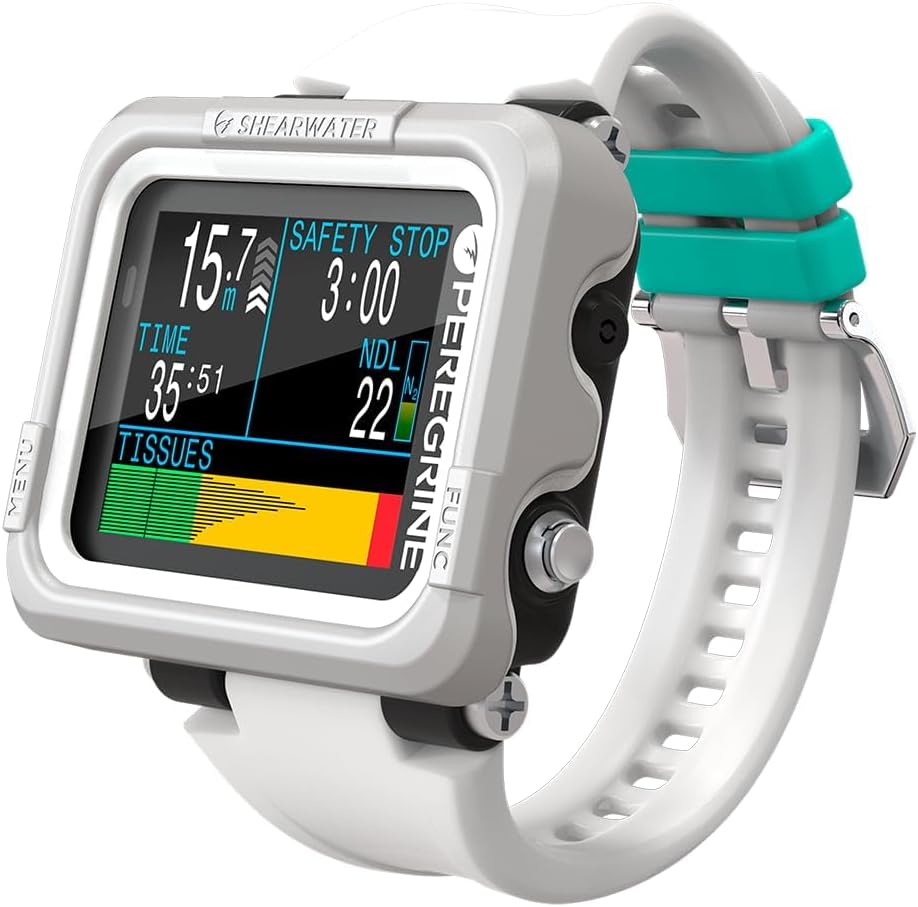


The Shearwater Research Peregrine stands out as a top choice for divers seeking reliability and ease of use. With a 4.7 rating users appreciate its straightforward two-button interface and robust construction that holds up well in saltwater environments.
We may earn a commission when you buy through this link, at no additional cost to you.
Its state-aware menu structure ensures that you only see relevant options based on your current dive mode reducing confusion underwater. The included wireless charging station simplifies maintenance while the 316 stainless steel buttons provide a tactile feel that is easy to press with gloves.
While the price is higher than entry-level models the longevity and clarity of the display justify the investment for serious beginners who plan to dive regularly. The battery life of around 30 hours on medium brightness ensures you can complete multiple dives before needing a recharge.
This model is ideal for divers who want a device that will grow with their skills over time without needing an upgrade soon. If you prioritize clear information and durable build quality the Peregrine is a strong recommendation for your next dive computer.
The two-button design allows for quick access to critical data without navigating complex menus that can distract from your dive.
Wireless charging ensures you never deal with open battery compartments underwater reducing the risk of water intrusion.
We may earn a commission when you buy through this link, at no additional cost to you.
The CRESSI Leonardo 2.0 offers an accessible entry point for new divers who need essential features without a steep learning curve. Rated 4.2 by users it supports Air Nitrox and Gauge modes making it versatile for different training paths and environments.
We may earn a commission when you buy through this link, at no additional cost to you.
Navigation is simplified through a single-button interface that reduces the chance of accidental changes underwater. Critical alerts are delivered through both visual and audible alarms ensuring you catch important dive data even in noisy or murky conditions.
Device integration with iOS and Android allows you to track your progress and analyze logs easily after surfacing. The USB and infrared data transfer capabilities help you maintain a detailed history of your dives which is valuable for certification and personal records.
For those on a budget or just starting out this model provides the core functionality needed for safe recreational diving. While it lacks advanced customization the simplicity and reliability make it a solid choice for beginners focused on learning the basics.
The single-button design ensures that menu navigation is straightforward allowing you to focus on your dive instead of the device.
Seamless connectivity with smartphones helps you log dives efficiently and share experiences with dive buddies or instructors.
We may earn a commission when you buy through this link, at no additional cost to you.
The SUUNTO D5 is known for its vibrant color display that makes reading dive data easy even in low light conditions. With a rating of 4.0 users find the wireless tank pressure monitoring and digital compass particularly useful for maintaining situational awareness underwater.
We may earn a commission when you buy through this link, at no additional cost to you.
Vibration alarms provide a discreet way to receive alerts without relying solely on sound which can be muffled underwater. The wireless mobile connection allows you to sync dive logs quickly and access features that enhance your overall diving experience.
While the 100m water resistance is standard for recreational diving the interface may take some time to master for absolute beginners. The combination of color visuals and wireless features offers a modern take on dive computer technology that appeals to tech-savvy users.
This model suits divers who want a stylish and functional device that integrates well with other tech they carry. If you value visual clarity and wireless connectivity the D5 offers a compelling package for exploring the underwater world.
The color display improves readability significantly helping you check critical metrics like depth and time at a glance.
Wireless tank pressure monitoring eliminates the need for extra hoses reducing clutter and improving comfort during the dive.
We may earn a commission when you buy through this link, at no additional cost to you.
The Shearwater Peregrine Adventures Edition brings the reliability of the standard model with added features for divers exploring mixed gas. Rated 4.7 by users it supports Air Nitrox 3 Gas Nitrox and Gauge modes which is beneficial for training and varied diving conditions.
We may earn a commission when you buy through this link, at no additional cost to you.
The 2.2 inch LED LCD display offers vivid enhanced color range and saturation that ensures high readability in any lighting. Using the Buhlmann ZHL-16C algorithm with gradient factors it provides precise decompression calculations without locking out for plan deviations.
Wireless charging is included ensuring that you can keep the device powered without opening the battery compartment. The two-button interface with state-aware menu structure makes navigation intuitive even when you are wearing gloves or in low visibility.
This version is ideal for divers who want a robust computer that can handle more complex scenarios as they progress in their training. The combination of display quality and algorithmic precision makes it a reliable companion for serious recreational and technical diving.
The Buhlmann ZHL-16C with gradient factors ensures accurate decompression calculations for a wide range of dive profiles.
The enhanced color range and saturation make text and graphs stand out clearly even in murky or deep water conditions.
We may earn a commission when you buy through this link, at no additional cost to you.
The Cressi Raffaello is designed to help divers navigate underwater with confidence thanks to its built-in digital compass. With a 4.4 rating users appreciate the RGBM-based mixed-gas planning system that allows for meticulous preparation across multiple gas mixes.
We may earn a commission when you buy through this link, at no additional cost to you.
Data management is made easy with both Bluetooth and USB connectivity options allowing you to review and store dive history seamlessly. The device supports four operating modes including apnea and gauge making it adaptable for freediving and traditional scuba activities.
A user-replaceable battery offering an expected life of 4 years reduces maintenance downtime and ensures readiness for every journey. This long-lasting power source is a practical feature for divers who want to minimize service intervals and maximize dive time.
For those who value navigation and planning tools the Raffaello provides a comprehensive solution without compromising on core functionality. It is a strong option for divers who want a device that supports a variety of underwater activities and tracks their progress effectively.
The integrated digital compass eliminates the need for a separate device simplifying your setup and improving ease of use underwater.
Advanced dive planning with RGBM allows for detailed preparation helping you maximize bottom time safely across different gas mixes.
We may earn a commission when you buy through this link, at no additional cost to you.
The Garmin Descent X30 stands out for its rugged design and advanced navigation capabilities including surface GPS to find dive sites. Rated 4.7 by users the vibrant color display and customizable data fields offer a clear view of critical metrics at any depth.
We may earn a commission when you buy through this link, at no additional cost to you.
Features like NDL Aware depth metrics allow you to see in real time how specific depth changes impact your no-decompression limit. The onboard water temperature sensor helps you find thermoclines while the flip-screen mode ensures buttons are oriented correctly on the housing.
Built with recycled ocean-bound plastics this model aligns with eco-friendly values while maintaining a 10 ATM dive rating for durability. The 3-axis digital compass and surface interval tracking help you plan multiple dives efficiently and navigate with confidence underwater.
This computer is ideal for divers who want comprehensive data and navigation tools in a single rugged device. If you plan to explore new sites or dive regularly the X30 provides the advanced features needed to enhance your safety and exploration.
Surface GPS allows you to navigate to dive sites and mark entry and exit points easily for future reference and safety.
NDL Aware depth metrics give you real-time insights into how depth changes affect your bottom time for safer diving.
We may earn a commission when you buy through this link, at no additional cost to you.
The Garmin Descent G2 combines dive computer functionality with smartwatch capabilities in a rugged 46mm design. With a 4.6 rating users praise the AMOLED display and sapphire lens for durability and visibility along with comprehensive health tracking like VO2 max.
We may earn a commission when you buy through this link, at no additional cost to you.
Dive readiness features provide insights into physical preparedness based on sleep stress and recent exercise so you know when to dive. Multi-GNSS support allows you to mark entry and exit points precisely while smart notifications and contactless payments work for everyday wear.
Battery life extends up to 27 hours in dive mode and 10 days in smartwatch mode ensuring you have power for extended trips. The device supports all types of diving including technical and freediving making it versatile for diverse underwater activities.
This model is perfect for divers who want a single device for life on land and underwater. If you value health tracking and connectivity alongside diving safety the G2 offers an unmatched blend of features in a reliable package.
Built-in health metrics like sleep score and Body Battery help you monitor your readiness for diving and daily activities.
Support for recreational technical and freediving modes ensures the device grows with your skills and interests over time.
We may earn a commission when you buy through this link, at no additional cost to you.
The CRESSI Giotto is designed for divers who need multi-mix nitrox capabilities to manage up to three gas mixes in a single dive. Rated 4.2 by users it features customizable oxygen mix settings from 21 percent to 99 percent for precision in various conditions.
We may earn a commission when you buy through this link, at no additional cost to you.
It supports deep dive monitoring down to 393 feet and offers altitude diving support for high elevation lakes and mountains. The comprehensive dive log stores up to 70 hours of data allowing you to download records to a PC for detailed review.
Altitude mode ensures flawlessness at high elevations making this device versatile for diverse expeditions beyond standard sea level diving. The FO2 settings allow you to fine-tune your Nitrox dives optimizing safety and performance based on your specific plan.
For divers looking to expand their capabilities beyond air and basic nitrox the Giotto provides the necessary tools at an accessible price point. It is a solid choice for those who need flexibility in gas management without moving to high-end technical computers.
Managing up to three Nitrox mixes simplifies complex profiles ensuring safety and adaptability for advanced recreational divers.
Altitude diving support ensures accurate calculations regardless of elevation making it suitable for lake and high-altitude dives.
We may earn a commission when you buy through this link, at no additional cost to you.
The Mares Puck Lite utilizes the Buhlmann ZH-L16C algorithm with customizable gradient factors for enhanced safety and precision. With a 4.4 rating users appreciate the single-button navigation that simplifies operations even when wearing gloves in various underwater conditions.
We may earn a commission when you buy through this link, at no additional cost to you.
It is compatible with Nitrox mixtures ranging from 21 percent to 50 percent allowing divers to optimize gas consumption for longer bottom times. The segment display ensures visibility with chip-on-glass technology and the logbook tracks up to 100 dives with detailed profiles.
Bluetooth connectivity allows direct connection to smart devices for easy firmware updates and data syncing to the Mares and SSI apps. The user-replaceable power source ensures reliability throughout 100 dives reducing maintenance downtime during your underwater adventures.
This model is an excellent choice for divers who prefer simplicity and reliability without a steep learning curve. If you want a straightforward computer that supports nitrox and offers solid connectivity the Puck Lite delivers value and performance.
The intuitive single-button navigation allows quick access to essential functions even while wearing gloves or in low visibility.
Detailed profiles and graphs help you analyze performance and plan future dives effectively using available mobile apps.
We may earn a commission when you buy through this link, at no additional cost to you.
The Descent G1 is a rugged watch-style dive computer that features a sapphire lens and silicone bands for durability. With a 4.6 rating users like the monochrome display which is easy to read and the ability to store up to 200 dives on wrist.
We may earn a commission when you buy through this link, at no additional cost to you.
Battery life extends up to 25 hours in dive mode and 21 days in smartwatch mode ensuring long-term usability without frequent charging. GPS support allows you to mark entry and exit points while smart notifications and payment features support 24-7 wear.
Over 30 built-in sports apps and training features help track activity and health metrics alongside diving logs for a complete picture of your fitness. The device supports all types of diving including recreational advanced technical and free diving making it versatile for many users.
This model suits those who want a lightweight and functional device that bridges the gap between daily wear and diving. If you need a computer that keeps you connected and active outside the water the G1 offers a practical and robust solution.
Long battery life in both dive and smartwatch modes ensures you can dive and wear the device for weeks without charging.
Smart notifications and GPS support help you stay connected and track dive locations for better planning and safety.
We may earn a commission when you buy through this link, at no additional cost to you.
Selecting the right dive computer involves considering several key factors that impact safety usability and long-term satisfaction.
The display should be easy to read underwater with clear contrast and sufficient brightness. Monochrome and color displays each have pros with color helping distinguish data quickly in low light conditions.
Choose a display that matches your vision needs and typical diving environments to ensure you can check critical data easily.
Buttons should be easy to press even with gloves on. Some models use single-button navigation while others offer two or more for better control.
Test the interface in your mind or at a store to ensure menus are intuitive and you can access data quickly.
Battery life affects how long you can dive without charging or replacing power sources. Look for models that support multiple dives per charge or offer replaceable batteries.
Longer battery life means less maintenance and more time in the water which is vital for trips with limited charging access.
Many divers train with Nitrox to extend bottom time so ensure the computer supports oxygen mixtures up to 50 percent or more.
This feature is essential for divers who plan to use enriched air mixes for safety and efficiency during recreational dives.
Bluetooth or USB connectivity allows you to upload dive logs to apps for analysis and tracking progress over time.
Seamless data syncing helps you review dives safely and share experiences with buddies or instructors effortlessly.
Look for models made with corrosion-resistant materials like stainless steel or high-grade plastics to withstand saltwater environments.
Robust build quality ensures the computer survives bumps and drops and continues to function reliably over many dives.
Features like built-in compasses depth alarms, and temperature sensors add convenience and safety to your diving experience.
These extras help you navigate and monitor conditions without extra gear making dives safer and more enjoyable.
Balance your budget with the features you need now and might need later. Entry-level models save money but may lack growth potential.
Invest in a device that will serve you as your skills improve to avoid upgrading too soon and wasting money.
After each dive rinse your computer with fresh water to remove salt and sand that can corrode buttons and seals. Avoid using high-pressure water to ensure it does not force moisture into the case.
Check the battery level regularly and charge or replace the battery before it drops too low. Most models have indicators so you know when power is low enough to risk data loss or shutdown.
Store your computer in a cool dry place away from direct sunlight when not in use to protect the screen and electronics from heat damage. This will extend its lifespan and keep it performing reliably for years to come.
A dive computer is essential for beginners because it tracks depth time and decompression limits in real time. Unlike a regular watch it calculates safety stops and alerts you to critical data which reduces risk significantly during dives.
Air mode tracks dives using standard 21 percent oxygen while nitrox mode allows you to input higher oxygen percentages for extended bottom time. Both modes adjust decompression calculations but nitrox can reduce surface intervals and repetitive dive risks when used correctly.
Rinse the unit thoroughly with fresh water to remove salt and debris then dry it with a soft cloth. Avoid submerging it further than necessary during cleaning and ensure seals are dry before storage to prevent corrosion.
Most dive computers are safe for snorkeling and can track surface time and depth if you enter the water. Some have specific snorkel modes but many just work as depth trackers which can help you monitor your activities below the surface.
If your computer shows an error check the battery first since low power can cause issues. Reset the device according to the manual and ensure it is not damaged by impact or water intrusion which may require professional servicing.
Battery life varies by model but many charge last 30 hours or more per charge while some use replaceable batteries lasting years. Check the specifications for typical usage and keep a spare battery on hand for long trips.
Choosing a dive computer involves balancing usability reliability and features that support your training goals. The models reviewed offer strong options for beginners seeking clarity and safety in the water.
Focus on features like clear displays intuitive controls and reliable data tracking to ensure your computer enhances rather than complicates your dives. A device that you trust will help you stay safe and enjoy the underwater world more fully.
Remember to check current pricing and availability since models and offers may change over time. Verify specifications and read recent user feedback to ensure the model meets your specific needs before purchasing.