
Dual-Port PCIe Gigabit Network Card
4.4Editor score
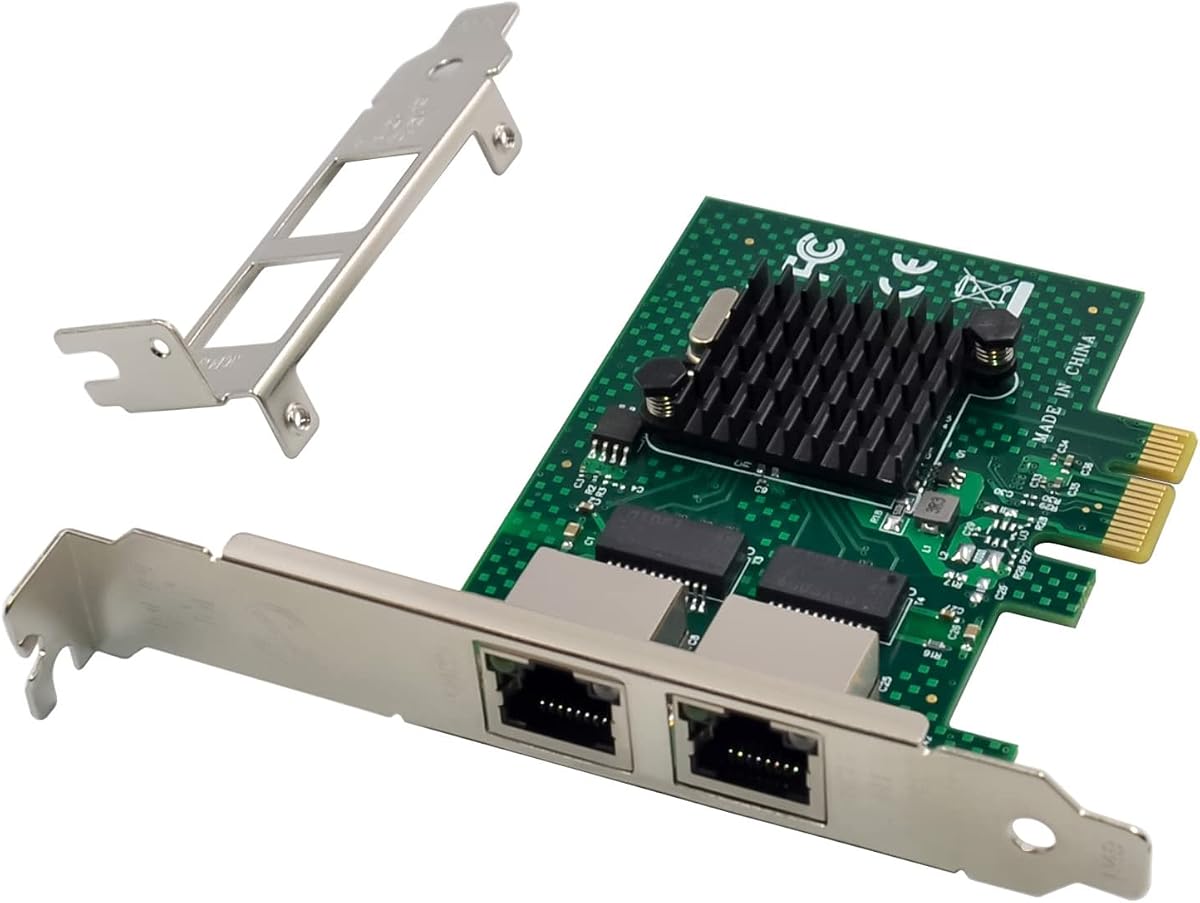
Intel 82575 chip
Low profile bracket included
Wide OS compatibility
This guide compares the top dual RJ45 port network cards for servers and desktops based on speed, compatibility, and stability to help you choose the right
Dual RJ45 port network cards are essential for expanding connectivity in servers and workstations. They provide redundant links and higher bandwidth for demanding network environments.
We analyzed ten real products based on controller chips, interface speeds, and operating system support. Our comparison highlights performance, stability, and installation ease.
Each pick shows key specs and pros to guide your decision. Prices and availability change frequently, so verify details before purchasing your next network adapter.
4.4Editor score

4.1Editor score
4.5Editor score
This table provides a side-by-side look at all ten network cards. It highlights key specifications like controller type, interface speed, and supported operating systems.


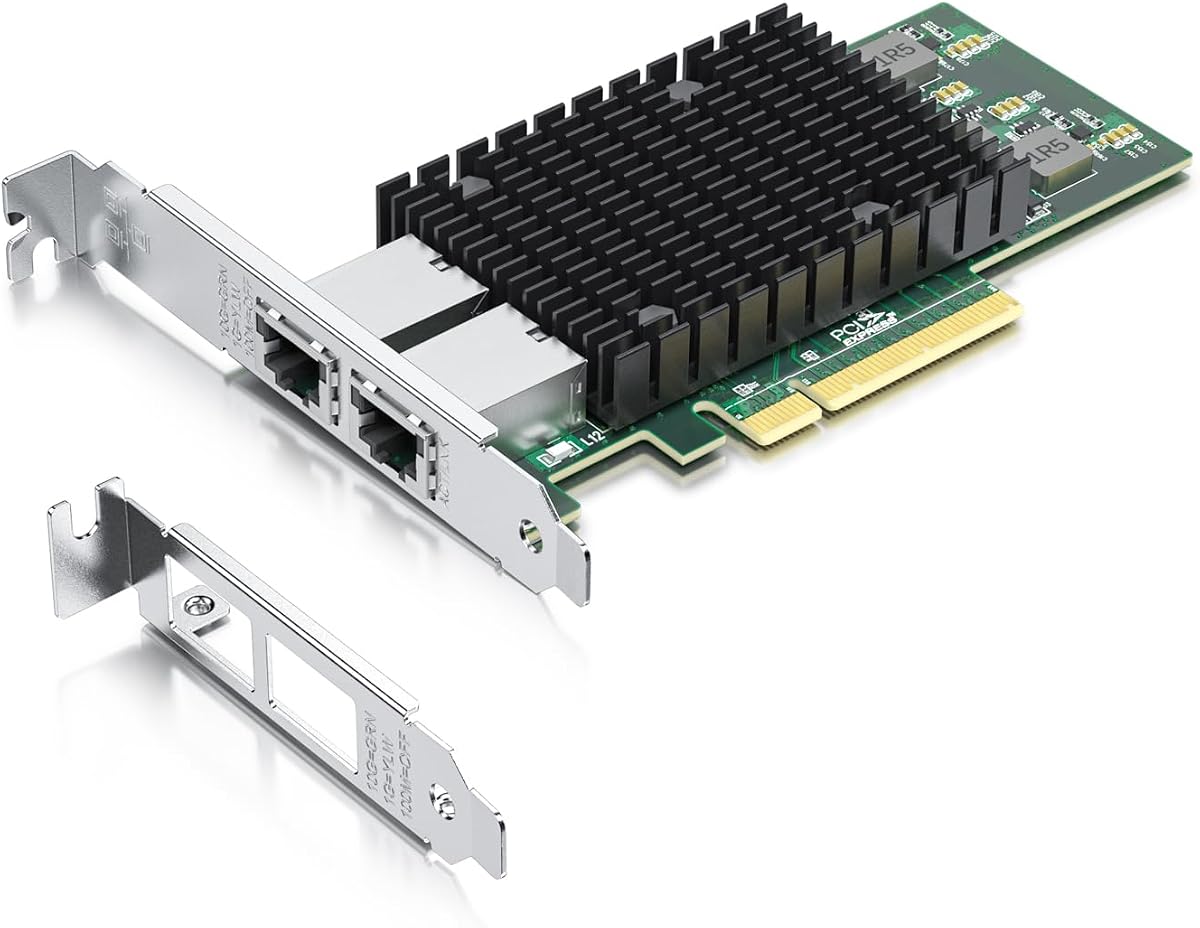
This network card delivers reliable 10Gb speeds for servers and high-end workstations. It features the original Intel X540 controller for stability and performance.
We may earn a commission when you buy through this link, at no additional cost to you.
The dual copper RJ45 ports support up to 100 meters on Category-6A cabling. It is compatible with Windows Server and Linux systems effectively.
While Windows 11 support is not plug-and-play, users can contact support for guides. The card lacks hot swap capability which limits some server uses.
It is ideal for data centers needing stable 10G connections. The included brackets and warranty make it a strong recommendation for most buyers.
The X540 controller ensures packet integrity and reduces CPU load during heavy network traffic.
Both standard and low profile brackets are included for easy fit in various computer cases.
We may earn a commission when you buy through this link, at no additional cost to you.
This adapter uses the newer Intel I226-V chip for better data packet stability. It is designed for environments needing reliable 2.5G speeds.
We may earn a commission when you buy through this link, at no additional cost to you.
It supports a wide range of operating systems including Windows 10 and 11. The PCIe 3.1 interface ensures efficient data transfer rates.
Users must check their motherboard BIOS settings before installation. It does not support older PCIe configurations which may limit compatibility.
It offers a good balance of cost and performance. Home labs and small offices benefit from its energy-efficient features.
The I226-V chip provides improved accuracy for longer cable lengths compared to previous models.
Compatibility extends to RHEL, Ubuntu, and FreeBSD for versatile deployment in mixed environments.
We may earn a commission when you buy through this link, at no additional cost to you.
VIMIN offers a robust solution for high-speed data transmission. The Intel X540-T2 chipset ensures consistent performance under load.
We may earn a commission when you buy through this link, at no additional cost to you.
Users can install it in PCIe x8 or x16 slots easily. The heat sink helps maintain optimal temperatures during heavy usage.
The card does not support intermediate speeds like 2.5G or 5G. This is a trade-off for stability at 10G speeds.
It is well suited for virtualization hosts and file servers. The gold finger interface reduces connection interruptions significantly.
The built-in heat sink prevents overheating during prolonged periods of high network activity.
A well-designed gold finger interface ensures consistent network performance without dropouts.
We may earn a commission when you buy through this link, at no additional cost to you.
This card is a solid choice for standard Gigabit networking needs. It supports a wide range of legacy and modern operating systems.
We may earn a commission when you buy through this link, at no additional cost to you.
The alloy heat sink keeps temperatures stable for continuous operation. It works with Windows Server and Linux environments effectively.
Users should note it does not support VMware ESXi versions 7.0 or above. This limits its use in newer virtualization setups.
It is great for basic server expansion or home use. The low profile bracket makes it easy to fit in small cases.
Compatibility with Windows XP and older Linux versions allows reuse in older hardware systems.
Support for PXE boot simplifies network installations for managed IT environments.
We may earn a commission when you buy through this link, at no additional cost to you.
This adapter brings Intel controller reliability at a budget price. It is a direct comparison to the popular Intel E1G42ET.
We may earn a commission when you buy through this link, at no additional cost to you.
The dual copper ports connect to Category-5 cables for up to 100 meters. It includes drivers from the Intel website.
The card does not support hot swapping which is common in basic network cards. However stability the warranty adds value for buyers.
It is suitable for home labs and small office networks. The 3 year free warranty provides peace of mind.
The 82576 chip supports intelligent offloads for stable server operations.
Users can download drivers directly from Intel ensuring better long term compatibility.
We may earn a commission when you buy through this link, at no additional cost to you.
This NIC offers excellent compatibility with modern Linux distributions. It uses the 82576 controller which is proven reliable.
We may earn a commission when you buy through this link, at no additional cost to you.
QoS technology helps streamline online experience by managing traffic efficiently. Users get both low profile and full height brackets.
VMware ESXi 7.0 is not supported which is a key limitation for some. It works well for ESXi 5 and 6 versions.
It is a top pick for home users on a budget. The lifetime warranty and support add to its appeal.
QoS ensures critical packets get priority reducing lag during heavy use.
Installation is simplified with brackets included for standard and slim cases.
We may earn a commission when you buy through this link, at no additional cost to you.
Gigaplus provides a high-speed solution for data centers. The X540 controller ensures stability and prevents packet loss effectively.
We may earn a commission when you buy through this link, at no additional cost to you.
It supports modern Windows 11 which is not always the case with older chips. The QR code simplifies driver installation significantly.
Users must ensure they have a PCIe X8 or X16 slot available. This is standard for most servers but not all desktops.
Lifetime technical support is a strong benefit for business users. It is a reliable choice for consistent 10G performance.
QR codes on the card give quick access to OS specific drivers for easy setup.
The controller is rigorously tested for reliability and performance consistency.
We may earn a commission when you buy through this link, at no additional cost to you.
This card uses the BT2 variant of the X540 chip for better stability. It supports VMware ESXi 7 which expands virtualization options.
We may earn a commission when you buy through this link, at no additional cost to you.
Both standard and low profile brackets are included for flexible installation. QoS technology helps streamline the online experience.
Users must set up Windows 10 drivers correctly for Windows 11 use. It does not support intermediate speeds like 2.5G.
It is ideal for virtualization hosts and enterprise servers. The friendly customer service and warranty are valuable.
Support for VMware ESXi 7 and 8 allows use in modern virtualized environments.
Drivers can be downloaded from Intel or scanned via QR code on the card.
We may earn a commission when you buy through this link, at no additional cost to you.
This network card stands out with SR-IOV support for virtual environments. It is a great option for advanced enterprise networking.
We may earn a commission when you buy through this link, at no additional cost to you.
IPMI pass-through ensures better hardware monitoring and management. It works with a wide range of operating systems.
Users should note the lack of support for VMware ESXi 7.0 or above. It requires a PCIe X4 slot which may not fit smaller slots.
It is well suited for virtual machines needing network efficiency. The alloy heat sink maintains stable operating temperatures.
SR-IOV reduces CPU overhead for virtual network traffic improving performance.
IPMI pass-through allows for effective server hardware monitoring via the NIC.
We may earn a commission when you buy through this link, at no additional cost to you.
The BCM5720 chip is compatible with various server interfaces. It is designed for high-performance computing and cluster environments.
We may earn a commission when you buy through this link, at no additional cost to you.
It supports many operating systems including Oracle Linux and Windows Server. It comes with a low profile bracket for standard cases.
The warranty is 180 days which is shorter than some competitors. Refunds do not require returns which is a customer benefit.
It is suitable for private cloud and database servers. Users should check PCIe compatibility before purchase.
This adapter is ideal for machine learning and high-performance computing clusters.
Friendly service includes no-return refunds for unsatisfactory products quickly.
We may earn a commission when you buy through this link, at no additional cost to you.
Selecting the right network card involves understanding interface speeds and chipset compatibility for your system.
Determine if you need 1Gbps 2.5Gbps or 10Gbps speeds for your network. Ensure your cables and switch support the chosen speed.
Choose a card that matches your highest network needs for future proofing.
Verify the controller chipset like Intel X540 or I226-V works with your operating system. Linux and Windows require different driver support.
Always check OS compatibility to avoid installation issues after purchase.
Ensure your motherboard has a compatible PCIe slot such as X1 or X8. Higher speeds may require wider slots for bandwidth.
Match the card slot requirement to your available physical slot on the motherboard.
For VMware users ensure the card supports your ESXi version. Some older chips do not support newer virtualization features.
Check VMware ESXi compatibility before buying for virtual environments.
Look for cards that include both standard and low profile brackets. This ensures it fits standard towers and compact cases.
Having flexible brackets simplifies installation across different computer case sizes.
Review the warranty period and technical support options. Longer warranties provide peace of mind for server deployments.
Prioritize cards with at least a three year warranty for reliability.
Install the card in a compatible PCIe slot and secure it with screws. Connect Category cables to both ports for redundant links.
Download and install drivers from the manufacturer or Intel website. Verify the OS recognizes the card in device manager.
Ensure the card has proper airflow to prevent overheating. Keep the slot clean from dust for optimal performance.
Yes but they are mostly designed for servers. They may offer stable connections but are often overkill for standard gaming needs.
Most do not support Mac OS natively. You would need to check specific models for Mac compatibility if that is a requirement.
You typically need Category 6A cables for 10G speeds. Cat 6 cables may work but have limited distance capabilities.
No most of these cards do not support hot swapping. You must shut down the system before installation.
Intel controllers often have better Linux driver support. Broadcom chips are reliable but check OS support for Linux use.
Check your motherboard manual for PCIe slot specifications. Ensure it matches the card speed such as X8 lane for 10G.
We covered top picks for 10G and Gigabit options to suit different needs. Each card offers unique features for reliability and speed.
Prioritize chipset compatibility and PCIe slot width to avoid installation issues. Check VMware support if using virtualization.
Prices and stock change frequently so verify details before purchase. Your setup benefits from the right adapter choice.