
MNN 15.6 FHD Portable Monitor
4.3Editor score
15.6 inch Full HD IPS display
Dual USB-C ports for easy connection
Lightweight design for travel
Finding the right external monitor for MacBook Neo can transform your workflow by adding essential screen real estate for multitasking. Whether you are a developer, designer, or student, a portable display helps you work more efficiently anywhere. It is crucial to choose a monitor that matches your specific needs and device compatibility..
We analyzed ten top-rated portable monitors based on user feedback, technical specifications, and real-world performance. Our selection process prioritizes screen quality, connectivity options like USB-C, and build durability. Each product offers unique benefits tailored to different budgets and usage scenarios for modern professionals..
Each pick in this list highlights specific strengths such as resolution, refresh rate, or portability. You will find detailed breakdowns of pros and cons to guide your decision. Please note that pricing and availability may change frequently so verify details before purchasing.
4.3Editor score

4.8Editor score
4.8Editor score
As an Amazon Associate we earn from qualifying purchases.
Below you will find a side-by-side comparison of all ten monitors reviewed in this guide. We have summarized key specifications to help you quickly identify which model fits your needs best.


The VisionOwl Portable Monitor stands out as the top choice for MacBook Neo users seeking a high-performance second screen. With a 4.8 star rating, it delivers exceptional value through its 2.5K resolution and 144Hz refresh rate. This monitor is designed to elevate both productivity and gaming experiences significantly.
We may earn a commission when you buy through this link, at no additional cost to you.
Its 16:10 aspect ratio is a major selling point for Mac users, ensuring no black bars during full-screen mirroring. The 470 nits brightness ensures clear visibility even in bright environments. The 8-bit plus 2FRC IPS panel provides over a billion colors for accurate creative work.
While it is more expensive than basic models, the metal chassis and included accessories justify the cost. The weight is manageable for travel but offers better durability than plastic alternatives. Users who prioritize display quality will find the trade-offs acceptable.
If you need a reliable mobile workstation for creative or demanding tasks, this is the best option. It supports USB-C for single-cable connectivity when your device allows. The included cables and case make it ready to use immediately out of the box.
The 16:10 aspect ratio aligns with modern MacBook displays for seamless window management without distortion.
Gamers will appreciate the 144Hz refresh rate which reduces motion blur for smoother gameplay on the go.
We may earn a commission when you buy through this link, at no additional cost to you.
The MNN 15.6 Portable Monitor offers an accessible entry point for those needing extra screen space without breaking the bank. Rated 4.3 stars, it provides solid performance for everyday tasks like browsing, writing, and casual media consumption. Its design focuses on portability and ease of use.
We may earn a commission when you buy through this link, at no additional cost to you.
This monitor features dual Full Feature Type-C ports which simplify connectivity for modern laptops. The included smart cover acts as a stand and protects the screen during transport. The IPS panel ensures wide viewing angles so colors remain consistent from different positions.
While it lacks the high refresh rate of premium models, the 60Hz is sufficient for standard office work. The glossy screen can be prone to reflections but offers vibrant colors when indoors. It is an excellent choice for students or remote workers on a tight budget.
Consider this option if you prioritize value and basic functionality over advanced specs. It connects easily to Macs, PCs, and consoles with the right cables. The lightweight build makes it easy to slip into any backpack for daily commutes.
Dual Type-C ports allow flexible connection options for power and video with minimal cable clutter.
The durable PU leather cover doubles as a stand and protects the screen from scratches.
We may earn a commission when you buy through this link, at no additional cost to you.
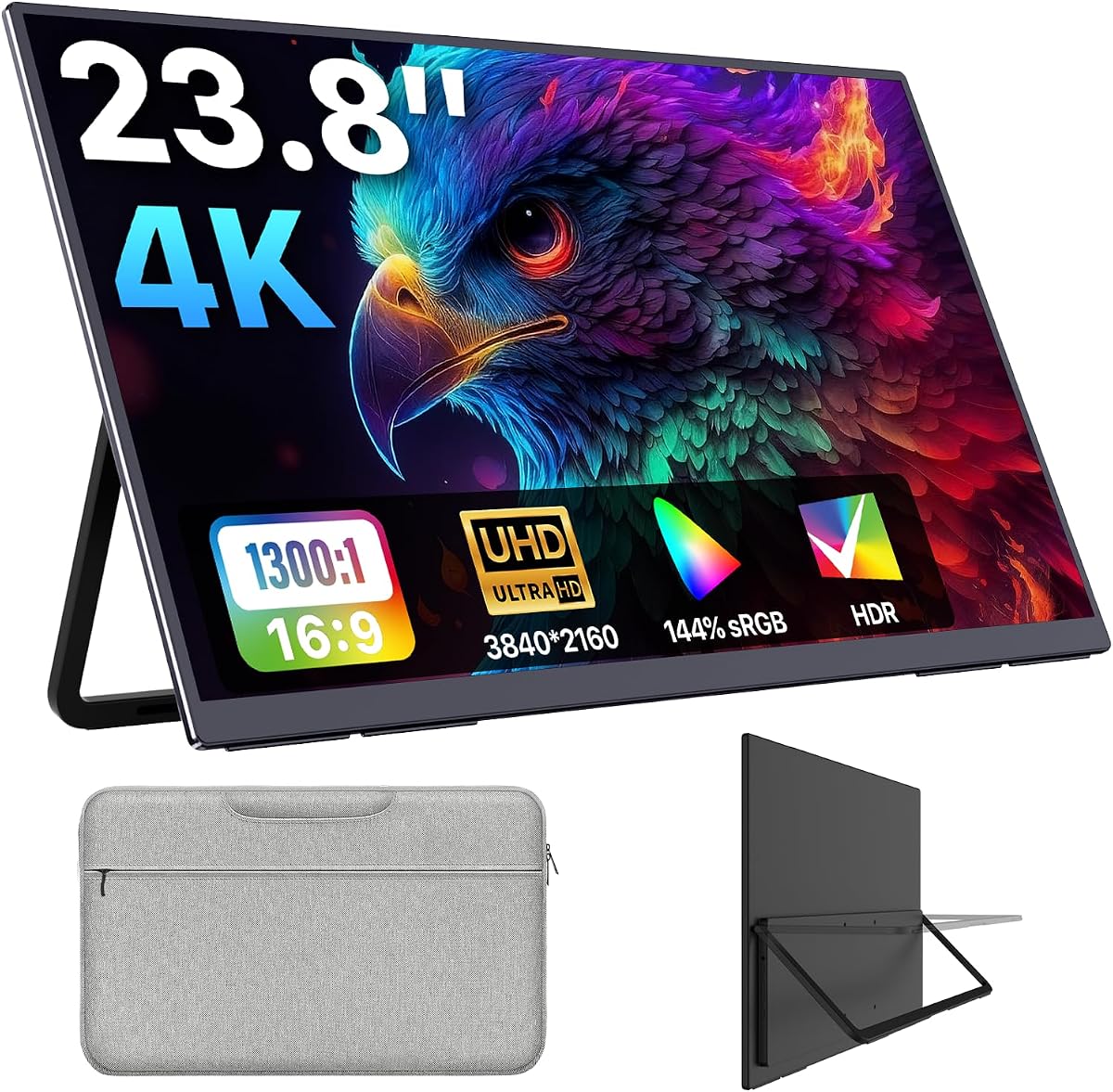
For professionals needing maximum detail, the Upperizon 23.8 inch monitor provides a desktop-like experience on the go. Its 4K resolution and 144% sRGB color gamut make it ideal for design, video editing, and detailed analysis. It commands a higher price but delivers top-tier visual fidelity.
We may earn a commission when you buy through this link, at no additional cost to you.
The large screen size allows you to view multiple windows side by side without scaling issues. The anti-glare coating reduces reflections which is helpful in various lighting conditions. The frameless design enhances immersion and looks professional during client meetings.
The weight is noticeable compared to 15 inch models so it is best for semi-stationary travel setups. It needs a dedicated power adapter in most cases to ensure stable performance. Users willing to carry extra gear will appreciate the productivity boost it offers.
This is the ultimate choice if screen quality and space are your top priorities. It connects via USB-C or HDMI to almost any device. The VESA mount compatibility lets you attach it to arms for ergonomic setups when needed.
Designers will love the crisp text and vibrant colors needed for high-fidelity creative work.
The 23.8 inch size provides ample room for spreadsheets and complex software tools.
We may earn a commission when you buy through this link, at no additional cost to you.
ASUS ZenScreen is a trusted name in portable displays offering reliability and solid build quality. This model focuses on comfort with Eye Care technologies that reduce flicker and blue light exposure. It is a strong contender for those who prioritize health and longevity in their setup.
We may earn a commission when you buy through this link, at no additional cost to you.
The hybrid signal solution supports both USB-C and Type-A ports expanding compatibility with older devices. The anti-glare surface is excellent for reducing reflections during long work sessions. The included kickstand allows quick adjustments between portrait and landscape orientations.
While it lacks speakers and has a somewhat stiff stand, the 3-year warranty provides peace of mind. The slim profile makes it easy to slip into a laptop sleeve. It is a safe choice for business travelers who need consistent performance.
Choose this monitor if warranty support and eye comfort are your main concerns. It handles video and power transmission well with a single cable. The IPS panel ensures good color accuracy for general tasks and media viewing.
Certified technologies help reduce eye strain during extended periods of screen usage.
A three-year warranty shows confidence in durability and protects your investment.
We may earn a commission when you buy through this link, at no additional cost to you.
The InnoView Portable Monitor is designed for versatility and ease of use across multiple devices. It includes built-in speakers which is rare in this price range and adds convenience for media consumption. The setup requires no drivers making it ideal for quick deployment.
We may earn a commission when you buy through this link, at no additional cost to you.
With two full-function Type-C ports and an HDMI port it connects to a wide range of gadgets. The protective case helps prevent damage during transit. The IPS screen delivers vibrant colors suitable for movies and basic photo editing.
The speakers are functional but not high fidelity so external headphones are better for critical listening. Power pass-through is supported but may require an external adapter depending on your device. It is a well-rounded option for general users.
This monitor is great for those who want an all-in-one solution without extra accessories. It supports multiple display modes including portrait and copy mode. The case provides essential protection for frequent travelers.
Plug-and-play functionality saves time and simplifies setup for non-tech users.
Built-in speakers allow basic sound playback without needing external peripherals.
We may earn a commission when you buy through this link, at no additional cost to you.
InnoView offers a lightweight alternative that prioritizes portability above all else. Weighing only 1.5 pounds it is easy to carry in any bag. The integrated stand provides a stable viewing angle without needing extra accessories. It is perfect for students or casual users.
We may earn a commission when you buy through this link, at no additional cost to you.
The 90-degree adjustable stand allows some flexibility for viewing positions. The protective sleeve adds value and keeps the screen safe from scratches. The IPS panel maintains decent color accuracy for everyday use and media.
While the contrast is not industry-leading the display remains clear enough for text and web browsing. The HDMI port is standard which helps with compatibility. It is a practical choice for short trips.
Consider this if weight is your primary concern when traveling. It connects seamlessly to Macs and phones via USB-C. The sleeve ensures your device arrives safely at your destination.
Weighing just 1.5 pounds makes it one of the lightest options available.
The included sleeve adds an extra layer of safety for your investment.
We may earn a commission when you buy through this link, at no additional cost to you.
The cocopar Portable Monitor combines high performance with premium build materials. With a 4.8 rating it satisfies both gamers and professionals looking for vivid visuals. The 2.5K resolution offers significantly more clarity than standard Full HD options.
We may earn a commission when you buy through this link, at no additional cost to you.
Its metal chassis feels durable and provides better heat dissipation than plastic. The 110% sRGB coverage ensures rich and accurate colors for creative tasks. The 144Hz refresh rate makes scrolling and motion look exceptionally smooth.
The speakers add convenience though they are not audiophile grade. It is very lightweight which helps balance the solid build. Compatibility is broad but requires devices with full-featured USB-C.
This is a fantastic choice if you want premium features without the highest cost. It works well for content creation and gaming alike. The fabric sleeve provides adequate protection for daily transport.
144Hz refresh rate ensures fluid visuals for dynamic content and fast scrolling.
Metal construction offers a premium feel and better durability than plastic shells.
We may earn a commission when you buy through this link, at no additional cost to you.
KEFEYA offers a unique dual-screen solution that attaches directly to your laptop. This design eliminates the need for stands as the screen folds out from the back. It is ideal for maintaining a unified portable workstation without extra gear.
We may earn a commission when you buy through this link, at no additional cost to you.
The IPS panel delivers solid 1080p quality for general use. The 180-degree rotation allows for flexible viewing angles depending on the setup. It comes with all necessary cables so you can start using it immediately.
The main downside is that it increases the thickness of your laptop when closed. It is best suited for stationary travel spots rather than on-the-move usage. However the productivity gain is significant for multitaskers.
Choose this if you want a truly integrated dual-screen experience. It supports Mac and Windows seamlessly. The rotation feature lets you switch orientations quickly for different content types.
The attachment design keeps your laptop and extra screen as one unit.
All required cables are included so no extra purchases are needed.
We may earn a commission when you buy through this link, at no additional cost to you.
The kksmart monitor offers a larger viewing area than standard 15-inch models. At 18.5 inches it provides more real estate for spreadsheets and code. The frameless design looks modern and maximizes the screen footprint.
We may earn a commission when you buy through this link, at no additional cost to you.
With 100Hz refresh rate it offers smoother motion than standard 60Hz panels. It includes built-in speakers and VESA mounting holes for flexible setup options. The weight is surprisingly low for the screen size.
It does not offer 2K resolution but the 1080p is sharp enough for most uses. The stand needs to be separate if you need height adjustment. It is a strong choice for those needing a bigger display.
This model is perfect if you want more screen space without upgrading to 4K. It connects easily via USB-C or HDMI. The frameless look enhances its premium feel in any setting.
The 18.5 inch display provides more room for multitasking than smaller sizes.
Four-side frameless construction maximizes screen area and modern aesthetics.
We may earn a commission when you buy through this link, at no additional cost to you.
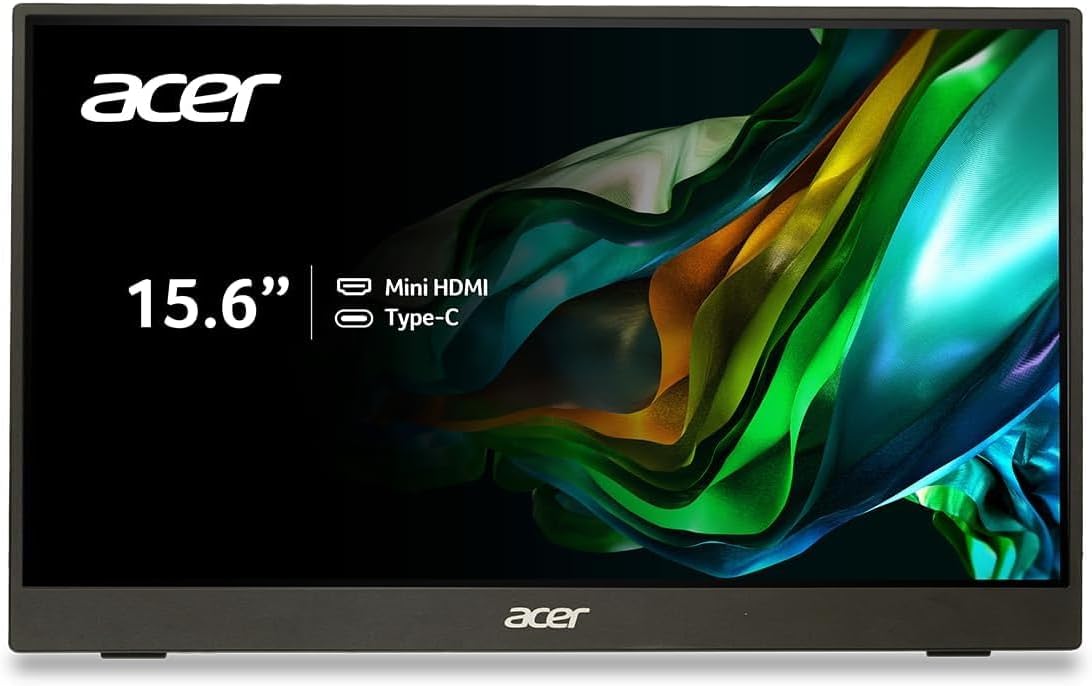
Acer brings reliability to the portable monitor market with the PM161Q model. It is a simple and effective tool for extending your workspace. The IPS panel ensures consistent colors and angles for daily productivity.
We may earn a commission when you buy through this link, at no additional cost to you.
It features AMD FreeSync which helps reduce screen tearing during media playback. The slim profile makes it easy to pack for travel. VESA mounting compliance allows it to be used with monitor arms.
While it lacks a built-in stand the tilt mechanism is ergonomic. The response time is fast enough for general use. It is a solid option for brand-conscious buyers.
Consider this if you value brand reputation and simplicity. It works well for presentations and remote work. The price remains competitive for what it offers.
Acer is a known manufacturer with a history of durable electronics.
Compliance with standard mounts offers versatile installation options.
We may earn a commission when you buy through this link, at no additional cost to you.
Selecting the right monitor depends on your specific needs like budget portability and screen quality.
Resolution determines how sharp your text and images appear. For MacBook Neo users 1080p is standard but 2.5K or 4K offers more detail for creative work.
Higher resolution means more screen real estate for window management.
Refresh rate affects how smooth motion looks on screen. A higher rate like 120Hz or 144Hz is beneficial for gaming and fast scrolling.
Standard 60Hz is sufficient for office work and reading.
Ensure the monitor supports USB-C with DisplayPort Alt Mode for single-cable charging and video. HDMI is also useful for broader compatibility with older devices.
Check if your MacBook model supports the required Thunderbolt version for best performance.
MacBooks use a 16:10 aspect ratio which provides more vertical space. Monitors with this ratio mirror seamlessly without black bars.
Standard 16:9 monitors may show letterboxing when mirroring the display.
Weight matters if you plan to carry the monitor daily. Lighter models around 1.5 pounds are easier to pack than heavier desktop replacements.
Look for thin profiles that fit easily into standard laptop bags.
If you edit photos or videos look for high sRGB percentages like 100% or more. This ensures colors match your primary screen accurately.
Professional work benefits from high gamut coverage and calibration.
Metal chassis models often feel more durable and dissipate heat better than plastic ones. Check for sturdy kickstands and included protective cases.
A solid build protects the device during frequent travel.
Budget varies widely so decide how much you can spend on better specs. Warranty length also indicates manufacturer confidence in product durability.
Investing slightly more often leads to better long-term value.
Connect the monitor using a USB-C cable to your MacBook. The system should detect it automatically. You can adjust display settings in System Settings to extend or mirror your screen.
Ensure the monitor is clean by using a microfiber cloth gently. Avoid spraying liquid directly on the panel. Store it in a padded sleeve when not in use to prevent scratches.
If the screen flickers try connecting it to a power outlet. Some devices do not provide enough power via USB-C alone. Using the included adapter stabilizes the display.
Yes all monitors in this guide work with MacBook Neo models. Ensure your Mac supports USB-C DisplayPort Alt Mode or Thunderbolt. Most monitors connect via a single cable for power and video.
Some monitors draw enough power from the laptop to run but others need an adapter. If you see flickering check the product specs for power requirements. Using the included adapter is recommended for stability.
While 1080p is sufficient for general use 2.5K or 4K provides sharper text and more detail. Higher resolution is especially beneficial for coding and design work where clarity matters.
Yes they significantly boost productivity by allowing you to view multiple documents or windows. They are lightweight enough to carry in backpacks and provide a desktop-like experience anywhere.
Look for models with VESA mounting holes like the VisionOwl or cocopar. You can then use a compatible VESA arm or wall bracket to secure it. This is ideal for fixed setups at home or office.
Most models are versatile and connect to PCs phones and consoles. The USB-C and HDMI ports allow use with tablets and gaming systems like the Switch or PS5.
We have reviewed ten top monitors ranging from budget picks to high-performance premium models. The VisionOwl and cocopar stand out for their excellent specs and build quality for most users.
Consider your specific needs like screen size refresh rate and budget when making a final decision. Portability and aspect ratio matching are also key factors for MacBook users.
Prices fluctuate so check current deals before purchasing. Each of these options offers a reliable way to expand your workspace effectively.