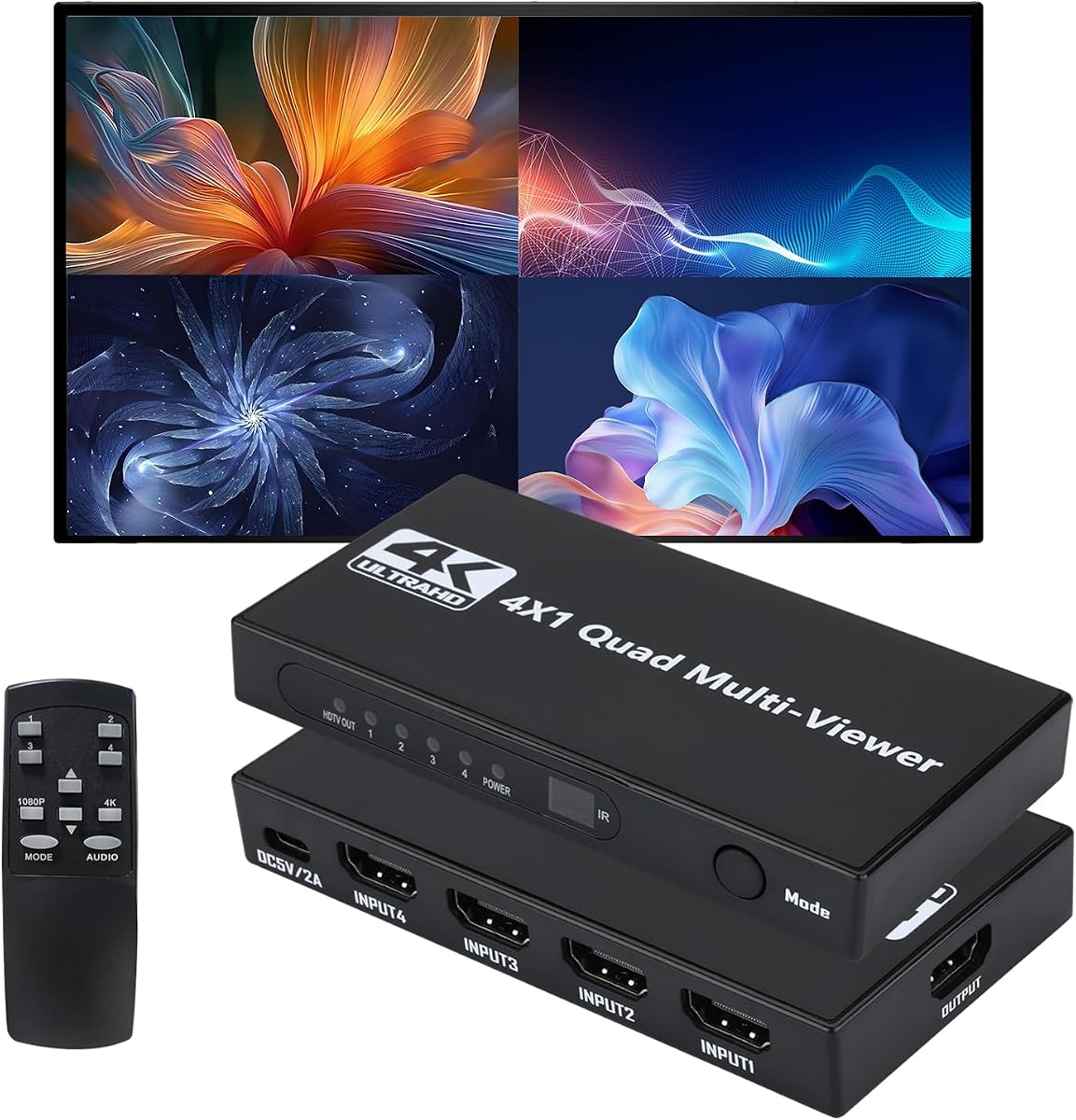
HDMI Multiviewer Switch 4 in 1 Out
4.8Editor score
Twelve display modes offered
Affordable price point
Supports 4K 30Hz
This comprehensive guide compares the top ten HDMI Multiviewer models available in October 2026 to help you choose the perfect device for your setup.
Finding the right HDMI Multiviewer can transform how you monitor multiple devices on a single screen. Whether you are managing security feeds or gaming consoles, a quality unit offers seamless switching and crisp visuals.
We evaluated ten leading models based on resolution support, viewing modes, connectivity options, and user feedback. Our analysis focuses on performance reliability and ease of integration for various professional and home environments.
Each selection highlights key strengths and potential trade-offs to guide your decision. Please note that product availability and pricing fluctuate frequently, so always check current listings before finalizing your purchase.
4.8Editor score

4.3Editor score

4.0Editor score
The following table provides a side-by-side comparison of all ten selected models to highlight their unique specifications and capabilities for your specific needs.




This PORTTA HDMI Multiviewer stands out as a reliable choice for users needing to monitor multiple sources on a single screen. With a solid rating and robust feature set, it offers six distinct viewing modes that cater to various needs from gaming to surveillance.
We may earn a commission when you buy through this link, at no additional cost to you.
Its seamless switching capability ensures that transitions between inputs occur without noticeable lag, which is critical for live monitoring scenarios. The inclusion of both optical and analog audio outputs provides flexibility in connecting to external sound systems.
While it caps at 1080p resolution, this limitation is acceptable for many standard applications where 4K is not a strict requirement. Users should ensure their source devices align with this resolution to avoid unnecessary downscaling issues.
We recommend this unit for home offices or small business setups requiring a cost-effective solution for screen management. Its compatibility with consoles like PS4 and Xbox makes it a versatile addition to entertainment systems.
The device supports four equal screens dual side by side and picture in picture configurations for versatile monitoring.
Users can connect to speakers via Toslink or 3.5mm audio ports for enhanced sound quality during viewing.
We may earn a commission when you buy through this link, at no additional cost to you.
The OREI 4×1 Out Quad Screen Multiviewer delivers solid performance for users focused on standard definition needs without breaking the bank. Its rating reflects consistent user satisfaction regarding build quality and functionality across different use cases.
We may earn a commission when you buy through this link, at no additional cost to you.
With support for up to 1080p resolution and five display modes, it covers the essential requirements for monitoring four input sources simultaneously. The VGA output adds utility for older displays that may not have HDMI inputs.
Some users might find the lack of 4K support limiting if they plan to upgrade their monitors in the future. However, for current setups relying on 1080p, this model provides ample performance without unnecessary complexity.
This device is ideal for retail environments or conference rooms where cost efficiency and straightforward operation are priorities. Its simple interface ensures that staff can switch inputs quickly without extensive training.
Users can choose from five distinct layouts to arrange four video feeds efficiently on a single monitor screen.
In addition to HDMI inputs the unit includes a VGA output for legacy display compatibility and flexibility.
We may earn a commission when you buy through this link, at no additional cost to you.
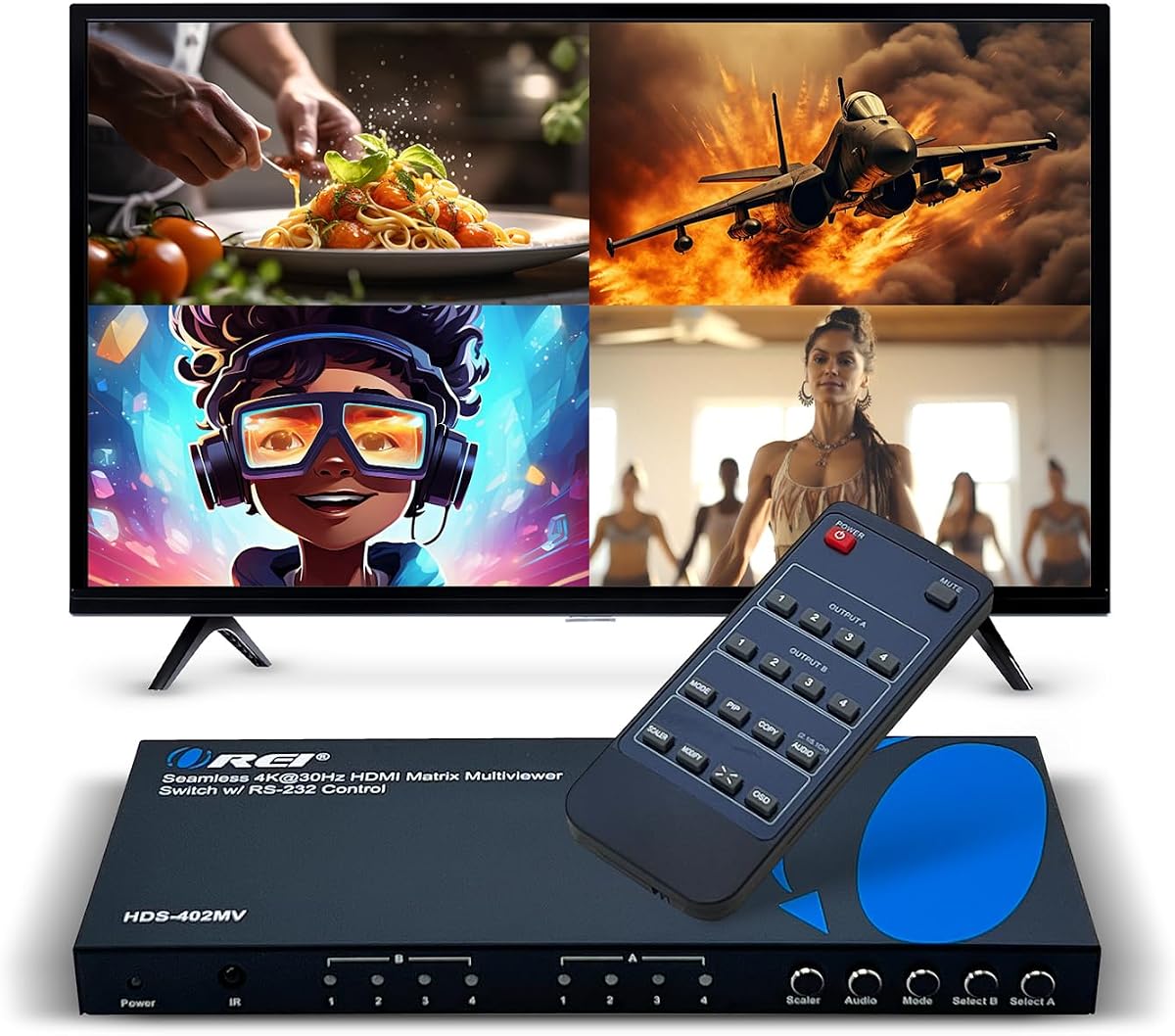
For those requiring 4K resolution, this OREI model offers a significant step up in visual clarity while maintaining robust connectivity options. It is designed to handle high-definition signals with professional-grade audio extraction capabilities.
We may earn a commission when you buy through this link, at no additional cost to you.
The inclusion of RS-232 control allows for integration into larger automated systems where remote management is essential. This feature sets it apart from consumer-grade units that rely solely on remote controls or front panel buttons.
While the 4K output is capped at 30Hz, this is generally sufficient for static monitoring or content consumption where high frame rates are less critical. Users needing 4K 60Hz for gaming might need to look at higher-end options.
This switch is well-suited for professional AV installations or high-end home theaters where video fidelity is paramount. The comprehensive audio support ensures that sound quality matches the visual experience across various formats.
RS-232 control enables integration with professional AV systems for automated switching and remote management.
Built-in audio extraction allows users to route high-quality sound to external amplifiers or speakers easily.
We may earn a commission when you buy through this link, at no additional cost to you.
This unique OREI model stands out by offering two HDMI outputs, allowing users to distribute video signals across dual displays simultaneously. It is an excellent solution for setups where multiple monitors are required for workflow efficiency.
We may earn a commission when you buy through this link, at no additional cost to you.
With a high user rating, it delivers reliable performance across its feature set including 4K support and on-screen display controls. The ability to manage four inputs across two screens provides significant flexibility for control room environments.
Prospective buyers should note that this unit is specifically designed for dual monitor setups, which may increase the cost of your overall installation. However, the benefits of expanded workspace often justify this investment for power users.
We recommend this for video editing stations or command centers where simultaneous visibility of different streams is crucial. The included mounting brackets facilitate secure installation in professional rack mounts or wall setups.
Two HDMI outputs allow users to mirror or extend video feeds across multiple monitors for better workflow.
OSD controls enable quick adjustments to settings and input sources without needing external controllers.
We may earn a commission when you buy through this link, at no additional cost to you.
This high-end OREI unit delivers smooth 4K 60Hz performance, making it one of the few affordable options for high frame rate monitoring. Its advanced features ensure compatibility with modern protected content and professional AV systems.
We may earn a commission when you buy through this link, at no additional cost to you.
The support for HDCP 2.2 is critical for users needing to view protected media streams that older devices might block. Combined with RS-232 control, it offers a level of management suitable for integrated smart home or business systems.
While the price reflects its premium specifications, it may be excessive for users who only require standard definition output. However, for those planning to future-proof their setup, the investment ensures longevity as display technology evolves.
This product is best suited for professional studios or enthusiasts who demand the highest fidelity from their video walls. The included manual and support resources help navigate the advanced setup options effectively.
The 4K 60Hz capability ensures fluid motion rendering which is essential for dynamic content monitoring.
HDCP 2.2 support ensures compatibility with modern protected content streams and digital rights management.
We may earn a commission when you buy through this link, at no additional cost to you.
This versatile HDMI Multiviewer offers a wide array of eight viewing modes to suit various layouts and preferences. It supports high-resolution 4K 60Hz signals, making it a strong contender for users needing smooth video playback.
We may earn a commission when you buy through this link, at no additional cost to you.
The seamless switching technology ensures that when you toggle between full-screen modes, there is no interruption in the video feed. This feature is particularly beneficial for live broadcasts or security monitoring where continuity is key.
While the overall rating is slightly lower than top contenders, users report satisfaction with its raw performance when configured correctly. Some variability in reviews often stems from differences in signal source quality or cabling used.
We recommend this unit for users who need maximum flexibility in screen layout options without sacrificing resolution performance. Ensure you use high-quality HDMI cables to fully utilize the 4K 60Hz capabilities.
Eight distinct viewing modes allow you to customize how multiple video feeds are displayed on the screen.
Control inputs using the included remote or the onboard buttons for convenient operation in different setups.
We may earn a commission when you buy through this link, at no additional cost to you.
With an impressive rating and affordable price, this switch delivers exceptional value for users needing a basic multiviewer setup. It balances performance and cost effectively, making it accessible for budget-conscious buyers.
We may earn a commission when you buy through this link, at no additional cost to you.
The device supports twelve different screen switching modes, allowing for extensive customization of your video wall layout. It provides smooth switching between inputs and supports stretching images from 16:9 to 4:3 in multi-view mode.
Although it lacks advanced professional controls, it is plug-and-play compatible with various operating systems without requiring driver installations. The only minor inconvenience is that the IR remote batteries are not included with the package.
This model is perfect for home labs, small businesses, or gaming setups where cost is a primary concern. Its robust feature set at this price point makes it a standout choice in the budget category.
Twelve screen switching modes offer diverse layout options to organize your video sources as needed.
Compatible with multiple operating systems without drivers for immediate setup and usage.
We may earn a commission when you buy through this link, at no additional cost to you.
This J-Tech Digital model brings professional-grade features to the multiviewer category with support for 4K 60Hz. It is designed for users who need precise control over their video feeds and audio routing.
We may earn a commission when you buy through this link, at no additional cost to you.
The On-Screen Display allows you to rearrange sources and adjust window sizes to eliminate image stretching, a feature often missing in consumer units. Additionally, RCA audio output provides compatibility with older amplifiers or sound systems.
Some users have noted that the complexity of features might require a learning curve to maximize utility. However, the included mounting hardware and lifetime support provide added value for professional installations.
We recommend this for commercial environments or advanced home theaters where high-quality video and audio integration are expected. The robust design ensures it can withstand regular use in busy settings.
On-Screen Display allows you to customize window sizes and positions to avoid image distortion.
RCA and Optical audio outputs allow you to send sound to external amplifiers with ease.
We may earn a commission when you buy through this link, at no additional cost to you.
This OREI model maintains a strong reputation for stability and ease of use in standard definition environments. Users appreciate its reliable performance in switching between four HDMI sources on a single display seamlessly.
We may earn a commission when you buy through this link, at no additional cost to you.
The inclusion of VGA output makes it a versatile option for legacy equipment that cannot accept HDMI input directly. It also offers high-quality stereo audio output via both HDMI and 3.5mm connections for flexible sound setups.
While it does not support 4K resolution, its handling of 1080p and 2K@60Hz ensures crisp visuals for most common applications. The setup is straightforward, requiring minimal configuration to get started.
This unit is ideal for users who prioritize reliability and simplicity over cutting-edge resolution capabilities. It serves well in office environments or residential setups where consistent performance is more important than maximum specs.
VGA output included allows for compatibility with older monitors that do not support HDMI inputs.
High-quality stereo audio support ensures clear sound across different connection types.
We may earn a commission when you buy through this link, at no additional cost to you.
This matrix controller represents the top of the line in flexibility and control, allowing any input to be routed to any output. It is designed for complex video wall applications where independent control of multiple screens is necessary.
We may earn a commission when you buy through this link, at no additional cost to you.
Users can manage sources via a web interface or LAN connection, providing remote management capabilities that are ideal for large installations. The ten video wall configurations offer substantial layout flexibility for professional monitoring tasks.
While the feature set is robust, the price reflects a high-end commercial solution that may be unnecessary for average consumers. However, for security centers or broadcast studios, the control offered is invaluable.
We recommend this device for large scale commercial deployments where reliability and extensive routing options are critical. The included lifetime technical support ensures assistance is available for complex integration issues.
LAN and Web Control allow for remote management of the matrix from any network-connected device.
Ten video wall modes provide extensive flexibility for arranging feeds across multiple display screens.
We may earn a commission when you buy through this link, at no additional cost to you.
Selecting the right HDMI Multiviewer involves considering several technical factors to ensure it meets your specific monitoring needs.
Check if the multiviewer supports the resolution of your source devices. Some models top out at 1080p while others handle 4K at 60Hz or 30Hz.
Ensure the resolution matches your monitor capabilities to avoid downscaling issues that could degrade image quality.
Determine how many inputs you need to connect simultaneously. Most units support four inputs but some offer more flexible matrix options for larger setups.
If you need multiple displays, look for models with multiple HDMI outputs or matrix routing capabilities for distributed viewing.
Different multiviewers offer varying numbers of display layouts such as quad, picture-in-picture, or split-screen configurations.
Choose a model with the specific layout options you require to optimize your screen real estate effectively.
Consider how you intend to handle audio. Some devices provide optical or analog outputs to route sound to external systems.
If your setup requires separate sound routing, ensure the multiviewer has the necessary audio extraction features.
Multiviewers can be controlled via IR remotes, front panel buttons, or advanced RS-232 and LAN interfaces.
Select a control method that fits your usage scenario, such as remote access for hard-to-reach installations.
Ensure the device supports HDMI standards like HDCP 2.2 if you plan to view protected content such as streaming services.
Compatibility with older devices should also be checked to avoid signal loss or handshake issues.
Check the power requirements to ensure your workspace has access to the necessary voltage and plug types.
Some models offer dual voltage supplies which can be beneficial for international or portable usage scenarios.
A solid warranty and accessible technical support can save you time and money if issues arise with the device.
Look for brands that offer lifetime support to guarantee assistance throughout the lifespan of the product.
Begin by connecting your source devices such as consoles or computers to the input ports on the multiviewer. Use high-quality HDMI cables to ensure stable signal transmission.
Connect the output port to your monitor or TV and plug in the power supply. Turn on the display and use the IR remote or front buttons to switch between inputs.
Keep the unit in a well-ventilated area to prevent overheating during extended use. Dust it regularly to avoid buildup on the vents and ports for consistent performance.
Yes, many HDMI Multiviewers are compatible with security cameras that output HDMI signals. Ensure your cameras support the resolution and format the multiviewer accepts for optimal display.
Some models support 4K resolution while others are limited to 1080p. Check the specifications of the specific unit to confirm it supports your desired resolution and refresh rate.
A standard HDMI switch allows you to choose one input at a time while a multiviewer displays multiple inputs simultaneously on the screen. Multiviewers are useful for monitoring several sources at once.
Standard high-speed HDMI cables are typically sufficient for these devices. Using certified cables helps ensure stable transmission especially at higher resolutions like 4K.
Most consumer models allow four HDMI inputs to be connected simultaneously. Higher-end matrix units support more inputs and allow complex routing configurations across multiple outputs.
Yes, these devices work well with gaming consoles. Ensure you select a model with low latency switching to prevent delays during gameplay if real-time performance is critical.
Whether you need basic 1080p monitoring or advanced 4K control, the top picks offer robust solutions for various requirements. We recommend selecting based on your resolution needs and control preferences.
Prioritize compatibility with your existing devices to ensure a smooth integration experience. A model with flexible audio options can also enhance your overall setup utility.
Always verify current product details and prices before purchasing to ensure you get the best deal for your specific needs.