
Canon imageCLASS LBP6030w
3.8Editor score
Compact wireless design
19 PPM print speed
Energy efficient operation
This guide compares the best laser printer with cheap toner options available in October 2026 to help you find affordable printing solutions for home or office
Finding a reliable laser printer with cheap toner is essential for maintaining low operational costs while ensuring high-quality output. Many users struggle with expensive consumables that negate the initial savings from the hardware itself. This guide focuses on models known for efficient toner usage and affordable replacement cartridges.
We evaluated ten top-rated monochrome laser printers based on print speed, connectivity, paper handling, and most importantly, long-term toner affordability. Each model was assessed for its ability to deliver crisp black and white documents without breaking the bank on supplies. Our analysis includes both single-function and all-in-one units.
Each pick highlights key features, pros, cons, and real-world performance metrics to help you make an informed decision. Remember that prices and availability change frequently, so always check current listings before purchasing. This list aims to provide a comprehensive overview of the most cost-effective printing solutions available today.
3.8Editor score

4.1Editor score

4.5Editor score
The following table provides a side-by-side comparison of all ten selected laser printers, highlighting their key specifications and unique features to help you quickly identify the best match for your printing needs.




The Brother HL-L2405W stands out as a top choice for users seeking a laser printer with cheap toner. It delivers sharp, crisp prints at an affordable price point and handles high-volume printing well. With its 30 PPM speed and mobile printing capabilities, it is ideal for home offices that need efficiency without compromising on quality or supply costs.
We may earn a commission when you buy through this link, at no additional cost to you.
This model features a 250-sheet paper tray and dual-band wireless connectivity for seamless integration with multiple devices. The Brother Mobile Connect app allows you to manage supplies and track toner usage remotely. It also supports Brother Genuine Toner TN830 or TN830XL, which are known for their page yield and reliability, ensuring long-term savings.
While it lacks automatic duplex printing, the manual feed slot allows for specialty paper printing. The one-year limited warranty and free support options provide peace of mind. Overall, the trade-off of missing duplex is acceptable given the strong performance and cost-effective toner options available for this unit.
Buyers looking for a dependable, fast, and affordable laser printer should consider this model. Its compact footprint fits easily into small spaces while maintaining robust performance. We recommend it for home offices or small teams prioritizing low operating costs and consistent print quality.
Using genuine TN830XL toner provides high page yields, reducing the frequency of replacements and lowering the overall cost per page significantly.
Built-in dual-band wireless ensures stable connections even in congested home networks, allowing effortless printing from various devices.
We may earn a commission when you buy through this link, at no additional cost to you.
The Canon imageCLASS LBP6030w is an excellent budget-friendly option for those needing a laser printer with cheap toner. Its compact design fits anywhere in your home or school, and it prints up to 19 pages per minute. This model is perfect for light printing tasks where cost efficiency and space-saving are top priorities.
We may earn a commission when you buy through this link, at no additional cost to you.
It features wireless connectivity allowing you to print from almost anywhere in your workspace using a compatible mobile device. The printer uses Canon Genuine Toner 125, which offers a page yield of 1,600 pages. With energy-saving modes that use less than 2 watts, it is also environmentally friendly and reduces electricity costs.
The 150-sheet paper capacity is modest but sufficient for individual users. While it lacks duplex printing and has a lower speed than premium models, these trade-offs are acceptable for its price point. The one-year limited warranty ensures basic support and reliability for your investment.
This printer is ideal for students or home users with moderate printing needs. Its simplicity and low cost make it a strong contender for budget-conscious buyers. We suggest it for anyone needing reliable black and white output without complex features.
Energy Saver mode significantly reduces power usage, making this printer an environmentally responsible choice for daily use.
Compatible mobile device integration allows seamless printing without needing a dedicated computer connection.
We may earn a commission when you buy through this link, at no additional cost to you.
The Brother HL-L2480DW offers premium features at a competitive price, making it a top laser printer with cheap toner. It combines laser printing, scanning, and copying in one compact footprint, ideal for small offices. With speeds up to 36 PPM and automatic duplex printing, it enhances productivity while minimizing paper waste.
We may earn a commission when you buy through this link, at no additional cost to you.
This model features a 2.7-inch touchscreen for easy navigation and cloud app integration. The Brother Mobile Connect app lets you manage supplies and track toner usage remotely. Using Brother Genuine TN830 or TN830XL toner ensures high-quality output and cost-effective operations over time.
While it has a higher upfront cost than single-function models, the added functionality provides significant value. The 250-sheet tray and manual feed slot handle various paper types. We find the investment worthwhile for users needing multifunctionality and speed without sacrificing toner affordability.
Buyers needing a versatile, efficient printer should consider this model. Its robust design supports high-volume tasks and simplifies office workflows. We recommend it for small businesses prioritizing productivity and low long-term printing costs.
Combining scan and copy functions reduces the need for separate devices, saving space and streamlining office tasks.
The touchscreen display simplifies operation, allowing quick access to settings and cloud services.
We may earn a commission when you buy through this link, at no additional cost to you.
The Brother MFC-L2820DW is designed for small offices needing multifunctionality and affordable toner. It delivers fast 36 PPM print speeds and includes fax capabilities alongside scanning and copying. Its compact footprint and high-speed performance make it an efficient choice for busy work environments.
We may earn a commission when you buy through this link, at no additional cost to you.
This model features dual-band wireless and Ethernet connectivity for reliable connections. The 50-page auto document feeder simplifies multi-page tasks. Using Brother Genuine TN830 or TN830XL toner ensures quality prints. The touchscreen allows easy navigation to cloud apps like Google Drive and Dropbox.
While it has a larger size and more complex interface than basic models, the added features justify the footprint. The one-year warranty and support options ensure reliability. We find the high-speed duplex and fax capabilities valuable for professionals needing document management.
Buyers requiring fax and advanced scanning should consider this model. Its speed and connectivity support demanding workflows. We recommend it for small businesses prioritizing efficiency and document versatility.
Auto document feeder and scan-to-cloud options streamline workflow by digitizing papers quickly and securely.
Multiple connection options ensure stable printing across diverse device types and office setups.
We may earn a commission when you buy through this link, at no additional cost to you.
The Brother HL-L2460DW combines speed and duplex printing for cost-effective operations. It prints at 36 PPM and saves paper with automatic two-sided output. Ideal for home offices and small teams, it ensures clear, crisp documents while maintaining low toner costs through genuine TN830XL compatibility.
We may earn a commission when you buy through this link, at no additional cost to you.
This printer features dual-band wireless and Ethernet for reliable networking. The 250-sheet paper tray handles high-volume tasks efficiently. Using Brother Mobile Connect app allows remote supply management. It works with Alexa for voice commands, adding convenience to daily printing tasks.
While it lacks fax and a touchscreen, its core printing performance is strong. The manual feed slot allows specialty paper printing. The one-year warranty ensures support. We find it a balanced choice for users needing speed and duplex without extra complexity.
Buyers prioritizing duplex printing should consider this model. It reduces paper waste and improves workflow. We recommend it for teams needing reliable, fast, and affordable document printing.
Automatic duplex printing significantly cuts paper usage and costs, supporting green initiatives and budget savings.
Mobile app integration allows tracking toner levels and ordering supplies from anywhere, preventing interruptions.
We may earn a commission when you buy through this link, at no additional cost to you.
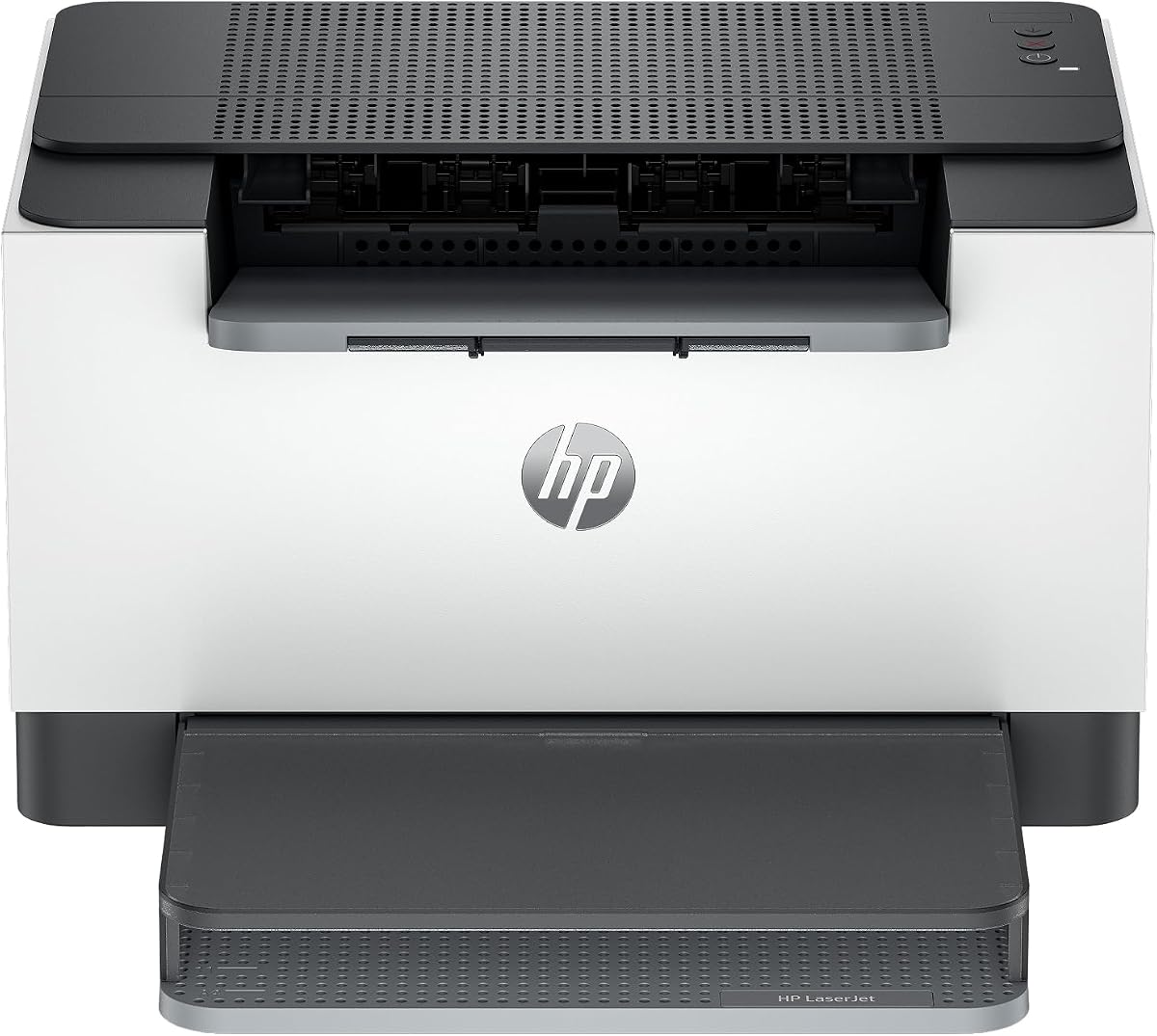
The HP LaserJet M110w is perfect for small teams needing reliable printing at a low cost. It is the world's smallest laser in its class, fitting anywhere in tight spaces. With speeds up to 21 PPM, it handles daily tasks efficiently while maintaining affordable toner options through HP's supply programs.
We may earn a commission when you buy through this link, at no additional cost to you.
This printer offers wireless connectivity and works with various devices including iOS and Android. The HP Smart app simplifies tasks and allows cloud scanning. While it uses cartridges with HP chips, the supply costs remain competitive. This model is ideal for users prioritizing space-saving design and ease of use.
It lacks duplex and has limited advanced features, but its simplicity is a strength. The self-reset wireless feature keeps connections stable. We find it suitable for light home office tasks where space is limited. Its warranty and support options provide basic assurance.
Buyers needing a compact printer should consider this model. Its design maximizes desk space without sacrificing performance. We recommend it for individuals or small teams with basic printing needs.
Minimal design ensures the printer fits in small desks, freeing up workspace for other essentials.
HP Smart app enables easy printing from anywhere, adding convenience to daily workflows.
We may earn a commission when you buy through this link, at no additional cost to you.
The HP LaserJet M209dw delivers fast two-sided printing at 30 PPM single-sided, making it ideal for small teams. It features dual-band Wi-Fi with self-reset for stable connections. Instant Ink eligibility allows flexible cartridge options, helping manage toner costs based on actual monthly usage and reducing waste.
We may earn a commission when you buy through this link, at no additional cost to you.
This printer is built for security and works with Microsoft, Mac, and Android. It automatically detects connectivity issues to maintain uptime. The duplex function saves paper and time. While supply chips are required, the flexibility of Instant Ink offers savings for variable print volumes.
We find the speed and duplex features stand out for its class. The security features protect against attacks, ensuring safe printing. While firmware updates may be needed, the performance and connectivity justify the choice. It is a robust option for small business needs.
Buyers needing duplex and strong connectivity should consider this model. It handles frequent printing well. We recommend it for small teams requiring speed and reliability.
Instant Ink options adapt to usage patterns, allowing cost-efficient toner management without over-purchasing.
Self-reset Wi-Fi ensures minimal downtime, keeping the workflow smooth even in busy environments.
We may earn a commission when you buy through this link, at no additional cost to you.
The Canon imageCLASS LBP122dw offers duplex printing at 30 PPM for cost-effective home use. Its compact design fits anywhere, and wireless connectivity allows easy mobile printing. Using Canon Genuine Toner 071 ensures quality and value. This model is perfect for individuals needing fast, reliable black and white output.
We may earn a commission when you buy through this link, at no additional cost to you.
This printer supports Canon PRINT app and other mobile tools. It is easy to set up and requires minimal maintenance. The lack of scanning means it focuses solely on printing, keeping the unit simple and affordable. We find it a solid budget option for dedicated printing tasks.
While it lacks Ethernet, wireless is sufficient for most home environments. The two-sided printing saves paper and time. The simple interface reduces learning time. We appreciate its balance of speed and cost for personal printing needs.
Buyers wanting a dedicated duplex printer should consider this model. It offers strong performance for the price. We recommend it for users prioritizing simplicity and low toner costs.
Focusing solely on printing reduces complexity, allowing faster setup and easier daily use.
Canon PRINT app enables printing on-the-go, adding convenience without extra hardware.
We may earn a commission when you buy through this link, at no additional cost to you.
The HP LaserJet MFP M235sdw combines scanning, copying, and printing with fast duplex speeds. It is ideal for offices printing professional-quality documents. With built-in security and Ethernet, it ensures safe and stable connections. Toner costs are managed through HP supply programs and cartridge options.
We may earn a commission when you buy through this link, at no additional cost to you.
This model handles multipage projects efficiently with two-sided printing. Wireless and Ethernet connectivity options provide flexibility. Security features protect against potential attacks, ensuring data safety. We find the all-in-one functionality valuable for streamlining office tasks and reducing equipment needs.
While it lacks a touchscreen, its performance is strong. The warranty and support options ensure reliability. We appreciate the balance of speed, security, and multifunctionality. It is a robust choice for offices needing comprehensive document solutions.
Buyers needing multifunctional security and speed should consider this model. It supports professional workflows well. We recommend it for small businesses requiring reliable document management.
Combining multiple functions reduces equipment needs and space, streamlining office setups efficiently.
Built-in security features protect sensitive documents, ensuring safe printing across networks.
We may earn a commission when you buy through this link, at no additional cost to you.
The Canon imageCLASS MF3010 VP is a multifunction printer offering scanning and copying with affordable toner. It prints up to 19 PPM and includes a 2,300-page toner yield in the box. Its USB-only connectivity ensures stable wired connections, making it ideal for dedicated desktop environments.
We may earn a commission when you buy through this link, at no additional cost to you.
This model features energy saver mode that uses about 1.2 watts in sleep. It supports various operating systems and offers ID card copying. We find the included toner yield a great value. The lack of wireless keeps the unit simple and budget-friendly.
While it lacks duplex and wireless, its core functions are solid. The compact design fits small spaces. We appreciate its simplicity and low power consumption. It is a good choice for users prioritizing wired reliability and multifunctional utility.
Buyers needing a wired all-in-one should consider this model. It provides essential features without excess complexity. We recommend it for individual workstations requiring reliable scanning and printing.
Included toner with high yield reduces initial supply costs and extends time between replacements significantly.
Energy saver mode minimizes electricity use, supporting eco-friendly and budget-conscious operations.
We may earn a commission when you buy through this link, at no additional cost to you.
Selecting the right laser printer involves considering several factors beyond upfront price. This guide outlines the essential elements to evaluate for long-term value.
The true cost of ownership depends on the cost per page of toner. Look for printers that use high-yield cartridges compatible with genuine or reliable third-party supplies. This ensures lower expenses over time.
Prioritize models with high page yield ratings and transparent pricing for replacement cartridges to keep ongoing costs low.
Print speed measured in pages per minute (PPM) affects workflow efficiency. Choose a speed that matches your typical monthly print volume to avoid bottlenecks and delays.
Select a printer that offers enough speed to handle peak printing times without compromising on quality.
Wireless, Ethernet, and USB options determine how easily devices can access the printer. For modern offices, dual-band Wi-Fi and mobile app support are essential for seamless integration.
Ensure the printer supports your preferred devices and network protocols for hassle-free printing.
All-in-one printers combine scanning, copying, and faxing with printing. These units save space and costs compared to buying separate devices, making them ideal for small offices.
Evaluate whether you need extra functions like scanning or faxing to justify the higher initial investment.
A larger paper tray reduces frequent refills and improves efficiency. Consider the tray capacity and manual feed slots if you print on specialty paper or envelopes.
Choose a model with enough paper capacity to match your typical print job size without interruptions.
Automatic duplex printing saves paper by printing on both sides. This feature reduces costs and supports sustainability goals, especially for high-volume users.
If paper savings are a priority, prioritize models that include automatic two-sided printing.
A reliable warranty and support network ensure issues are resolved quickly. Look for manufacturers that offer phone, chat, or online resources for assistance.
Verify the warranty duration and support options to protect your investment over time.
Set up the printer according to manufacturer instructions, ensuring all cables and network settings are correct. Install the provided drivers and test a sample print to verify alignment.
Regularly clean the printer and replace toner when needed. Use genuine or certified compatible cartridges to maintain performance and prevent jams.
Store the printer in a cool, dry environment to avoid dust accumulation. Check firmware updates periodically to ensure compatibility and security.
The Canon imageCLASS LBP6030w is often considered the most affordable due to its low upfront cost and reliable Genuine Toner 125. It suits light home users.
Most printers support third-party toner, but some brands may use chips that block non-genuine cartridges. Check the model's compatibility policy before purchasing.
Use high-yield toner cartridges and duplex printing to reduce paper and supply usage. Enroll in subscription services where available.
Wireless models do not inherently cost more to operate. Their toner and paper costs depend on cartridge capacity and print habits.
The Brother HL-L2480DW is a strong all-in-one choice offering speed and affordable TN830XL toner compatibility.
Laser printers are generally low maintenance. Regular cleaning and toner replacement are usually sufficient to keep them running well.
Choosing a laser printer with cheap toner requires balancing upfront costs with long-term supply expenses. The Brother HL-L2405W and Canon LBP6030w are excellent options for most users.
Prioritize features like duplex, wireless, and high page yield toner to maximize efficiency. Consider your volume and connectivity needs before purchasing.
Always check current prices and availability before buying, as deals change. With the right model, you can enjoy reliable printing without high costs.