
M.2 Heatsink Cooler 2280 SSD Double-Sided
4.6Editor score
Aluminum alloy with silver plating
Double-sided clip design
Includes thermal silicone pads
This guide compares the top low profile SSD heatsinks for PS5 and PC, evaluating thermal performance, material quality, and fit for 2280 drives.
Modern storage drives generate significant heat during heavy workloads. A low profile heatsink helps maintain safe operating temperatures without adding bulk to tight enclosures.
We evaluated ten top models based on material quality, thermal conductivity, ease of installation, and compatibility with common SSD form factors like 2280.
Each pick shows key specs and real-world cooling potential. Prices fluctuate frequently so verify current listings before purchasing your next cooling solution.
4.6Editor score

4.5Editor score

4.7Editor score
This side-by-side comparison highlights critical specifications for each of the ten top-rated low profile heatsinks available for 2280 SSDs today.




The GLOTRENDS 2-pack leads our list with reliable passive cooling and excellent fit across desktop and console builds. Its aluminum fin design draws heat efficiently without adding power draw or noise.
We may earn a commission when you buy through this link, at no additional cost to you.
Real cooling gains range from 5 to 20 degrees Celsius depending on the drive and ambient conditions. This keeps drives away from throttling thresholds during large transfers or extended gaming sessions on PS5.
The tool-less installation uses metal clasps or rubber bands instead of adhesives. This preserves drive warranties and lets you reseat easily when upgrading storage.
Choose this if you need dependable cooling for multiple drives or a PS5 expansion. It balances cost performance and ease of use better than most rivals.
It fits any 2280 M.2 SSD including Gen3 to Gen5. This covers PS5 and PS5 Slim internal expansions plus desktop riser cards.
No screwdriver or adhesive is needed. Simply apply thermal pads and secure with clasps to keep installation fast and non-destructive.
We may earn a commission when you buy through this link, at no additional cost to you.
This heatsink pairs copper with a graphene coating to target superior heat transfer rates. The stripe pattern and air duct design aim to increase surface contact with airflow.
We may earn a commission when you buy through this link, at no additional cost to you.
It is designed for compact environments like laptops and tight PC cases. The silicone thermal pad allows secure placement without screws or glue that could damage delicate SSD components.
While graphene offers excellent theoretical conductivity the thinness may limit bulk heat capacity in sustained loads. Still it is a strong choice for space constrained installs.
Pick this when narrow clearance and conductivity matter most. The aesthetic design and tool free install add practical value to the package.
Graphene claims thermal conductivity well above aluminum or copper. This could mean faster heat pull from the SSD controller under load.
Its profile suits laptops and tight bays. Air duct design increases contact area to enhance dissipation without needing fans.
We may earn a commission when you buy through this link, at no additional cost to you.
This pure copper heatsink focuses on minimal thickness for laptops and slim PCs. Its polished surface ensures good contact and the included pads adapt to uneven SSD tops.
We may earn a commission when you buy through this link, at no additional cost to you.
Cooling effects range from 10 to 20 degrees depending on airflow and ambient conditions. The 1.5mm minimum height requirement means it suits tight bays where extra space is scarce.
Because it lacks fins it relies on conduction and case airflow. This works well in laptops with existing thermal ducts but may be less effective in sealed enclosures.
Choose this for tight laptop bays needing a low profile copper solution. It balances material quality with a footprint that avoids interference.
Copper moves heat away from the controller faster than aluminum. Polishing the surface improves contact and lowers thermal resistance.
At a minimum install height of 1.5mm it fits inside thin notebooks. Rubber rings or stickers secure it without adding height.
We may earn a commission when you buy through this link, at no additional cost to you.
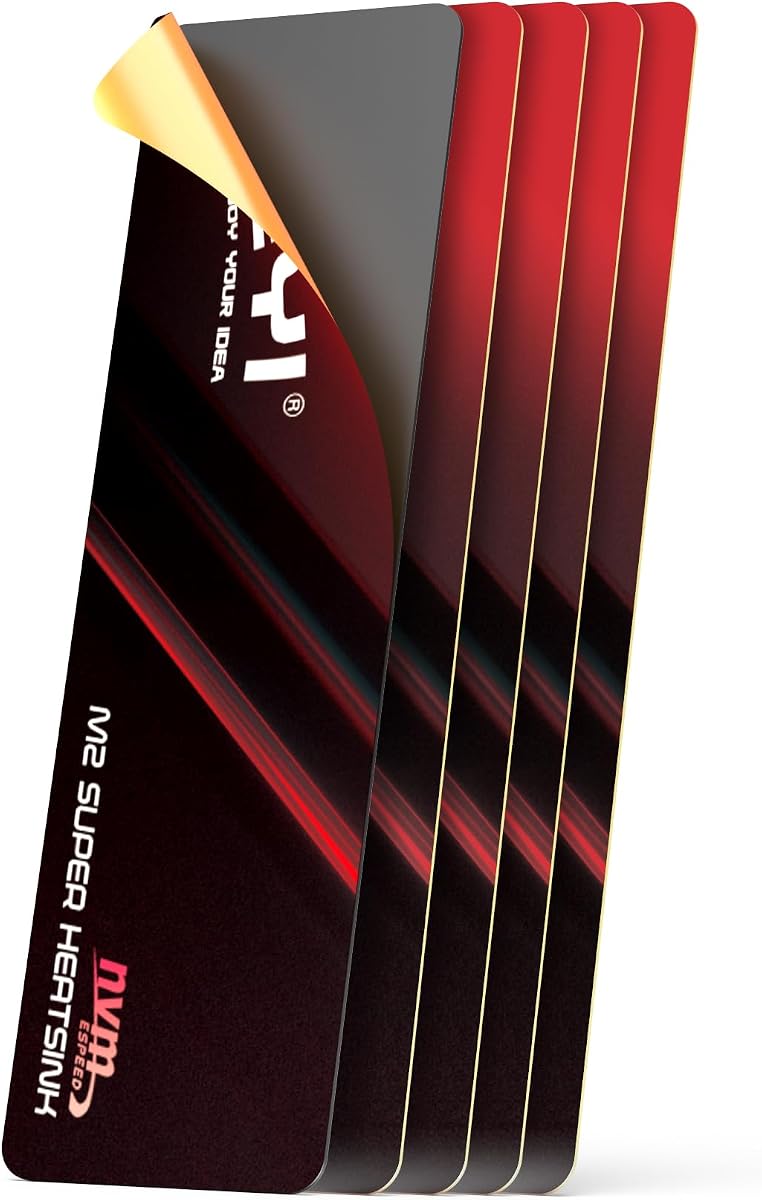
JEYI's film heatsink delivers extreme thinness for PS5 and ultra-thin laptops. The graphene copper layer targets very high conductivity to pull heat from the SSD efficiently.
We may earn a commission when you buy through this link, at no additional cost to you.
You can apply thermal pads to both sides of the SSD to double heat dissipation. This helps prevent throttling and maintain peak speeds during long workloads.
The adhesive is permanent and resists temperatures from minus 40 to 120 degrees. Handle carefully during installation since bending can reduce contact effectiveness.
Select this when you need the slimmest solution for tight slots. Its conductivity and dual sided capability make it a strong PS5 expansion pick.
At 0.5mm it fits spaces thicker heatsinks cannot. This suits PS5 expansion slots and slim ROG Ally adapters.
Using pads on both SSD sides spreads heat. This can lower overall component temperatures and reduce throttling risk.
We may earn a commission when you buy through this link, at no additional cost to you.
This heatsink offers solid performance at a very competitive price. Its aluminum body is silver plated to reduce static risks and the double clip design stabilizes the unit.
We may earn a commission when you buy through this link, at no additional cost to you.
Cooling effects reported fall in the 10 to 20 degree range. The included low viscosity silicone pads protect the SSD while improving heat transfer across the interface.
Installation is simple and fits common single sided SSDs. It works well in PS5 expansion slots and desktop M.2 slots with enough clearance.
Choose this for the best budget cooling without sacrificing reliability. It is a safe pick for standard 2280 builds needing affordable thermal help.
Silver plating on aluminum helps eliminate static electricity. This reduces risks during handling and improves long term stability.
The clip design supports various SSD heights and holds firm. This prevents movement and ensures consistent contact during use.
We may earn a commission when you buy through this link, at no additional cost to you.
This pure copper heatsink uses a groove design to expand the surface area for air heat exchange. The slim 1.5mm height helps it fit inside most laptop compartments.
We may earn a commission when you buy through this link, at no additional cost to you.
Cooling effects fall between 5 to 20 degrees depending on airflow. It is suitable for precision equipment like internal boards and SSDs in confined spaces.
The silicone thermal pad included ensures good contact without adhesives. Rubber rings provide a secure fit that avoids vibration loosening over time.
Pick this for laptops needing a thin copper solution. It balances conductivity and slim fit to suit narrow thermal bays.
Grooves increase the area exposed to air. This helps heat release faster compared to a smooth flat copper plate.
Its 1.5mm profile suits tight laptop spaces. Check your clearance before purchase to avoid interference with other components.
We may earn a commission when you buy through this link, at no additional cost to you.
be quiet! delivers a premium cooler designed for reliable performance across single and double sided modules. Its dimensions align well with PlayStation 5 storage expansion needs.
We may earn a commission when you buy through this link, at no additional cost to you.
Efficient cooling allows the drive to run at full performance for longer. This is key for PS5 game loads and desktop workloads that hit high sustained rates.
Though specifics are minimal the brand reputation supports quality and quiet operation. It is a solid choice when build confidence and brand support matter.
Select this if you want a trusted brand and premium fit. The optimized design for PS5 and PC makes it a versatile high end option.
The MC1 suits PS5 memory expansion perfectly. Its dimensions meet Sony cooling requirements for smooth operation.
Lower temperatures mean the drive avoids thermal throttling. This keeps read write speeds steady over long gaming or export sessions.
We may earn a commission when you buy through this link, at no additional cost to you.
This heatsink combines graphene copper with a larger 4mm profile to maximize contact area. Air duct design increases exposure to airflow for faster heat exchange.
We may earn a commission when you buy through this link, at no additional cost to you.
The slanted slots give it a distinctive look while aiding airflow path. It works for laptops and narrow spaces where extra surface helps dissipate heat quickly.
Adhesive thermal pads allow easy fix without tools but may not be easily removed once applied. Consider your clearance needs before committing to this height.
Choose this when you want high conductivity plus stylish design. The extra height trades off some fit flexibility for better cooling performance.
Air duct design raises contact area with air. This speeds up dissipation and keeps drive temps lower during sustained use.
Graphene coating boosts heat flow compared to pure metals. This supports higher conductivity and faster controller cooling.
We may earn a commission when you buy through this link, at no additional cost to you.
This copper heatsink prioritizes minimal thickness at only 0.5mm. Its exact dimensions help avoid misalignment and short circuits in tight bays.
We may earn a commission when you buy through this link, at no additional cost to you.
The thermal pad is polished to be smooth with no burrs. This improves contact and prevents short circuits while resisting oxidation over time.
A complete kit includes tools and screws to simplify installation. While thin it still improves heat transfer compared to no cooling at all.
Select this when you need a near invisible cooling solution. It is ideal for ultra slim builds where even 1mm of thickness is critical.
Polishing the pad removes burrs that could cause shorts. A smooth surface also improves long term resistance to oxidation.
Screwdriver and spudger help with removal and install. This makes setup easier and keeps the process organized.
We may earn a commission when you buy through this link, at no additional cost to you.
This 5mm low profile heatsink uses cross-cut aluminum fins to optimize dissipation. It supports motherboards and M.2 adapters making it versatile for custom builds.
We may earn a commission when you buy through this link, at no additional cost to you.
Cross-cut fins create more edges for air to cross which improves cooling. Silicone rings secure the heatsink without adhesives reducing risk of damage.
The height suits many PS5 and PC cases. While aluminum is less conductive than copper the fin design offsets some of that trade off.
Choose this when you need reliable fin cooling in tight bays. It balances height and airflow efficiency well for common storage upgrades.
Cross-cut fins increase surface exposure to air. This raises dissipation compared to flat plates.
Heat resistant silicone rings hold the unit in place. They avoid glue and allow easy repositioning if needed.
We may earn a commission when you buy through this link, at no additional cost to you.
Selecting a heatsink depends on material conductivity thickness clearance and mounting options. This guide walks through factors to consider for reliable cooling.
Pure copper conducts heat faster than aluminum but is heavier and costs more. Graphene coated options claim higher conductivity but depend on manufacturing quality. Check material claims to match your cooling needs.
If you want maximum heat draw choose copper or graphene composites. Aluminum is fine for moderate loads and better value.
Low profile means less height. PS5 expansion slots and slim laptops need sub 5mm solutions. Measure your enclosure first to avoid interference with case walls or other components.
Always verify the heatsink thickness against your available space. Even 0.5mm matters in tight bays.
Tool-less options like rubber rings or metal clasps make upgrades easy. Adhesive pads are simple but may void warranties or complicate removal. Screws provide the most secure fit but need a screwdriver.
Choose adhesive free methods if you plan frequent swaps. Secure clips or screws if the drive must not move.
Grooves and fins increase surface area which boosts air cooling. Flat plates rely mostly on conduction. If your case has good airflow fins help. In sealed bays smooth copper works better.
Pick finned designs for open cases. For closed spaces choose smooth copper or graphene that spreads heat to the case walls.
Thermal pads bridge gaps between the drive and heatsink. High conductivity low viscosity pads improve contact and reduce resistance. Check if pads are reusable or single use.
Replace thin or dried pads to restore performance. Good pads make a noticeable difference in real world temperatures.
Most 2280 M.2 NVMe and SATA drives work but some heatsinks only fit single sided modules. Confirm if double sided drives need thicker pads or specific mounting to avoid clearance issues.
Always match the heatsink size to your drive length. Mismatched sizes can cause misalignment or short circuits.
Known brands like be quiet! offer reliability and customer support. Lesser brands may offer lower prices but variable quality. Check return policies if you find fit issues.
Select a seller with responsive support. Good service helps if pads or clips are missing.
Slanted slots and silver plating add visual appeal. Matte or glossy finishes affect dust visibility. Aesthetics don't change cooling but matter for builds you see.
Match the finish to your build theme. Choose matte for less dust or polished for a premium look.
Start by powering off and unplugging your system. Ground yourself to avoid static before touching SSDs or heatsinks.
Apply thermal pads evenly across the drive controller area. Press the heatsink firmly to ensure contact without bending the SSD.
Check fit before closing the case. Power on and monitor temps to confirm cooling effectiveness before heavy loads.
Yes many low profile models are designed to meet PS5 expansion requirements. Verify the dimensions and mounting method to ensure clearance inside the console shell. Adhesive options are common and avoid extra height.
Using non-adhesive clamps or rings usually keeps the warranty intact. Adhesive pads that leave residue could complicate claims. Choose tool-less installs if warranty protection is a priority.
Most products claim 5 to 20 degrees Celsius reduction depending on conditions. Real gains depend on airflow and load. Expect better results in open cases with good ventilation.
Copper conducts heat faster than aluminum but is heavier. Aluminum is lighter and cheaper. For tight laptop spaces copper works well. For budget desktops aluminum is often sufficient.
Thermal pads lose some transfer efficiency when removed. For best results replace them with new pads. Reuse is possible but cooling may drop over time.
Some models fit both single and double sided drives. Check product specs to confirm height clearance. Extra thickness may be needed for dual sided chips.
The GLOTRENDS 2-pack and be quiet! MC1 lead our list for value and premium performance. They balance fit and cooling to suit both PS5 and desktop builds.
Prioritize clearance and material conductivity to avoid thermal throttling. Copper and graphene options pull heat faster while aluminum keeps costs down.
Verify your enclosure dimensions and check current prices before buying. A small height difference can make or break installation in tight cases.