
ProElife 2-Pack Anti Glare
4.6Editor score
Anti-glare matte finish
Anti-fingerprint coating
Includes installation hard card
This guide compares the best MacBook Neo screen protectors for 2026, evaluating clarity, privacy, durability, and ease of installation for the new 13-inch
Protecting your new MacBook Neo display is essential for maintaining its visual quality and resale value. A high-quality screen protector prevents scratches from keys, dust, and accidental contact while preserving the crisp Retina display experience users expect from Apple devices.
We have evaluated ten top-rated screen protectors designed specifically for the 2026 MacBook Neo 13-inch model. Our analysis focuses on fit precision, material quality, glare reduction, privacy features, and user installation feedback to help you choose the right protection.
Each pick in this list highlights unique strengths such as anti-glare coatings, magnetic privacy options, or tempered glass durability. Please note that product availability and pricing may change frequently, so verify current details before making your final purchase decision.
4.6Editor score

4.2Editor score

4.5Editor score
The following table provides a side-by-side comparison of all ten screen protectors evaluated in this guide. Each entry highlights key specifications and unique features to help you quickly identify the best match for your specific needs and usage scenarios.


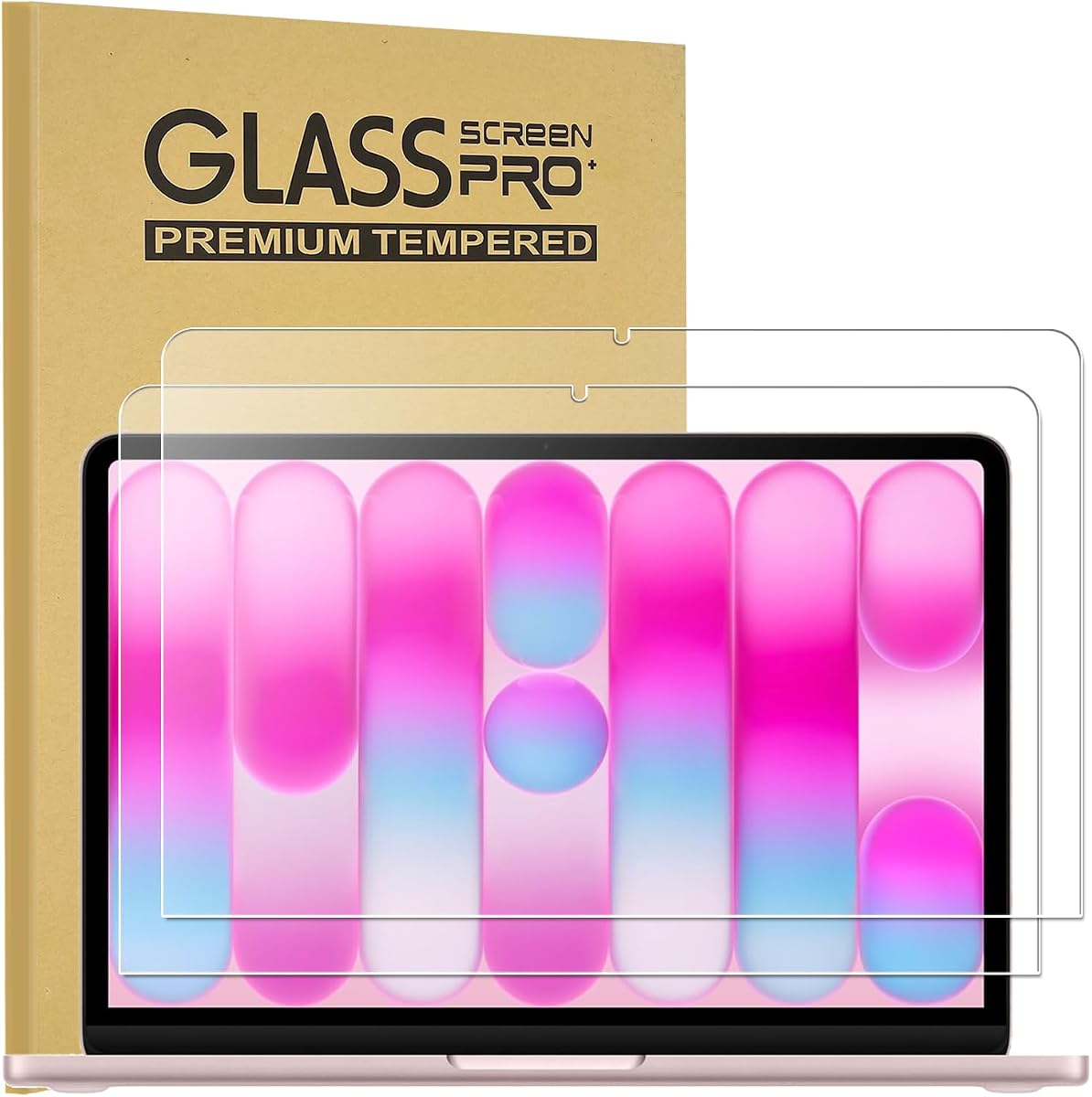
The ProCase 2 Pack Screen Protector stands out as the top choice for MacBook Neo users seeking durable and clear protection. With a strong rating of 4.2 stars, it delivers precise fit and excellent screen clarity using high-quality tempered glass materials.
We may earn a commission when you buy through this link, at no additional cost to you.
Its laser-cut dimensions ensure full edge-to-edge coverage without interfering with sensors or the camera. The 9H hardness rating provides robust resistance against scratches from keys and daily wear. The static-cling adhesive layer makes installation bubble-free with careful application.
While the tempered glass offers superior scratch resistance compared to PET films, it is slightly heavier and requires more care during installation to avoid bubbles. These trade-offs are acceptable given the enhanced durability and optical clarity it provides.
This protector is ideal for users who prioritize long-term screen integrity and visual quality. If you want a reliable shield that maintains your MacBook Neo Retina display looks, this is the recommended option.
The HD clear quality maintains high light transmittance for true-to-life colors and crisp text.
Premium tempered glass with 9H hardness resists scratches from keys and pens effectively.
We may earn a commission when you buy through this link, at no additional cost to you.
The ProElife 2-Pack Anti Glare Screen Protector offers exceptional value for budget-conscious users. It reduces glare and reflections while enhancing contrast, making it ideal for bright environments. Its anti-fingerprint coating keeps screens clean with minimal effort.
We may earn a commission when you buy through this link, at no additional cost to you.
Installation is straightforward with the included hard card to remove minor bubbles. While small bubbles may appear initially due to the PET foaming process, they often disappear within 48 hours. The matte finish provides a comfortable viewing experience by reducing eye strain.
The main trade-off is a slight softening of screen sharpness and vibrancy due to the anti-glare filter. Additionally, the 5H hardness is lower than tempered glass options. These factors are acceptable given the significant glare reduction and cost savings.
Choose this if you frequently work in well-lit areas or want to save money on screen protection. It is a solid choice for students and professionals seeking practical anti-glare protection without breaking the bank.
The matte finish reduces glare and reflections, enhancing contrast for better visibility.
Package includes a hard card to help remove minor bubbles for a flawless result.
We may earn a commission when you buy through this link, at no additional cost to you.
The SightPro Magnetic Privacy Screen delivers top-tier privacy and eye protection. Its patented magnetic attachment allows instant snap-on installation without adhesives. It blocks side views beyond 30 degrees, keeping your data safe from prying eyes.
We may earn a commission when you buy through this link, at no additional cost to you.
The multi-layered film filters harmful UV and blue light while maintaining crystal clear frontal visibility. It is ideal for travelers and public workspaces. The microfiber cloth ensures easy cleaning and maintenance of the privacy filter.
Notably, when the privacy screen is attached, the laptop lid will not close completely. Sleep mode remains supported however. The higher price reflects the premium magnetic mechanism and privacy technology. This trade-off is minimal for security-focused users.
Select this protector if privacy and eye comfort are your top priorities. It is the best choice for professionals working in offices, airports, or cafes where sensitive data protection is critical.
Simply place the screen along the top bezel and let the magnets attach without adhesive.
Advanced filter blacks out screen from side angles while keeping frontal view clear.
We may earn a commission when you buy through this link, at no additional cost to you.
Supershieldz offers a high-quality PET film solution for MacBook Neo owners. The 3-pack provides excellent value for those who want backup protectors or share devices. It ensures maximum resolution and real touch sensitivity for accurate interactions.
We may earn a commission when you buy through this link, at no additional cost to you.
Made from Japanese PET film, it installs easily and leaves no residue upon removal. The high definition transparency ensures your display looks just as stunning as the day you bought it. It protects against daily scratches and dust effectively.
While PET film is less scratch resistant than tempered glass, it is lighter and easier to replace. The static cling method may wear over time but remains effective for normal use. This balance suits users prioritizing clarity and value over extreme hardness.
This option is perfect for students or households with multiple users. If you prefer lightweight protection and the convenience of having spare screens, Supershieldz delivers reliable performance.
High definition transparency film ensures maximum resolution for a true-to-life view.
Real touch sensitivity provides flawless touch screen accuracy without lag.
We may earn a commission when you buy through this link, at no additional cost to you.
The KEANBOLL 3 Pack Anti Glare protector is designed for MacBook Neo 13-inch users seeking matte finish benefits. Its anti-glare coating improves visibility by reducing reflections. The anti-fingerprint coating helps keep the screen clean and smudge-free.
We may earn a commission when you buy through this link, at no additional cost to you.
Packaged in a set of three, it offers great value for replacements. The durable material safeguards your screen against scratches and scuffs. Precise alignment with the A18 Pro chip model ensures a proper fit without issues.
Like other matte protectors, it may slightly soften the screen's sharpness and vibrancy. However, the benefits of reduced glare and easier cleaning often outweigh this minor trade-off. The 3-pack ensures you always have a fresh protector ready.
This choice suits users who work in bright environments or dislike oily fingerprints. If you need bulk protection for long-term use, KEANBOLL provides a practical and reliable solution.
Features a matte finish that reduces glare and reflections for improved visibility.
Anti-fingerprint coating helps keep the screen clean and smudge-free.
We may earn a commission when you buy through this link, at no additional cost to you.
This Magnetic Privacy Screen Protector offers a convenient solution for protecting privacy without adhesives. Strong magnetic attachment enables one-second installation and removal. It blocks side views beyond 30 degrees to safeguard private data.
We may earn a commission when you buy through this link, at no additional cost to you.
The high-transparency PET material delivers vivid visuals while reducing glare and reflections. Anti-blue light technology helps relieve eye strain during long use. The ultra-thin design fits most cases without affecting lid closure.
Like other magnetic options, the laptop lid may not close completely when attached. This is generally manageable for most use cases. The balance of privacy, comfort, and ease of use makes it a strong contender.
Ideal for mobile workers and students who need quick privacy on the go. If you prefer removable protection that doesn't damage your screen, this magnetic option is highly effective.
Blocks side views beyond 30 degrees ensuring clear visibility only from the front.
Fits most protective cases perfectly and won't affect laptop lid closure.
We may earn a commission when you buy through this link, at no additional cost to you.
This privacy screen filter limits viewing angles effectively while protecting your eyes. The multi-layered design ensures data is visible only to those directly in front. It reduces blue light by 90 percent to minimize eye strain.
We may earn a commission when you buy through this link, at no additional cost to you.
The package includes a storage folder for easy transport. Anti-fingerprint surface keeps it clean during use. It is perfect for offices, schools, and public transport where privacy is essential for sensitive work.
A note is that it slightly softens screen sharpness and vibrancy. The lid also cannot close completely while attached. These drawbacks are acceptable given the significant privacy benefits and travel convenience it offers.
Choose this if you often work in public spaces and need reliable privacy. It is a dependable companion for commuters and business travelers.
Anti-blue light coating minimizes 97 percent UV radiation and reduces blue light.
Package includes a storage folder for convenient carrying anytime anywhere.
We may earn a commission when you buy through this link, at no additional cost to you.
Peslv provides an innovative magnetic mounting method for easy installation. The top features a reinforced magnetic strip for secure alignment. It matches the real screen size with high definition clarity close to the original picture.
We may earn a commission when you buy through this link, at no additional cost to you.
High-quality filters reduce 95 percent of blue light and UV light. The matte surface intercepts reflected light effectively. A storage clip makes it easy to take with you for different occasions.
Like most magnetic protectors, the laptop lid may not close fully when attached. The thickness adds slightly more weight than traditional films. However, the high light transmission and privacy features compensate well for these minor issues.
This screen is best for users needing quick privacy switching between public and private environments. If you value high definition and removable design, Peslv delivers quality performance.
Reinforced magnetic strip allows installation in a second by aligning with top bezel.
Light-transmitting layer has super high transmission rate for super high definition clarity.
We may earn a commission when you buy through this link, at no additional cost to you.
IPROKKO uses advanced blue light filtering technology to protect eyes without dimming the screen. It blocks harmful blue light and UV light with up to 99 percent efficiency while maintaining true-to-original color accuracy. This reduces eye strain and headaches.
We may earn a commission when you buy through this link, at no additional cost to you.
The nano-silicone adhesive layer pushes out bubbles automatically for a smooth application. It comes in a 2-pack with video guides to help with installation. The ultra-slim profile ensures it won't interfere with closing your laptop.
Compared to tempered glass, PET film is less scratch-resistant but lighter and glare-free. The installation process is user-friendly but requires verifying the model number beforehand. These factors make it suitable for sensitive eyes seeking comfort.
Ideal for professionals, students, and seniors spending long hours on screens. If you want proven blue light reduction without losing visual quality, this protector is a strong choice.
Filters only harmful blue light with up to 99 percent efficiency for eye protection.
Nano-silicone adhesive pushes out bubbles and self-adheres for a smooth look.
We may earn a commission when you buy through this link, at no additional cost to you.
KEANBOLL provides a durable tempered glass protector with 9H hardness for lasting protection. It offers crystal clear transparency for optimal viewing experiences. The ultra-tough surface ensures long-lasting defense against daily wear and impacts.
We may earn a commission when you buy through this link, at no additional cost to you.
Packaged in a 2-pack, it includes cleaning wipes and dust absorbers for a clean install. The bubble-free design allows smooth application. The ultra-clarity feature ensures your Retina display looks its best.
Tempered glass is heavier than PET and requires careful alignment during installation. If bubbles occur, they may need to be smoothed out. However, the superior scratch resistance justifies these minor handling concerns.
This protector is ideal for users who prioritize maximum screen durability. If you want a tough shield that maintains visual quality, KEANBOLL delivers solid value.
Offers crystal clear transparency for optimal viewing experience and true colors.
Boasting a 9H hardness rating effectively protects your laptop screen from scratches.
We may earn a commission when you buy through this link, at no additional cost to you.
Selecting the right screen protector depends on your usage environment, priorities for clarity, and whether you need privacy features. The following factors will help you narrow down your options effectively.
Choose between tempered glass for scratch resistance or PET film for glare reduction. Tempered glass offers 9H hardness but adds weight, while PET film is lighter and better for anti-glare properties.
If you work in public spaces, magnetic privacy screens block side views up to 30 degrees. Standard protectors offer no privacy, so consider your environment before buying a privacy filter.
Look for bubble-free adhesive systems or magnetic attachments for easy installation. Static cling films may wear out over time but leave no residue when removed, which is useful for temporary protection.
Matte protectors reduce glare but soften screen sharpness slightly. Glossy protectors maintain clarity but reflect more light. Choose based on your lighting conditions and visual preferences.
Ensure the protector matches your exact model A3404 and screen size. Laser-cut dimensions prevent issues with sensors or cameras, providing edge-to-edge coverage without interference.
Check for included cleaning kits, dust absorbers, and installation tools. Multi-packs offer better value for long-term use and ensure you have backups when replacements are needed.
Some protectors include anti-blue light filters to reduce eye strain. These are beneficial for users spending many hours on screen. Verify the reduction percentage to ensure effectiveness.
Be aware that magnetic privacy screens may prevent the lid from closing completely. If you need full closure for transport, standard adhesives or static films are better options.
Start by cleaning your MacBook Neo screen thoroughly with the provided microfiber cloth to remove dust and oils. This ensures better adhesion and prevents bubbles during installation.
Align the protector carefully with the screen edges before pressing it down. For adhesive types, use the included hard card to push out bubbles from the center outward slowly.
Clean the protector regularly with a soft cloth to maintain clarity. Avoid harsh chemicals or abrasive materials that could scratch the coating or reduce its lifespan.
Most high-quality protectors maintain real touch sensitivity without lag. PET and tempered glass options are designed to preserve touch accuracy.
Privacy screens may darken the view slightly in dark environments. Ensure your display brightness is high enough to compensate for the filter.
Gently peel from one corner using a fingernail or soft tool. Static films come off easily; adhesive ones may need gentle heat to soften the adhesive layer.
Yes, magnetic protectors use strong magnets to attach securely without adhesive. They protect screen integrity and original coatings when removed properly.
No, protectors must match your specific model A3404 to fit correctly. Using a wrong size may interfere with sensors or cameras.
Depends on usage, but typically one to two years. PET films may wear faster than glass. Replace when scratches accumulate or adhesion fails.
This guide highlighted ten top choices ranging from budget-friendly matte films to premium magnetic privacy screens. ProCase, ProElife, and SightPro emerged as top picks for clarity, value, and privacy respectively.
Prioritize your needs: durability for glass, glare reduction for matte, or privacy for magnetic options. Consider your work environment and budget to select the right match for your MacBook Neo.
Always check current availability and pricing before purchasing since stock can vary. Verify your model number to ensure the perfect fit for your 13-inch MacBook Neo.