
Zobirez 420W 10-Port
4.5Editor score
Ten ports for many devices
Includes mixed charging cables
Sturdy one-piece slot design
Discover the top charging station for multiple devices to organize your desk. We compare power, ports, safety, and design to help you choose the right hub for
Keeping your workspace tidy can be difficult when you have many gadgets to power each day. A good charging station for multiple devices helps you manage cables and outlets efficiently. It ensures your tools stay powered without cluttering your desk with messy wires.
We reviewed ten leading options to find the best models for homes and offices. Our comparison focuses on total wattage, port variety, build quality, and safety features. This list covers everything from compact travel docks to powerful desktop hubs.
Each pick highlights key strengths and ideal use cases for different needs. Prices and availability may change often so check the links for current details. We aim to help you find a reliable solution for your daily charging routine.
4.5Editor score

4.6Editor score

4.7Editor score
This side-by-side comparison highlights the key specs and features of each top-rated station. We look at port counts, wattage limits, and unique design elements to help you decide which model fits your setup best.




The Anker Prime Charging Station stands out as a top choice for users needing powerful and reliable charging. With a 200W output and six ports, it handles multiple high-demand devices efficiently. Its rating reflects strong user satisfaction and performance consistency.
We may earn a commission when you buy through this link, at no additional cost to you.
This station delivers up to 100W per USB-C port when used together, making it ideal for charging laptops like MacBooks quickly. The GaN technology ensures efficient power use and reduces heat buildup during operation. It stays stable on your desk thanks to its compact yet sturdy design.
While it offers fewer ports than some competitors, the quality of power delivery is superior. It is not designed for travel due to its size and weight. The trade-off is worth it for desktop users prioritizing speed and reliability.
Choose this if you need a reliable hub for laptops and phones at your workspace. It ensures all your tech is ready when you need it. The warranty and customer service add extra peace of mind.
The dual 100W USB-C ports allow you to charge two laptops simultaneously at full speed. This reduces wait times significantly during busy workdays.
Proprietary monitoring systems continuously check temperature to protect your devices. This ensures safe operation even when all ports are in use.
We may earn a commission when you buy through this link, at no additional cost to you.
The Zobirez 420W station offers exceptional value with ten ports and a high total output. It comes with eight mixed cables so you can charge various devices right away. This makes it a practical budget solution for families or offices.
We may earn a commission when you buy through this link, at no additional cost to you.
Its design features sturdy one-piece slots that hold tablets and phones securely without fragile dividers. The non-slip pads keep it in place on any surface. It supports fast charging for laptops and phones simultaneously using GaN technology.
The included cables are short which may limit reach on larger desks. It is also a bit heavier than travel-friendly models. However for these issues are acceptable given the price and durability.
Buy this if you need a cost-effective hub for multiple devices. It keeps your desk tidy and ensures everyone has power. The safety features protect your gadgets from overloads.
Eight cables are included in the box covering iPhone Android and USB-C devices. This saves you from buying extra cables separately.
The one-piece slots prevent wobbling and breakage common with removable dividers. They fit devices with protective cases securely.
We may earn a commission when you buy through this link, at no additional cost to you.
This model combines a power strip with a charging station for maximum utility. It offers three AC outlets alongside USB ports so you can plug in lamps or monitors too. The high user rating reflects its robust build and safety.
We may earn a commission when you buy through this link, at no additional cost to you.
The surge protection adds a layer of security for expensive electronics. Two USB-C ports deliver up to 100W individually for fast laptop charging. Its weight keeps it stable on the desk even when full of devices.
It is less portable due to the AC outlets and heavier weight. You need a nearby wall outlet to use it effectively. This limits its use to fixed desks or workstations.
Select this if you want a comprehensive power solution at your desk. It handles AC and USB needs in one unit. The surge protection ensures your gear stays safe from spikes.
Three AC outlets let you plug in non-USB devices without extra adapters. This consolidates your workspace power needs.
The 300J surge protection shields devices from power spikes during storms. This adds long-term safety for your electronics.
We may earn a commission when you buy through this link, at no additional cost to you.
This station delivers an impressive 750W total output for heavy charging needs. Each USB-C port can handle 120W making it suitable for high-performance laptops. It is designed to manage ten devices at once efficiently.
We may earn a commission when you buy through this link, at no additional cost to you.
The slots accommodate tablets with thick cases ensuring everything stays upright during charging. It includes a complete cable kit with various lengths for different setups. The sturdy construction ensures it lasts long in busy environments.
Its size might be too large for small desks or travel. The price is higher than standard models due to the power. But it justifies the cost for power users needing rapid charges.
Choose this if you have many high-power devices to charge daily. It keeps your shared charging area organized and fast. The protection systems ensure safety for all connected gadgets.
Five USB-C ports each deliver up to 120W for fast laptop charging. This supports demanding devices like gaming laptops or Pro models.
Slots are wider to fit devices with protective cases without removing them. This saves time when setting up charges.
We may earn a commission when you buy through this link, at no additional cost to you.
This block is designed for portability and simplicity. It measures just over three inches so it fits easily in any bag. It provides six ports to charge phones and earbuds on the go.
We may earn a commission when you buy through this link, at no additional cost to you.
The 100W total output is suitable for mobile devices rather than laptops. The included extension cord helps reach outlets behind furniture. It keeps your desk clutter-free while maintaining charging speed.
It is not meant for heavy laptop charging which may slow down performance. The ports are limited compared to larger hubs. But it works well for light travel needs or small dorm rooms.
Pick this for travel or limited desk space where compactness matters. It keeps your essentials powered without taking up room. The design focuses on mobility and basic utility.
Its 50% smaller size compared to standard chargers makes it ideal for bags. You save space in your luggage effortlessly.
A 5ft detachable cord allows flexible placement behind nightstands or desks. This solves outlet location issues quickly.
We may earn a commission when you buy through this link, at no additional cost to you.
This station uses wireless charging for phones watches and headphones. It supports 15W charging for compatible iPhones and has official Apple Watch certification. This makes it perfect for Apple users wanting a cable-free setup.
We may earn a commission when you buy through this link, at no additional cost to you.
You can adjust the angle for comfortable viewing during StandBy mode. It fits neatly on any desk without cluttering it with plugs. The compact form factor keeps the surface clean.
It is less versatile for Android devices or those needing cables. The cost is higher than wired options but the convenience is valuable. It suits nightstands and desks well.
Choose this if you prefer wireless charging for your daily gear. It simplifies your routine and looks stylish. The fast charging keeps your devices ready quickly.
Official certification ensures safe and fast charging for your Apple Watch. It reaches 100% capacity in just over an hour.
Adjust the vertical angle for better viewing comfort. This works well with StandBy mode for notifications.
We may earn a commission when you buy through this link, at no additional cost to you.
This station focuses on USB-A devices which is great for many phones and tablets. It comes with seven cables including Micro USB and USB-C options. This makes it a solid choice for mixed device households.
We may earn a commission when you buy through this link, at no additional cost to you.
Smart detection adjusts current for each device to minimize charging time. The removable dividers hold tablets securely even with cases. The power switch gives a quick visual cue that it is on.
USB-A ports are slower than modern USB-C standards. The dividers can be loose if not pressed down firmly. But it remains a budget-friendly option for basic needs.
Buy this if you need to charge older devices on a budget. It organizes cables and keeps counters tidy. The included cables save you extra purchases.
Seven cables cover a wide range of devices like phones and tablets. This reduces the need for separate charging wires.
Ports automatically detect device needs to adjust current. This helps speed up charging times safely.
We may earn a commission when you buy through this link, at no additional cost to you.
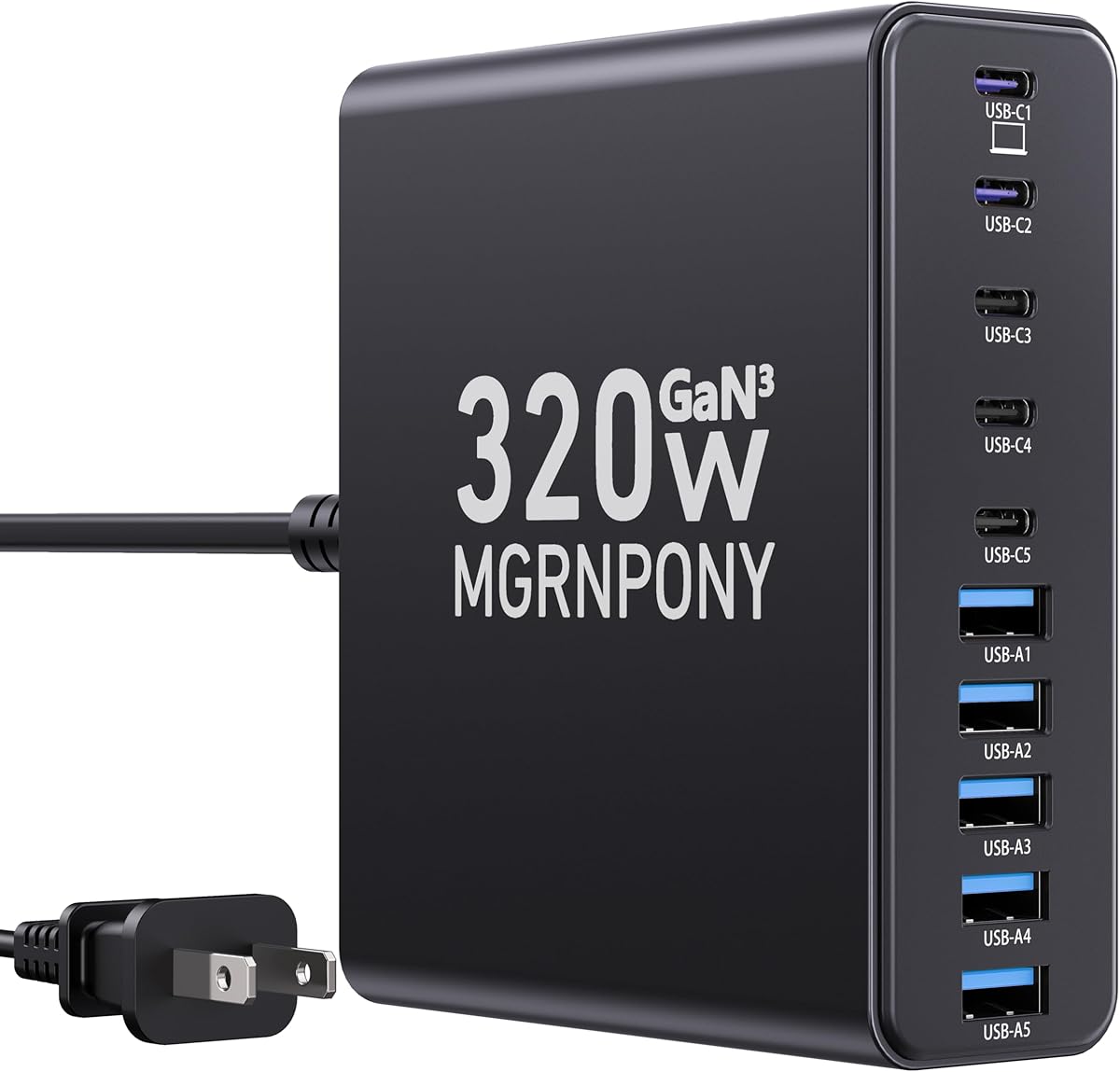
This station uses advanced GaN technology to handle ten devices at once. It offers a balance of power and size making it good for travel. The output supports laptops and phones without significant slowdown.
We may earn a commission when you buy through this link, at no additional cost to you.
IceShield technology monitors temperature millions of times daily to ensure safety. You can place it vertically or horizontally to save space. It is lighter than many competing 10-port models.
It does not include cables so you must buy them separately. The port layout can be confusing at first. However performance remains stable during heavy usage.
Choose this if you want high port count with efficiency. It fits well in bags and on desks. The safety features provide peace of mind for your gear.
Continuous monitoring prevents overheating during heavy use. This protects your devices from heat damage.
Use it vertically or horizontally to fit your space. This adapts to different desk setups.
We may earn a commission when you buy through this link, at no additional cost to you.
This charger features retractable cables to keep your desk clutter-free. It supports eight devices simultaneously with a 105W total output. The design combines a hub with cable management in one unit.
We may earn a commission when you buy through this link, at no additional cost to you.
The retractable cords extend up to 80cm for reach without tangling. GaN tech ensures fast charging speeds even when ports share power. It fits well on nightstands and countertops.
The cables are fixed so you cannot replace them easily if damaged. The mechanism may wear over time with heavy tugging. But it offers a clean look for many users.
Buy this if neatness is a priority for your space. It keeps cords contained and accessible. The fast charging handles daily tasks effectively.
Cords extend to 80cm and retract when not needed. This reduces tangled messes instantly.
Eight ports let you power phones tablets and earbuds together. This reduces outlet usage significantly.
We may earn a commission when you buy through this link, at no additional cost to you.
This station offers a solid mix of power and durability. It delivers 300W across eight ports to handle laptops and phones. The design focuses on stability and ease of use for daily charging.
We may earn a commission when you buy through this link, at no additional cost to you.
Dual 65W ports charge laptops while others handle tablets and phones. The anti-slip pads protect your desk from scratches. It includes cables for immediate setup.
It is not the lightest option for carrying around. The aesthetic is functional rather than stylish. But it performs reliably for standard home use.
Choose this for a dependable daily charger. It keeps your devices organized and safe. The protection systems ensure long-term device health.
Anti-slip pads keep the unit steady on any surface. This prevents accidental slips or scratches.
Dual 65W ports allow charging laptops alongside phones. This supports efficient multi-device workflows.
We may earn a commission when you buy through this link, at no additional cost to you.
Choosing the right station requires looking at power, ports, and design. We break down the main factors to help you decide.
Total wattage determines how many devices you can charge simultaneously without slowing down. Look for stations offering at least 200W if you plan to charge laptops and phones together. Higher wattage ensures each port delivers enough power for fast charging.
Prioritize total output that matches your device needs. If you only have phones a lower wattage works fine but laptops require more.
Ports vary between USB-C and USB-A with modern stations offering a mix. USB-C ports are essential for newer laptops and tablets while USB-A works for older devices. Ensure there are enough ports for all your gear.
Check the port mix carefully to ensure it supports your specific devices. Too few USB-C ports might limit your charging speed for new tech.
Durable materials like flame-retardant ABS ensure safety and longevity. Avoid cheap plastic that may break under weight or heat. A sturdy construction prevents wobbling when cables are plugged in.
Select stations with solid construction and secure slots. This protects your devices from falling and ensures stability on your desk.
Safety systems like overheat and overcharge protection are critical for device health. Look for certifications and built-in safeguards that monitor temperature. These features prevent damage to your gadgets during long charging sessions.
Always choose models with clear safety protocols. This ensures your devices are protected from electrical risks.
The physical layout affects how well the station fits your space. Compact models save room while larger ones offer more ports. Consider whether you need retractable cables or open slots.
Pick a design that suits your desk or nightstand. Proper spacing prevents devices from touching and overheating.
Some stations come with cables and adapters while others do not. A complete kit saves you from buying extras separately. Check what is included in the box before purchasing.
Look for bundles that include necessary cables. This reduces extra costs and ensures you can start using it immediately.
If you need a charging station for travel prioritize lightweight and compact designs. Some hubs have foldable plugs or small dimensions. Others are heavy and meant for fixed use.
Choose based on your usage habits. Heavy units are best for home while light ones suit trips.
Established brands often provide better quality control and support. Check the warranty period and customer service reviews. This adds value and peace of mind for your investment.
Select brands with positive user feedback. A good warranty protects you if the unit fails unexpectedly.
Start by placing the station on a flat stable surface away from direct sunlight. Plug it into a wall outlet and ensure all cables are securely connected to devices. Check that the power switch is on if it has one.
Organize your devices in the designated slots to prevent them from falling. Avoid covering the vents with cables or papers to allow proper airflow. This keeps the unit cool during operation.
Regularly inspect cables for wear and replace them if damaged. Unplug the station when not in use for long periods to save energy. Keep it clean with a dry cloth to prevent dust buildup.
Yes many modern stations support charging both laptops and phones simultaneously. Ensure the model has enough wattage to support your laptop model. USB-C ports with PD support are essential for laptop charging.
Many stations come with cables but check the product description. Some include only specific types like USB-C while others mix them. If your device needs a cable not included you may need to purchase one separately.
Most units have safety features that protect against overcharging. However it is best practice to unplug them if you will not be home. Always check the product manual for specific safety recommendations.
GaN chargers are smaller more efficient and generate less heat. They allow for higher power output in a compact form factor. This makes them ideal for multiple device setups without bulk.
Yes most stations support Android devices via USB-C or USB-A ports. Check the wattage to ensure it meets your phone's fast charging requirements. Universal compatibility is standard for most models.
Yes small USB ports on these stations can charge wireless earbuds. You will need to use the appropriate cable for your specific model. This keeps your small accessories powered alongside your phones.
Check if the USB-C ports support at least 30W. Most iPads charge well with this output. The product description usually lists compatible devices including tablets.
The stations themselves do not adapt to different plug types so you may need a travel adapter. The internal electronics often support 100V to 240V so voltage is usually fine. Confirm with the manual for voltage limits.
We reviewed ten top options including the Anker Prime and Zobirez models. Each offers unique strengths for different needs and budgets. Whether you need power or portability there is a fit.
Prioritize total wattage and port types for your specific devices. Safety and durability are just as important as speed. Choose based on your daily usage patterns.
Prices and availability can change so verify current details before buying. We hope this guide helps you find a reliable solution for your desk. Keep your tech powered and organized with confidence.