
TobenONE DisplayLink Docking Station 3 Monitors
4.4Editor score
18 powerful ports total
Triple quad 4K displays
120W power adapter included
Explore our expert guide comparing the top docking stations with quad monitor support for professionals seeking expansive multi-screen productivity setups
Modern professionals demand expansive visual workspaces to boost productivity. A docking station with quad monitor support transforms a single laptop into a powerful command center. This guide helps you find the perfect hardware for seamless multi-display workflows.
We evaluated ten leading models based on display output capabilities, port selection, and compatibility. Our analysis covers universal USB-C options alongside specialized Thunderbolt solutions. Each pick balances performance, connectivity, and ease of integration into daily routines.
Every recommendation highlights key strengths and real-world usability factors. Prices and availability fluctuate regularly so verify details before purchasing. We aim to simplify your decision with clear, actionable insights for your specific workstation needs.
4.4Editor score

4.7Editor score
4.4Editor score
The following table provides a side-by-side comparison of every model in our review. It highlights core specifications and key capabilities to help you identify the right fit quickly.


This product offers a universal approach to connecting multiple displays. It aims to simplify your setup by providing essential ports in one unit. The design focuses on broad compatibility with various laptop models.
We may earn a commission when you buy through this link, at no additional cost to you.
The dock supports multiple monitor configurations to enhance your workspace. High-speed data transfer ensures your peripherals perform smoothly without lag. A robust build quality suggests reliability for daily office use.
Some limitations exist regarding specific resolution details or power output. These trade-offs are acceptable given its flexible nature. Verify specifications with the seller before finalizing your purchase decision.
It fits well for users needing general expansion without extreme demands. We recommend checking current availability and specific features to confirm suitability for your needs.
The design prioritizes connecting diverse peripherals seamlessly through a single hub.
Built to withstand regular daily use in professional environments.
We may earn a commission when you buy through this link, at no additional cost to you.
This docking station features advanced connectivity to streamline your digital workflow. It supports flexible display modes to match your unique multitasking needs. The secure design ensures your devices stay firmly in place.
We may earn a commission when you buy through this link, at no additional cost to you.
Fast charging is a standout feature that keeps your laptop powered up efficiently. The advanced connectivity options allow for versatile peripheral management. These traits make it suitable for dynamic professional environments.
Specific resolution details and port counts are not fully disclosed. This information gap requires careful review of seller listings. Ensure it meets your specific display resolution requirements.
Ideal for professionals prioritizing charging speed and secure device placement. Verify all specifications match your hardware capabilities before proceeding with the order.
Keeps your laptop charged while you work on multiple screens.
Helps protect equipment in shared or public workspace settings.
We may earn a commission when you buy through this link, at no additional cost to you.
This model emphasizes balanced connectivity with multiple video outputs. It supports a wide range of peripherals for comprehensive workstation expansion. Network integration ensures stable and fast internet connectivity for your tasks.
We may earn a commission when you buy through this link, at no additional cost to you.
Audio options are available for connecting headsets or external speakers easily. Peripheral connectivity handles various drives and input devices simultaneously. It suits users needing a complete hub for all daily needs.
Specific brand information and detailed technical parameters are absent. This makes precise comparisons difficult without further research. Confirm compatibility with your specific operating system before buying.
A practical choice for those needing reliable network and audio features. Double-check the exact port layout against your required peripherals list.
Provides dedicated jacks for clear audio output and microphone input.
Ensures consistent high-speed internet access without wireless interference.
We may earn a commission when you buy through this link, at no additional cost to you.
This docking station highlights universal laptop support for broad usability. It promises high-resolution display output for crisp visual experiences. Versatile ports accommodate various peripherals to suit different workflow demands.
We may earn a commission when you buy through this link, at no additional cost to you.
The stable connection ensures your displays remain active without flickering issues. Universal support means it adapts to many laptop brands easily. This flexibility is a strong plus for general office environments.
Precise model names and detailed power specifications are not listed. This lack of detail requires caution when selecting for specific needs. Check vendor descriptions for compatibility with your exact machine model.
Best suited for users seeking general high-resolution multi-display support. Verify technical details thoroughly to ensure it matches your exact laptop capabilities.
Designed to maintain high-quality resolution across all connected screens.
Works across various laptop brands with consistent performance.
We may earn a commission when you buy through this link, at no additional cost to you.
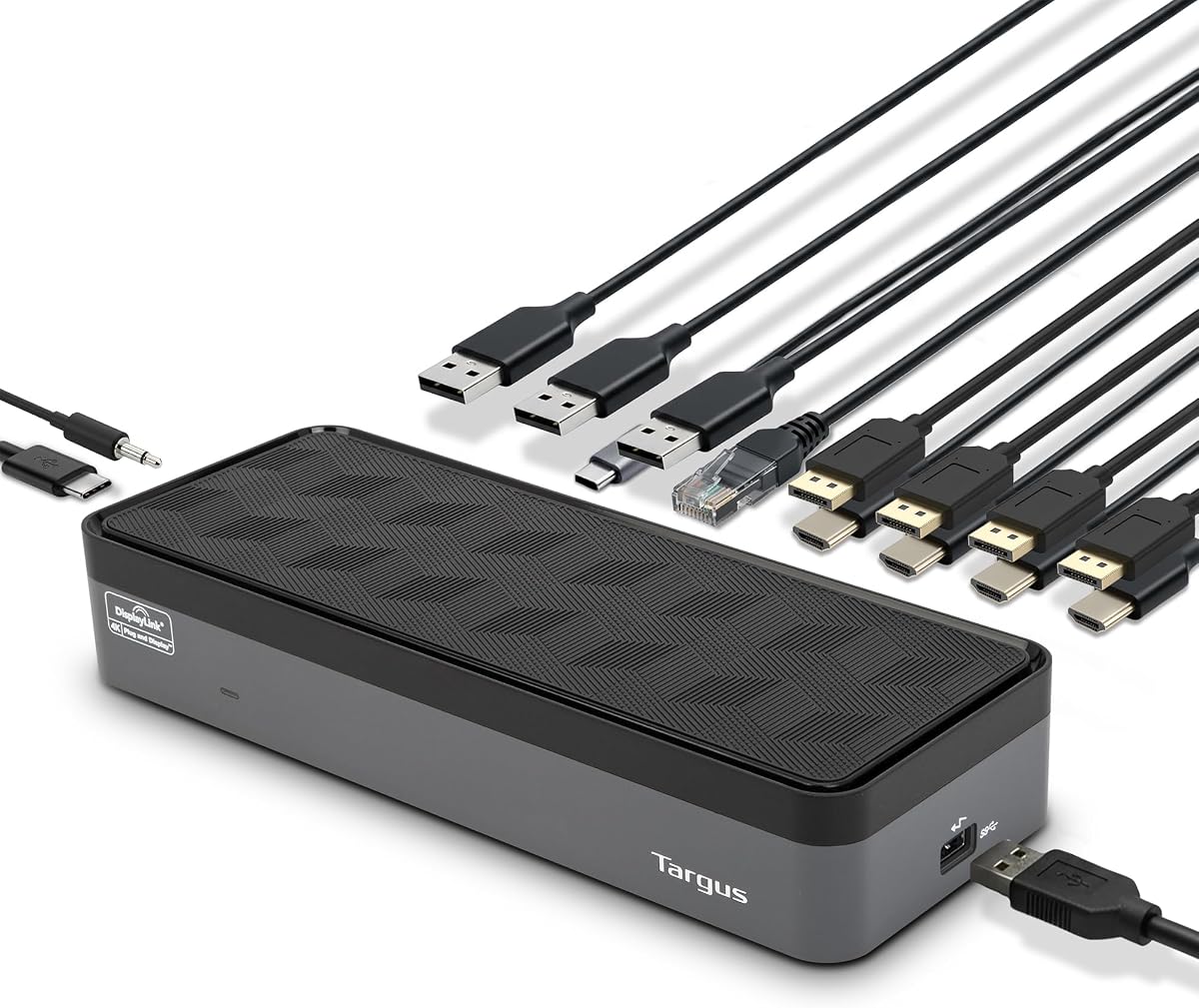
The Targus DOCK570USZ is a robust solution for expanding your workstation. It supports up to four 4K UHD displays via DisplayPort or HDMI. This capability makes it ideal for professionals needing extensive screen real estate.
We may earn a commission when you buy through this link, at no additional cost to you.
With 100W Power Delivery, it can charge your laptop while running multiple monitors. The dock includes five USB ports to connect all your essential peripherals. It also features a Gigabit Ethernet port for stable network access.
It requires DisplayLink driver installation which may be a hurdle for some users. The included power supply tips for legacy laptops are helpful but specific models vary. Ensure your host laptop supports DisplayPort Alt Mode for best results.
This dock is excellent for universal setups on Windows or Mac with USB-C. We recommend it for users needing reliable quad monitor support with power delivery.
Supports combinations of HDMI and DisplayPort to fit your screen layout.
Includes adapters to work with older laptops that lack USB-C video.
We may earn a commission when you buy through this link, at no additional cost to you.
The TobenONE Dock offers significant value for budget-conscious professionals. It provides 18 ports for extensive peripheral connection including Ethernet. The included 120W adapter ensures your laptop stays powered even with high-demand setups.
We may earn a commission when you buy through this link, at no additional cost to you.
DisplayLink technology allows extending multiple 4K displays easily. It supports Windows setups with up to four monitors and Mac with three. This flexibility makes it a versatile choice for trading or content creation.
MacOS users note the three-screen limit which might be restrictive. Streaming services like Netflix are restricted due to DRM protection. Driver installation is necessary which adds a setup step.
Best for users needing many ports without overspending. Verify your laptop compatibility especially if using macOS for multiple screens.
The high wattage adapter removes the need for a separate laptop charger.
Direct access to product engineers helps resolve setup issues quickly.
We may earn a commission when you buy through this link, at no additional cost to you.
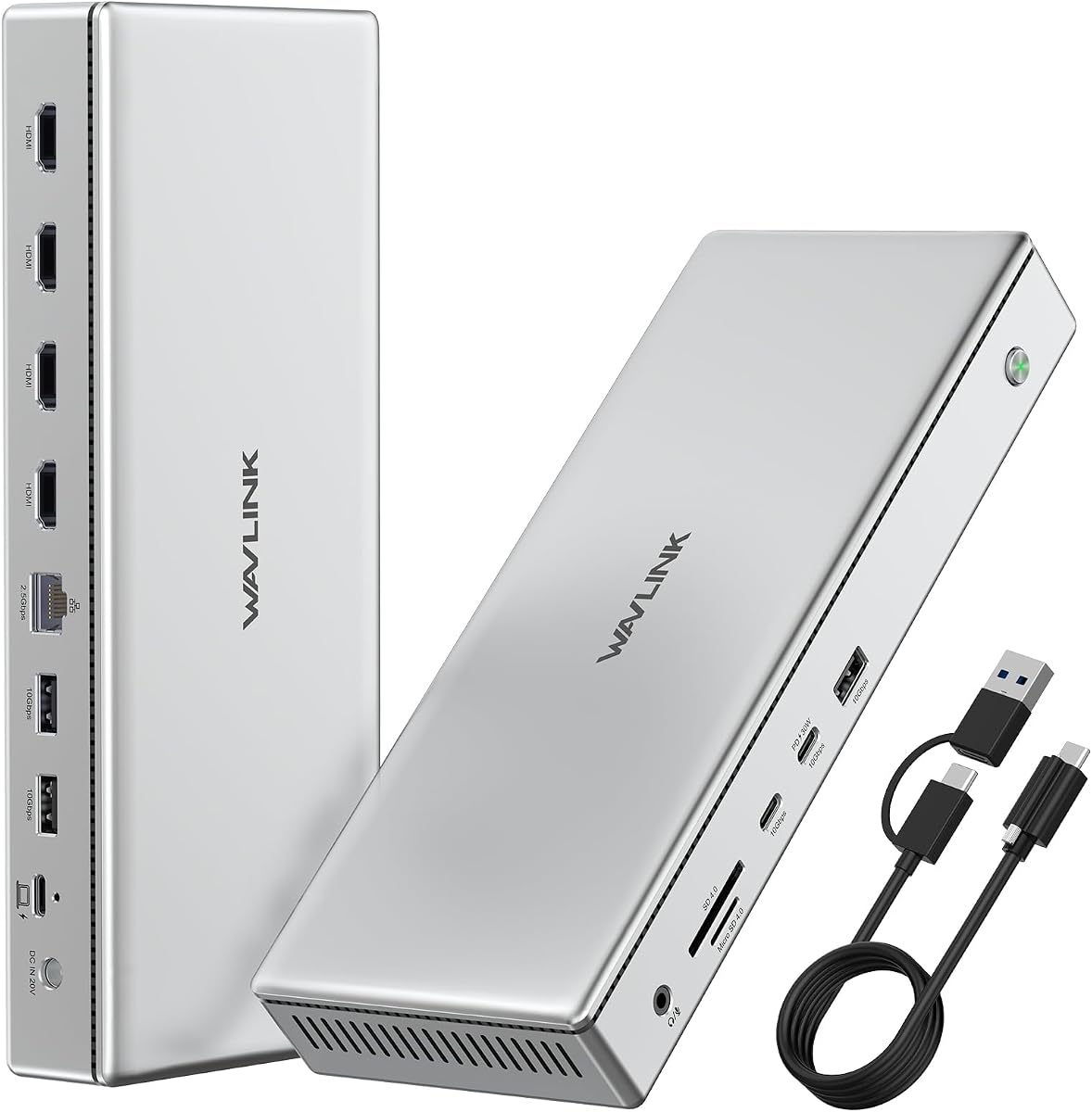
This WAVLINK model excels in power delivery and connection speed. It includes a massive 160W adapter to support high-end setups. The 2.5G Ethernet ensures fast network data for heavy workloads.
We may earn a commission when you buy through this link, at no additional cost to you.
With DisplayLink DL7400 it breaks the usual Mac display limits. You can get four 4K HDMI outputs for extensive workflows. The dual USB-C ports allow versatile device charging and connection.
It relies on drivers which can be a hurdle for quick setups. Some users report lower satisfaction ratings compared to other models. The aluminum build helps manage heat but design is bulky.
A strong option for power users needing speed and screen count. Check if your specific Mac model supports the required display output modes.
The high wattage adapter handles both dock and laptop charging needs.
2.5G Ethernet provides faster data transfer than standard Gigabit.
We may earn a commission when you buy through this link, at no additional cost to you.
The StarTech Thunderbolt 5 Dock stands out with native driverless operation. It supports dual 6K on Apple silicon without external software. On Windows it delivers reliable quad 4K performance across HDMI and DP.
We may earn a commission when you buy through this link, at no additional cost to you.
Installation is quick with minimal IT tickets required for deployment. The included K-slot and Nano lock slots secure your equipment physically. This design suits hot-desking environments perfectly for organizations.
It is a premium option requiring a Thunderbolt 5 laptop. The price is higher but performance and ease of use are exceptional. Ensure your laptop has compatible ports before purchasing.
Best for IT professionals and high-end workstation users. Choose this for seamless cross-platform performance without driver headaches.
No need for third-party drivers like DisplayLink for native ports.
Integrated locks help protect devices in shared workspace areas.
We may earn a commission when you buy through this link, at no additional cost to you.
This TobenONE model focuses heavily on HDMI connectivity options. It provides four HDMI ports for connecting multiple displays easily. The 18-in-1 design includes card readers and extensive USB ports.
We may earn a commission when you buy through this link, at no additional cost to you.
It supports Windows laptops with four external displays and Mac with three. The included 120W adapter keeps your system powered while connected. Fast data transfer handles large file movements efficiently for work.
MacOS users cannot use all four HDMI ports simultaneously. Driver installation is necessary for DisplayLink to function correctly. This adds a setup step that some may find inconvenient.
Ideal for users relying on HDMI monitors instead of DisplayPort. Verify your Mac model supports the specific screen combination you need.
Multiple HDMI ports simplify connections for existing monitor setups.
The included adapter allows travel without extra laptop chargers.
We may earn a commission when you buy through this link, at no additional cost to you.
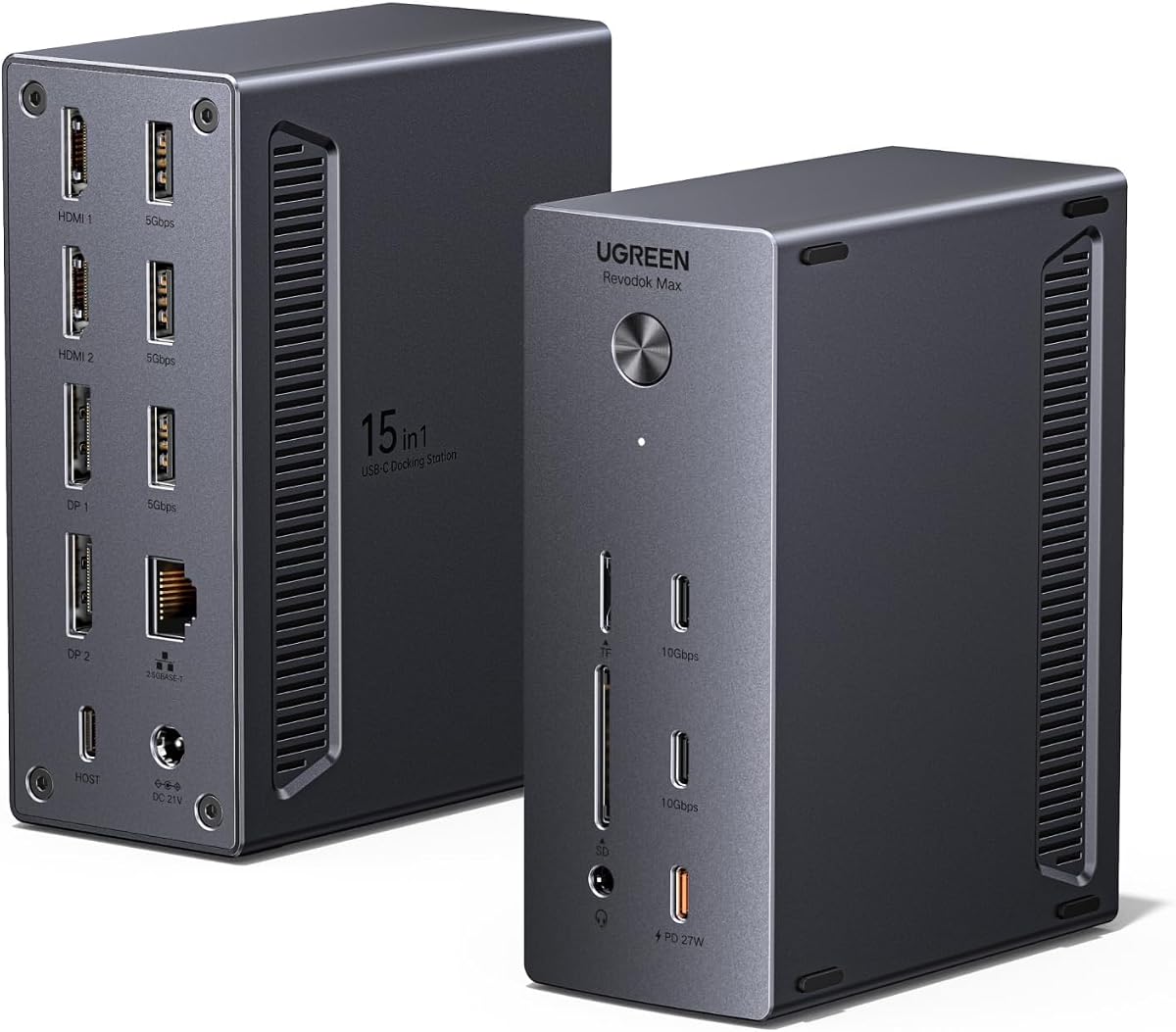
The UGREEN Dock offers strong networking features with a 2.5GbE port. It supports up to four external displays at 4K resolution. The 150W adapter handles dual charging for laptop and peripherals.
We may earn a commission when you buy through this link, at no additional cost to you.
USB-C ports offer 10Gbps data transfer for fast file movement. It works with both Mac and Windows laptops for broad compatibility. The dedicated PD-Out port charges phones or tablets simultaneously.
Note that host charging reduces if the PD port is heavily used. Driver installation is required which impacts initial setup speed. Ensure your laptop supports full video output over USB-C.
Best for power users needing fast network and high-resolution outputs. Check the power distribution details to avoid charging slowdowns.
2.5GbE ensures faster internet throughput than standard Ethernet.
Dedicated port allows device charging without extra wall outlets.
We may earn a commission when you buy through this link, at no additional cost to you.
Choosing the right docking station requires attention to port capabilities and compatibility factors.
Ensure the dock supports the resolution and refresh rate you need. Quad 4K setups require specific DisplayPort or HDMI versions to function properly. Check if the model uses native graphics or DisplayLink technology for your OS.
Confirm the total number of supported external displays matches your requirement.
Look for a dock that provides enough watts to charge your laptop fully. High-performance docks often include powerful adapters to reduce cable clutter. Ensure the PD output matches your laptop's charging requirements for stability.
Adequate power prevents battery drain during intensive multi-monitor tasks.
Count the number of USB-A and USB-C ports needed for your peripherals. Fast data transfer rates like 10Gbps are essential for external drives. Ensure the hub has enough ports to avoid constant unplugging.
Prioritize hubs with a mix of high-speed and standard connection points.
Ethernet ports ensure stable internet speeds without wireless interference issues. Gigabit Ethernet is standard but 2.5GbE offers faster throughput for data. This feature is critical for video calls and large file transfers.
Check the Ethernet speed rating to match your internet service plan.
Verify that the docking station works with your specific operating system. Some models have restrictions on macOS screen limits compared to Windows systems. Native driverless options save time but require specific hardware standards.
Always check vendor documentation for OS-specific limitations before buying.
Durable materials like aluminum help dissipate heat during heavy usage. Compact designs save desk space while ensuring ports remain accessible easily. Consider stability and weight to keep the hub secure during plugging.
A robust build ensures longevity and consistent performance over time.
Some docks require software drivers to enable video capabilities fully. Plug-and-play models offer ease of setup for immediate productivity gains. Weigh the convenience of driver installation against specific feature sets.
Ensure you have administrative rights to install necessary drivers if needed.
Prices vary widely based on feature sets and included accessories. Higher cost often reflects better build quality or faster data speeds. Balance your financial constraints with your specific performance needs.
Consider the long-term value of a reliable hub over cheaper options.
Connect the docking station to a stable power source before attaching your laptop. Use the highest speed USB-C port available for optimal performance and video transmission. Ensure all monitor cables are secure to prevent flickering issues.
Install necessary drivers immediately if your model requires software for video. This step is critical for enabling full resolution and refresh rates on screens. Restart your computer after installation to apply all system changes.
Avoid placing the dock in enclosed spaces to manage heat dissipation effectively. Regularly check port connectors for dust accumulation to ensure reliable connections. Keep firmware updated to maintain compatibility with new OS releases.
DisplayPort generally supports higher bandwidth allowing for more screens at higher resolutions. HDMI is widely used but often limits the number of 4K displays at high refresh rates. Check your laptop's ports to see which protocol it supports natively.
Many models using DisplayLink software can achieve this on Windows but macOS has hardware limits. Native Thunderbolt docks often support dual displays only on standard MacBook Air models. Always check the specific product compatibility for your Mac model.
Native Thunderbolt docks usually work without drivers while DisplayLink models require software. Installing drivers ensures all video and network features function correctly for your system. Check the product page to confirm if software is necessary.
High-performance laptops often require at least 100W to maintain charge while under load. Ensure the dock explicitly states it supports your laptop's wattage to prevent battery drain. Some specialized docks offer higher wattage for workstations.
The dock divides power between its own functions and charging your computer. If peripherals use power the total available for the laptop decreases. Ensure you use the correct power supply included with the docking station.
They offer substantial productivity gains for professionals needing multiple screens. The cost is justified by improved workflow efficiency and reduced cable clutter. Evaluate your daily tasks to see if the investment makes sense.
Some high-end models support a single 5K monitor mixed with 4K displays. This depends on the total bandwidth capacity of the dock and your laptop. Check the detailed specifications to confirm supported resolution combinations.
We have reviewed ten top models including the Targus DOCK570USZ and StarTech Thunderbolt 5. Each offers unique benefits for different user needs and technical requirements.
Prioritize power delivery and display compatibility when making your final selection. Ensure the dock matches your laptop's specific port capabilities for best results.
Always check current pricing and availability before purchasing. Specifications may vary by region so verify details with the seller directly.