
MSI H270 Gaming PRO Carbon
4.0Editor score
Supports 6th and 7th Gen Intel processors
Includes Mystic Light RGB synchronization features
Features Audio Boost 4 with Nahimic 2
Explore our comprehensive guide comparing the top H270 motherboards for performance, features, and value in 2026 to find your ideal match.
Choosing the right H270 motherboard is crucial for building a stable and efficient system. These boards support 6th and 7th gen Intel processors, offering solid connectivity and expansion options for various users.
We compared ten real products based on their features, connectivity options, and build quality. This list covers major brands and specific models to help you navigate the available choices for your next PC build.
Each pick highlights key strengths and potential trade-offs found in the product data. Note that prices and availability can change frequently, so always verify details before making your final purchase decision.
4.0Editor score

4.4Editor score

4.2Editor score
This side-by-side comparison reviews all ten selected motherboards to highlight their distinct specifications and intended use cases for potential buyers.




The ASRock H270 PRO4 offers a dependable foundation for systems using 6th generation Intel processors. It supports dual channel DDR4 memory and includes essential expansion slots for general computing needs.
We may earn a commission when you buy through this link, at no additional cost to you.
It features a standard ATX layout with two PCIe 3.0 x16 slots and three PCIe 3.0 x1 slots. The storage configuration is robust with six SATA3 ports and one Ultra M.2 slot supporting both PCIe and SATA modes.
While it lacks advanced aesthetic features like RGB lighting, it focuses on core functionality and reliability. This makes it a practical choice for users who prioritize performance and connectivity over visual customization.
Buyers looking for a straightforward H270 board that supports essential hardware configurations should consider this model. It delivers consistent performance without unnecessary extras that might drive up the cost.
The inclusion of six SATA3 ports plus an Ultra M.2 slot provides excellent flexibility for storing multiple drives and high-speed storage.
It supports 6th generation Intel Core processors on the LGA 1151 socket, ensuring compatibility with a wide range of budget to mid-tier CPUs.
We may earn a commission when you buy through this link, at no additional cost to you.
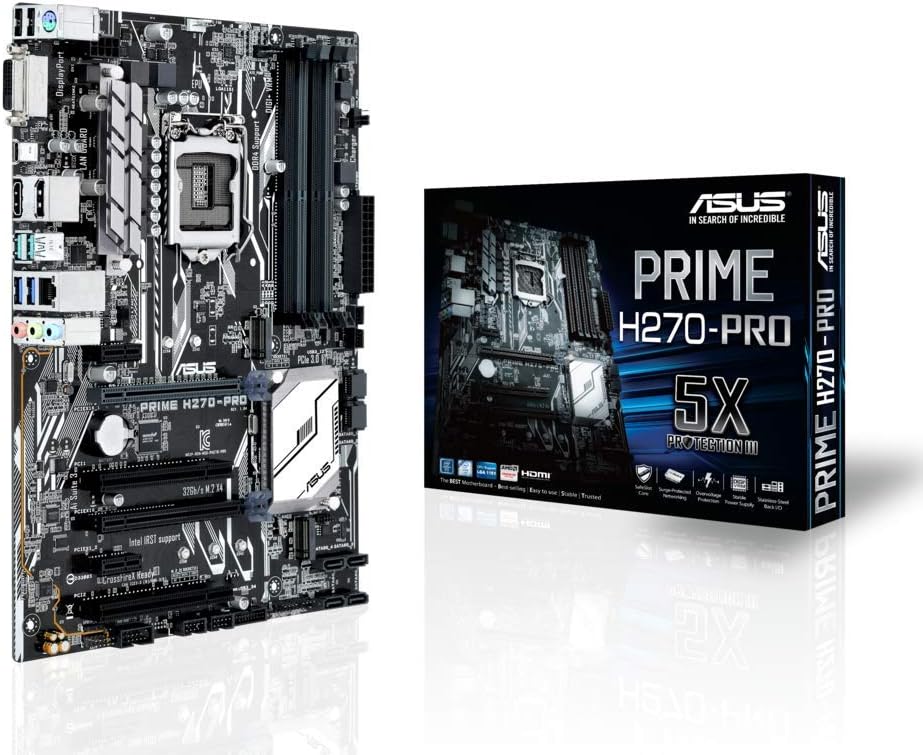
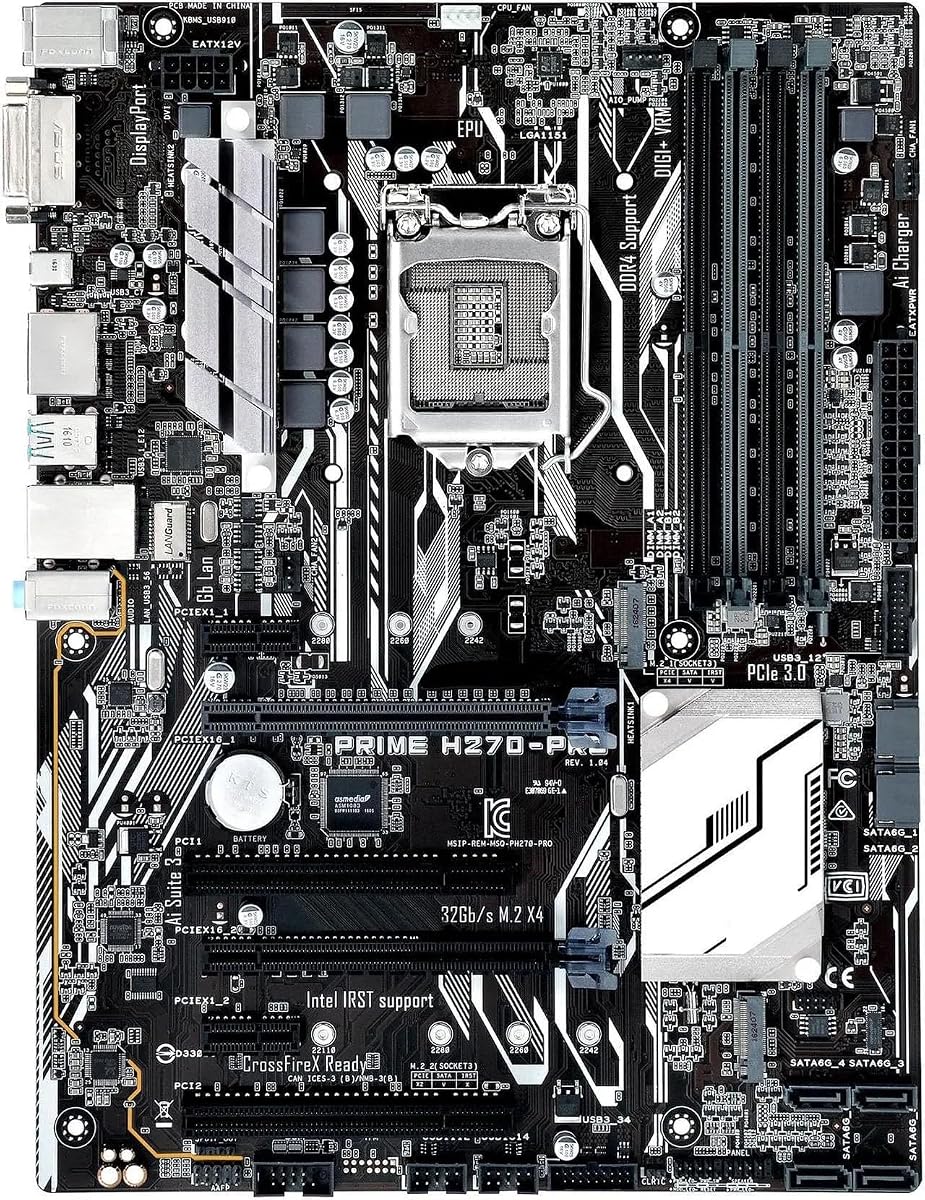
The Asus Prime H270-PRO delivers a feature-rich experience with support for up to 64GB of dual channel DDR4 memory. It targets users who need strong connectivity and durability in their system build.
We may earn a commission when you buy through this link, at no additional cost to you.
Its rear panel offers a wide variety of ports including USB 2.0, 3.0, 3.1 Type A and Type C. The board also includes 5X Protection III to safeguard components against hardware issues during operation.
The LGA1151 socket supports both 6th and 7th generation Intel Core processors, offering upgrade flexibility. However, the cost is higher compared to basic H270 models which may not justify the features for all users.
This board is recommended for builders who need high memory limits and modern connectivity options. If you value protection and specific port types, this model stands out in the comparison list.
The inclusion of USB 3.1 Type-C ensures you can connect modern devices with faster data transfer speeds than older USB standards.
5X Protection III provides hardware-level safeguards that help extend the life of your components and system stability.
We may earn a commission when you buy through this link, at no additional cost to you.
The ASUS ROG Strix H270F is designed with gamers in mind, offering specialized features like SupremeFX audio and AURA Sync RGB. It provides dual M.2 slots for high-speed storage configurations.
We may earn a commission when you buy through this link, at no additional cost to you.
It features FanXpert 4 for optimized cooling and Safe Slot technology to protect against heavy GPUs. The board supports Intel Optane Memory compatibility which helps improve system response times significantly.
The 8-channel HD audio is driven by Japanese capacitors, delivering a premium sound experience. While it supports 7th and 6th gen processors, the focus is clearly on performance and aesthetics.
If you are building a gaming rig and care about audio and lighting, this board is a strong contender. It balances high-end features with reliable hardware protections for demanding applications.
The ROG exclusive SupremeFX S1220A codec with Japanese capacitors ensures crystal clear sound for immersive gaming and media consumption.
FanXpert 4 provides dynamic fan calibration to keep system temperatures low even during intense gaming sessions.
We may earn a commission when you buy through this link, at no additional cost to you.
The MSI H270 Gaming PRO Carbon offers a cost-effective entry into the H270 market with gaming-oriented features. It supports 6th and 7th generation Intel Core processors efficiently.
We may earn a commission when you buy through this link, at no additional cost to you.
Features include DDR4 boost, Mystic Light sync for RGB customization, and Audio Boost 4 with Nahimic 2. It also comes with Gaming LAN protection to help ensure stable network connections.
While it is cheaper than many competitors, the build and feature set are balanced to keep costs down. This makes it a good option for users who want some gaming features without a high price tag.
For budget-conscious builders looking for a solid H270 board with essential gaming tech, this model is worth considering. It provides good value for the price in the lower cost segment.
Mystic Light sync allows you to control RGB lighting across compatible devices for a unified look in your system.
Gaming LAN with LAN protect helps prevent network interruptions during online gaming or streaming.
We may earn a commission when you buy through this link, at no additional cost to you.
The ASUS Prime H270-PLUS stands out with one of the highest ratings in this lineup. It features dual M.2 slots with Intel Optane Memory compatibility for versatile storage solutions.
We may earn a commission when you buy through this link, at no additional cost to you.
It includes 5X Protection III for hardware-level safeguards and FanXpert 2 PLUS for advanced fan control. The board also supports USB 3.0 on the front panel for convenient device access.
Safe Slot Core technology helps prevent damage from heavy GPUs, adding to its durability. The inclusion of 3D-printing mounts allows for unique customization options on the board.
This model is ideal for users who want a balance of protection, storage, and stability. It is a robust choice for those who prioritize longevity and reliability in their builds.
Dual M.2 slots enable you to run multiple high-speed drives simultaneously for faster load times.
3D-printing mounts let you add personalized parts to your build without modifying the board directly.
We may earn a commission when you buy through this link, at no additional cost to you.
The GIGABYTE GA-H270 Gaming 3 supports 2-Way Crossfire graphics, allowing for multi-GPU setups. It includes USB 3.1 Type-C for modern connectivity options.
We may earn a commission when you buy through this link, at no additional cost to you.
With four DIMM slots, it supports dual channel DDR4 memory efficiently. It also features Killer E2500 Gaming Networks to manage bandwidth and ensure stable connections.
The board is designed to support both 7th and 6th generation Intel Core processors. It balances gaming features with standard H270 capabilities for general use.
If you need Crossfire capabilities and USB-C, this is a solid choice. It offers a reliable option for gamers who want more than just basic functionality.
Killer E2500 prioritizes gaming traffic to reduce latency and lag during online play.
2-Way Crossfire support enables pairing two GPUs for better visual performance in supported games.
We may earn a commission when you buy through this link, at no additional cost to you.
This item is a specialized replacement motherboard designed to resolve contact issues on the ASUS Prime H270-PRO. It is not a standard new model but a fix for damaged components.
We may earn a commission when you buy through this link, at no additional cost to you.
It features an optimized power layout and advanced heatsink design to improve stability. The product claims to deliver reliable performance even under heavy loads by replacing old parts.
Troubleshooting recommendations suggest restoring factory settings or cleaning contacts if issues persist. It targets users needing a repair solution rather than a standard build purchase.
Use this product if you have specific issues with your existing board that need resolution. It provides a way to restore functionality without buying a completely new system.
Designed specifically to replace chips damaged by poor contact or short circuits.
The layout boosts multi-core processor performance for smooth high-load tasks.
We may earn a commission when you buy through this link, at no additional cost to you.
This general performance H270 motherboard supports 1151 socket CPUs like the i5-7400 and i3-7300. It includes M.2 connectivity for modern storage needs.
We may earn a commission when you buy through this link, at no additional cost to you.
It supports up to 64GB of DDR4 memory which allows for substantial multitasking capabilities. The ATX form factor ensures it fits in standard cases.
There are limited technical details available for this specific unit. It appears to be a straightforward option for basic system builds.
If you need a basic H270 board with standard CPU support, this may work. It offers essential features for entry to mid-level performance needs.
Supports Intel processors in the 6th and 7th generation range for standard compatibility.
We may earn a commission when you buy through this link, at no additional cost to you.
This H270 motherboard provides support for LGA 1151 sockets and DDR4 memory up to 64GB. It is a basic offering with few listed features.
We may earn a commission when you buy through this link, at no additional cost to you.
It targets users who need a simple solution for their PC build. The 64GB capacity ensures it can handle larger memory requirements.
Lack of detailed specifications makes it hard to assess specific performance features. It serves as a generic option in the H270 market.
Consider this if you just need a standard board without extra features. It is likely intended for minimal setup requirements.
Provides standard connectivity and memory support for everyday computing tasks.
We may earn a commission when you buy through this link, at no additional cost to you.
The H270-PLUS motherboard supports a range of 6th generation CPUs including i3 and i5 models. It includes M.2 and DDR4 support for modern storage needs.
We may earn a commission when you buy through this link, at no additional cost to you.
It fits in standard ATX cases and provides up to 64GB of memory capacity. This makes it suitable for general use and basic tasks.
Like other generic entries, detailed specifications are sparse in the product data. It is likely positioned as a low-cost alternative.
If you need a basic board for an older or entry level CPU, this is a candidate. It offers the fundamentals needed for a functional system.
Designed for standard 6th gen Intel processors with basic connectivity options.
We may earn a commission when you buy through this link, at no additional cost to you.
Selecting the right H270 motherboard requires understanding your specific needs and the features each board offers.
Ensure the motherboard supports the 6th or 7th generation Intel Core processors you plan to use. The LGA 1151 socket is standard but verification is essential.
Always check the product details to confirm compatibility with your specific CPU model before purchase.
Most H270 boards support DDR4 memory but capacities can vary. Look for dual channel support and maximum capacity limits like 64GB.
Choose a board that meets your RAM needs for gaming or multitasking.
Modern boards should offer M.2 slots for high-speed drives. Check if the M.2 slot supports both SATA and PCIe modes for flexibility.
More SATA3 ports allow for additional traditional hard drives or SSDs.
PCIe slots are vital for GPUs and other add-on cards. Verify the number and type of slots available for your expansion needs.
Ensure you have enough room for your graphics card and any other peripherals.
Look for essential USB ports including 3.0 and 3.1. Some boards include Type-C connectors which are becoming standard.
Check for HDMI or DisplayPort options if you plan to use integrated graphics.
Gaming boards often include enhanced LAN features like LAN protect or specific chips. These help ensure stable connections during online activities.
Standard Ethernet is sufficient for most general users.
Higher-end boards feature better audio codecs and capacitors. If you use onboard sound, look for dedicated audio features.
Basic boards may be adequate for casual listening.
Features like 5X Protection or Safe Slots add durability. They protect against common issues like static or heavy GPU weight.
Invest in boards with hardware safeguards for long-term reliability.
Install your motherboard in a clean static-free area to prevent damage to sensitive components. Follow the manufacturer manual for proper screw placement.
Regularly clean dust from the heatsinks and fans using compressed air. This helps maintain optimal cooling performance.
Keep your BIOS updated to ensure compatibility with new CPUs and improved stability. Check the manufacturer website for the latest versions.
Yes, H270 motherboards offer solid support for 6th and 7th generation Intel processors. They provide the necessary slots and features for gaming setups without the need for overclocking.
Generally no, H270 chipsets do not support CPU overclocking. If you plan to overclock, you would need a Z270 board or a similar high-end chipset instead.
Most H270 boards support up to 64GB of DDR4 memory. However you should always check the specific motherboard manual for the exact capacity limits.
Yes many H270 motherboards include M.2 slots that support PCIe NVMe SSDs. This allows for much faster storage speeds than traditional SATA drives.
They support 6th and 7th generation Intel Core processors on the LGA 1151 socket. This includes Core i3, i5, i7 and Pentium or Celeron models.
Yes the solid connectivity and memory support make them suitable for workstations. They handle multiple tasks well though they lack some enterprise features.
Most models in this list are ATX form factor. Some may offer smaller variants but ATX is standard for these types of boards.
It depends on your preference. Some boards offer AURA or Mystic Light sync for customization. It adds visual appeal but does not affect performance.
Our top picks highlight the range of options available from budget-friendly models to premium choices with advanced features.
Focus on the specific features you need such as M.2 support or USB-C rather than just the brand name.
Always check current prices and availability before buying as the market changes frequently.