
Brother HL-L2405W
4.1Editor score
Compact wireless design
Manual feed slot
Affordable entry price
Find the best laser printer with envelope feeder for your office. We compare top models on speed, connectivity, and paper handling for reliable mailing.
Finding a laser printer with envelope feeder capability is essential for businesses that handle regular mailings. These devices ensure crisp text and reliable feeding for various paper sizes without jams or misalignment issues.
We evaluated ten top-rated models based on print quality, connection options, and specific envelope handling features. Our analysis focuses on reliability, speed, and ease of use for home offices and small teams alike.
Each selection highlights unique strengths like duplex printing or mobile app support. Note that product details and availability may change over time, so verify current specs before purchasing your next office device.
4.1Editor score

4.3Editor score

4.5Editor score
This side-by-side comparison outlines key specifications for each model to help you choose the right fit for your mailing and printing needs efficiently.





The Brother HL-L2405W stands out as a budget-friendly option for those needing reliable mono printing with envelope capabilities. It delivers sharp black and white text at speeds up to 30 pages per minute. Its compact design fits easily into small home offices without taking up much desk space.
We may earn a commission when you buy through this link, at no additional cost to you.
This model features a manual feed slot that handles envelopes and specialty paper effectively. You can connect via dual-band wireless or USB for flexibility across devices. The Brother Mobile Connect app lets you manage printing tasks remotely and track toner usage efficiently.
While it lacks automatic duplex printing to save paper, the single-sided printing is fast and consistent. The absence of an automatic document feeder means you must scan manually if needed. However, for basic printing needs including mailing, it performs reliably without constant maintenance.
Ideal for home users or small offices with limited budgets, this printer handles daily tasks well. Choose it if you prioritize cost efficiency and envelope support over advanced multifunction features. It is a solid entry point into professional laser printing solutions.
The manual feed slot accepts various envelope sizes ensuring smooth feeding without jams during batch mailing tasks.
Connect wirelessly to smartphones and tablets to print documents directly from your mobile device with ease.
We may earn a commission when you buy through this link, at no additional cost to you.
The Brother MFC-L5915DW is a powerhouse for busy offices needing fast monochrome output. It prints up to 50 pages per minute ensuring productivity never stalls during peak hours. With a 70-page auto document feeder, scanning and copying large batches is streamlined efficiently.
We may earn a commission when you buy through this link, at no additional cost to you.
This all-in-one device supports flexible connectivity including Ethernet and dual-band Wi-Fi for stable network sharing. Automatic two-sided printing helps reduce paper usage significantly. The low-cost output options with high-yield toner cartridges keep operating expenses manageable over time.
While its size is larger than compact models, the performance justifies the footprint for professional environments. The focus on speed and volume means it might be overkill for minimal home users. However, for consistent daily workloads, reliability is high.
Choose this model if you require high-volume printing and scanning capabilities daily. It excels in professional settings where speed and efficient paper handling are critical. The built-in Ethernet ensures reliable connections for shared office networks.
Print speeds of 50 pages per minute keep workflows moving quickly without waiting for long documents to finish.
Auto 2-sided printing reduces paper waste and helps maintain organized stacks of professional output documents.
We may earn a commission when you buy through this link, at no additional cost to you.
The Brother HL-L2460DW offers an excellent balance of speed and compact design for home offices. It prints at up to 36 pages per minute which is quite fast for its size. Automatic duplex printing saves paper and time when printing multi-page documents regularly.
We may earn a commission when you buy through this link, at no additional cost to you.
Connectivity options include dual-band wireless for stable connections to computers and mobile devices. The manual feed slot supports envelopes and specialty paper for mailing needs. Using the Brother Mobile Connect app helps manage supplies and print jobs remotely with ease.
While it lacks scanning capabilities, it excels at dedicated printing tasks without wasting desk space. The small footprint makes it ideal for tight workspaces. However, users needing scanning functions might look elsewhere for all-in-one solutions.
Select this printer if you prioritize fast single-function printing with duplex features. It suits home offices that need reliable output for documents and envelopes. The wireless setup makes it easy to integrate into existing networks smoothly.
Its compact build ensures it fits neatly on a desk without crowding your workspace or limiting movement.
Automatic two-sided printing reduces paper consumption and delivers professional double-sided documents effortlessly.
We may earn a commission when you buy through this link, at no additional cost to you.
The HP LaserJet MFP M234sdw is tailored for small teams needing versatile print, scan, and copy functions. It delivers professional-quality black and white output with speeds up to 30 pages per minute. The auto document feeder handles multi-page scanning efficiently for office tasks.
We may earn a commission when you buy through this link, at no additional cost to you.
Features include dual-band Wi-Fi with self-reset to resolve connectivity issues automatically. Security features protect your device from potential cyber threats ensuring safe data handling. The HP Smart app allows scanning to cloud services and printing directly from smartphones easily.
While the paper capacity is modest, it serves small volume needs well without constant refills. The focus on security and ease of use makes it a reliable choice for shared environments. However, larger offices might find the speed limiting for heavy workloads.
Opt for this model if you want a multifunction printer designed for collaboration. Its combination of speed, security, and app integration supports modern office workflows. The wireless setup ensures everyone in the team can print seamlessly.
The HP Smart app simplifies repetitive tasks and lets you print or scan from any mobile device easily.
The auto document feeder supports hands-free scanning and copying of multi-page documents without manual intervention.
We may earn a commission when you buy through this link, at no additional cost to you.
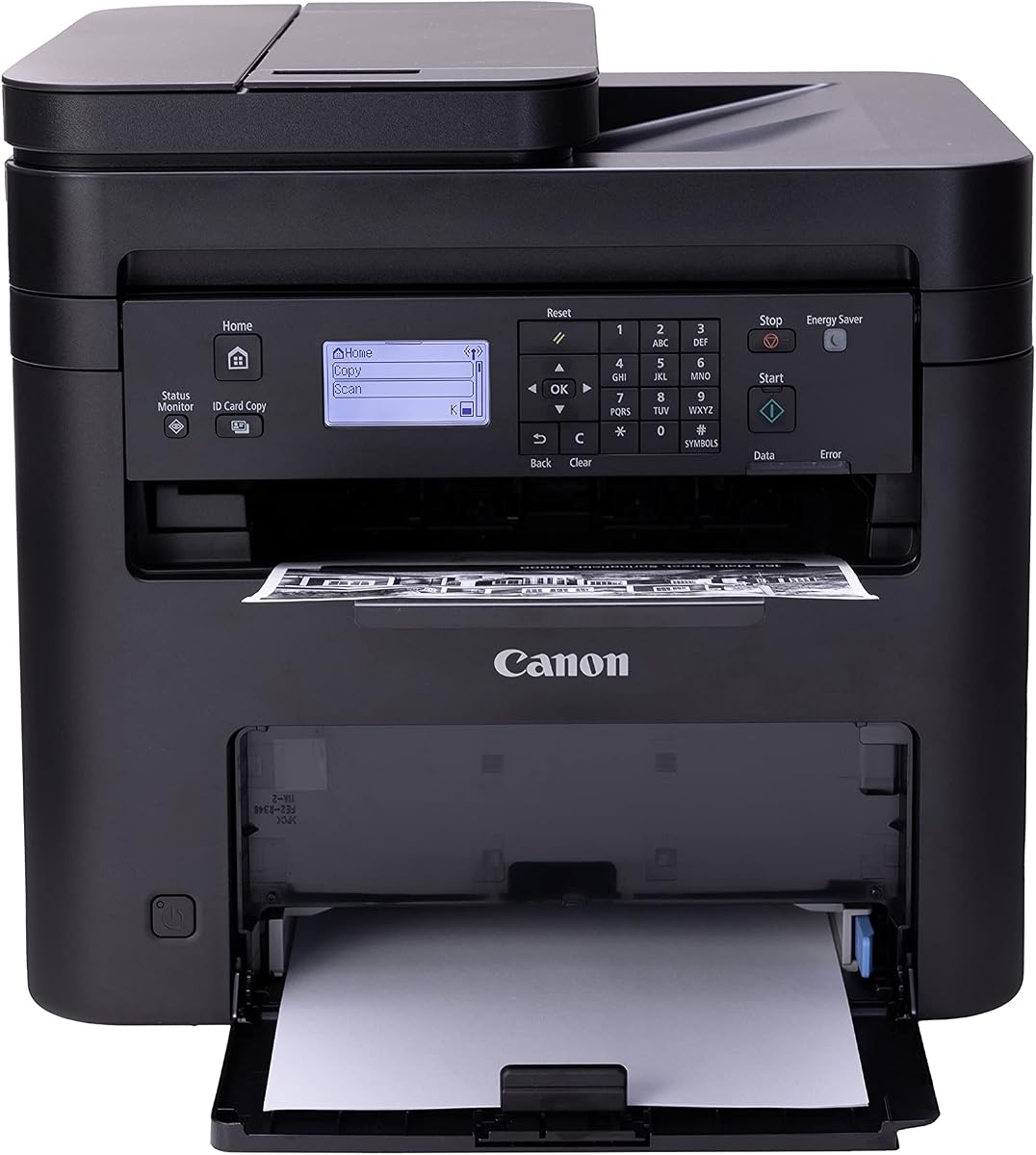
The Canon imageCLASS MF273dw provides efficient wireless printing with scanning and copying capabilities. It prints up to 30 pages per minute ensuring quick turnaround for daily documents. The auto 2-sided printing feature helps conserve paper and produces professional looking reports.
We may earn a commission when you buy through this link, at no additional cost to you.
With a first print time of about 5.3 seconds it is ready quickly after startup. The compact design fits well in smaller workspaces without sacrificing essential features. Toner usage is optimized for cost effective operations suitable for home or small offices.
While it lacks high-end customization, it delivers consistent quality for standard office needs. The wireless connectivity makes it easy to share among multiple devices. It remains a solid choice for users who want reliable basics at a reasonable price.
Choose this printer if you value simplicity and speed in a multifunction device. Its fast start-up and duplex features improve workflow efficiency. The wireless capability ensures flexible printing from various locations within your office.
With a first print time around five seconds the printer is ready to work immediately after turning on.
Connect directly to your home network to print from multiple computers and mobile devices seamlessly.
We may earn a commission when you buy through this link, at no additional cost to you.
The Brother MFC-L2820DW is a top contender for small offices needing print, scan, copy, and fax functions. It delivers prints up to 36 pages per minute with automatic duplex to save paper. The 2.7 inch touchscreen makes navigating menus intuitive and straightforward for all users.
We may earn a commission when you buy through this link, at no additional cost to you.
Flexibility is enhanced with dual-band wireless, Ethernet, and USB connections. Cloud-based apps like Dropbox and Google Drive integrate directly via the touchscreen for easy document access. The Brother Mobile Connect app extends functionality to mobile devices for remote management.
While limited to monochrome output, the print quality is sharp and consistent for professional documents. The compact footprint ensures it fits on most desks without clutter. The automatic document feeder simplifies copying multi-page materials efficiently.
This model is ideal for small teams needing comprehensive features in a single unit. Its balance of speed, connectivity, and usability makes it a strong choice. The inclusion of faxing adds value for businesses still using traditional communication methods.
The 2.7 inch touchscreen simplifies setup and operation making it easy to access all features quickly.
Connect to cloud apps directly from the device to scan and print files without using a computer.
We may earn a commission when you buy through this link, at no additional cost to you.
The Canon imageCLASS MF462dw II offers high capacity and speed for growing offices. It prints up to 37 pages per minute ensuring tasks are completed quickly. The 5 inch color touchscreen provides a customizable interface for quick access to frequently used features.
We may earn a commission when you buy through this link, at no additional cost to you.
Standard paper capacity is expandable with optional cassettes to handle higher volumes. The 50-sheet duplex automatic document feeder supports efficient two-sided scanning and copying. Wireless setup is streamlined to get the device running in just a few steps.
While it is slightly larger, the flexibility in paper handling reduces refill frequency. It lacks advanced security features found in enterprise models but suits small business needs well. The high capacity toner options help limit replacement needs significantly.
Choose this printer if you need to scale paper capacity as your business grows. Its speed and user-friendly interface support efficient daily operations. The expandable design ensures it adapts to changing workload requirements over time.
The application library on the 5 inch screen allows quick access to your most used scanning and printing features.
Optional paper cassettes increase tray capacity to handle larger volumes without constant refilling.
We may earn a commission when you buy through this link, at no additional cost to you.
The Brother MFC-L8930CDW delivers professional color output with robust security for enterprise use. It prints and copies up to 33 pages per minute with sharp black and color prints. The multipurpose tray supports custom printing on envelopes and card stock effectively.
We may earn a commission when you buy through this link, at no additional cost to you.
Security is enhanced with NFC card readers and layered protection to safeguard networks and documents. The 80-page auto document feeder enables fast two-sided scanning up to 104 images per minute. This makes it ideal for high-volume professional environments.
While the initial investment is higher, the low-cost printing options with high-yield toners help budget planning. The design is 25 percent smaller than previous models fitting better in modern offices. Security features ensure compliance with strict data policies.
Select this model if you need color output alongside top-tier security and speed. It suits businesses requiring reliable performance for sensitive data. The multipurpose tray ensures versatile handling for various document types including mailers.
Integrated security features including NFC card readers protect devices and documents from unauthorized access risks.
The multipurpose tray supports various paper sizes and types for professional custom document printing.
We may earn a commission when you buy through this link, at no additional cost to you.
The HP LaserJet Pro MFP 3101sdw is a reliable choice for small teams needing consistent performance. It prints at speeds up to 35 pages per minute with professional black and white quality. The 250-sheet input tray reduces frequent refills and boosts productivity during busy hours.
We may earn a commission when you buy through this link, at no additional cost to you.
Connectivity features include dependable Wi-Fi that automatically seeks the best connection. The 50-sheet auto document feeder supports efficient scanning and copying of multi-page tasks. It ensures you stay connected and productive with minimal downtime or setup efforts.
While cartridge restrictions exist, the printer delivers reliable reliability and sharp output consistently. The focus on team efficiency makes it suitable for shared office environments. However, fax capabilities are absent for those needing traditional communication tools.
Opt for this model if you value brand reliability and speed in a shared setting. It supports efficient workflows for small teams. Its strong Wi-Fi performance ensures everyone can print seamlessly without connection issues.
Performance is consistent page after page ensuring readiness for demanding business tasks without interruption.
Dependable wireless features automatically find the best connection keeping everyone online and productive.
We may earn a commission when you buy through this link, at no additional cost to you.
The Brother MFC-L2690DW is a robust compact all-in-one printer for reliable daily tasks. It offers fast print speeds up to 26 pages per minute ensuring efficient document creation. The generous 250-sheet capacity adjustable paper tray handles letter and legal sizes without constant refills.
We may earn a commission when you buy through this link, at no additional cost to you.
Wireless sharing across devices or local USB connections provides flexible network access. The manual feed slot ensures professional prints on envelopes and specialty paper for specific needs. Its sturdy construction ensures it keeps up with busy schedules over time.
While not the fastest model, its reliability and build quality make it a great investment for small offices. The compact footprint saves space without sacrificing essential functionality. It balances cost with performance for consistent printing needs.
Choose this printer if you need a durable compact solution for a shared workspace. Its reliable connectivity and generous paper capacity support smooth operations. The manual feed slot ensures versatility for envelopes and specialty documents easily.
The compact desk footprint saves space while still offering robust features for home or small office use.
Manual feed slots allow for high-quality output on envelopes and card stock efficiently.
We may earn a commission when you buy through this link, at no additional cost to you.
Selecting the right laser printer for envelope tasks requires considering several key factors to ensure efficiency and reliability.
Look for models with a manual feed slot that explicitly supports envelope sizes. This ensures that the printer can handle the thicker paper used in mailing without jamming or misaligning sheets during the process.
Choose a printer with a dedicated multipurpose tray for best results with envelopes.
Print speed is crucial for offices that produce high volumes of documents daily. A speed of 30 pages per minute or more helps keep workflows moving quickly and ensures you meet deadlines efficiently for daily tasks.
Prioritize models with at least 30 ppm to maintain productivity.
Modern printers must offer versatile connectivity such as dual-band Wi-Fi and Ethernet. This allows multiple users to print from different devices securely and efficiently without needing direct physical connections to the machine.
Ensure the printer supports wireless and Ethernet for flexible office setups.
A standard 250-sheet tray is common but consider expandable options for high-volume needs. This reduces the frequency of refills and keeps operations running smoothly during peak printing periods without interruption.
Check if the paper tray can handle letter and legal sizes reliably.
Decide if you need scanning, copying, and faxing in one device. All-in-one units save space and cost compared to separate devices and streamline your office workflow for document management.
Select an all-in-one model if you frequently scan or copy documents.
For business environments, security is essential to protect sensitive data during transmission. Look for built-in security features that safeguard your printer from cyber threats and ensure data integrity across your network.
Choose printers with advanced security protocols for business networks.
Evaluate the long-term costs including toner prices and replacement frequency. High-yield cartridges may cost more upfront but often save money in the long run by reducing replacement frequency and maintenance expenses.
Opt for models with high-yield toner options for cost savings.
Consider the physical dimensions of the printer to fit your workspace comfortably. A compact design is vital for small offices or home setups where desk space is limited and every inch counts for efficiency.
Measure your available space before purchasing to ensure a perfect fit.
To ensure smooth envelope printing, always place envelopes in the manual feed slot with the flap facing up to prevent jamming and ensure proper fuser alignment during the printing process.
Regularly clean the rollers and feed mechanism with a dry cloth to remove dust and debris that may cause paper jams or misfeeds during high-volume printing tasks.
Keep firmware updated through the manufacturer's app or website to ensure optimal connectivity and compatibility with new devices and security patches released over time.
Not all laser printers support envelopes; you must check if the model has a manual feed slot or multipurpose tray specifically designed for thicker paper. Models with manual feed slots are typically best for envelope tasks.
To prevent jams, ensure envelopes are flat and not curled before loading them into the feed slot. Adjust the guides gently to hold the envelope securely without bending it during the printing process.
Duplex printing is useful for double-sided documents but may not apply to envelopes. For envelopes, single-sided printing is standard so duplex is not required specifically for mailing needs.
Most models support standard business sizes like DL and C6 but check the manual for specific size limits. Using compatible sizes ensures smooth feeding and consistent print quality on your mailers.
Standard toner works fine for envelopes as long as the printer's fuser can heat the paper adequately. No special toner is required for mailing tasks with compatible laser printers.
Clean the rollers and interior every few months or whenever you notice paper jams. Regular maintenance ensures longevity and consistent print quality over time for your office devices.
Yes, modern wireless printers with dual-band support offer reliable connections for office use. They allow multiple users to print easily without needing direct physical cables for every task.
Most laser printers last between three to five years with regular use. High volume models may last longer if maintained well and serviced periodically to ensure consistent performance.
Choosing the right printer depends on your specific needs for speed, features, and envelope handling. Our top picks offer reliable performance for both home offices and small teams.
Prioritize models with manual feed slots and strong connectivity options to ensure smooth operations for your mailing tasks. Consider long-term costs and paper capacity as well.
Remember that product details and availability change so always check current pricing and specs before purchasing your next device to get the best value for your office.